
1. Introduction and Overview
Welcome to your Apple iPhone 17 Pro Max user manual. This guide provides essential information for setting up, operating, maintaining, and troubleshooting your device. The iPhone 17 Pro Max is a powerful smartphone designed for seamless performance and advanced features. This particular device is an Amazon Renewed product, ensuring it works and looks like new, backed by the Amazon Renewed Guarantee.
2. Product Features
- Display: Large 6.9-inch Super Retina XDR display with ProMotion technology.
- Processor: Powered by the advanced A18 Pro chip for exceptional performance.
- Storage: 1TB internal storage capacity.
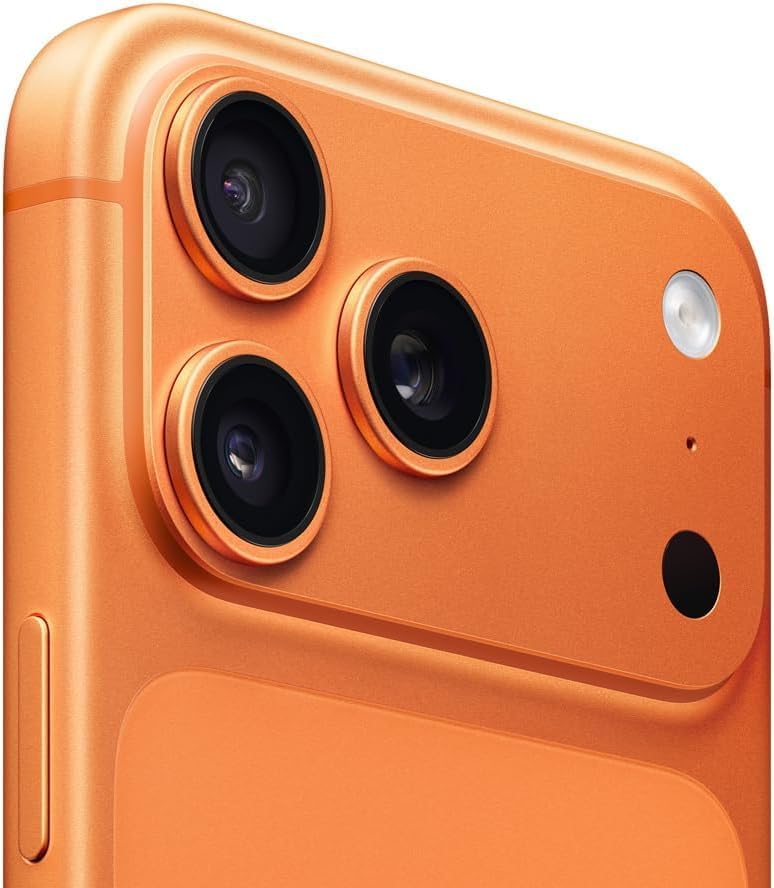
- Camera System: Sophisticated camera system including a 48MP main sensor, upgraded 48MP ultra-wide lens, and 5x optical zoom telephoto camera.
- Connectivity: Supports 5G cellular technology, Bluetooth, USB, and Wi-Fi.
- Durability: Features a high-end design with Ceramic Shield front cover and a durable titanium frame.
- Battery: Guaranteed minimum 80% battery capacity (for renewed products).
- Operating System: Runs on iOS 26.
- Carrier Compatibility: Unlocked and compatible with any carrier of choice on GSM and CDMA networks (e.g., AT&T, T-Mobile, Sprint, Verizon, US Cellular, Cricket, Metro, Tracfone, Mint Mobile).
3. Setup
3.1 Initial Device Activation
- Insert eSIM: This device uses an eSIM. Please contact your carrier for eSIM activation instructions.
- Power On: Press and hold the Side button until the Apple logo appears.
- Connect to Wi-Fi: Follow the on-screen prompts to select your language, region, and connect to a Wi-Fi network.
- Activate Service: Complete the on-screen setup process, which may include signing in with your Apple ID, setting up Face ID, and creating a passcode.
3.2 Carrier Compatibility
Before inserting your eSIM, please check with your chosen carrier to verify compatibility with the Apple iPhone 17 Pro Max. This phone is unlocked and designed to work across various GSM and CDMA networks.
4. Operating Instructions
4.1 Basic Navigation
- Home Screen: Swipe up from the bottom of the screen to go to the Home screen.
- App Switcher: Swipe up from the bottom and pause in the middle of the screen to view open apps.
- Control Center: Swipe down from the top-right corner of the screen to access quick settings like Wi-Fi, Bluetooth, and brightness.
- Notifications: Swipe down from the top-center of the screen to view notifications.
4.2 Buttons and Ports
- Side Button: Press to wake/sleep the device. Press and hold for Siri or to power off.
- Volume Buttons: Adjust media and call volume.
- Action Button: Customizable button for quick access to features like Camera, Flashlight, Voice Memos, Focus modes, Translate, or Accessibility features.
- USB-C Port: Located at the bottom for charging and data transfer.
4.3 Dynamic Island
The Dynamic Island adapts to show important alerts, notifications, and activities, such as incoming calls, music playback, and Face ID confirmations. Tap and hold on an activity in the Dynamic Island to expand it and see more options.
5. Camera System
The iPhone 17 Pro Max features an advanced camera system designed to capture high-quality photos and videos.
- Main Camera: 48-megapixel sensor for incredibly detailed images.
- Ultra-Wide Camera: Upgraded 48-megapixel ultra-wide lens for expansive shots.
- Telephoto Camera: 5x optical zoom for clear, close-up photos from a distance.
- Video Recording: Supports high-resolution video recording with enhanced stabilization and audio capture.
6. Display and Performance
Experience stunning visuals and fluid interactions with the iPhone 17 Pro Max.
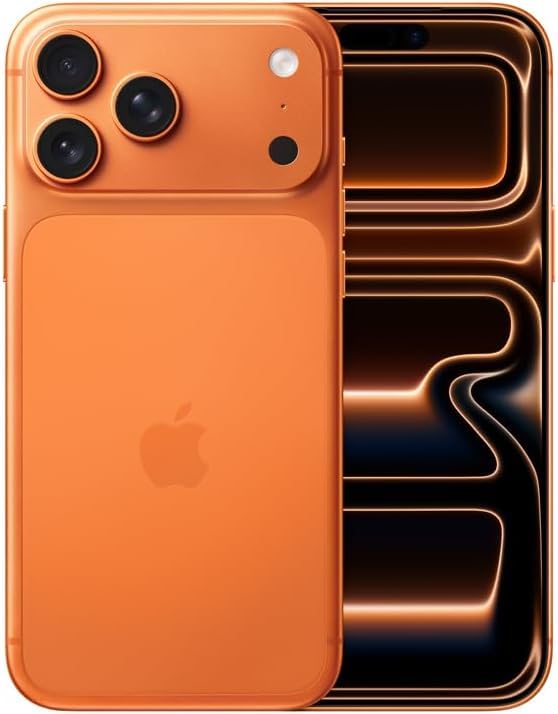
- 6.9-inch Super Retina XDR Display: Offers vibrant colors, deep blacks, and incredible brightness.
- ProMotion Technology: Adaptive refresh rates up to 120Hz for smooth scrolling and responsive gaming.
- A18 Pro Chip: Delivers industry-leading speed and efficiency for demanding applications and multitasking.
7. Connectivity
Stay connected with high-speed and reliable connectivity options.
- 5G Cellular: Enjoy ultra-fast download and upload speeds on compatible networks.
- Wi-Fi: Supports the latest Wi-Fi standards for quick internet access.
- Bluetooth: Connect wirelessly to accessories like headphones and smartwatches.
- USB-C: Universal port for charging and high-speed data transfer.
8. Battery and Charging
Your renewed iPhone 17 Pro Max is guaranteed to have a minimum battery capacity of 80% of its original capacity, ensuring reliable power throughout your day.
- Battery Capacity: 4000 Milliamp Hours (typical).
- Charging: Use the included generic (Mfi certified) USB-C charging cable. For optimal charging, use a compatible USB-C power adapter (sold separately).
- Wireless Charging: Supports MagSafe and Qi wireless charging.
9. Maintenance and Care
To ensure the longevity and optimal performance of your iPhone 17 Pro Max, follow these care guidelines:
- Cleaning: Use a soft, lint-free cloth to clean your device. Avoid abrasive materials or harsh chemicals.
- Protection: The device features a Ceramic Shield front cover and a titanium frame for enhanced durability. Consider using a protective case and screen protector for additional safeguarding.
- Temperature: Avoid exposing your iPhone to extreme temperatures, both hot and cold.
- Water Resistance: While water-resistant, avoid intentional submersion or exposure to high-pressure water.

10. Troubleshooting
If you encounter issues with your iPhone 17 Pro Max, try the following steps:
- Restart: A simple restart can often resolve minor software glitches. Press and hold the Side button and either Volume button until the power off slider appears, then drag the slider.
- Check Settings: Verify Wi-Fi, Bluetooth, and cellular settings are correctly configured.
- Software Update: Ensure your device is running the latest version of iOS by going to Settings > General > Software Update.
- Factory Reset: As a last resort, you can perform a factory reset (Settings > General > Transfer or Reset iPhone > Erase All Content and Settings). Note: This will erase all data on your device. Back up important information first.
- Contact Support: If issues persist, refer to the warranty and support section for further assistance.
11. Specifications
| Feature | Detail |
|---|---|
| Brand | Apple |
| Model Name | iPhone 17 Pro Max |
| Item Model Number | A3257 |
| Operating System | iOS 26 |
| Screen Size | 6.9 Inches |
| Memory Storage Capacity | 1000 GB (1 TB) |
| RAM Memory Installed Size | 1 TB |
| Color | Cosmic Orange |
| Item Weight | 8.2 ounces |
| Battery Power Rating | 4000 Milliamp Hours |
| Wireless Carrier | Unlocked |
| Cellular Technology | 5G |
| Connectivity Technology | Bluetooth, USB, Wi-Fi |
12. What's in the Box
Your Apple iPhone 17 Pro Max (Renewed) package includes:
- Apple iPhone 17 Pro Max (Model A3257)
- Generic (Mfi certified) USB-C charging cable
Note: The device does not come with headphones or a SIM card.
13. Warranty and Support
As an Amazon Renewed product, your iPhone 17 Pro Max is backed by the Amazon Renewed Guarantee. This includes:
- 90-Day Refund/Replacement Policy: If you are not satisfied with your purchase, you are eligible for a refund or replacement within 90 days of receipt.
- Battery Health: Guaranteed to have a minimum battery capacity of 80% relative to new.
For further assistance, please contact Amazon Renewed customer support.


