
TOOBUR DR07
TOOBUR DR07 Petite Smart Watch User Manual
Model: DR07
1. Introduction
This manual provides essential instructions for setting up, operating, and maintaining your TOOBUR DR07 Petite Smart Watch. Designed for women with small wrists, this 37mm AMOLED smartwatch offers comprehensive health and fitness tracking, along with smart notifications, compatible with both Android and iOS devices.
2. What's in the Box
- TOOBUR DR07 Petite Smart Watch
- Charging Cable
- User Manual (this document)
3. Product Overview
The TOOBUR DR07 features a sleek, lightweight design with a 1.45-inch (37mm) AMOLED display, ensuring vibrant colors and clear visuals. Its skin-friendly silicone strap provides comfort for all-day wear. The watch is equipped with a physical knob for easy navigation.

Figure 1: TOOBUR DR07 Smart Watch on a small wrist, demonstrating its compact and elegant design.
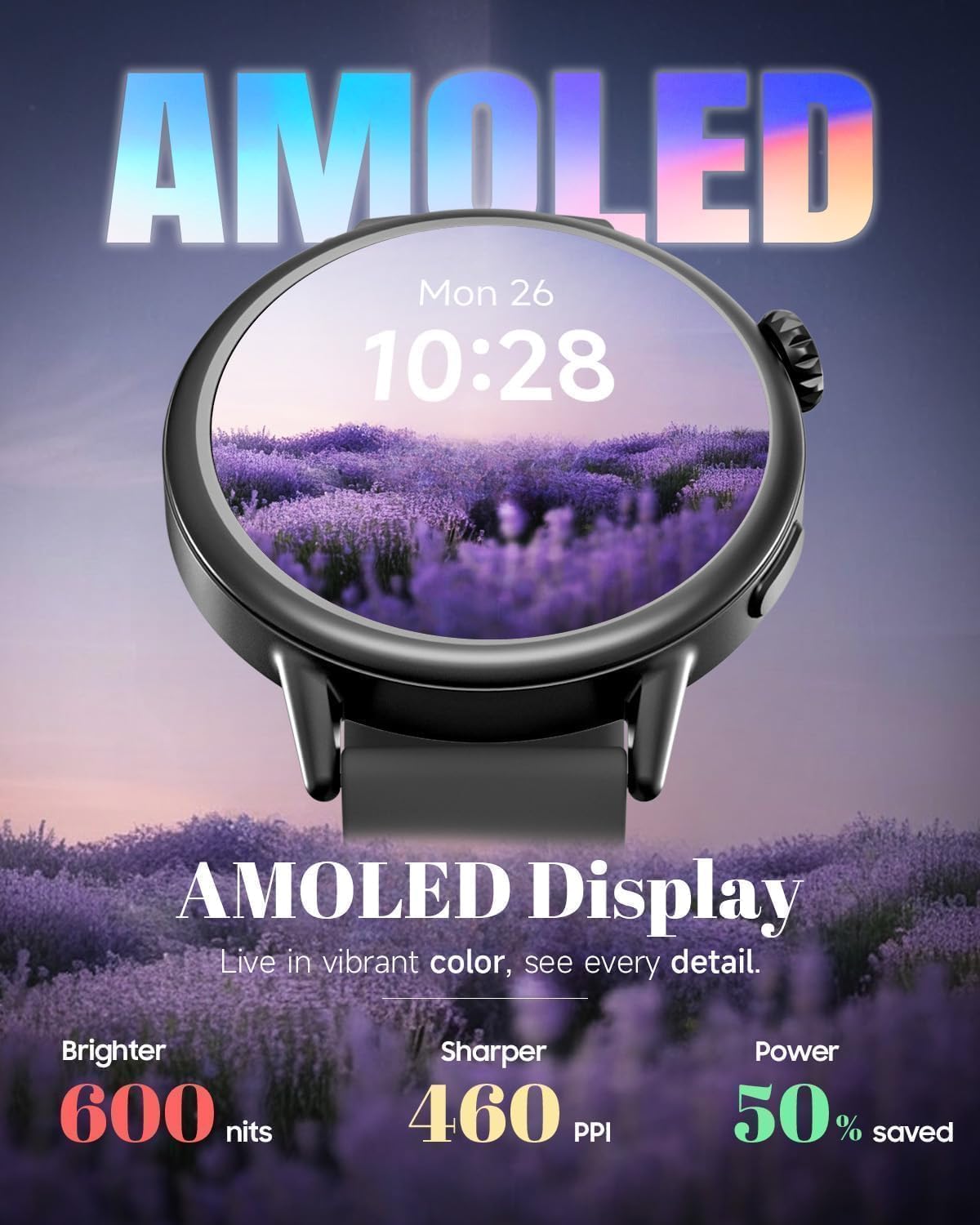
Figure 2: The 1.45-inch AMOLED display of the TOOBUR DR07, known for its vibrant colors and sharp resolution.
4. Setup
4.1 Initial Charging
Before first use, charge the smartwatch for at least 1 hour. If the battery is completely drained, charge for at least 30 minutes before powering on. The watch charges from 20% to 100% in approximately 30 minutes using the provided Type-C charging cable.
4.2 App Download and Pairing
The TOOBUR DR07 is compatible with both Android and iOS devices. To access all features and maintain a stable connection, download the "VeryFit" app from the Google Play Store or Apple App Store. Ensure Bluetooth is enabled on your phone and the VeryFit app is running in the background for optimal performance.

Figure 3: The TOOBUR DR07 Smart Watch seamlessly connects with both Android and iOS smartphones via the VeryFit app.
4.3 Power On/Off
Long press the physical knob on the side of the watch to power it on or off.
5. Operating Instructions
5.1 Navigation
Swipe across the touchscreen to navigate through different menus and features. Use the physical knob for additional control and selection.
5.2 Daily Activity Tracking
The smartwatch continuously tracks various health metrics:
- Steps, Calories, Distance: Automatically recorded 24/7.
- Heart Rate: Continuous heart rate monitoring.
- Sleep Monitor: Tracks sleep quality, including light, deep, and REM sleep stages.
- Mood: Monitors emotional fluctuations.

Figure 4: The Activity Tracker feature on the TOOBUR DR07, showing real-time fitness data during exercise.
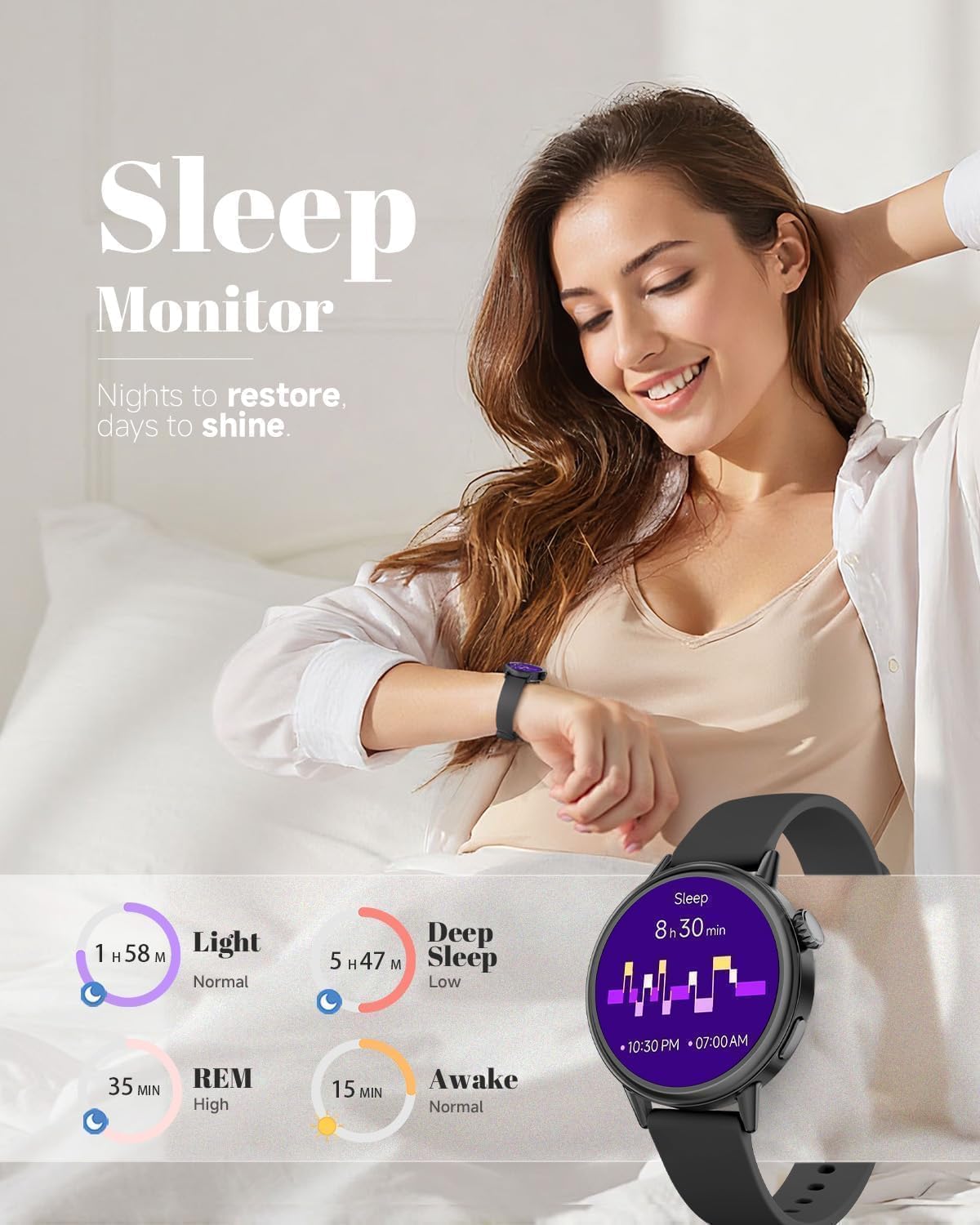
Figure 5: The Sleep Monitor interface on the TOOBUR DR07, providing detailed insights into sleep patterns.
5.3 Sports Modes
The watch supports over 100 sports modes accessible via the app. Even without a phone connection, core tracking features for these modes function.
5.4 Notifications
Receive notifications for calls, texts, and alerts from major apps directly on your wrist. Quick reply functionality is available when paired with Android devices.
5.5 Additional Features
The TOOBUR DR07 includes several practical functions:
- Weather: Check current weather updates.
- Calendar: View your schedule.
- Calculator: Perform basic calculations.
- Alarm Clock: Set alarms.
- Stopwatch: Time events.
- Music Control: Control music playback on your phone.
- Camera Control: Remotely trigger your phone's camera.
- Find Phone: Locate your paired smartphone.
- Always-On Display (AOD): Keep the time visible.
- Customizable Watch Faces: Choose from multiple watch faces or create your own.
6. Maintenance
6.1 Water Resistance
The watch boasts 1ATM water resistance, making it suitable for daily activities like hand washing, rain exposure, and workout sweat. It is not recommended for swimming or showering with hot water.
6.2 Cleaning
Wipe the watch and strap regularly with a soft, dry cloth. Avoid using harsh chemicals or abrasive materials that could damage the device.
7. Troubleshooting
7.1 Connection Issues
If the Bluetooth connection repeatedly disconnects, try restarting both the watch and your phone's Bluetooth. Ensure the VeryFit app is running in the background on your phone.
7.2 Battery Life
The low-power AMOLED display and optimized system offer 5-7 days of daily use. Battery life may vary based on usage habits and settings. Ensure the watch is fully charged before extended use.
7.3 General Issues
For detailed function introductions and precautions, refer to the documents available within the VeryFit app. If you encounter any issues not covered here, please contact TOOBUR customer support.
8. Specifications
| Feature | Specification |
|---|---|
| Model Name | DR07 |
| Brand | TOOBUR |
| Screen Size | 1.1 Inches (1.45'' case diameter) |
| Shape | Round |
| Item Weight | 21.3 Grams (0.751 ounces) |
| Battery Capacity | 185 Milliamp Hours |
| Connectivity Technology | Bluetooth |
| Water Resistance | 1ATM |
| Compatibility | Android & iOS |
| Special Features | Activity Tracker, Alarm Clock, Always On Display, Custom Activity Tracking, Multisport Tracker |
9. Warranty and Support
For any issues or problems with your TOOBUR DR07 Smart Watch, please contact TOOBUR via email. The manufacturer is committed to providing satisfactory solutions.
Related documentsDR07


Ask a question about this manual
Ask about setup, troubleshooting, compatibility, parts, safety, or missing instructions. Manuals+ will review the question and use this page’s manual context to help answer it.