
1. Setup
1.1 Unboxing and Initial Inspection
Carefully unpack all components from the box. Verify that the smartwatch, charging cables (USB Magnetic + Type-C), and user manual are present. Inspect the watch for any visible damage.
Video: Watch the unboxing, band adjustment, charging, and app pairing process for the LIGE TX7 Smartwatch. This video demonstrates the initial setup and basic functionalities.
1.2 Charging the Smartwatch
Before first use, fully charge the smartwatch. Connect the magnetic charging cable to the charging points on the back of the watch and the USB-A or Type-C end to a compatible power adapter (5V/1A recommended) or a computer's USB port. The watch will display a charging indicator. A full charge typically takes approximately 3 hours and provides 5-7 days of normal use or over 30 days in standby mode.

Image: The LIGE TX7 Smartwatch highlighting its 800mAh ultra-large battery and the included USB magnetic and Type-C charging cables, ready for various charging scenarios.
1.3 Adjusting the Watch Band
The LIGE TX7 Smartwatch comes with an adjustable band. If you have a metal link band, use the included tool to remove or add links for a comfortable fit. For silicone bands, adjust the buckle to secure the watch snugly on your wrist. Ensure the watch is not too tight or too loose for accurate health monitoring.

Image: Detailed view of the LIGE TX7 Smartwatch, showing its dimensions and how to adjust the metal link band using the provided tool to ensure a proper fit.
1.4 App Download and Device Pairing
To unlock the full functionality of your LIGE TX7 Smartwatch, download the 'GloryFitPro' app on your smartphone. Scan the QR code displayed on the watch or in the manual, or search for 'GloryFitPro' in the App Store (iOS) or Google Play Store (Android). Once installed, open the app, create an account, and follow the on-screen instructions to pair your smartwatch via Bluetooth. Ensure Bluetooth is enabled on your phone and grant necessary permissions for the app to function correctly.

Image: The LIGE TX7 Smartwatch displaying real-time message notifications from various social media applications, demonstrating its connectivity with a smartphone.
2. Operating Instructions
2.1 Display and Navigation
The LIGE TX7 Smartwatch features a 1.43-inch AMOLED HD display with a resolution of 466x466 pixels. Navigate the watch interface by swiping left, right, up, or down, and tapping to select options. The watch supports an always-on display mode for continuous time visibility.
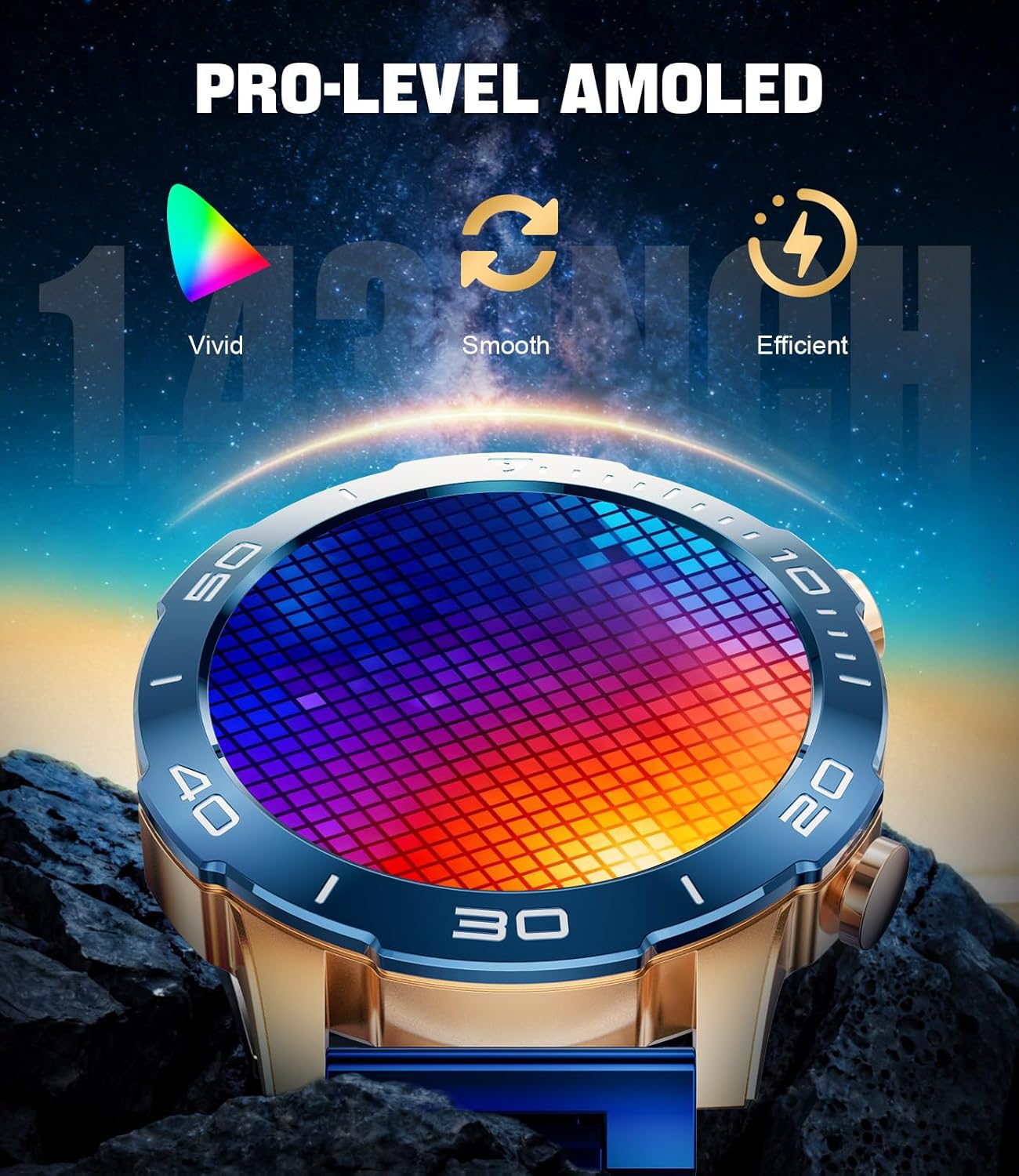
Image: The LIGE TX7 Smartwatch showcasing its 1.43-inch AMOLED display with vivid colors and smooth transitions, emphasizing its high-resolution screen.
2.2 Customizing Watch Faces
Personalize your smartwatch with over 300 available watch faces through the GloryFitPro app. You can also upload your own photos to create custom watch faces. Access the watch face market within the app to browse and download new designs.
2.3 Notifications and Bluetooth Calls
Once paired with your smartphone, the smartwatch will display incoming call alerts, SMS messages, and notifications from various social media apps. You can answer or reject calls directly from your wrist using the built-in microphone and speaker. Store up to 100 favorite contacts for quick dialing.
2.4 Music Control
Control your smartphone's music playback directly from your LIGE TX7 Smartwatch. Play, pause, skip tracks, and adjust volume without needing to take out your phone.
2.5 Health Monitoring
The smartwatch continuously monitors your heart rate and blood oxygen (SpO2) levels 24/7. It also provides detailed analysis of your sleep cycles (light, deep, REM) and intelligent stress level assessments. Note: Health data is for reference only and should not be used for medical diagnosis.
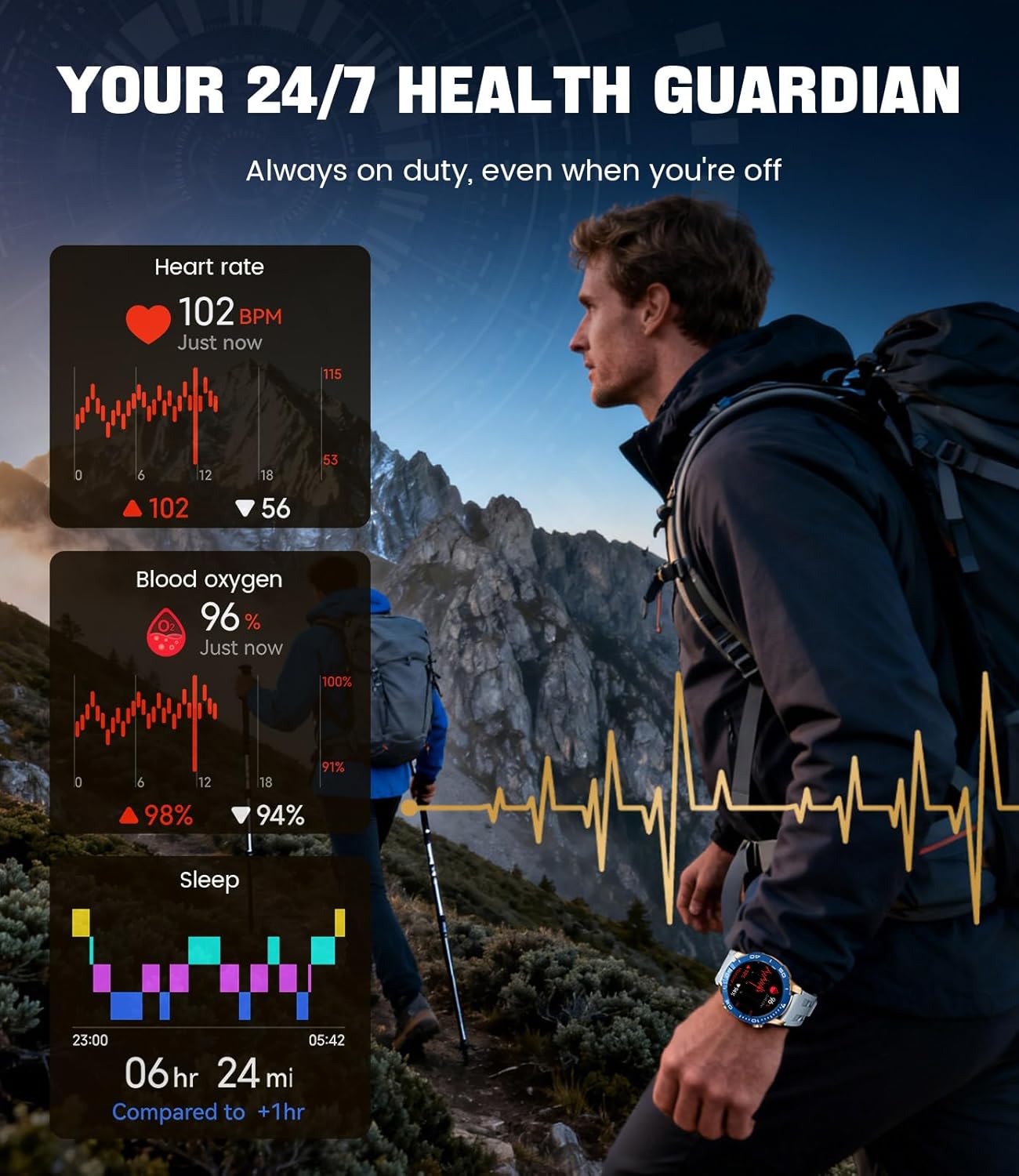
Image: The LIGE TX7 Smartwatch showcasing its 24/7 health monitoring capabilities, including real-time heart rate, blood oxygen saturation (SpO2), and detailed sleep stage tracking.
2.6 Sports Modes
With over 170 sports modes, the LIGE TX7 Smartwatch tracks various activities such as running, cycling, hiking, and swimming. It automatically detects 5 common activities (walking, running, cycling) and prompts you to start recording. For swimming, it intelligently recognizes 4 strokes (crawl, breaststroke, backstroke, butterfly) and records 12 key metrics including stroke count, SWOLF efficiency, and calories burned.

Image: The LIGE TX7 Smartwatch displaying its 170+ exercise modes, with examples of users engaging in golf, basketball, and running, highlighting its versatility in fitness tracking.
2.7 Other Smart Features
The smartwatch includes additional intelligent features such as weather forecasts, remote camera control, smartphone music control, sedentary reminders, breathing exercises, a 'find phone' function, and voice commands. It integrates over 20 practical tools to streamline your daily activities.
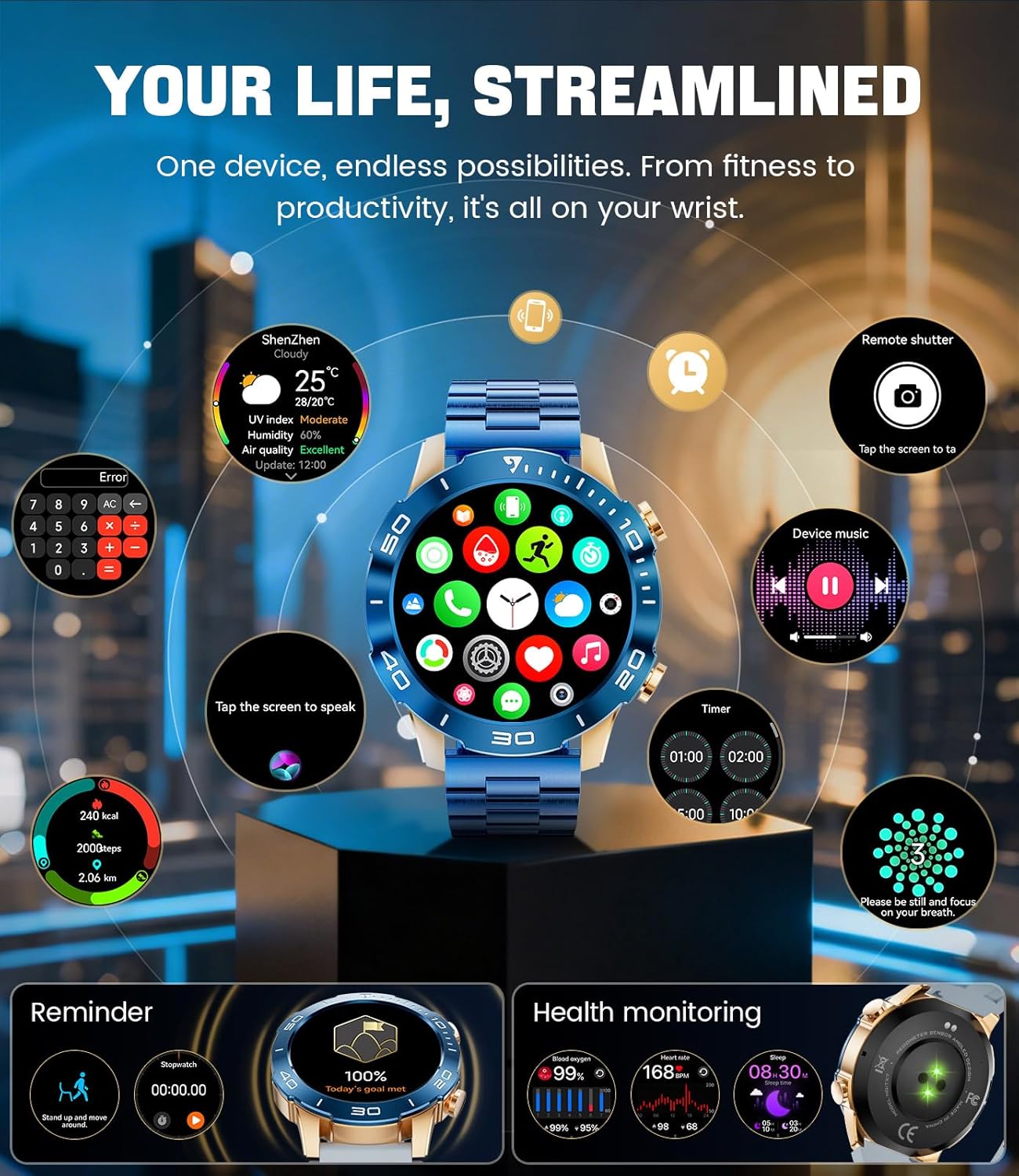
Image: The LIGE TX7 Smartwatch interface showcasing a range of smart features including weather, camera control, music control, reminders, and health monitoring, designed to streamline daily life.
3. Maintenance
3.1 Water Resistance (IP68)
The LIGE TX7 Smartwatch is IP68 water-resistant, meaning it can withstand immersion in fresh water up to 1.5 meters for 30 minutes. It is suitable for daily use, including hand washing, rain exposure, and swimming. Avoid using the watch in hot water, saunas, or steam rooms, as steam can penetrate the seals and cause damage. Do not press buttons underwater.
Video: This video demonstrates the durability of the LIGE TX7 Smartwatch, including its resistance to impacts, scratches, and water immersion, highlighting its robust design.
3.2 Cleaning and Care
To maintain the appearance and functionality of your smartwatch, regularly clean the device and its band. Use a soft, dry cloth to wipe the screen and casing. For the band, use a slightly damp cloth and mild soap if necessary, then rinse and dry thoroughly. Avoid using harsh chemicals or abrasive materials.
4. Troubleshooting
4.1 Watch Not Turning On
- Ensure the watch is fully charged. Connect it to the charger for at least 30 minutes.
- Press and hold the power button for 10-15 seconds to perform a forced restart.
4.2 Unable to Pair with Phone
- Ensure Bluetooth is enabled on your smartphone.
- Make sure the GloryFitPro app is installed and updated to the latest version.
- Restart both your smartphone and the smartwatch.
- Check if the watch is already paired with another device. Disconnect if necessary.
- Grant all necessary permissions to the GloryFitPro app in your phone's settings.
4.3 Inaccurate Health Data
- Ensure the watch is worn snugly on your wrist, not too loose or too tight.
- Clean the sensors on the back of the watch regularly.
- Avoid excessive movement during measurements.
- Remember: Health data is for reference only and not for medical use.
4.4 Notifications Not Appearing
- Verify that the watch is successfully paired with your phone.
- Check notification settings within the GloryFitPro app and your phone's system settings.
- Ensure the app has permission to display notifications.
- Disable any 'Do Not Disturb' modes on both your phone and watch.
5. Specifications
| Feature | Detail |
|---|---|
| Brand | LIGE |
| Model Number | CQ-TX7-J |
| Display Size | 1.43 Inches |
| Display Type | AMOLED |
| Display Resolution | 466 x 466 pixels |
| Operating System | Android 5.0+ & iOS 11+ |
| Connectivity | Bluetooth |
| Battery Capacity | 800 mAh (Lithium-polymer) |
| Battery Life (Normal Use) | 5-7 days |
| Standby Time | 30+ days |
| Water Resistance | IP68 |
| Health Monitoring | Heart Rate, SpO2, Sleep Tracking, Stress Monitoring |
| Sports Modes | 170+ |
| Special Features | Weather forecast, Sedentary reminder, Alarm clock, Always-on display, Touch screen, Remote camera control, Music control, Voice commands |
| Memory Storage Capacity | 256 MB |
| GPS | Via smartphone |
| Country of Origin | China |
6. Warranty & Support
6.1 Manufacturer's Warranty
The LIGE TX7 Smartwatch comes with a 2-year manufacturer's warranty. This warranty covers defects in materials and workmanship under normal use. It does not cover damage caused by misuse, accidents, unauthorized modifications, or failure to follow the instructions in this manual.
6.2 Customer Support
For any questions, technical assistance, or warranty claims, please contact LIGE customer support. Refer to the contact information provided with your product packaging or visit the official LIGE website for support details.


