
Fanbulous 72BK
Fanbulous 72-Inch Large Ceiling Fan Instruction Manual
Model: 72BK
Introduction
This manual provides detailed instructions for the safe installation, operation, and maintenance of your Fanbulous 72-inch large ceiling fan. Please read all instructions carefully before beginning installation and retain this manual for future reference. This fan is designed for both indoor and outdoor use, featuring a 6-speed reversible DC motor and 10 blades for efficient air circulation.
Important Safety Information
- Always disconnect power at the circuit breaker before installation or servicing.
- Ensure all electrical connections comply with local codes and ordinances.
- The fan must be mounted to a ceiling joist or a suitable support structure capable of holding the fan's weight.
- Maintain a minimum clearance of 7 feet from the floor to the bottom of the fan blades.
- Do not operate the fan if any part is damaged.
- This fan is not water resistant; avoid direct exposure to water.
Package Contents
Verify that all components are present before beginning installation:
- Ceiling Fan Unit
- Remote Control
- Hardware Bag (screws, wire nuts, etc.)
- Accessories (including downrods)
Specifications
| Brand | Fanbulous |
| Model Number | 72BK |
| Size | 72 inches |
| Color | Black |
| Material | Iron, Wood |
| Motor Type | DC Motor |
| Fan Speeds | 6 |
| Reversible Motor | Yes |
| Control Method | Remote Control |
| Timer Settings | 1, 4, 8 hours |
| Wattage | 45 watts |
| Indoor/Outdoor Usage | Indoor, Outdoor (Not Water Resistant) |
| Mounting Type | Downrod Mount |
| Dimensions (L x W x H) | 72"L x 72"W x 21"H |
Setup and Installation
Refer to the detailed installation instructions provided in the separate installation guide for step-by-step procedures. Ensure the mounting location can support the fan's weight and that all electrical connections are secure.
- Downrod Selection: The fan includes 6-inch, 12-inch, and 24-inch downrods to accommodate various ceiling heights. Choose the appropriate downrod for your installation.
- Ceiling Compatibility: This fan is suitable for standard ceilings and slanted ceilings with a slope up to 15 degrees.
- Secure Mounting: Always mount the fan securely to a ceiling joist or a certified outlet box designed for ceiling fan support.

Image: Fan dimensions and mounting options for different ceiling types.

Image: Visual representation of adjustable downrods for low, high, and slanted ceiling installations.
Operating Instructions
Your Fanbulous ceiling fan is controlled by the included remote. Ensure the remote has fresh batteries installed.

Image: Remote control and its functions for the ceiling fan.
- Power On/Off: Use the power button on the remote to turn the fan on or off.
- Speed Control: Select from 6 fan speeds to adjust airflow intensity. Levels 1-2 provide a low comfortable wind, levels 3-4 offer a medium natural wind, and levels 5-6 deliver high cooling wind.
- Reversible Motor: The DC motor allows for reversible blade rotation.
- Summer Mode (Forward): Blades rotate counter-clockwise to push cool air downwards.
- Winter Mode (Reverse): Blades rotate clockwise to draw warm air up and circulate it throughout the room.
- Timer Function: Set the fan to automatically turn off after 1, 4, or 8 hours using the timer buttons on the remote.
- Natural Wind Mode: Activates a varying speed setting to simulate a natural breeze.
- Remote Wall Mount: A wall mount is included to store the remote control conveniently.
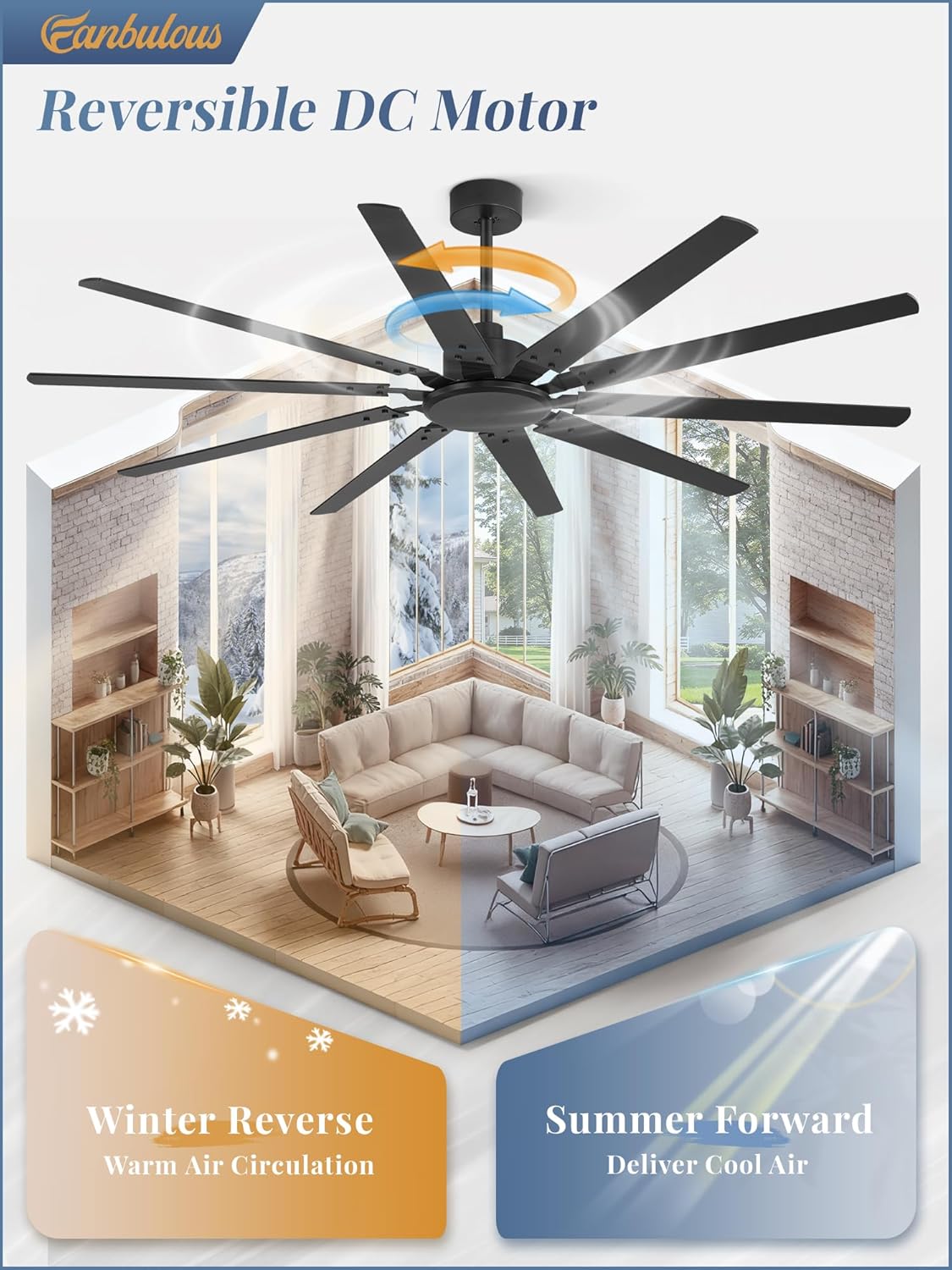
Image: Reversible DC motor function for summer and winter use.
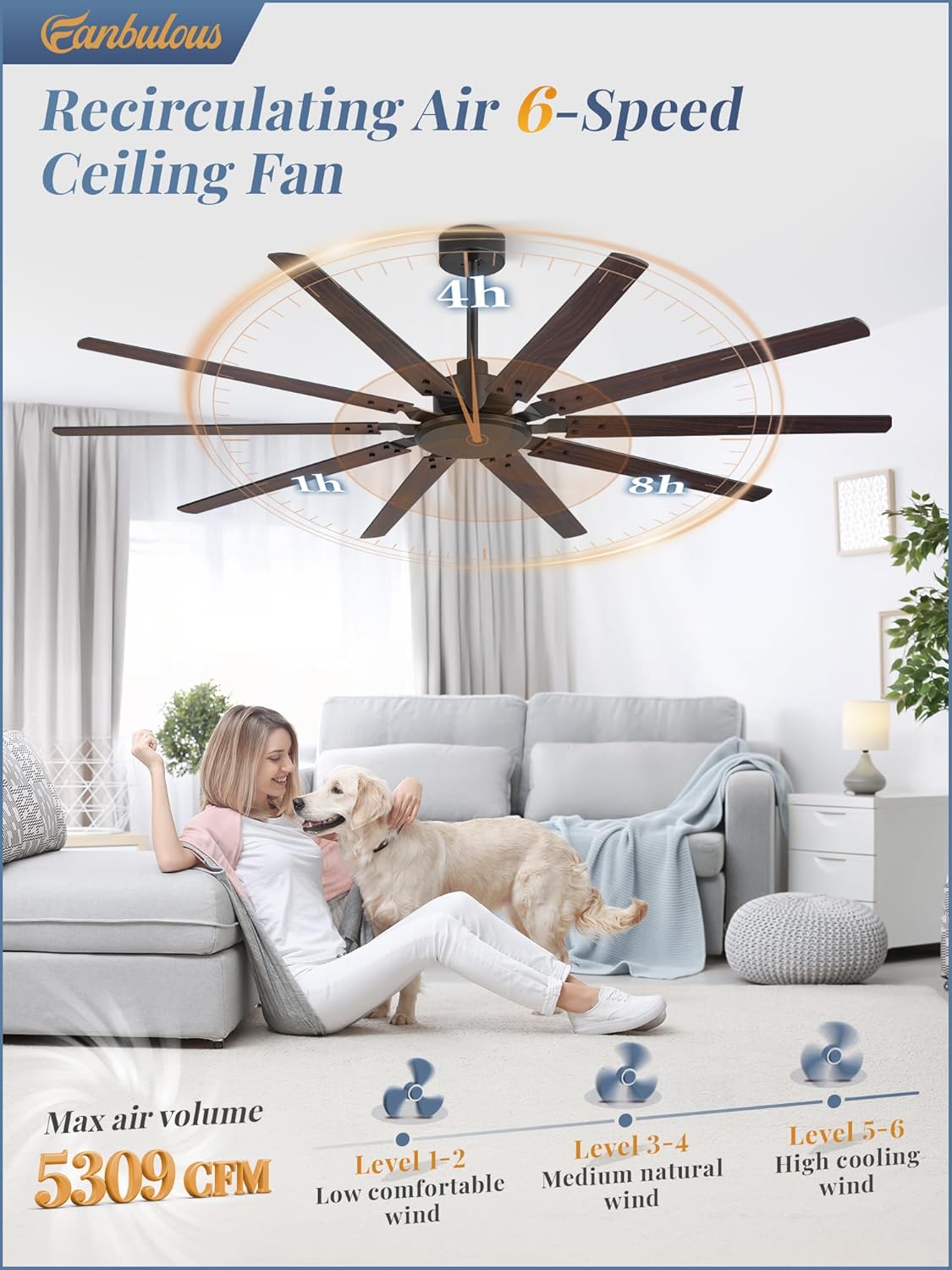
Image: Fan speed levels and their corresponding air volume.

Image: Timer setting options for the ceiling fan.
Maintenance
Regular maintenance ensures optimal performance and longevity of your ceiling fan.
- Cleaning: Use a soft, damp cloth to clean the fan blades and motor housing. Do not use abrasive cleaners or solvents. Ensure power is disconnected before cleaning.
- Blade Inspection: Periodically check the blade screws to ensure they are tight. Loose screws can cause wobbling and noise.
- General Check: Annually inspect all connections and mounting hardware for tightness and wear.
Troubleshooting
| Problem | Possible Cause | Solution |
|---|---|---|
| Fan does not start | No power to the fan; loose wire connections; remote control battery low. | Check circuit breaker; ensure all wires are securely connected; replace remote control batteries. |
| Fan wobbles | Loose blade screws; improper mounting; unbalanced blades. | Tighten all blade screws; ensure fan is securely mounted to a ceiling joist; use a balancing kit if necessary. |
| Remote control not working | Low or dead batteries; remote not paired with fan. | Replace batteries; refer to the installation guide for remote pairing instructions. |
| Fan is noisy | Loose screws; internal component issue. | Check and tighten all screws; if noise persists, contact customer support. Note: The DC motor operates quietly, typically below 35dB. |

Image: Comparison of fan noise level to common sounds.
Warranty and Support
Fanbulous provides a 2-year warranty for this product, ensuring reliability and assistance for any manufacturing defects or malfunctions. We also offer dedicated 24-hour issue resolution support.
For technical assistance, warranty claims, or any product-related inquiries, please contact Fanbulous customer support through the retailer where the product was purchased or visit the official Fanbulous website for contact information.
Related documents72BK


Ask a question about this manual
Ask about setup, troubleshooting, compatibility, parts, safety, or missing instructions. Manuals+ will review the question and use this page’s manual context to help answer it.