
1. Introduction
This manual provides detailed instructions for the proper use and maintenance of your TECKNET TK-HS036 Open Ear Bluetooth Headphones. Please read this manual thoroughly before using the product to ensure optimal performance and longevity. Keep this manual for future reference.
2. Package Contents
Verify that all items are present in your package:
- TECKNET TK-HS036 Open Ear Bluetooth Headphones (Left and Right)
- Charging Case
- USB-C Charging Cable
- User Manual
3. Product Overview
The TECKNET TK-HS036 headphones feature an open-ear design for comfort and situational awareness. They are designed to rest securely on your ear without blocking the ear canal.

Figure 3.1: Open-ear design for secure fit and all-day comfort. This design allows users to remain aware of their surroundings while listening to audio.
The charging case includes a smart digital display to indicate battery levels for both the case and individual earbuds.
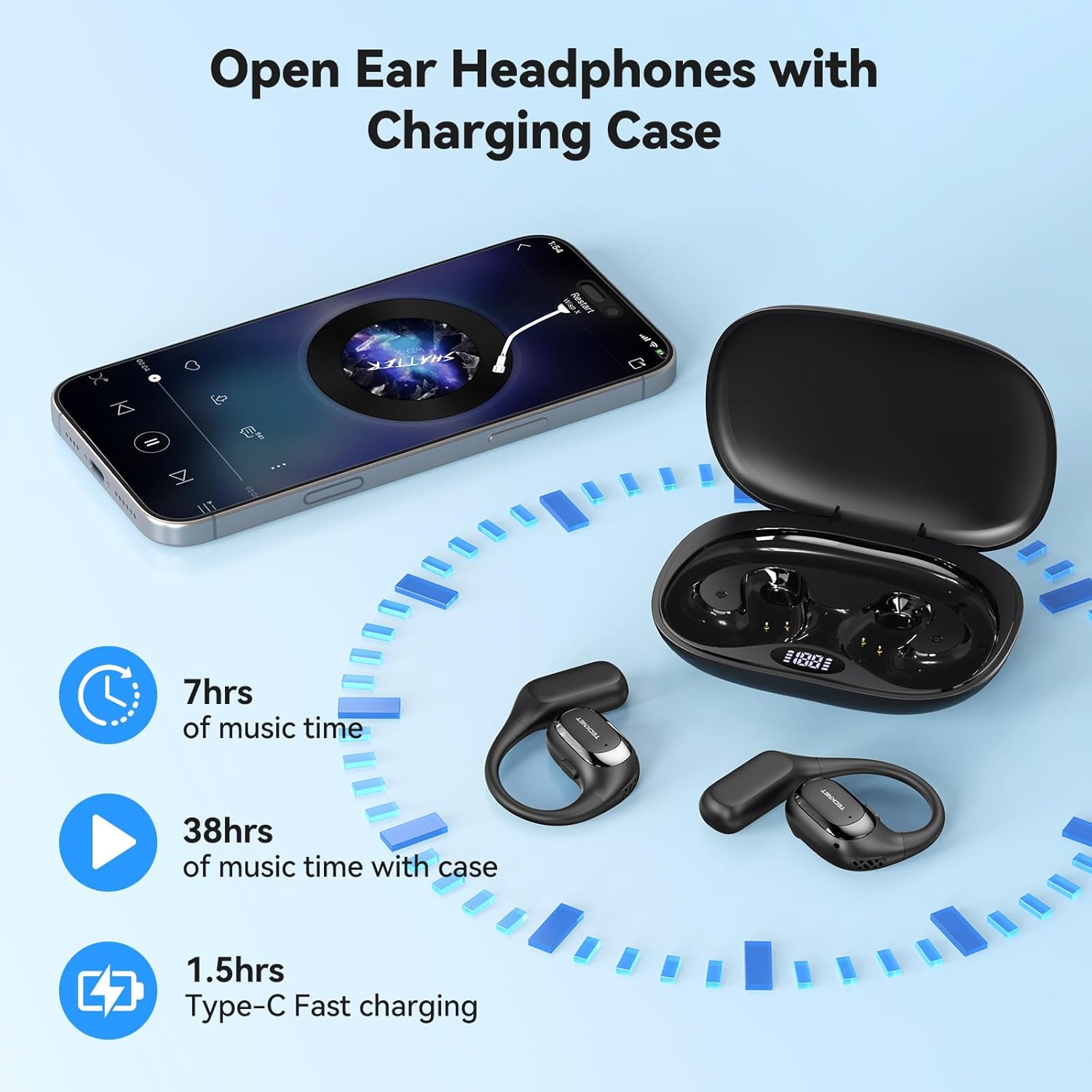
Figure 3.2: Headphones and charging case. The display on the case shows battery status. The image also indicates 7 hours of music time per charge, 38 hours total with the case, and 1.5 hours for Type-C fast charging.
4. Setup
4.1 Charging the Headphones and Case
- Initial Charge: Before first use, fully charge both the headphones and the charging case.
- Charging the Case: Connect the provided USB-C cable to the charging port on the case and to a USB power adapter (not included). The digital display on the case will show the charging progress.
- Charging the Headphones: Place the headphones into their respective slots in the charging case. Ensure the charging contacts align. The digital display will show the charging status of each earbud.
- Full Charge Indication: The display will indicate a full charge when complete. A full charge for the case and headphones typically takes approximately 1.5 hours.
4.2 Power On/Off
- Power On: Open the charging case, and the headphones will automatically power on. Alternatively, press and hold the multi-function button on each earbud for 3 seconds.
- Power Off: Place the headphones back into the charging case and close the lid; they will automatically power off and begin charging. Alternatively, press and hold the multi-function button on each earbud for 5 seconds.
4.3 Bluetooth Pairing
- Enter Pairing Mode: Open the charging case. The headphones will automatically enter pairing mode, indicated by a flashing LED light on the earbuds.
- Enable Bluetooth: On your device (smartphone, tablet, etc.), go to the Bluetooth settings and enable Bluetooth.
- Select Device: Look for "TK-HS036" in the list of available devices and select it to connect.
- Connection Confirmation: Once connected, the LED indicator on the headphones will stop flashing, and you will hear an audible confirmation.

Figure 4.1: Bluetooth 6.0 connection process. The image shows a phone's Bluetooth settings with the TK-HS036 headphones successfully connected.
- Automatic Reconnection: After the initial pairing, the headphones will automatically connect to the last paired device when powered on and within range.
5. Operating Instructions
5.1 Music Playback
- Play/Pause: Single tap the multi-function button on either earbud.
- Next Track: Double tap the multi-function button on the right earbud.
- Previous Track: Double tap the multi-function button on the left earbud.
- Volume Up: Triple tap the multi-function button on the right earbud.
- Volume Down: Triple tap the multi-function button on the left earbud.
5.2 Call Functions
- Answer/End Call: Single tap the multi-function button on either earbud.
- Reject Call: Press and hold the multi-function button on either earbud for 2 seconds.
- Activate Voice Assistant: Press and hold the multi-function button on either earbud for 2 seconds (when not on a call).
5.3 Sound Quality
The TK-HS036 headphones are equipped with a 14.2mm driver designed to deliver clear audio with enhanced bass.

Figure 5.1: Internal view of the 14.2mm driver, responsible for audio output.
6. Maintenance
6.1 Cleaning
- Wipe the headphones and charging case with a soft, dry, lint-free cloth.
- Do not use abrasive cleaners, alcohol, or chemical solvents.
- Ensure charging contacts are clean and free of debris.
6.2 Storage
- Store the headphones in their charging case when not in use to protect them and keep them charged.
- Avoid storing in extreme temperatures or high humidity.
6.3 IPX5 Waterproof Rating
The headphones are rated IPX5 waterproof, meaning they are resistant to sweat and light splashes of water. They are not designed for submersion in water.

Figure 6.1: IPX5 Waterproof feature. The headphones are designed to withstand sweat and light rain, making them suitable for sports and outdoor activities.
7. Troubleshooting
| Problem | Possible Cause | Solution |
|---|---|---|
| Headphones do not power on. | Low battery. | Charge the headphones and charging case fully. |
| Cannot pair with device. | Bluetooth is off on device; headphones not in pairing mode; device too far. | Ensure Bluetooth is enabled on your device. Place headphones in pairing mode. Move device closer to headphones. Forget previous pairings on your device and try again. |
| No sound or low volume. | Volume too low on headphones or device; headphones not properly connected. | Adjust volume on both headphones and your device. Reconnect headphones to your device. |
| Intermittent connection. | Interference; device too far; low battery. | Move closer to your device. Avoid areas with strong Wi-Fi or other Bluetooth signals. Ensure headphones are charged. |
8. Specifications
| Feature | Detail |
|---|---|
| Model Name | TK-HS036 |
| Brand | TECKNET |
| Connectivity Technology | Bluetooth 6.0 |
| Ear Placement | On Ear (Open-Ear Design) |
| Waterproof Rating | IPX5 |
| Music Playtime (Earbuds) | Up to 7 hours |
| Total Playtime (with Charging Case) | Up to 40 hours (approx. 38 hours stated in image) |
| Charging Time (Case) | Approx. 1.5 hours (USB-C) |
| Driver Size | 14.2mm |
| Color | Black |
9. Warranty and Support
TECKNET products come with a standard manufacturer's warranty. For specific warranty details, please refer to the warranty card included in your product packaging or visit the official TECKNET website. If you encounter any issues or have questions regarding your TK-HS036 headphones, please contact TECKNET customer support through their official channels.