
LIGE EF21-I
LIGE EF21-I Smartwatch User Manual
Model: EF21-I
Introduction
This manual provides detailed instructions for the setup, operation, and maintenance of your LIGE EF21-I Smartwatch. Please read this manual thoroughly before using the device to ensure proper function and to maximize its features.
Safety Information
- Do not attempt to disassemble or modify the watch.
- Keep the watch away from extreme temperatures and direct sunlight.
- Avoid exposing the watch to strong impacts or drops.
- Do not use corrosive chemicals to clean the watch.
- This device is not a medical device. Health data is for reference only and should not be used for medical diagnosis or treatment.
- Ensure charging contacts are clean and dry before charging.
Package Contents
Verify that all items are present in your package:
- LIGE EF21-I Smartwatch
- USB Magnetic Charging Cable
- Type-C Charging Cable
- User Manual

Image: The package includes both a USB magnetic charging cable and a Type-C charging cable for versatile power options.
Setup Guide
1. Initial Charging
Before first use, fully charge your smartwatch. Connect the magnetic charging cable to the charging contacts on the back of the watch and the USB end to a power adapter (not included) or a computer USB port. The watch display will show the charging status.

Image: The smartwatch connected to its magnetic charger, indicating its 800 mAh battery capacity.
2. App Installation and Pairing
To unlock all features, download and install the "Fit CloudPro" app on your smartphone.
- Scan the QR code in the manual or on the watch (if available) or search for "Fit CloudPro" in your phone's app store (compatible with Android 8.0+ and iOS 12.0+).
- Open the app and create an account or log in.
- Ensure Bluetooth is enabled on your smartphone.
- In the app, navigate to the device section and select "Add Device" or similar option.
- Select "EF21-I" from the list of available devices to pair.
- Follow the on-screen prompts to complete the pairing process.
Once paired, the watch will synchronize time and data with your phone.
Operating Instructions
Basic Navigation
- Touch Screen: Swipe left/right, up/down to navigate through menus and features. Tap to select.
- Side Buttons: Typically, one button acts as a power/back button, while others may be customizable shortcuts. Refer to the on-screen prompts for specific functions.

Image: The 1.43-inch AMOLED display offers brilliant colors and a fluid, efficient user experience.
Bluetooth Call Function
The EF21-I Smartwatch supports Bluetooth calls, allowing you to make and receive calls directly from your wrist.
- Ensure the watch is connected to your smartphone via Bluetooth.
- Access the "Call" or "Phone" function on your watch.
- You can use the dial pad, access your contacts, or view call history.
- Advanced noise cancellation ensures clear audio during calls.
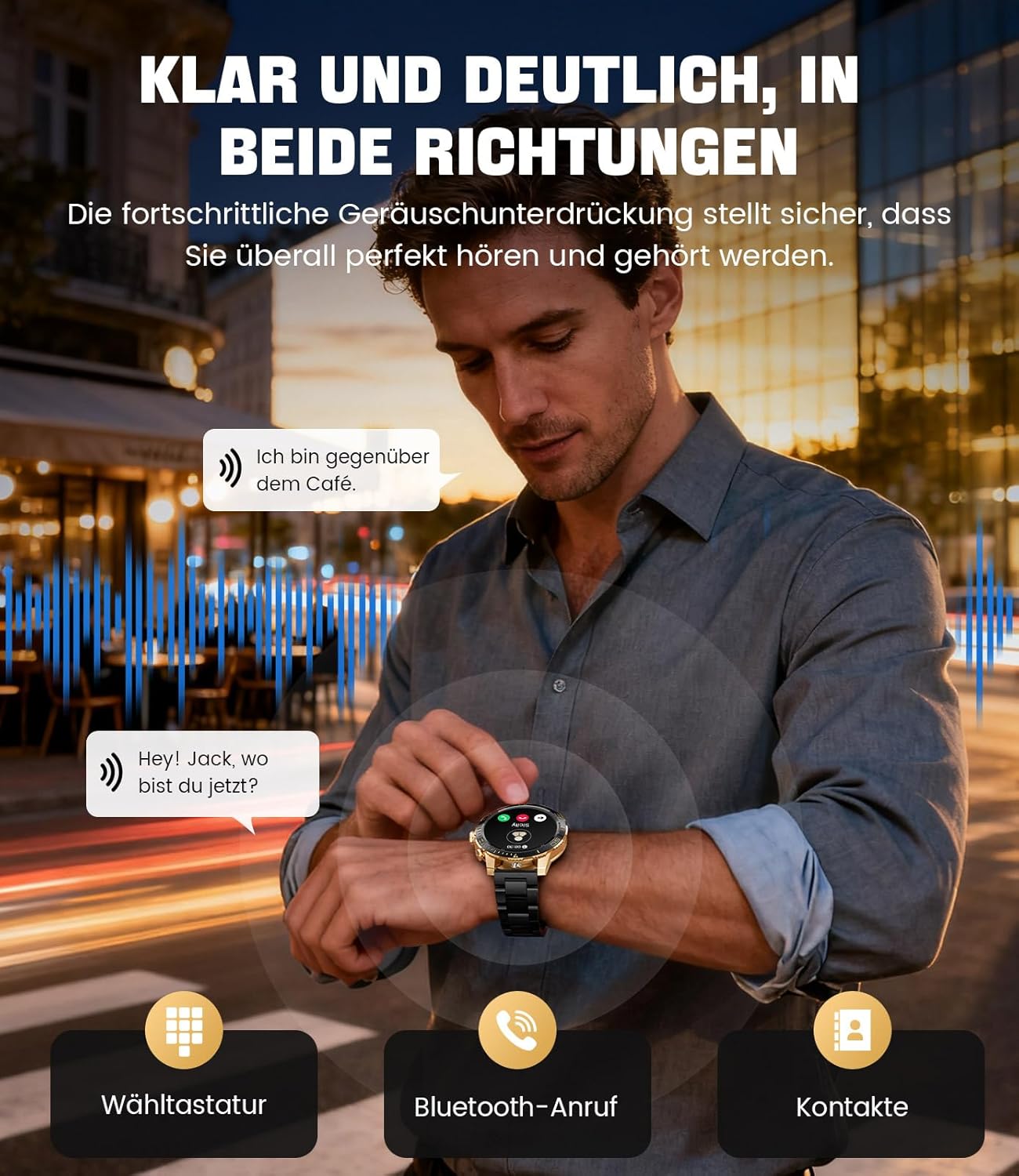
Image: The smartwatch allows clear two-way communication with advanced noise cancellation, featuring a dial pad, Bluetooth call option, and contacts access.
Notifications
Receive real-time notifications from your smartphone apps directly on your watch.
- Enable app notifications in the "Fit CloudPro" app settings.
- The watch will display incoming calls, SMS, and messages from social media apps (e.g., Facebook, Twitter, Instagram, WhatsApp).
- A quick glance at your wrist allows you to stay informed discreetly.

Image: The smartwatch displays real-time notifications from various social media applications, keeping you informed discreetly.
Health Monitoring
The EF21-I Smartwatch acts as your 24/7 health guardian, providing continuous monitoring of key health metrics.
- Heart Rate: Monitors your heart rate throughout the day.
- Blood Oxygen (SpO2): Measures your blood oxygen saturation levels.
- Sleep Tracking: Analyzes your sleep patterns, distinguishing between deep sleep, light sleep, and awake times.
- Stress Monitoring: Tracks stress levels.
- Sedentary Reminders: Alerts you to move after periods of inactivity.
View detailed health data and trends in the "Fit CloudPro" app.
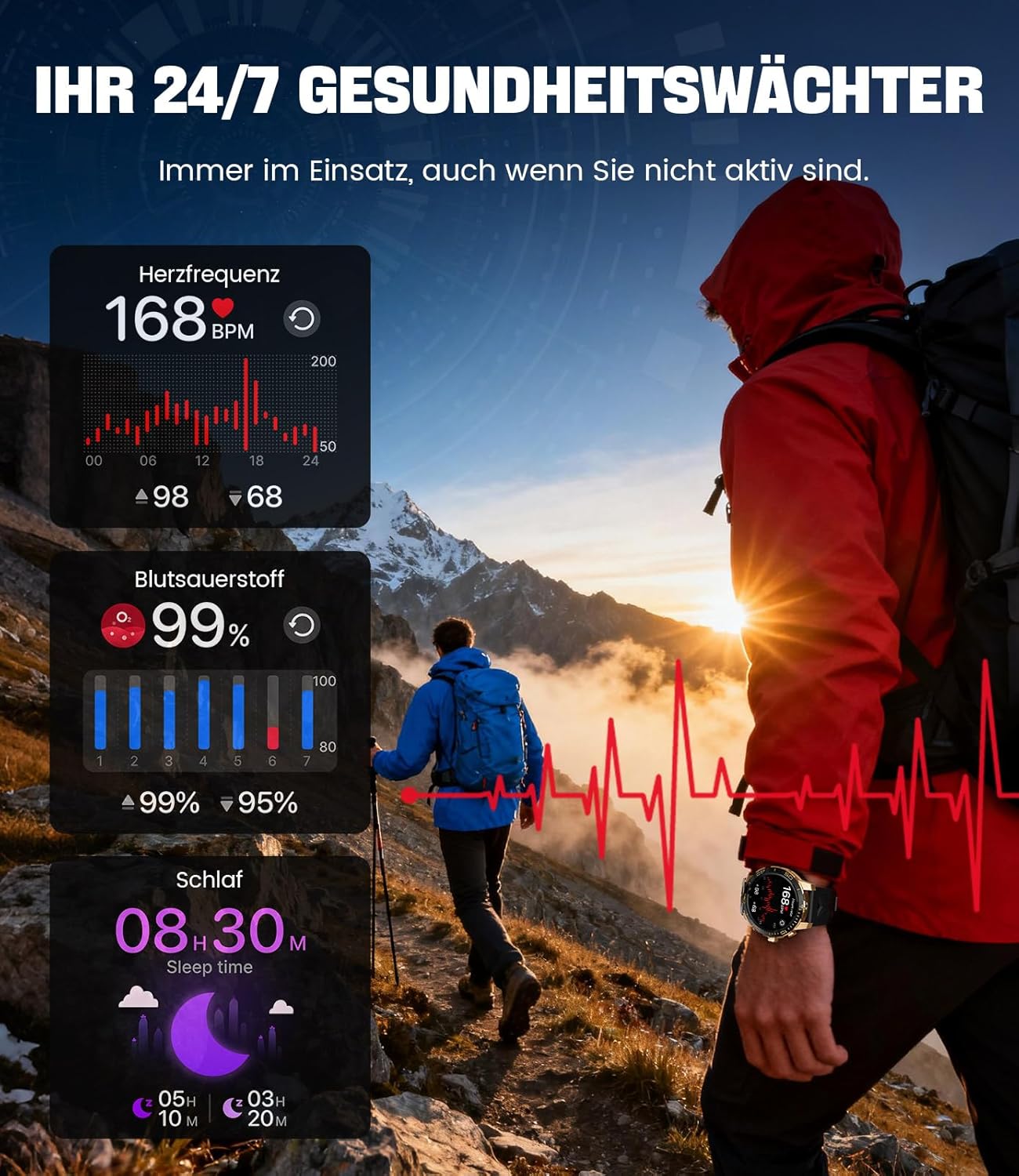
Image: The smartwatch functions as a 24/7 health guardian, monitoring heart rate, blood oxygen, and sleep patterns, even when you are not actively engaged in exercise.
Sports Modes
With over 200 sports modes, the watch helps you track your workouts and achieve your fitness goals.
- Select your desired sport mode from the watch menu.
- The watch records data such as heart rate, calories burned, and steps taken.
- Automatic recognition for walking, running, and cycling is supported.
- Review your activity data in the "Fit CloudPro" app for performance analysis.

Image: The smartwatch supports over 200 training modes, tracking heart rate, calories, and steps for various activities.
Customizable Watch Faces
Personalize your smartwatch with a variety of watch faces.
- The watch comes with several pre-installed classic watch faces.
- Access over 200 additional designs through the "Fit CloudPro" app.
- You can also upload your own photos to create custom watch faces.
Additional Features
- Weather Forecast: Get real-time weather updates.
- Alarm Clock: Set alarms directly from your wrist.
- Remote Camera Control: Use your watch to trigger your phone's camera.
- Flashlight: Activate a flashlight function on your wrist.
- Phone Locator: Find your misplaced smartphone using the watch.

Image: The smartwatch features a wrist flashlight function, providing illumination for outdoor activities.
Maintenance
Cleaning
- Wipe the watch screen and body with a soft, lint-free cloth.
- For stubborn stains, dampen the cloth slightly with water.
- Avoid using harsh chemicals, abrasive materials, or ultrasonic cleaners.
- Ensure the charging contacts are clean and free of debris.
Water Resistance (IP68)
The LIGE EF21-I Smartwatch is IP68 water-resistant, meaning it can withstand immersion in water up to 1.5 meters for up to 30 minutes. It is suitable for daily use, hand washing, and swimming.
- Do not use the watch in hot water, saunas, or steam rooms.
- Avoid pressing buttons underwater.
- After exposure to water, especially saltwater, dry the watch thoroughly.
Troubleshooting
Watch Not Turning On
- Ensure the watch is fully charged. Connect it to the charger for at least 30 minutes.
- Press and hold the power button for several seconds.
Unable to Pair with App
- Make sure Bluetooth is enabled on your smartphone.
- Ensure the watch is sufficiently charged.
- Restart both your smartphone and the smartwatch.
- Try unpairing and re-pairing the device through the "Fit CloudPro" app.
- Check if the app has necessary permissions on your phone.
Inaccurate Health Data
- Ensure the watch is worn snugly on your wrist, not too loose or too tight.
- Clean the sensor on the back of the watch.
- Avoid excessive movement during measurements.
- Remember that health data is for reference and not for medical use.
Notifications Not Received
- Verify that the watch is connected to your phone via Bluetooth.
- Check notification settings in the "Fit CloudPro" app.
- Ensure your phone's notification settings allow the app to send notifications.
- Disable any battery optimization settings for the "Fit CloudPro" app on your phone.
Specifications
| Feature | Detail |
|---|---|
| Brand | LIGE |
| Model Number | EF21-I |
| Display Size | 1.43 Inches |
| Display Type | AMOLED |
| Battery Capacity | 800 mAh (Lithium-polymer) |
| Connectivity | Bluetooth |
| Operating System Compatibility | Android 8.0+ & iOS 12.0+ |
| Water Resistance Rating | IP68 |
| Memory Storage Capacity | 256 MB |
| Special Features | Weather forecast, Sedentary reminder, Alarm clock, Touch screen, Always-on display, Bluetooth calling, Heart rate monitor, SpO2 monitor, Sleep monitor, 200+ sports modes, Phone locator |
| GPS | GPS via smartphone |

Image: The smartwatch features impact resistance, indicated by a 'Military Grade Drop-Tested' badge.
Warranty and Support
Warranty Information
The product is supported by a 12-month warranty. Please retain your proof of purchase for warranty claims.
Customer Support
For technical assistance, troubleshooting, or warranty inquiries, please contact LIGE customer support. Refer to the contact information provided with your purchase or visit the official LIGE website.
Related documentsEF21-I


Ask a question about this manual
Ask about setup, troubleshooting, compatibility, parts, safety, or missing instructions. Manuals+ will review the question and use this page’s manual context to help answer it.