
1. Product Overview
The WonVon Motorcycle CarPlay TPMS System is designed to enhance your riding experience by providing seamless wireless connectivity for Apple CarPlay and Android Auto, alongside integrated tire pressure monitoring. This portable touchscreen device offers essential navigation, communication, and entertainment features directly on your motorcycle's handlebars, ensuring safety and convenience on the road.
2. What's in the Box
- WonVon Motorcycle CarPlay TPMS Display Unit
- TPMS Sensors (2 units)
- Mounting Bracket Kit (including U-clamp, ball mount, and tightening knob)
- ACC Power Cable
- Hex Wrench
- Electrical Tape
- Cable Ties
- Instruction Manual
- MicroSD Card (64GB)

Image: All components included in the WonVon Motorcycle CarPlay TPMS System package.
3. Setup and Installation
Follow these steps to properly set up and install your WonVon Motorcycle CarPlay TPMS System.
3.1. MicroSD Card Installation
Before mounting, ensure the MicroSD card is properly inserted into the display unit. Remove the screw and the waterproof cover to access the TF card slot. Insert the TF card with the label facing upwards.
Video: Installation of the MicroSD card into the display unit. This video demonstrates the process of opening the slot and inserting the card.
3.2. Mounting Bracket Installation
Attach the U-bolt bracket to your motorcycle's handlebars. Use the provided hex wrench to tighten the bolts securely. Ensure the rubber padding is used to protect your handlebars. The ball mount allows for flexible positioning of the display unit.
Video: Demonstration of mounting the display unit to the motorcycle handlebars using the provided bracket. This video shows how to secure the U-bolt and adjust the ball mount.
3.3. Power Connection
Connect the ACC power cable to your motorcycle's battery. The black wire connects to the negative terminal, and the red wire connects to the ACC control line (typically a switched power source that turns on/off with the ignition). Secure any excess wiring with the provided cable ties and electrical tape for a clean and safe installation.
Video: A short preview demonstrating the connection of the power cable to the motorcycle battery. This video shows the basic wiring process.
Note: A user review suggests that to sync the TPMS monitors, go to settings, hit "tire pressure test," tap the button for the front tire, then screw the monitor to the front wheel valve stem. Repeat this process with the rear monitor. This indicates the TPMS pairing is done directly through the device's settings menu.
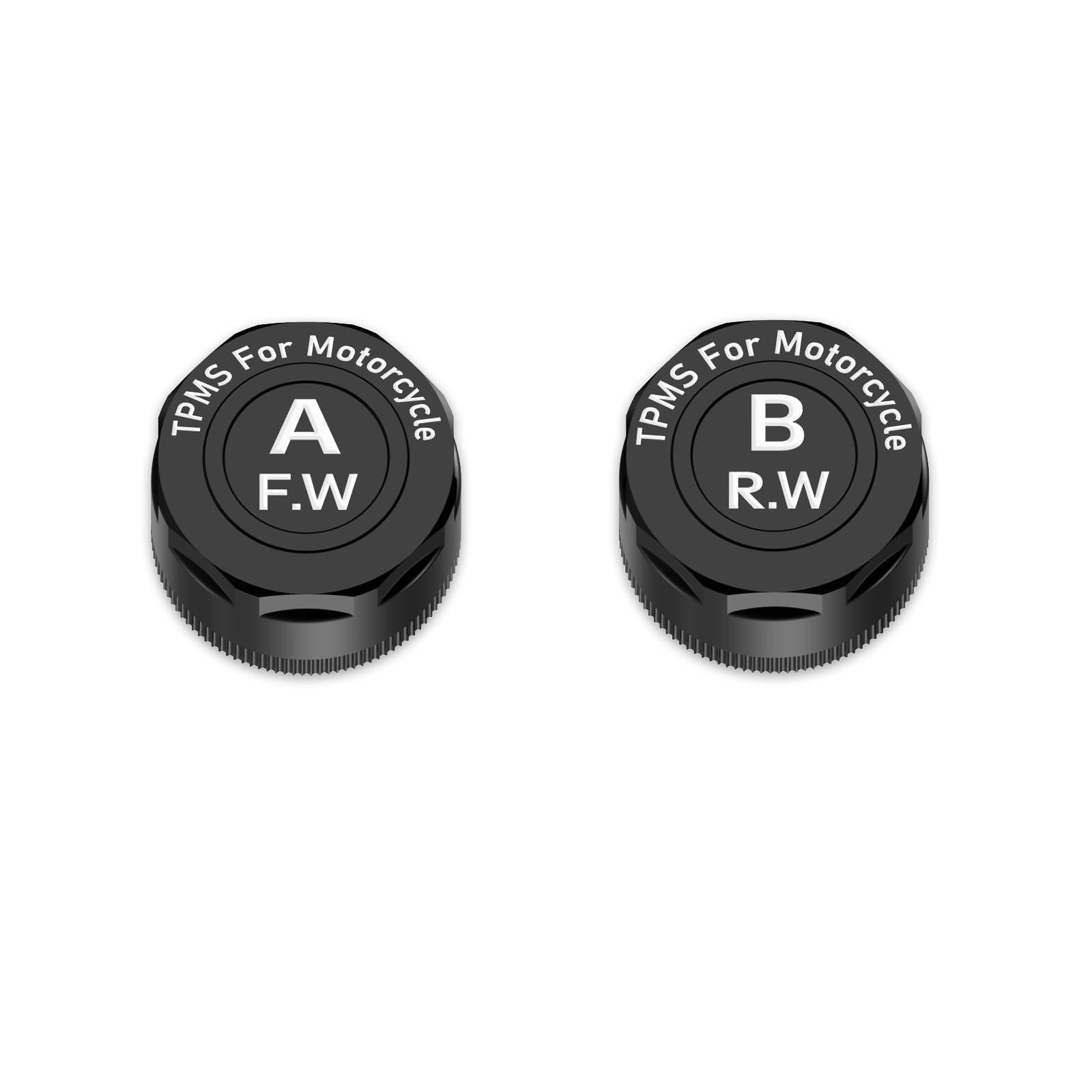
Image: Front TPMS sensor, labeled 'A F.W', designed for motorcycle tires.

Image: Rear TPMS sensor, labeled 'B R.W', designed for motorcycle tires.
4. Operating Instructions
The WonVon system offers intuitive controls for seamless navigation and connectivity.
4.1. Wireless CarPlay Connection
To connect your iPhone wirelessly, navigate to the CarPlay application icon on the device's main interface. Open your iPhone's Bluetooth settings, find the device name (e.g., "CAR-BT_4DAF"), and pair. Confirm the pairing request on your phone. Once connected, the device will automatically switch to the CarPlay interface, mirroring your iPhone's display.
Video: Demonstrates the process of connecting an iPhone to the device via Bluetooth for wireless CarPlay functionality. The video shows the pairing steps and the CarPlay interface.
4.2. Wireless Android Auto Connection
For Android Auto, ensure your Android phone has the Android Auto application installed. Navigate to the Android Auto application icon on the device's main interface. Open your Android phone's Bluetooth settings, find the device name, and pair. Confirm the pairing request. Once connected, the device will automatically switch to the Android Auto interface.
Video: Demonstrates the process of connecting an Android phone to the device via Bluetooth for wireless Android Auto functionality. The video shows the pairing steps and the Android Auto interface.
4.3. Bluetooth Connection (for calls and audio)
To connect your phone for calls and audio streaming, navigate to the Bluetooth application icon on the device's main interface. Open your phone's Bluetooth settings, find the device name, and pair. This allows for hands-free calling and music playback through your helmet's Bluetooth system.
Video: Demonstrates the process of connecting a phone to the device via Bluetooth for calls and audio streaming. The video shows the pairing steps and the call interface.
5. Maintenance
To ensure the longevity and optimal performance of your WonVon Motorcycle CarPlay TPMS System, follow these maintenance guidelines:
- Cleaning: Regularly wipe the touchscreen with a soft, damp cloth. Avoid abrasive cleaners or solvents that could damage the screen.
- Wiring Inspection: Periodically check all power connections and wiring harnesses for any signs of wear, fraying, or loose connections. Secure any loose wires with cable ties.
- TPMS Sensor Check: Ensure TPMS sensors are securely fastened to the valve stems. Check for any signs of damage or corrosion.
- Software Updates: Check the manufacturer's website or the device's settings for available software updates to ensure optimal performance and compatibility.
6. Troubleshooting
If you encounter issues with your device, refer to the following common troubleshooting tips:
- TPMS Readings Inaccurate: A user review noted a 3 PSI variation. If readings are consistently off, recalibrate the alarm parameters in the device settings. Ensure sensors are correctly installed on the designated front/rear wheels.
- CarPlay/Android Auto Connectivity Issues:
- Ensure your phone's operating system is up-to-date (Android 10.0+ or iOS 12.0+).
- Verify that your phone's Wi-Fi and Bluetooth functions are enabled and working correctly.
- Try restarting your phone and the CarPlay/Android Auto device.
- If issues persist, try deleting the device from your phone's Bluetooth settings and re-pairing.
- Screen Not Powering On: Check all power cable connections to the battery and ACC line. Ensure the motorcycle's ignition is on.
- Screen Brightness/Visibility: Adjust brightness settings directly on the device. The screen is designed for clear visibility, but direct sunlight can still impact readability.
7. Specifications
| Feature | Detail |
|---|---|
| Brand | WonVon |
| Vehicle Service Type | Motorcycle |
| Special Feature | Bluetooth |
| Connectivity Technology | Bluetooth |
| Map Type | Street |
| Product Dimensions | 0.3"L x 0.26"W x 0.3"H |
| Item Weight | 4.8 ounces |
| Touch Screen Type | Capacitive |
| Display Type | Touch Screen |
| Compatible Vehicle Type | Motorcycle |
| Control Method | Touch |
| Supported Satellite Navigation System | GPS |
| Connectivity Protocol | Bluetooth |
8. Warranty and Support
The WonVon Motorcycle CarPlay TPMS System comes with a 1-Year Manufacturer Warranty. For any questions, technical support, or warranty claims, please refer to the contact information provided in your product packaging or visit the official WonVon store on Amazon.
You can also find additional support and video guides by scanning the QR codes provided in the physical instruction manual that came with your product.
