
TOPUTURE TP6
TOPUTURE TP6 Walking Pad Treadmill with 12% Incline - User Manual
1. Introduction and Safety Information
This manual provides essential instructions for the safe operation, setup, and maintenance of your TOPUTURE TP6 Walking Pad Treadmill. Please read this manual thoroughly before initial use and retain it for future reference. Proper use and maintenance ensure optimal performance and longevity of your equipment.
Important Safety Precautions
- Always consult with a physician before starting any new exercise program.
- Place the treadmill on a flat, stable surface with adequate clearance around it.
- Keep children and pets away from the treadmill during operation.
- Ensure the safety key is properly attached to your clothing before beginning your workout.
- Do not operate the treadmill if it is damaged or malfunctioning.
- Maximum user weight capacity is 300 lbs. Do not exceed this limit.
- Wear appropriate athletic footwear during use.
- Unplug the treadmill from the power source when not in use or before cleaning/maintenance.
2. Included Components
Upon unpacking, verify that all the following components are present:
- Power Cord
- Remote Control
- Safety Key
- Tool Kit
- User Manual (this document)
3. Setup and Assembly
The TOPUTURE TP6 Walking Pad Treadmill features an installation-free design, meaning it is ready for use directly out of the box with minimal setup.
Unpacking and Placement
- Carefully remove the treadmill from its packaging.
- Place the treadmill on a firm, level surface. Ensure there is at least 2 feet of clear space behind the treadmill and 1 foot on each side.
- Connect the power cord to the treadmill and then to a grounded electrical outlet.
Adjusting the Handlebar
The handlebar is adjustable in both height and tilt to accommodate various user heights and exercise preferences.
- Height Adjustment: The handlebar can be adjusted from 32 inches (820mm) to 45 inches (1150mm). Locate the adjustment knobs or levers on the handlebar supports, loosen them, adjust to the desired height, and then securely tighten.
- Tilt Adjustment: The handlebar can be tilted to 95° (vertical mode) or 105° (tilt mode). Adjust the angle by manipulating the designated mechanism at the base of the handlebar uprights. Ensure it clicks securely into place for your chosen mode.
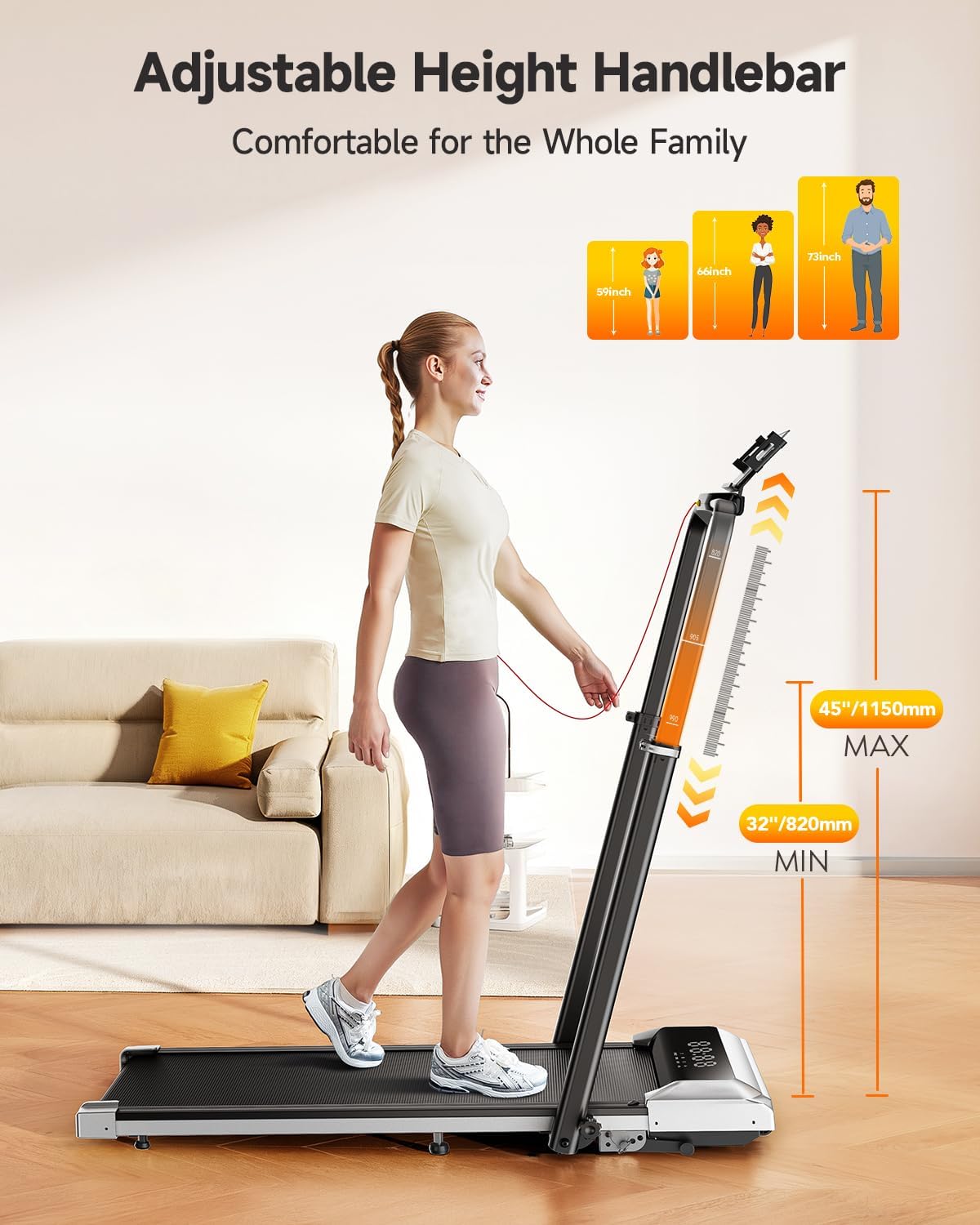
Image: Adjustable Handlebar Height. The handlebar can be set to various heights between 32 and 45 inches for user comfort.

Image: Two-angle Upright Column Adjustment. The handlebar can be adjusted to a 95-degree vertical mode or a 105-degree tilt mode to suit different exercise preferences.
4. Operating Instructions
The TOPUTURE TP6 Treadmill offers multiple modes and features for a versatile workout experience.
Powering On and Safety Key
- Ensure the treadmill is plugged into a power outlet.
- Attach the safety key clip to your clothing. The treadmill will not operate without the safety key in place.
- Press the power button on the treadmill or remote control to turn it on.
Understanding the LED Display
The integrated LED display provides real-time workout data:
- Time: Duration of your workout.
- Calories: Estimated calories burned.
- Speed: Current speed in miles per hour (mph).
- Distance: Total distance covered.

Image: Multi-Function Display. The LED display shows key workout metrics, and the remote control allows for easy adjustments.
Adjusting Speed and Incline
- Speed Range: The treadmill operates from 0.6 mph to 7.5 mph. Adjust speed using the remote control or the control panel.
- Incline Function: The treadmill features 1%, 6%, and 12% incline levels. Adjust the incline manually or via the control panel/remote to simulate uphill walking or running, enhancing calorie expenditure.

Image: 1%-6%-12% Three Levels of Slope Adjustment. The treadmill offers adjustable incline levels to increase workout intensity and calorie burning.
Workout Modes
The TOPUTURE TP6 supports various exercise scenarios:
- Walking Mode: Ideal for light exercise or under-desk use.
- Fat-Burning Mode: Optimized for calorie expenditure.
- Running Mode: For higher intensity cardiovascular workouts.
- Working Mode: Suitable for use with a standing desk.
- Family Sharing Mode: Allows multiple users to track their progress.
- Training Mode: For structured workout routines.

Image: 6-in-1 Folding Treadmill with Incline. The treadmill supports various modes including walking, fat burning, office work, pet training, running, and rehabilitation.
Smart App Integration
Enhance your workout experience by connecting the treadmill to a compatible fitness application.
- Download the recommended Sport APP or other compatible apps like Fitshow, Zwift, or Kinomap from your device's app store.
- Enable Bluetooth on your smartphone or tablet.
- Open the app and follow the on-screen instructions to pair with your TOPUTURE TP6 treadmill.
- The app allows you to record exercise data, track progress, and share with friends. The integrated device holder securely holds your phone or tablet.

Image: Smart and Personalized Workout App Control. Connect to fitness apps like Fitshow, Zwift, or Kinomap to track and personalize your workouts.
5. Maintenance and Storage
Regular maintenance ensures the longevity and safe operation of your treadmill.
Cleaning
- Always unplug the treadmill before cleaning.
- Wipe down the treadmill surface with a damp cloth. Avoid using abrasive cleaners or solvents.
- Periodically clean the running belt and deck to prevent dust and debris buildup.
Lubrication
The running belt may require periodic lubrication to reduce friction and extend its lifespan. Refer to the specific instructions in the included tool kit or contact customer support for guidance on proper lubrication procedures and recommended lubricants.
Storage
The TOPUTURE TP6 treadmill is designed for easy storage due to its compact and foldable nature.
- Fold the handlebar down completely.
- Utilize the integrated wheels for easy movement.
- Store the treadmill in a dry, cool place, such as under a bed or sofa, to save space.
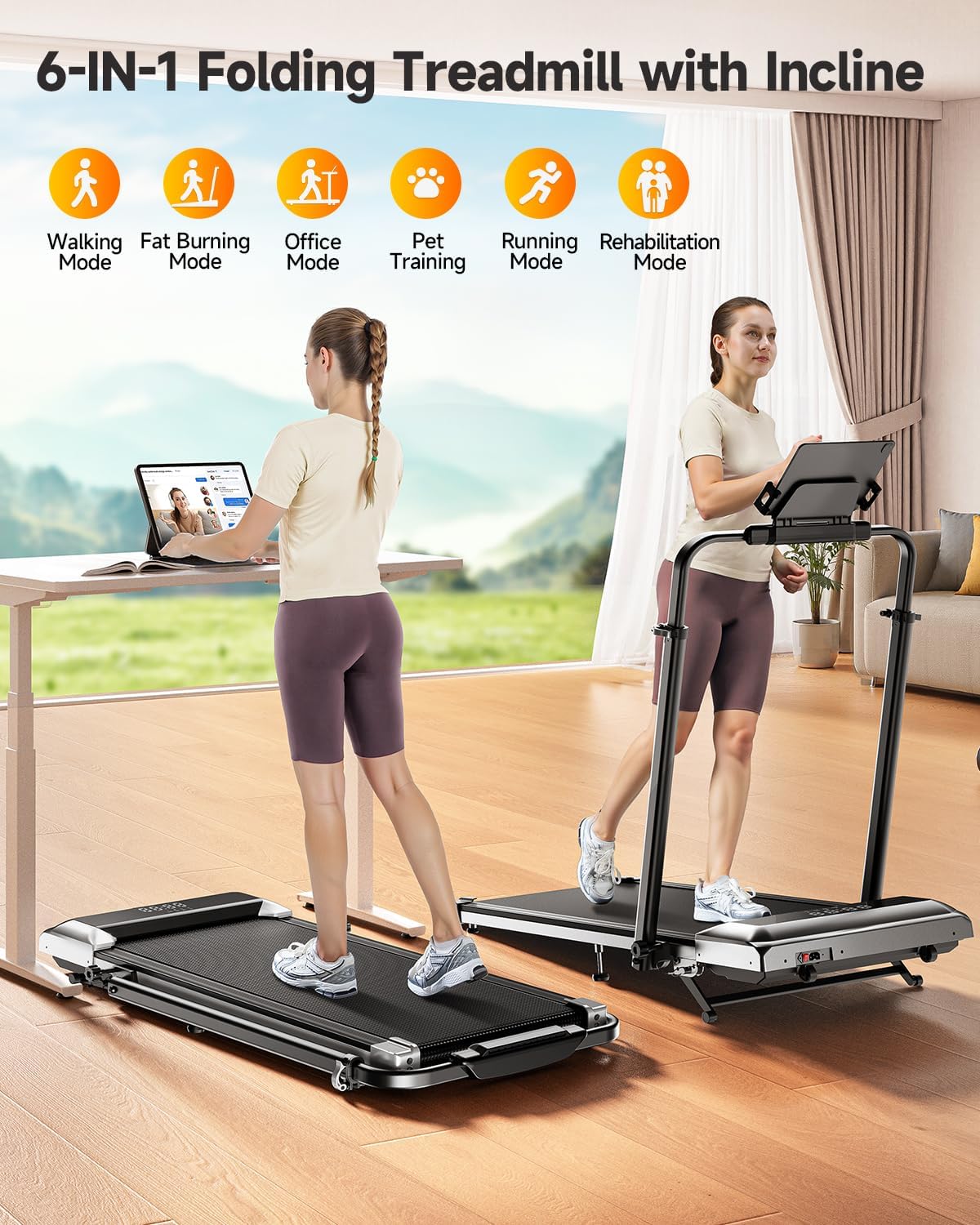
Image: Easy Storage & Space Saving. The treadmill is lightweight and features flexible wheels for convenient movement and compact storage.
6. Troubleshooting
If you encounter any issues with your TOPUTURE TP6 Treadmill, please refer to the following common solutions. If the problem persists, contact customer support.
| Problem | Possible Cause | Solution |
|---|---|---|
| Treadmill does not power on. | Power cord not securely plugged in; Safety key not in place; Power switch off. | Check power cord connection; Ensure safety key is properly inserted; Turn on the power switch. |
| Running belt slips or hesitates. | Belt tension too loose; Belt requires lubrication. | Adjust belt tension according to manual; Lubricate the running belt as instructed. |
| Unusual noise during operation. | Loose components; Foreign object under the belt; Motor issue. | Inspect for loose parts and tighten; Carefully check under the belt for obstructions; If noise persists, contact support. |
| Remote control not responding. | Dead batteries; Remote not paired. | Replace remote control batteries; Refer to pairing instructions in the manual. |
7. Product Specifications
Technical details for the TOPUTURE TP6 Walking Pad Treadmill:
| Specification | Detail |
|---|---|
| Brand | TOPUTURE |
| Model Name | TP6 |
| Color | Black |
| Product Dimensions (LxWxH) | 50"D x 25"W x 5"H (127cm x 63.5cm x 12.7cm) |
| Item Weight | 56 Pounds (25.4 kg) |
| Material | Alloy Steel |
| Maximum Speed | 7.5 Miles per Hour (12 km/h) |
| Minimum Speed | 0.6 Miles per Hour (1 km/h) |
| Maximum Incline Percentage | 12% |
| Maximum Horsepower | 2.5 HP |
| Maximum Weight Recommendation | 300 Pounds (136 kg) |
| Running Area | 40'' x 16'' (101.6cm x 40.6cm) |
| Display Type | LED |
| Power Source | Corded Electric |
| Assembly Required | No |
| Special Features | Adjustable Height, Compact Design, Foldable, Shock Absorbent, Wheeled |
| Metrics Measured | Calories Burned, Distance, Speed, Time |

Image: 2.5HP Powerful & Quiet Motor. The treadmill features a 2.5HP motor, operates quietly at 45db, has a speed range of 0.6-7.5 MPH, and supports up to 300 LBS.
8. Warranty and Customer Support
Warranty Information
The TOPUTURE TP6 Walking Pad Treadmill comes with a one-year warranty from the date of purchase. This warranty covers manufacturing defects and ensures the product meets quality standards under normal use.
Contacting Customer Support
Should you require assistance, have questions, or need to claim warranty service, please follow these steps:
- Log in to your Amazon account.
- Navigate to "Your Orders."
- Locate the order ID for your TOPUTURE TP6 Treadmill.
- Click on "Contact Seller" to reach TOPUTURE customer support directly.
Please have your order details and a description of the issue ready to expedite the support process.
Related documentsTP6


Ask a question about this manual
Ask about setup, troubleshooting, compatibility, parts, safety, or missing instructions. Manuals+ will review the question and use this page’s manual context to help answer it.