
1. Introduction
This manual provides essential instructions for setting up, operating, and maintaining your AGM M9 Basic Mobile Phone. The AGM M9 is a rugged 4G LTE feature phone designed for durability and ease of use, featuring large buttons, clear audio, and essential functions.
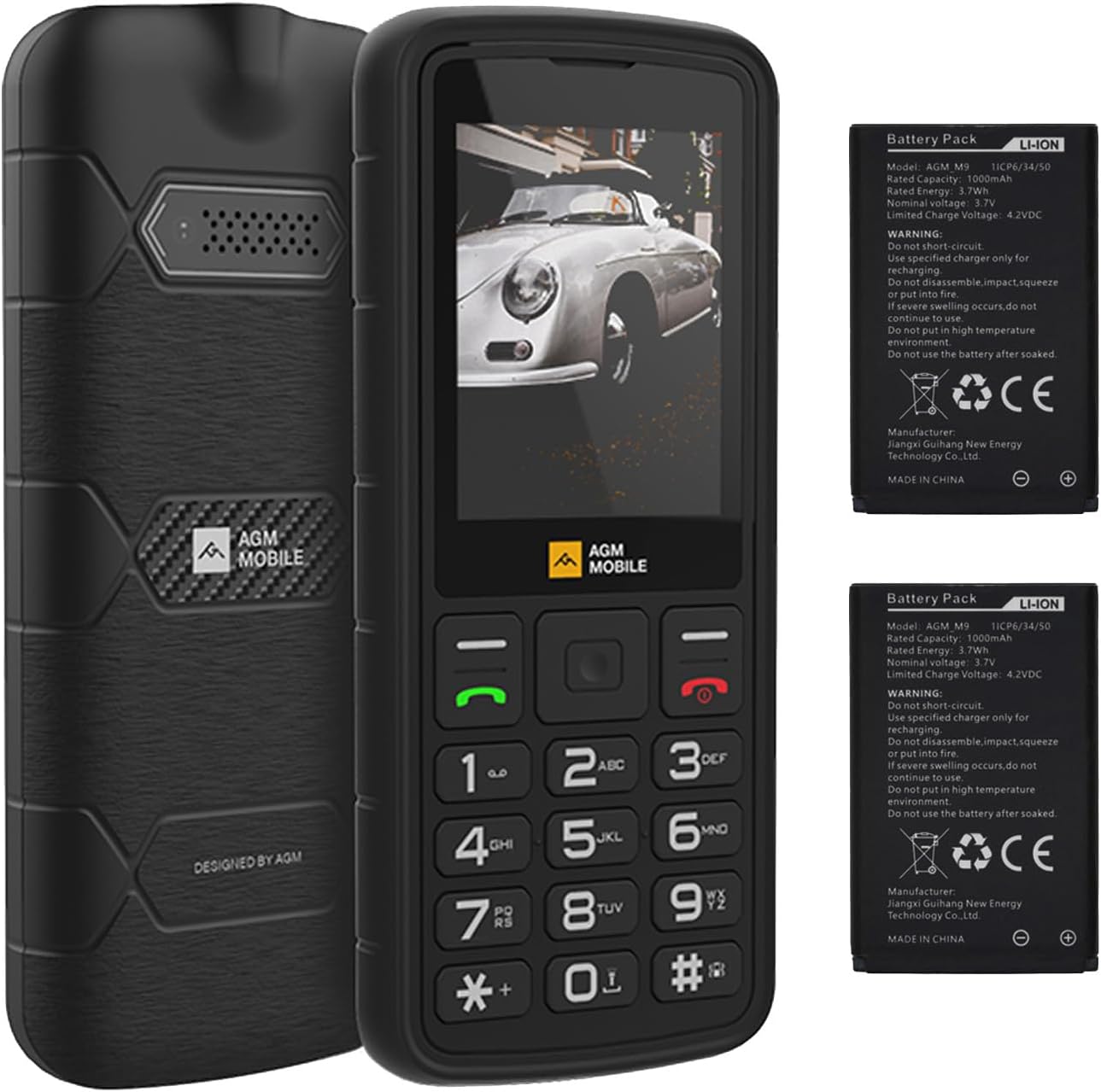
Image: Front view of the AGM M9 Basic Mobile Phone, showcasing its robust design and keypad.
2. Package Contents
Verify that all items are present in your product package:
- 1 x AGM M9 Phone
- 1 x Charger
- 2 x Battery (1200mAh each)
- 1 x Quick Guidance Manual
3. Getting Started
3.1 SIM Card and Battery Installation
The AGM M9 supports dual Nano SIM cards and one TF (microSD) card for expandable storage. Ensure the phone is powered off before installation.
- Remove the back cover of the phone by gently prying it open from the designated notch.
- Insert your Nano SIM card(s) into the SIM1 and/or SIM2 slots, ensuring the gold contacts face downwards and the cut corner aligns with the slot.
- If using expandable storage, insert a TF card (up to 128GB) into the TF card slot.
- Insert one or both 1200mAh batteries into the battery compartment, aligning the contacts.
- Replace the back cover, pressing firmly until it clicks into place.

Image: A hand demonstrating the insertion of a SIM card and TF card into the AGM M9's internal slots.
3.2 Initial Power On and Charging
Press and hold the Power/End Call button until the screen illuminates. For initial use, it is recommended to fully charge the device. Connect the charger to the USB Type-C port on the phone and plug it into a power outlet.
4. Basic Operations
4.1 Making and Receiving Calls
To make a call, enter the phone number using the keypad and press the Green Call button. To answer an incoming call, press the Green Call button. To end a call, press the Red End Call button. The phone features loud and clear call volume.
4.2 Sending Messages (T9 Input)
The AGM M9 supports T9 predictive text input for sending SMS messages. To compose a message, navigate to the Messaging menu, select 'New Message', and use the keypad to type. The T9 system allows for faster typing with fewer key presses.
4.3 Speed Dial
You can set up speed dial for frequently called contacts. Access the 'Call settings' menu, then select 'Speed dial' to assign numbers to specific keys (typically 2-9). Once set, simply press and hold the assigned key to dial the contact.

Image: A user navigating the phone's menu, highlighting the 'Speed dial' option for quick access to contacts.
4.4 Using the Flashlight
The AGM M9 includes a built-in high-intensity flashlight. To activate or deactivate the flashlight, refer to the phone's quick access functions or menu options, typically by long-pressing a dedicated key or navigating through the tools menu.

Image: The AGM M9's powerful LED flashlight beam cutting through a dark environment.
4.5 FM Radio
The phone features a built-in FM radio. To use it, navigate to the FM Radio application in the main menu. An external antenna is not required. You can listen through the phone's speaker or via headphones connected to the 3.5mm jack.
4.6 Audio Connectivity
The AGM M9 is equipped with a 3.5mm headphone jack for wired audio accessories. Additionally, it supports Bluetooth connectivity for wireless headphones or other compatible devices.
5. Features Overview
5.1 Durability
The AGM M9 is built to withstand harsh conditions, meeting IP68 and IP69K standards for water and dust resistance. It is also drop-resistant up to 1.8 meters (MIL-STD-810H compliant), making it suitable for outdoor and demanding environments.

Image: The AGM M9 phone covered in water droplets, illustrating its waterproof design.
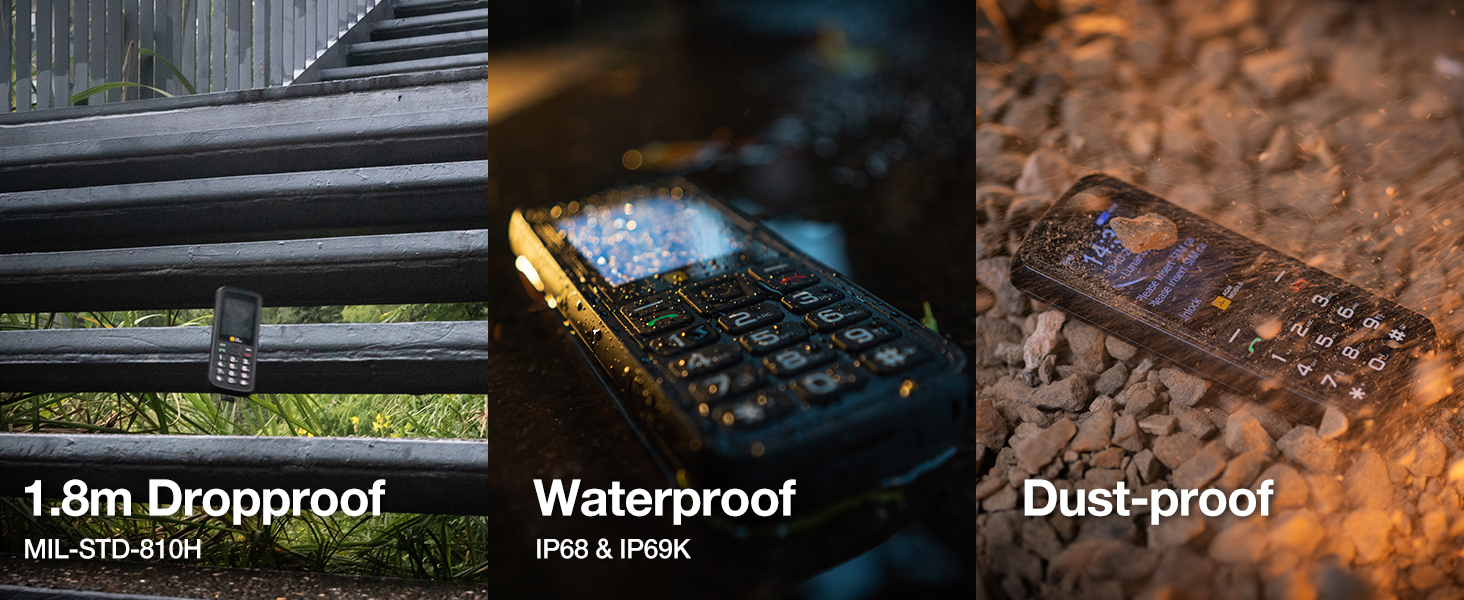
Image: The AGM M9 phone placed in a rugged outdoor environment, emphasizing its resistance to drops and dust.
5.2 Connectivity
The AGM M9 supports 4G LTE connectivity, compatible with T-Mobile in the US and various carriers globally outside the US. It offers dual SIM functionality, allowing for two 4G connections (one active at a time) for flexible usage.
5.3 Storage Expansion
In addition to its internal memory, the phone features a TF card slot, supporting up to 128GB of external storage for music, photos, and other files.
6. Maintenance and Care
- Cleaning: Use a soft, damp cloth to clean the phone's exterior. Avoid harsh chemicals or abrasive materials.
- Water Exposure: While waterproof, ensure all port covers are securely closed before exposing the phone to water. After exposure, dry the phone thoroughly before charging.
- Temperature: Avoid exposing the phone to extreme temperatures (hot or cold) for extended periods, as this can affect battery life and performance.
- Battery Care: Use only AGM-approved chargers and batteries. Do not puncture or damage the battery.
7. Troubleshooting
| Problem | Possible Solution |
|---|---|
| Phone does not power on | Ensure the battery is correctly installed and charged. Connect the charger and try again. |
| Cannot make or receive calls | Check SIM card installation. Verify network signal strength. Ensure your plan is active with T-Mobile (for US users). |
| Poor call quality | Move to an area with better network coverage. Check for obstructions around the microphone/speaker. |
| Battery drains quickly | Reduce screen brightness. Close unused applications. Ensure the battery is fully charged. Consider replacing an old battery. |
| Cannot connect to Bluetooth device | Ensure Bluetooth is enabled on both devices. Place devices close to each other. Restart both devices. |
8. Specifications
| Feature | Detail |
|---|---|
| Brand | AGM |
| Model Name | M9 |
| Operating System | RTOS |
| RAM Memory | 48 MB |
| Memory Storage Capacity | 0.12 GB (Internal) |
| Flash Memory Supported Size Maximum | 128 GB (TF Card) |
| Screen Size | 2.4 Inches |
| Wireless Carrier | T-Mobile (US), Global (outside US) |
| Cellular Technology | 4G |
| Color | Black |
| SIM Card Slot Count | Dual SIM (Nano) |
| Connector Type | USB Type C |
| Form Factor | Slate |
| Water Resistance Level | IP68 & IP69K Waterproof |
| Headphones Jack | 3.5 mm |
| Additional Features | Basic Phone, Dual SIM, Expandable Memory, Rugged Body, Water Resistant, Flashlight, FM Radio |
| Battery Power | 1200 Milliamp Hours (per battery) |
| Item Dimensions | 5.56 x 2.32 x 0.65 inches |
| Display Type | LCD |
9. Warranty and Support Information
The AGM M9 Basic Mobile Phone comes with a 1-Year Replacement Warranty. For any quality issues or technical assistance, please contact AGM's professional after-sales support. Refer to the quick guidance manual for contact details or visit the official AGM website for support resources.


