
1. Introduction
This manual provides essential information for the safe and efficient operation of your Telefunken 50FTV825 50-inch 4K UHD Smart Fire TV. Please read these instructions thoroughly before using the television and retain them for future reference.
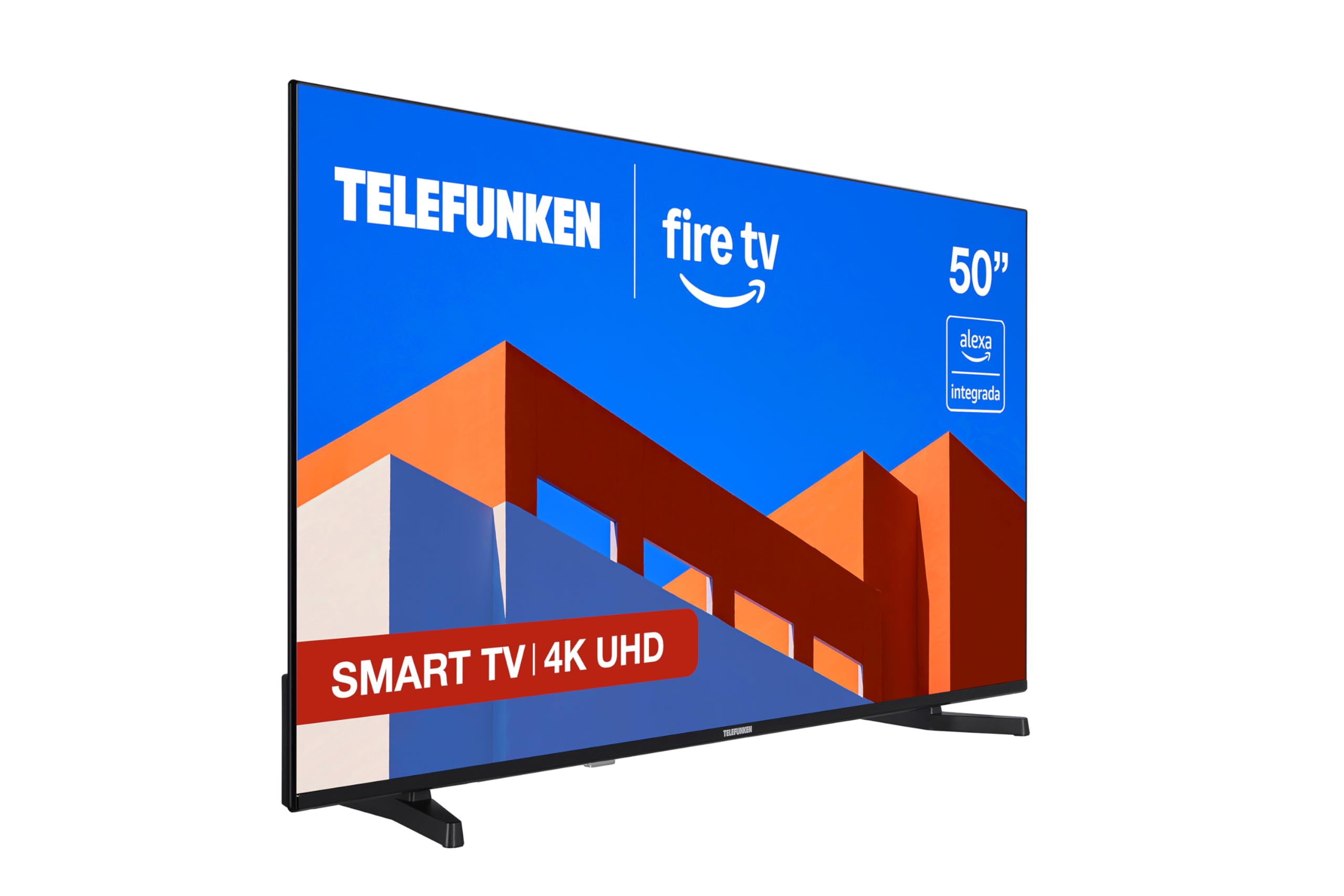
Image: Front view of the Telefunken 50FTV825 50-inch 4K UHD Smart Fire TV.
2. Safety Information
Always follow basic safety precautions when using this television to reduce the risk of fire, electric shock, and injury.
- Do not expose the TV to rain or moisture.
- Ensure proper ventilation around the TV.
- Do not block ventilation openings with items like newspapers, table-cloths, or curtains.
- Do not place the TV on unstable carts, stands, tripods, brackets, or tables.
- Unplug the TV during lightning storms or when unused for long periods.
- Refer all servicing to qualified service personnel.
3. What's in the Box
Verify that all components are present upon unboxing:
- Telefunken 50FTV825 50-inch 4K UHD Smart Fire TV
- Remote Control
- Batteries (for remote control)
- User Manual (this document)
4. Setup
4.1. Attaching the Stand or Wall Mounting
Carefully place the TV face down on a soft, flat surface. Attach the stand using the provided screws, ensuring it is securely fastened. If wall-mounting, follow the instructions provided with your VESA-compatible wall mount (sold separately).
4.2. Connecting Power and Devices
- Connect the power cord to the TV and then to a power outlet.
- Connect external devices (e.g., cable box, gaming console, Blu-ray player) to the HDMI ports.
- For internet access, connect an Ethernet cable to the LAN port or prepare for Wi-Fi setup.
4.3. Initial Power On and Setup Wizard
Press the power button on the remote control. The TV will guide you through the initial setup process, including language selection, network connection, and Fire TV account login.
5. Operating Your Telefunken Fire TV
5.1. Fire TV Interface
Your TV features an integrated Fire OS, providing access to a wide range of streaming services and applications. Navigate the home screen using the remote control to browse content from Netflix, Prime Video, Disney+, and more.

Image: The Fire TV home screen displaying available streaming applications.
5.2. Alexa Voice Control
The remote control includes an integrated Alexa button. Press and hold this button to activate voice commands. You can ask Alexa to:
- Change channels or adjust volume.
- Search for movies, TV shows, or music.
- Control compatible smart home devices.
- Check the weather or get information.

Image: Close-up of the remote control highlighting the Alexa voice button.
5.3. Apple AirPlay
Utilize Apple AirPlay to stream content directly from your iPhone, iPad, or Mac to the television. This allows for easy sharing of photos, videos, and screen mirroring without complex configurations.
5.4. Picture and Sound Enhancements
- 4K UHD + HDR10: Experience stunning visuals with four times the resolution of Full HD, enhanced by HDR10 for vibrant colors and deep contrasts.
- Dolby Audio: Enjoy immersive and clear sound quality, bringing movies, series, and games to life.
- MEMC: Motion Estimation, Motion Compensation technology ensures smoother motion in fast-paced scenes.
6. Maintenance
6.1. Cleaning the Screen
Gently wipe the screen with a soft, dry, lint-free cloth. For stubborn marks, lightly dampen the cloth with water or a specialized screen cleaner. Avoid using harsh chemicals or abrasive materials.
6.2. Cleaning the Cabinet
Wipe the TV cabinet with a soft, dry cloth. Do not use liquid or aerosol cleaners directly on the cabinet.
6.3. Software Updates
Your Fire TV will periodically receive software updates. Ensure your TV is connected to the internet to receive these updates, which improve performance and add new features.
7. Troubleshooting
If you encounter issues with your TV, refer to the following common solutions:
| Problem | Possible Cause | Solution |
|---|---|---|
| No power | Power cord not connected, power outlet not working. | Check power cord connection. Test outlet with another device. |
| No picture, but sound is present | Incorrect input source selected. | Press the 'Input' button on the remote to select the correct source. |
| No sound, but picture is present | Volume is muted or too low. External audio device issues. | Unmute or increase volume. Check connections to external audio systems. |
| Remote control not working | Batteries are dead or incorrectly inserted. Obstruction between remote and TV. | Replace batteries. Ensure clear line of sight to the TV's IR sensor. |
| Wi-Fi connection issues | Incorrect password, router issues, TV too far from router. | Re-enter Wi-Fi password. Restart router. Move TV closer to router or use Ethernet. |
For further assistance, please contact Telefunken customer support.
8. Specifications
| Feature | Detail |
|---|---|
| Brand | Telefunken |
| Model Number | 50FTV825 |
| Screen Size | 50 Inches |
| Display Technology | LED |
| Resolution | 4K UHD (3840 x 2160) |
| Refresh Rate | 120 Hz |
| Operating System | Fire OS |
| Special Features | Alexa Compatible, Bezel-less Design, VESA Wall Mountable, HDR - HLG, Smart TV |
| Connectivity Technology | Bluetooth, Ethernet, HDMI, USB, Wi-Fi |
| Aspect Ratio | 16:9 |
| Product Dimensions (W x D x H) | 112 x 26.1 x 68.6 cm |
| Product Weight | 9.56 kg |
| Country of Origin | Turkey |
| Energy Efficiency Rating (SDR) | E |
| Energy Efficiency Rating (HDR) | G |
For detailed energy information, refer to the product information sheet and energy label:

Image: Product Information Sheet detailing technical specifications and energy consumption.
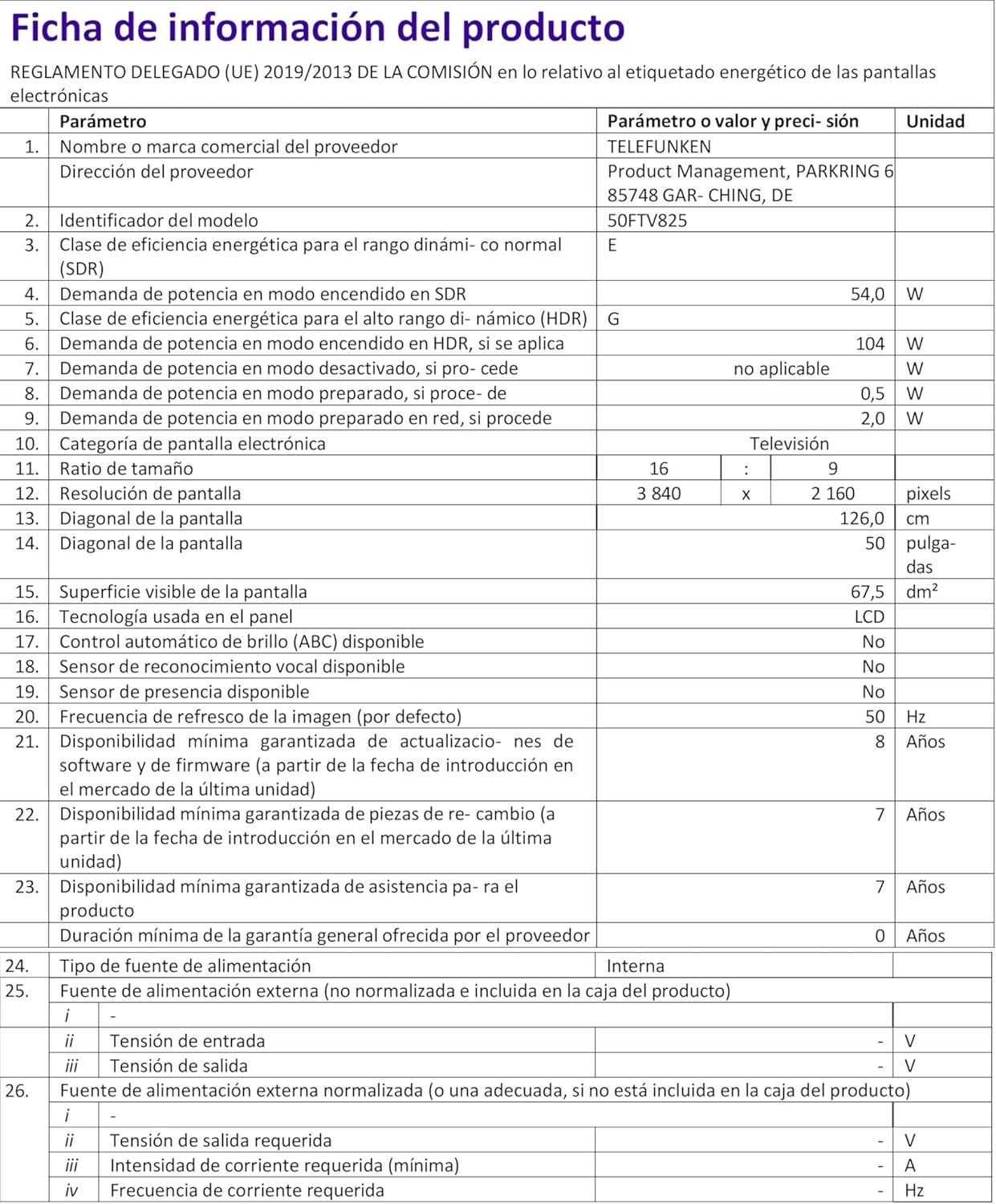
Image: Energy Efficiency Label showing ratings for SDR and HDR modes.
Additional energy information can be found at: https://eprel.ec.europa.eu/qr/2400040
9. Warranty and Support
Your Telefunken 50FTV825 television comes with a standard manufacturer's warranty. Please refer to the warranty card included in your packaging for specific terms and conditions, including warranty duration and coverage details.
For technical support, troubleshooting assistance beyond this manual, or warranty claims, please contact Telefunken customer service through their official website or the contact information provided in your warranty documentation.


