
1. Introduction
This manual provides essential information for the safe and efficient operation of your Relndoo TAB9 12-inch Android 15 Tablet. Please read this manual thoroughly before using the device and retain it for future reference.

Image: The Relndoo TAB9 12-inch Android 15 Tablet, showcasing its display and various included accessories like a keyboard, mouse, and stylus.
2. Safety Information
- Do not expose the device to extreme temperatures, direct sunlight, or high humidity.
- Avoid dropping or subjecting the device to severe impact.
- Use only approved chargers and accessories to prevent damage and ensure safety.
- Keep the device away from water and other liquids.
- Do not attempt to disassemble or repair the device yourself. Contact qualified service personnel.
3. Package Contents
Verify that all items are present in the package:
- 1 x 12 inch Relndoo Android Tablet
- 1 x Keyboard
- 1 x Mouse
- 1 x Stylus pen
- 1 x Foldable Protective Case
- 1 x Screen protector
- 1 x Charging Head
- 1 x USB-C Charger Cable
- 1 x User Manual
Note: The tablet itself is blue in color. The color of the tablet case may vary.
4. Product Features Overview
4.1. Display and Visual Experience
The Relndoo TAB9 features a 12-inch 2K display with a resolution of 1200x2000 pixels. It supports Widevine L1 certification, enabling high-definition content streaming from platforms like Netflix, YouTube, HBO, and Amazon Prime Video. The display also offers eye protection modes and supports split-screen functionality for multitasking.

Image: The tablet's 12-inch 2K display, highlighting Widevine L1 support for 1080P streaming and various eye-friendly modes.
4.2. Performance and Storage
Equipped with a Unisoc T615 octa-core processor, the tablet delivers efficient performance for various tasks, including gaming and streaming. It comes with 24GB RAM (8GB physical + 16GB extended) and 256GB internal storage, expandable up to 2TB via a microSD card (sold separately, FAT32 format).
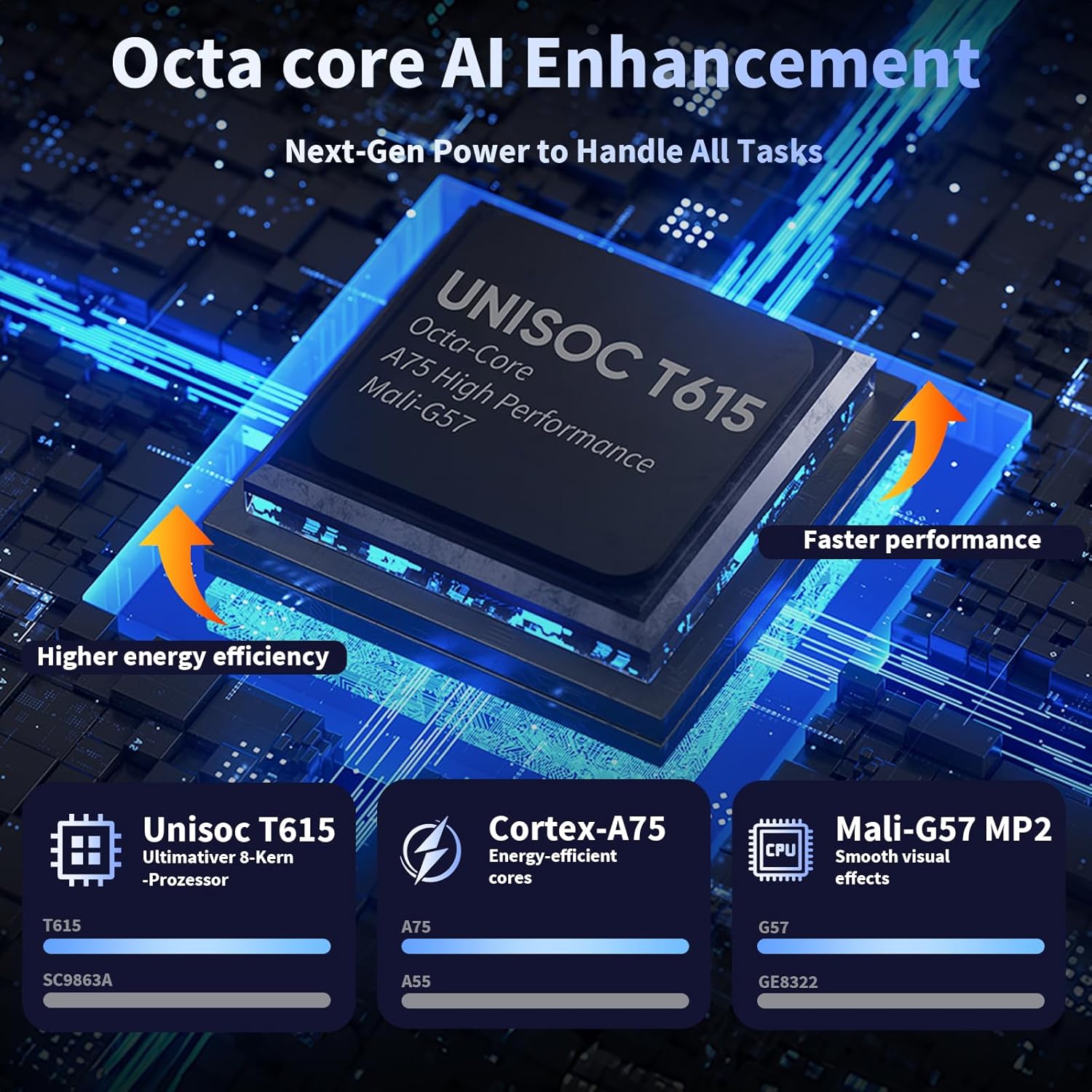
Image: Diagram illustrating the Unisoc T615 Octa-Core processor, emphasizing its AI enhancement for faster performance and higher energy efficiency.

Image: Visual representation of the tablet's storage capabilities, including 8GB RAM, 16GB virtual RAM, 256GB ROM, and 2TB expansion.
4.3. Operating System and AI
The tablet runs on GMS-certified Android 15, offering a smooth and secure user experience with enhanced privacy and data management. It includes AI intelligent optimization and new features like sidebars, floating balls, gesture controls, and global dark mode. Integrated Gemini AI assists with content creation, information retrieval, image analysis, and more.
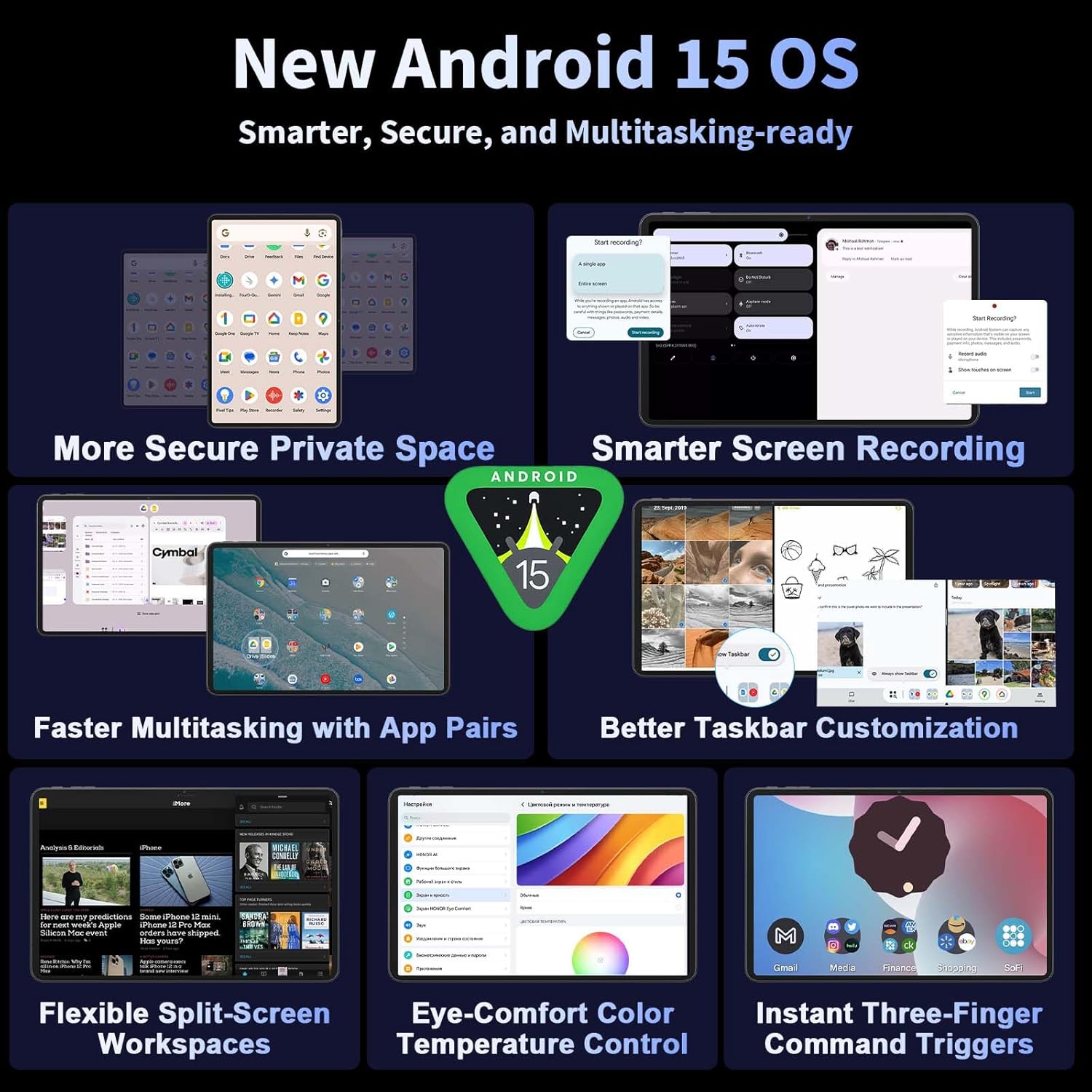
Image: Screenshots demonstrating new features of the Android 15 OS, such as secure private space, screen recording, multitasking with app pairs, and taskbar customization.

Image: Overview of integrated Gemini AI features, including content creation, information retrieval, image analysis, code development, language learning, and intelligent assistance.
4.4. Battery and Connectivity
An 8000mAh high-capacity battery provides extended usage times for work, streaming, or gaming. The tablet supports dual-band 2.4G/5G Wi-Fi for stable and fast internet connectivity, and Bluetooth 5.0 for connecting wireless accessories. Built-in GPS offers precise navigation.

Image: Illustration of the 8000mAh battery capacity, 18W Type-C charging, and estimated usage hours for various activities like web surfing, video playback, and gaming.

Image: Visuals demonstrating the tablet's connectivity options, including dual-band Wi-Fi, Bluetooth 5.0, and GPS for navigation.
4.5. Cameras and Audio
The tablet features an 8MP front camera for video calls and selfies, and a 16MP rear camera for capturing photos and videos. High-quality dual speakers provide immersive audio.
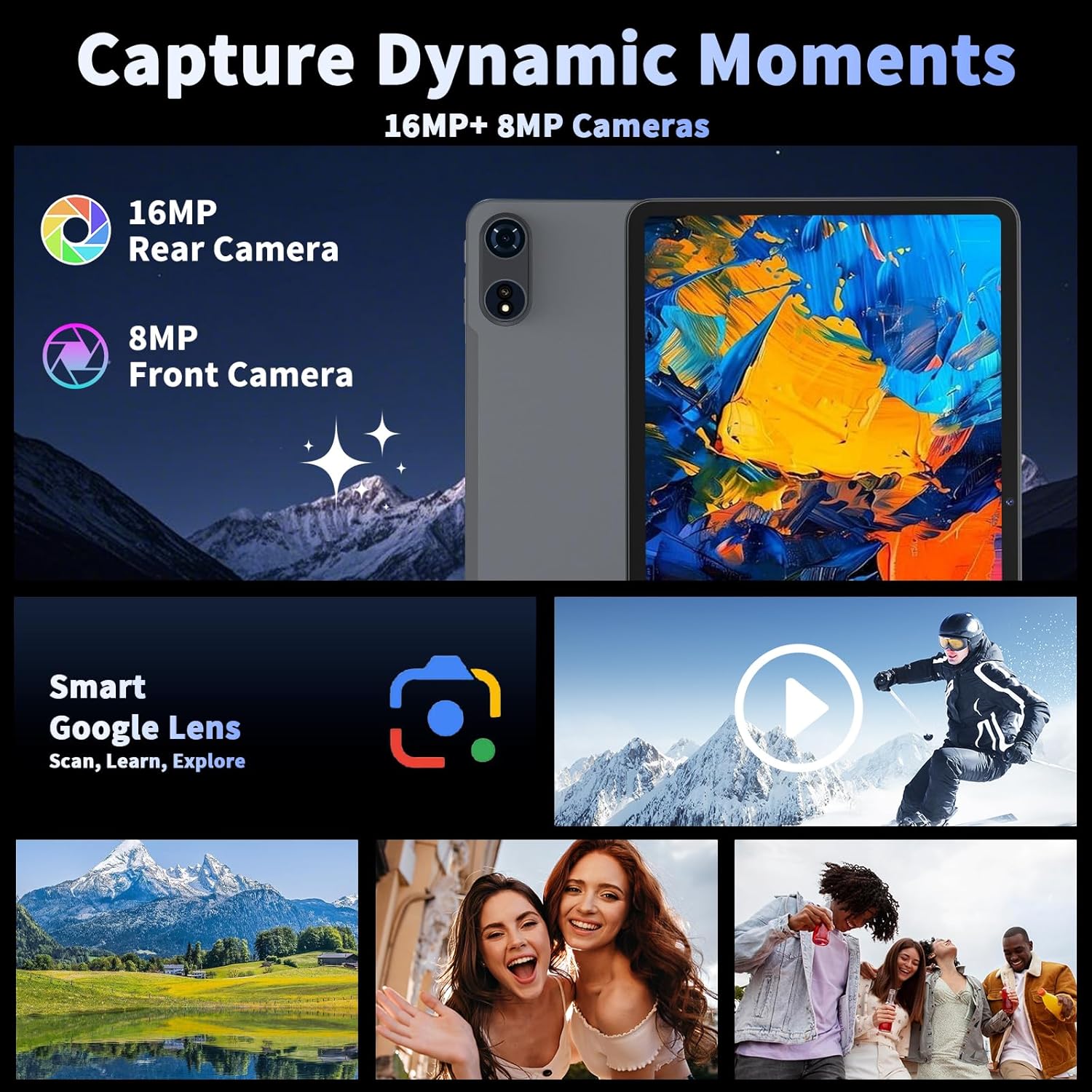
Image: Details on the tablet's 16MP rear and 8MP front cameras, along with the Smart Google Lens feature for scanning and learning.
5. Initial Setup
5.1. Powering On and First Use
- Press and hold the Power button located on the side of the tablet until the screen lights up.
- Follow the on-screen prompts to select your language, connect to a Wi-Fi network, and set up your Google account.
- Complete the initial setup wizard to access the Android home screen.
5.2. Connecting Bluetooth Accessories
Your Relndoo TAB9 tablet comes with a Bluetooth keyboard and mouse. To connect them:
- Ensure the keyboard and mouse are charged and powered on.
- On your tablet, go to Settings > Connected devices > Bluetooth.
- Toggle Bluetooth to 'On' if it is not already.
- Select 'Pair new device' and choose the keyboard or mouse from the list of available devices.
- Follow any on-screen pairing instructions.
Video: An overview of the Relndoo Android 15 Tablet with Keyboard, demonstrating the unboxing and initial setup process, including connecting the keyboard and mouse.
6. Operating Instructions
6.1. Basic Navigation
- Touch Gestures: Tap to select, swipe to scroll, pinch to zoom.
- Home Screen: Access apps, widgets, and notifications.
- Notifications: Swipe down from the top of the screen to view notifications and quick settings.
6.2. Taking Screenshots
The tablet supports a three-finger gesture for taking screenshots:
- Go to Settings > System > Gestures.
- Select 'Three pointer screenshot' and ensure the feature is enabled.
- To take a screenshot, swipe down on the screen with three fingers.
Video: Demonstration of how to enable and use the three-finger screenshot gesture on the tablet.
6.3. Multitasking with Split Screen
The Android 15 operating system allows for efficient multitasking using split-screen mode and app pairing:
- Open an application.
- Access the recent apps view (usually by swiping up and holding, or tapping the square navigation button).
- Tap the app icon at the top of the app's card and select 'Split screen'.
- Choose a second application to use alongside the first.
Video: A short demonstration of the split-screen feature with app pairing, showing how to run two applications simultaneously on the tablet's display.
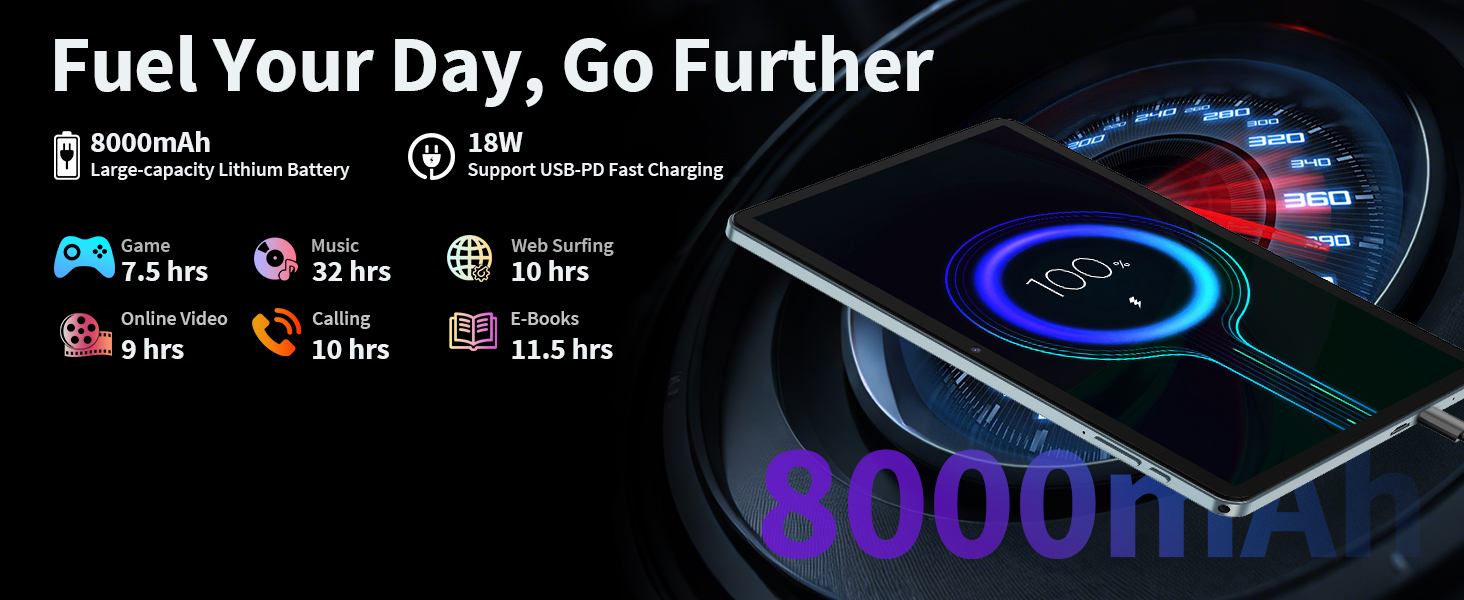
Image: An illustration of the split-screen feature on the Relndoo TAB9, demonstrating how to pair frequently used app combinations for quick access and enhanced multitasking.
6.4. Using the Stylus, Keyboard, and Mouse
- Stylus: Use the included stylus for precise input, drawing, or navigating the interface.
- Keyboard: The Bluetooth keyboard allows for comfortable typing, converting your tablet into a laptop-like experience.
- Mouse: The wireless mouse provides traditional cursor control, enhancing productivity for tasks requiring precise interaction.
7. Maintenance and Care
- Cleaning: Use a soft, lint-free cloth to clean the screen and body of the tablet. Avoid abrasive cleaners.
- Battery Care: To prolong battery life, avoid fully discharging the battery frequently. Charge the device regularly.
- Software Updates: Keep your operating system updated to ensure optimal performance and security.
- Storage Management: Regularly clear unnecessary files and apps to maintain sufficient storage space.
8. Troubleshooting
- Device not turning on: Ensure the battery is charged. Connect the charger and try again.
- Screen unresponsive: Restart the tablet by holding the Power button. If the issue persists, perform a factory reset (data will be lost).
- Wi-Fi connectivity issues: Check your router and ensure the tablet is within range. Try forgetting the network and reconnecting.
- Bluetooth device not connecting: Ensure the accessory is in pairing mode and fully charged. Restart both the tablet and the accessory.
- Apps crashing or freezing: Close the app and reopen it. Clear the app's cache or reinstall it. Ensure sufficient storage and RAM are available.
9. Specifications
| Feature | Specification |
|---|---|
| Brand | Relndoo |
| Model Name | TAB9 |
| Screen Size | 12 Inches |
| Max Screen Resolution | 1200*2000 Pixels (2K Display) |
| Operating System | Android 15 |
| Processor | Unisoc T615 Octa-Core (ARM) |
| RAM | 24GB (8GB + 16GB Extended) |
| Flash Memory Size (ROM) | 256 GB |
| Expandable Storage | Up to 2TB (microSD, FAT32 format) |
| Battery Capacity | 8000mAh |
| Average Battery Life | 12 Hours |
| Connectivity | 5G Wi-Fi (2.4G/5G), Bluetooth 5.0, GPS |
| Front Camera | 8MP |
| Rear Camera | 16MP |
| Item Weight | 3.61 pounds |
| Product Dimensions | 17.5 x 6 x 16.2 inches |
10. Warranty and Support
For warranty information and technical support, please refer to the documentation included with your purchase or contact Relndoo customer service. Keep your purchase receipt as proof of purchase.