
1. Introduction
This manual provides detailed instructions for the safe installation, operation, and maintenance of your Surtime 42-inch Low Profile Ceiling Fan with Light. Please read all instructions carefully before beginning installation and retain this manual for future reference.
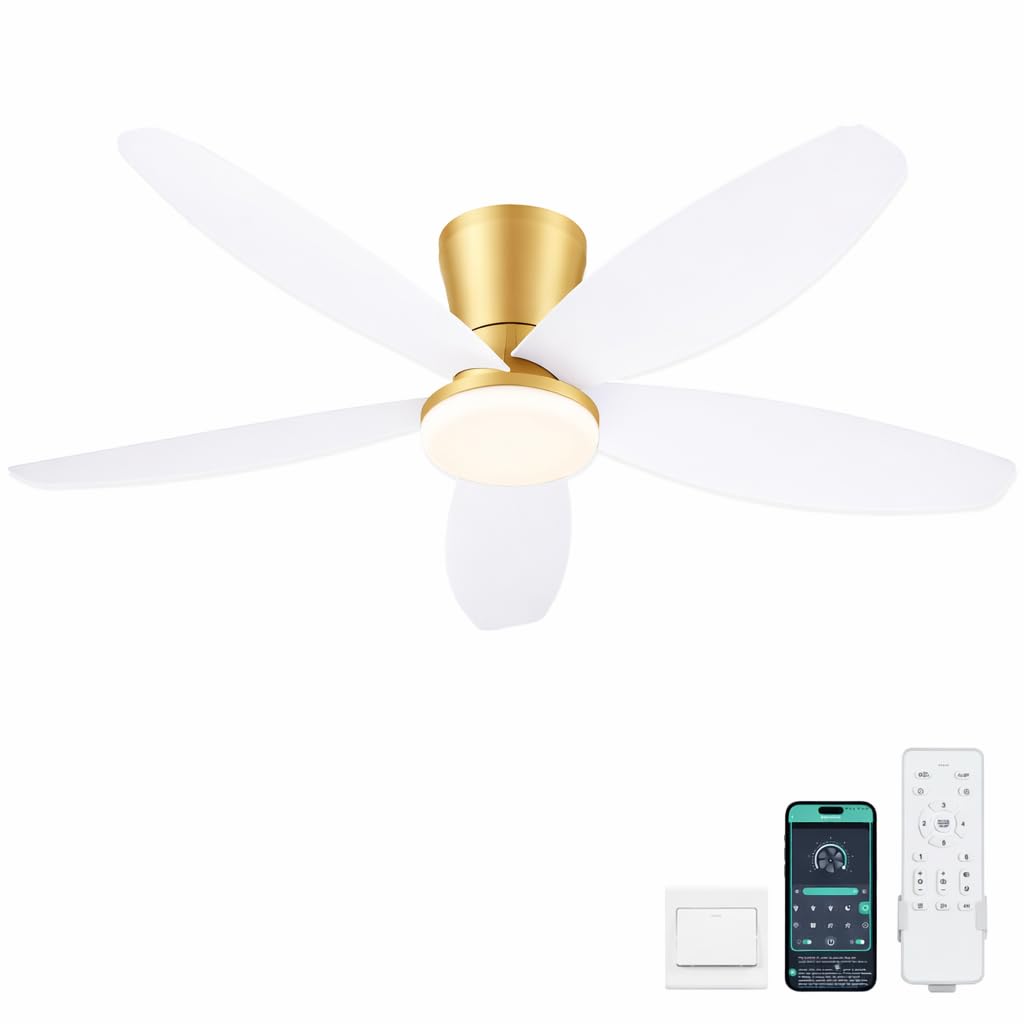
Figure 1: Surtime 42-inch Low Profile Ceiling Fan with Light (White+Gold)
2. Safety Information
To reduce the risk of electrical shock, fire, or personal injury, always follow these basic safety precautions:
- Read all instructions before installing the fan.
- All wiring must be in accordance with national and local electrical codes.
- Disconnect power at the main circuit breaker before installation or servicing.
- Ensure the installation site allows the fan blades to rotate without obstruction.
- The fan must be mounted to a ceiling joist or support capable of supporting the fan's weight.
- Do not operate the fan if any part is damaged.
3. Package Contents
Carefully unpack your ceiling fan and check that all contents are present and undamaged. Refer to the installation video for a visual guide to the components.
Video 1: Unboxing and component overview for the Surtime Ceiling Fan. This video demonstrates the various parts included in the package, such as the fan motor, blades, remote control, and mounting hardware, to assist with identification before installation.
Typical package contents include:
- Fan Motor Assembly
- Fan Blades (5x)
- Remote Control
- Mounting Bracket/Hanging Board
- Screws and Wire Nuts
- Instruction Manual
4. Product Features
- Dimmable LED Lighting System: Choose from three color temperatures (3000K-6000K) and adjust brightness from 10% to 100%.
- Remote and APP Control: Conveniently adjust fan speed, light settings, and timing.
- No-Installation Blade Design: Innovative snap-in blades simplify assembly.
- Low Profile Flush Mount: Suitable for various spaces including bedrooms, living rooms, and covered outdoor areas (not waterproof).
- Reversible DC Motor: Provides quiet operation and allows for summer (downward airflow) and winter (upward airflow) modes.
- 6 Wind Speeds: Adjustable for different comfort levels.

Figure 2: Remote Control Features
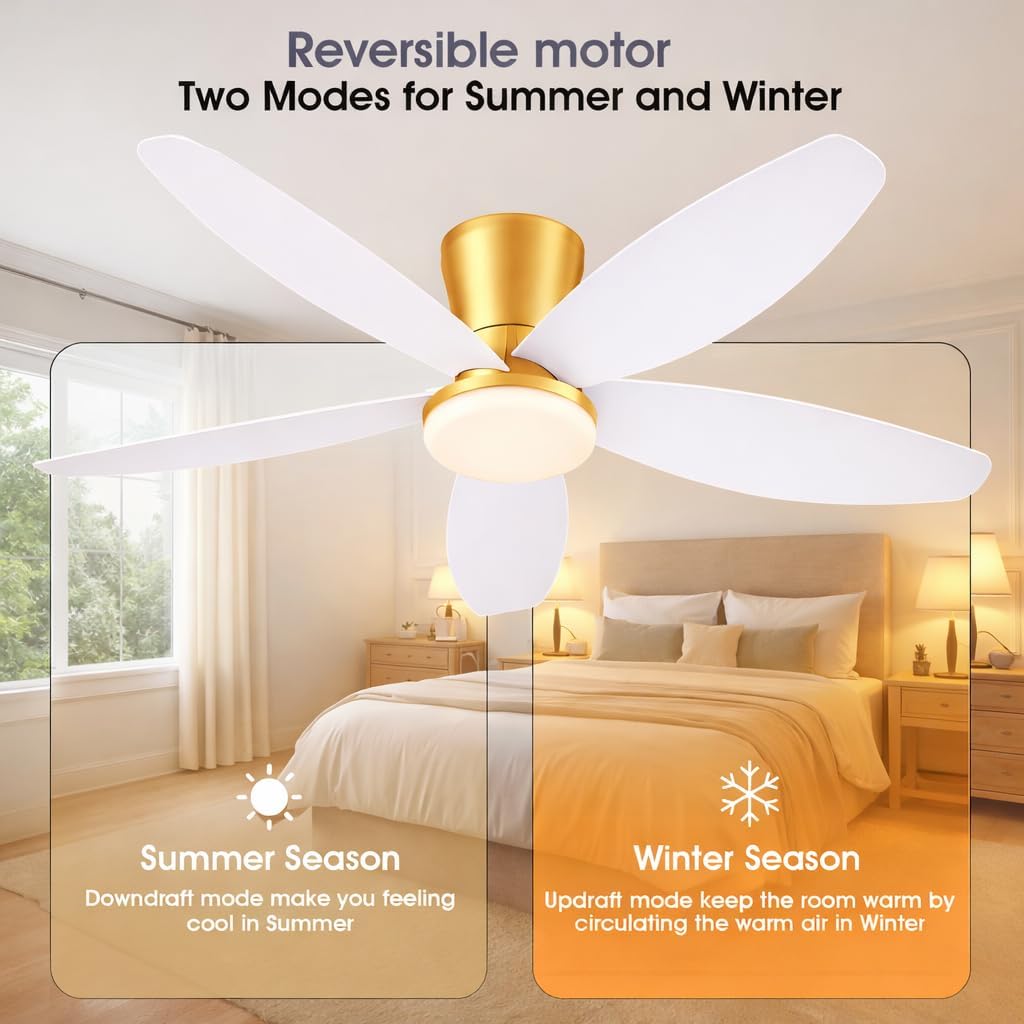
Figure 3: Reversible Motor for Summer and Winter

Figure 4: Three Color Temperature Options

Figure 5: 6 Speeds Adjustable
5. Setup and Installation
Follow these steps for proper installation. It is recommended to consult a qualified electrician if you are unsure about any electrical procedures.
5.1 Pre-Installation Safety
- Turn off power at the circuit breaker.
- Ensure the mounting location can support the fan's weight.
5.2 Assembly Steps
- Attach the fan blades to the motor assembly using the provided screws. The plug-in blade design simplifies this process.
- Secure the hanging board to the ceiling junction box.
- Connect the electrical wires (live, neutral, ground) from the ceiling to the fan's wiring. Use wire nuts to secure connections.
- Mount the fan motor assembly to the hanging board.
- Attach the canopy to cover the wiring and mounting hardware.
Video 2: Detailed installation guide for the Surtime Ceiling Fan. This video demonstrates each step of the assembly and mounting process, including attaching blades, wiring connections, and securing the fan to the ceiling, ensuring a smooth setup.
6. Operating Instructions
Your Surtime ceiling fan can be operated using the included remote control or a dedicated mobile application.
6.1 Remote Control Operation
The remote control allows you to manage all fan and light functions:
- Power On/Off: Press the power button to turn the fan and light on or off.
- Fan Speed: Select from 6 speeds (1-6) to adjust airflow.
- Light Control:
- Color Temperature: Cycle through 3000K (Warm), 4000K (Natural), and 6000K (White) light.
- Brightness: Adjust light brightness from 10% to 100%.
- Reverse Function: Press the 'R' key and wait 5-8 seconds for the fan to stop completely and then automatically reverse direction. This function helps circulate warm air in winter and cool air in summer.
- Timer: Set the fan to turn off automatically after 2 or 4 hours.
Video 3: Demonstration of the Surtime Ceiling Fan's remote control functions. This video showcases how to adjust fan speeds, change light color temperatures and brightness, activate the reverse function, and set the timer using the remote.
7. APP Control Instructions
Control your fan conveniently from your smartphone using the 'Fan Lamp Pro' application.
7.1 APP Download and Connection
- Scan the QR code provided in the product packaging or search for 'Fan Lamp Pro' in your app store to download the application.
- Ensure your phone's Bluetooth is turned on.
- Open the app and follow the on-screen instructions to add a new device.
- Turn off the main power to the fan, then turn it back on. While the power is on, click the 'connect' button in the app. The fan light will blink twice to indicate a successful connection.
Video 4: Guide to connecting the Surtime Ceiling Fan to the 'Fan Lamp Pro' mobile application. This video illustrates the steps for downloading the app, enabling Bluetooth, and pairing your fan for smartphone control.
7.2 APP Functions
Once connected, the app provides comprehensive control:
- Fan Speed: Adjust between 6 fan speeds.
- Light Settings: Change color temperature (3000K, 4000K, 6000K) and dim brightness.
- Reverse Function: Activate the fan's reverse mode.
- Timer: Set automatic shut-off times.
Video 5: Overview of the Surtime Ceiling Fan's APP control features. This video demonstrates how to use the mobile application to control fan speeds, light settings, and other functions from your smartphone.
8. Maintenance
Regular maintenance ensures optimal performance and longevity of your ceiling fan.
- Cleaning: Use a soft, damp cloth to clean the fan blades and motor housing. Do not use abrasive cleaners or solvents.
- Blade Tightness: Periodically check that all blade screws are tight.
- Light Source: The integrated LED light kit is designed for long life. If replacement is needed, contact customer support.
9. Troubleshooting
If you encounter issues with your fan, refer to the following common problems and solutions:
| Problem | Possible Cause | Solution |
|---|---|---|
| Fan does not start | No power to the fan; Loose wire connections; Remote/APP not paired. | Check circuit breaker; Verify all wire connections are secure; Re-pair remote/APP. |
| Fan is noisy | Loose screws on blades or mounting; Motor issue. | Tighten all screws; Ensure blades are properly installed; Contact customer support if noise persists. |
| Light does not work | Loose wire connection; LED driver failure. | Check light wiring connections; Contact customer support for LED driver replacement. |
| Remote/APP not controlling fan | Batteries low/dead; Not paired correctly; Obstruction. | Replace remote batteries; Follow pairing instructions again; Ensure no obstructions between remote/phone and fan. |
10. Specifications
- Brand: Surtime
- Model Name: 42IN-6666-White+Gold
- Size: 42 inches
- Color: White+Gold
- Material: Plastic
- Style: Modern
- Room Type: Bedroom, Dining Room, Game Room, Home Office, Kids Room
- Power Source: DC
- Special Features: APP Control, Dimmable Light, Light Memory Function, Timer, Reversible Motor
- Included Components: Remote Control
- Assembly Required: Yes
- Item Weight: 6.96 pounds
- Package Dimensions: 17.52 x 12.44 x 6.73 inches
- Voltage: 90-265V
- Color Temperature: 3000K-6500K
- Wattage: 36W
- Speeds: 6 speeds wind

Figure 6: Product Dimensions and Specifications
11. Warranty and Support
Surtime ceiling fans come with a worry-free 1-year warranty on quality-related issues. If you encounter any problems or require assistance, please do not hesitate to contact Surtime customer support. For further information, you may visit the Surtime Store on Amazon.


