
Introduction
Thank you for choosing the Dyurwa ZY02 Portable Bluetooth Speaker. This manual provides essential information for setting up, operating, and maintaining your speaker to ensure optimal performance and longevity. Please read these instructions carefully before using the product.
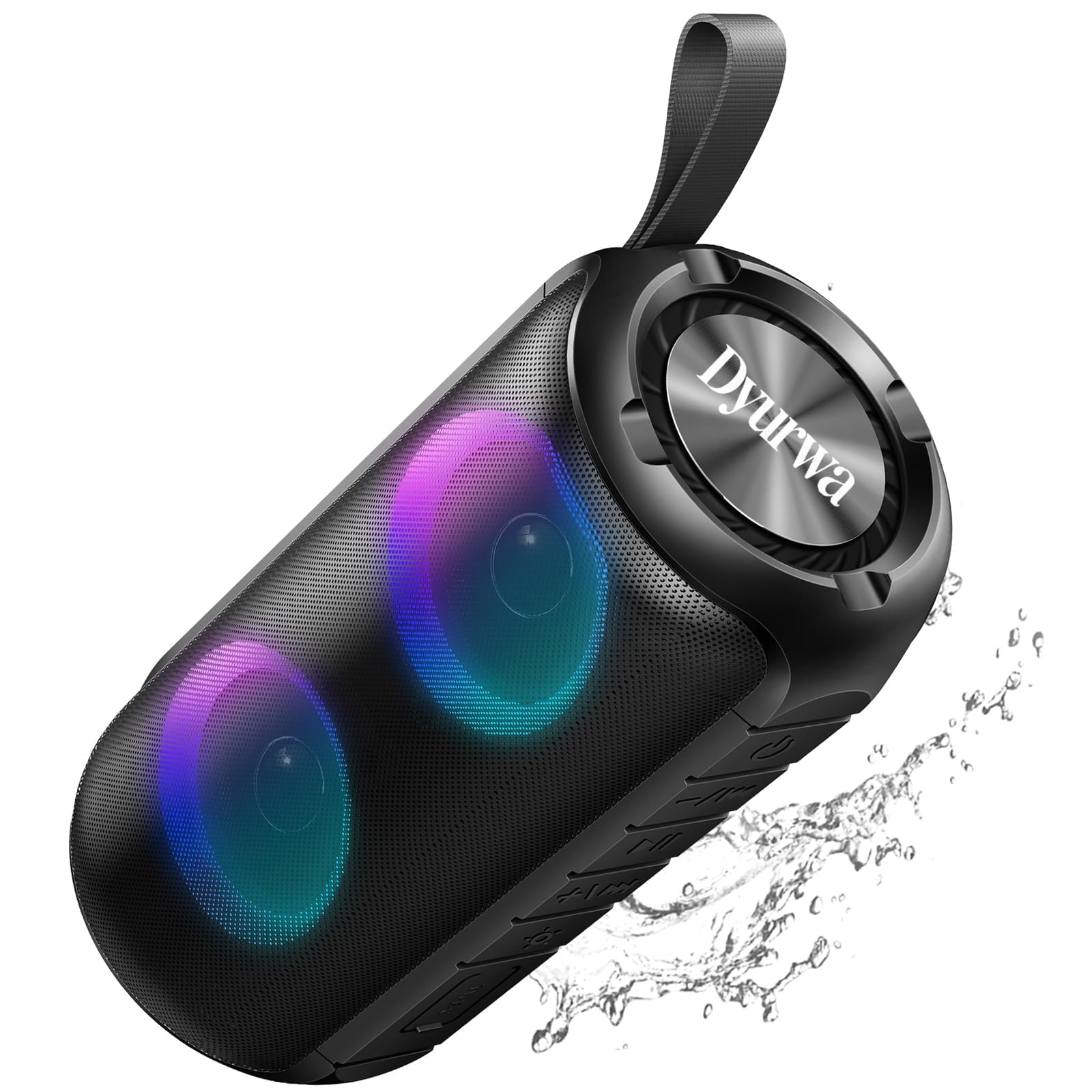
The Dyurwa ZY02 Portable Bluetooth Speaker, showcasing its sleek design.
What's in the Box:
- 1 x Dyurwa ZY02 Portable Bluetooth Speaker
- 1 x Type-C Charging Cable
- 1 x User Manual
Product Overview
The Dyurwa ZY02 speaker features advanced Bluetooth 5.3 connectivity, 360-degree HD stereo sound, dynamic RGB lights, and an IPX7 waterproof design. It is built for portability and offers up to 12 hours of playtime.

The speaker's dynamic RGB light show, which syncs with music.

Illustration of the speaker's 24W super loud sound capability with powerful audio.

The speaker demonstrating a rock-solid Bluetooth 5.3 connection for seamless audio streaming.

The speaker submerged in water, illustrating its IPX7 waterproof and dustproof capabilities.

The speaker highlighting its 12-hour battery life for extended use.
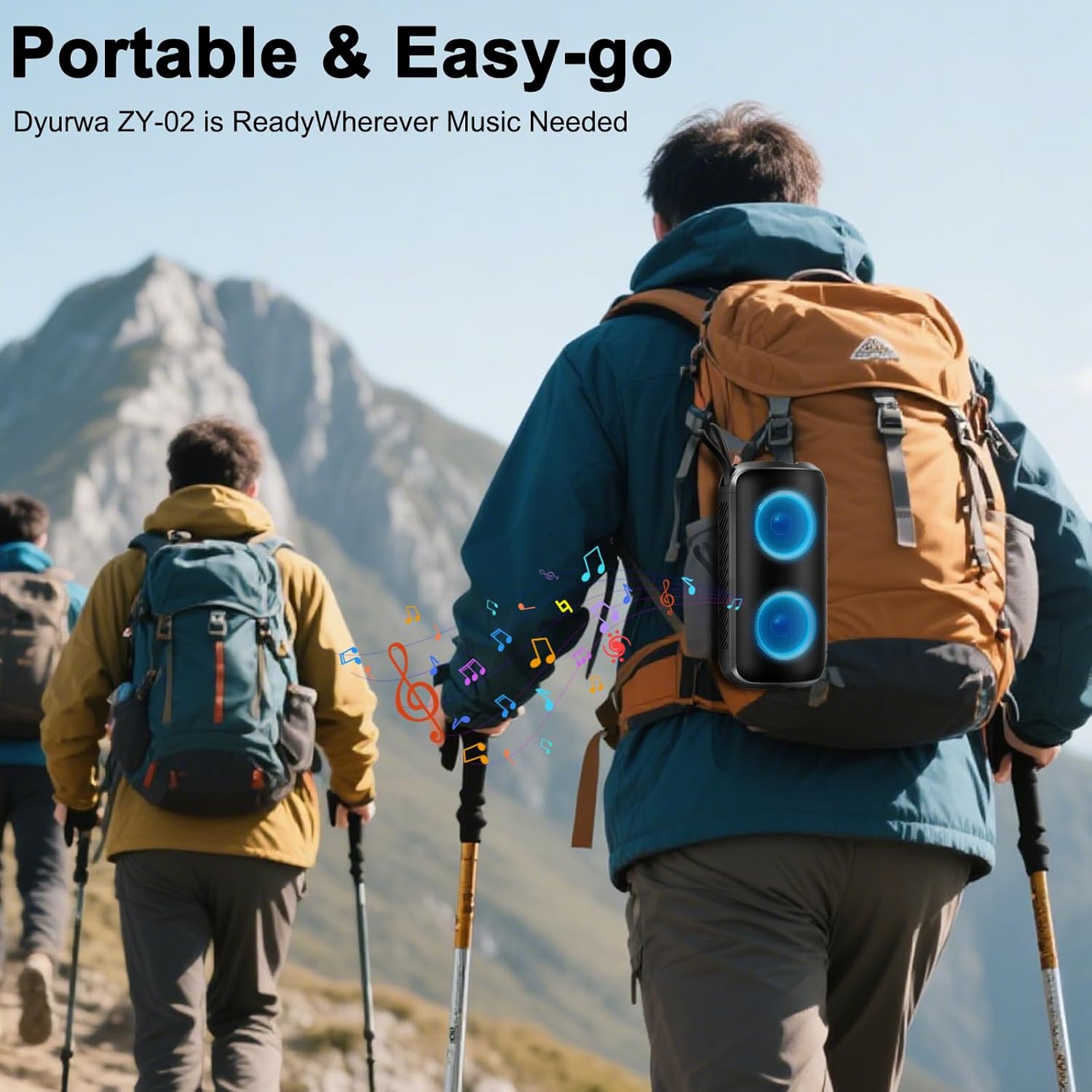
A person hiking with the portable Dyurwa ZY02 speaker attached to their backpack, emphasizing its easy-go design.
Official Product Video:
An official video showcasing the Dyurwa Bluetooth Speaker with loud sound and its features.
Setup
1. Charging the Speaker:
Before first use, fully charge the speaker. Connect the included Type-C charging cable to the speaker's charging port and the other end to a USB power adapter (not included). The charging indicator light will show the charging status. A full charge typically takes 2-3 hours.
2. Powering On/Off:
- To Power On: Press and hold the Power button (O) for 2-3 seconds until you hear an audible prompt and the RGB lights activate.
- To Power Off: Press and hold the Power button (O) for 2-3 seconds until you hear an audible prompt and the lights turn off.
3. Bluetooth Pairing:
- Ensure the speaker is powered on and in Bluetooth pairing mode (indicated by a flashing LED light).
- On your device (smartphone, tablet, computer), enable Bluetooth and search for available devices.
- Select "ZY02" from the list of devices.
- Once connected, you will hear a confirmation sound, and the LED light will become solid or change pattern.
4. TWS (True Wireless Stereo) Pairing:
To achieve a true stereo sound experience, you can pair two Dyurwa ZY02 speakers together:
- Ensure both speakers are powered on and not connected to any other Bluetooth device.
- On one speaker (this will be the primary speaker), double-press the Power button (O). The speaker will enter TWS pairing mode.
- The primary speaker will automatically search for and connect to the second speaker.
- Once successfully paired, you will hear a confirmation sound. The LED lights on both speakers will synchronize.
- Now, connect your device to the primary speaker via Bluetooth as described in step 3.
Operating Instructions
1. Music Playback:
- Play/Pause: Press the Power button (O) once to play or pause music.
- Volume Up: Press the + button.
- Volume Down: Press the - button.
- Next Track: Press and hold the + button.
- Previous Track: Press and hold the - button.
2. RGB Light Modes:
Press the Light button (☀) to cycle through various dynamic multi-color light modes. The lights can sync to the beat of the music, enhancing your listening experience. Press the button repeatedly to find your preferred light effect or to turn the lights off.
3. Hands-Free Calling:
With the built-in microphone, you can manage calls directly from the speaker when connected to your smartphone:
- Answer Call: Press the Power button (O) once.
- End Call: Press the Power button (O) once during a call.
- Reject Call: Press and hold the Power button (O) for 2 seconds.
4. AUX Mode:
For devices without Bluetooth, connect them using an AUX cable (not included) to the speaker's AUX jack. The speaker will automatically switch to AUX mode. Use your connected device to control music playback.
Maintenance
1. Cleaning:
Wipe the speaker with a soft, damp cloth. Do not use harsh chemicals, cleaning solvents, or strong detergents. Ensure the charging port cover is securely closed before cleaning.
2. Waterproof Care (IPX7):
The speaker is IPX7 waterproof, meaning it can be submerged in up to 1 meter of water for 30 minutes. However, ensure the charging port cover is tightly sealed before exposing it to water. After exposure to water, dry the speaker thoroughly before charging or using it again.
3. Storage:
Store the speaker in a cool, dry place away from extreme temperatures, direct sunlight, and corrosive materials. If storing for an extended period, charge the battery periodically to maintain its lifespan.
Troubleshooting
- Speaker does not power on:
- Ensure the battery is charged. Connect the speaker to a power source using the Type-C cable.
- Press and hold the Power button (O) for 2-3 seconds.
- Cannot pair with Bluetooth device:
- Ensure the speaker is in pairing mode (flashing LED).
- Make sure Bluetooth is enabled on your device and it is within 10 meters of the speaker.
- Forget or delete "ZY02" from your device's Bluetooth list and try pairing again.
- Restart both the speaker and your device.
- No sound or distorted sound:
- Adjust the volume on both the speaker and your connected device.
- Ensure the speaker is fully charged.
- Move the speaker closer to your device to avoid interference.
- If using AUX mode, ensure the cable is securely connected and not damaged.
- TWS pairing failed:
- Ensure both speakers are powered on and not connected to any other Bluetooth device.
- Follow the TWS pairing instructions carefully, ensuring you double-press the Power button on only one speaker to initiate pairing.
Specifications
| Feature | Specification |
|---|---|
| Model Name | ZY02 |
| Brand | Dyurwa |
| Speaker Type | Outdoor |
| Special Features | Built-in Microphone, Dustproof, LED Light, Lightweight, Portable |
| Connectivity Technology | Bluetooth 5.3 |
| Speaker Maximum Output Power | 180 Watts |
| Water Resistance Level | IPX7 |
| Product Dimensions | 2.54"D x 5"W x 4"H |
| Item Weight | 1.41 pounds |
| Batteries | 1 A battery required (included) |
| Playtime | Up to 12 hours (varies by volume and light settings) |
Warranty and Support
The Dyurwa ZY02 Portable Bluetooth Speaker comes with a standard manufacturer's warranty. For detailed warranty information, please refer to the warranty card included in your product packaging or contact Dyurwa customer support.
If you encounter any issues or have questions regarding your speaker, please contact our customer support team for assistance. Our dedicated team is ready to help you with any technical support or service needs.
Customer Support: Please refer to the contact information provided on the product packaging or the official Dyurwa website.