
Introduction
This manual provides essential information for the safe and effective use of your Apple Watch SE 3 GPS 40mm. Please read these instructions carefully before using your device to ensure optimal performance and to understand its various features and functionalities.
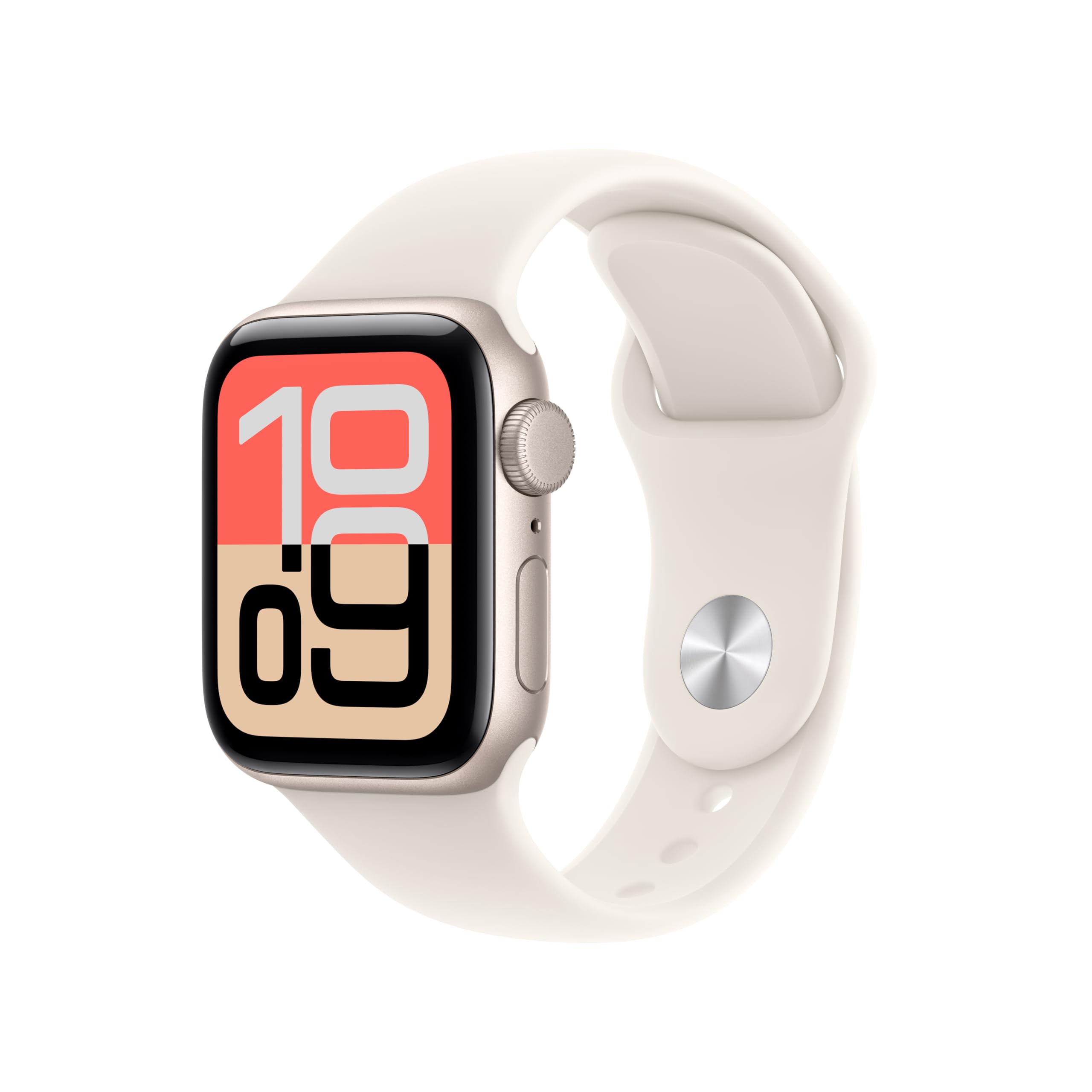
Image: Apple Watch SE 3 GPS 40mm Starlight Aluminium Case with Starlight Sport Band.
What's in the Box
Verify that all items are present in the packaging:
- Apple Watch SE 3 Case
- Sport Band (M/L size for 150–200mm wrists)
- 1m Magnetic Charging Cable

Image: The Apple Watch SE 3 box contents, showing the watch case, a sport band, and the USB-C Magnetic Fast Charging Cable.
Setup
1. Attaching the Band
- Slide the band pieces into the slots on the Apple Watch until you feel and hear a click.
- Ensure the bands are securely attached by gently pulling on them.
2. Initial Charging
- Connect the 1m Magnetic Charging Cable to a USB power adapter (sold separately) and plug it into a power outlet.
- Place the back of your Apple Watch on the magnetic charger. The charger will snap into place.
- The watch will display a charging indicator. Allow it to charge fully before first use.
3. Pairing with iPhone
- Turn on your Apple Watch by pressing and holding the side button until the Apple logo appears.
- Bring your iPhone close to your Apple Watch. A pairing screen will appear on your iPhone.
- Follow the on-screen instructions on your iPhone to pair and set up your Apple Watch. This includes choosing a wrist, setting a passcode, and configuring features.
Operating the Device
Health Essentials
The Apple Watch SE 3 provides valuable health insights:
- Temperature Sensing: Enables richer insights in the Vitals app and provides retrospective ovulation estimates.
- Sleep Tracking: Get a daily sleep score to understand your sleep patterns.
- Heart Rate Monitoring: Receive alerts for high or low heart rates or irregular rhythms.

Image: The Apple Watch SE 3 screen showing health insights, including wrist temperature data and a sleep score of 84.
Fitness Tracking
Your Apple Watch SE 3 is a comprehensive fitness partner:
- Workout Tracking: Track various workouts with real-time metrics.
- Activity Rings: Close your Move, Exercise, and Stand rings daily to achieve your activity goals.
- Workout Buddy: Powered by Apple Intelligence from your nearby iPhone, this feature helps you hit your fitness goals.

Image: Two Apple Watch SE 3 screens. One shows the activity rings (Move, Exercise, Stand) and the other shows an 'Outdoor Run' workout in progress.
Always-On Display
The Always-On display allows you to see the time and your watch face without raising your wrist to wake the display. This provides information at a glance.

Image: A close-up of an Apple Watch SE 3 on a wrist, demonstrating the Always-On display feature with the time visible.
Battery Life and Charging
The Apple Watch SE 3 offers all-day battery life, typically up to 18 hours. It supports fast charging, allowing you to get up to 8 hours of battery life in just 15 minutes.
Staying Connected
With your Apple Watch SE 3 (GPS), you can stay connected:
- Send and receive text messages.
- Take and make calls.
- Listen to music and podcasts.
- Use Siri for voice commands.
- Receive notifications from your iPhone.
The watch works in conjunction with your iPhone or a Wi-Fi connection to maintain connectivity.
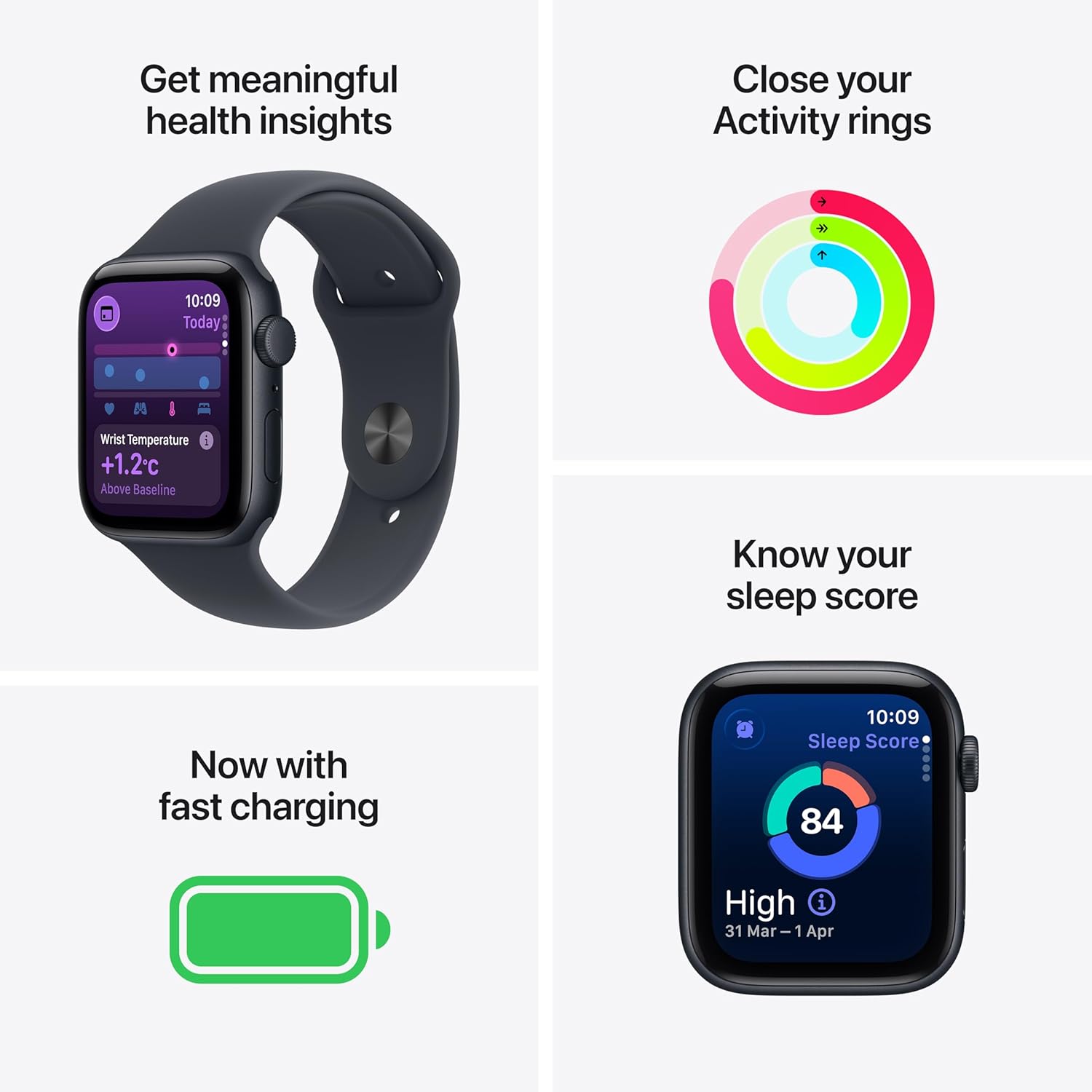
Image: A person wearing an Apple Watch SE 3, looking at the screen, illustrating the 'Stay connected on the go' feature.
Maintenance
Cleaning Your Apple Watch
- Wipe your Apple Watch and band with a non-abrasive, lint-free cloth. If necessary, lightly dampen the cloth with fresh water.
- Do not use soaps, cleaning products, abrasive materials, compressed air, ultrasonic cleaning, or external heat sources to clean your Apple Watch.
- After swimming, gently rinse your Apple Watch with fresh water and wipe it dry.
Band Care
Regularly clean your band to prevent skin irritation. For silicone bands, wipe with a damp cloth. Avoid harsh chemicals that may damage the material.
Troubleshooting
Watch Not Turning On
- Ensure the watch is charged. Place it on the magnetic charging cable for at least 30 minutes.
- Press and hold the side button until the Apple logo appears.
Pairing Issues
- Make sure Bluetooth is enabled on your iPhone.
- Ensure both devices are close to each other.
- Restart both your Apple Watch and iPhone.
Inaccurate Readings
- Ensure your Apple Watch is worn snugly on your wrist, not too tight or too loose.
- Clean the back of the watch to ensure sensors are not obstructed.
Specifications
| Manufacturer | Apple |
| Item Model Number | MEH54HN/A |
| Package Dimensions | 23.9 x 7.8 x 3.4 cm |
| Item Weight | 26.3 g |
| Operating System | WatchOS |
| Memory Storage Capacity | 64 GB |
| Special Features | Activity Tracker, Alarm Clock, Always On Display, Fall Detection, GPS |
| Battery Capacity | 0.1 Milliamp Hours |
| Connectivity Technology | Bluetooth, Wi-Fi |
Warranty and Support
Warranty Information
Your Apple Watch SE 3 is covered by Apple's standard limited warranty. For detailed terms and conditions, please refer to the warranty documentation included with your product or visit the official Apple website.
Optional extended coverage, such as 1 Year Protect+ with AppleCare Service by Apple, may be available for purchase to extend your service and support coverage.
Customer Support
For further assistance, technical support, or service inquiries, please visit the official Apple Support website or contact Apple customer service directly. You can find contact information and support resources at support.apple.com.


