
Introduction
This manual provides essential information for setting up, operating, maintaining, and troubleshooting your Apple Watch SE 3 GPS 44mm. Please read this guide thoroughly to ensure proper use and to maximize your device's capabilities.
What's in the Box

Image description: A visual representation of the Apple Watch SE 3 packaging contents, including the watch case, a sport band, and a USB-C magnetic fast charging cable.
- Apple Watch SE 3 (44mm Midnight Aluminium Case)
- Midnight Sport Band (M/L size)
- 1m Magnetic Charging Cable (USB-C)
Setup Guide
1. Initial Pairing with iPhone
- Ensure your iPhone is updated to the latest iOS version and has Bluetooth enabled.
- Power on your Apple Watch by pressing and holding the side button until the Apple logo appears.
- Bring your iPhone near your Apple Watch. A pairing screen will appear on your iPhone. Tap 'Continue'.
- Position your iPhone so the Apple Watch appears in the viewfinder. This will pair the devices.
- Follow the on-screen instructions on both devices to complete the setup, including setting up a passcode, Apple ID, and preferred settings.
2. Adjusting the Sport Band
The Sport Band is designed for a secure and comfortable fit. To adjust, slide the pin through the desired hole on the band and tuck the end underneath. Ensure the watch is snug but not too tight for accurate sensor readings.
Operating Instructions
Basic Navigation
- Digital Crown: Rotate to scroll, zoom, or adjust values. Press once to go to the watch face or app list. Double-press to switch between recently used apps. Press and hold for Siri.
- Side Button: Press once to open the Dock (recently used apps). Double-press for Apple Pay. Press and hold for Emergency SOS or to power off.
- Touch Screen: Tap to select, swipe to navigate, and force touch (press firmly) for additional options in some apps.
Always-On Display

Image description: A close-up of the Apple Watch SE 3 on a wrist, displaying the time and other information continuously, even when the wrist is lowered.
The Always-On display allows you to see the time and watch face information without raising your wrist. This feature can be managed in the Watch app on your iPhone under 'Display & Brightness'.
Health and Fitness Tracking
Activity Rings
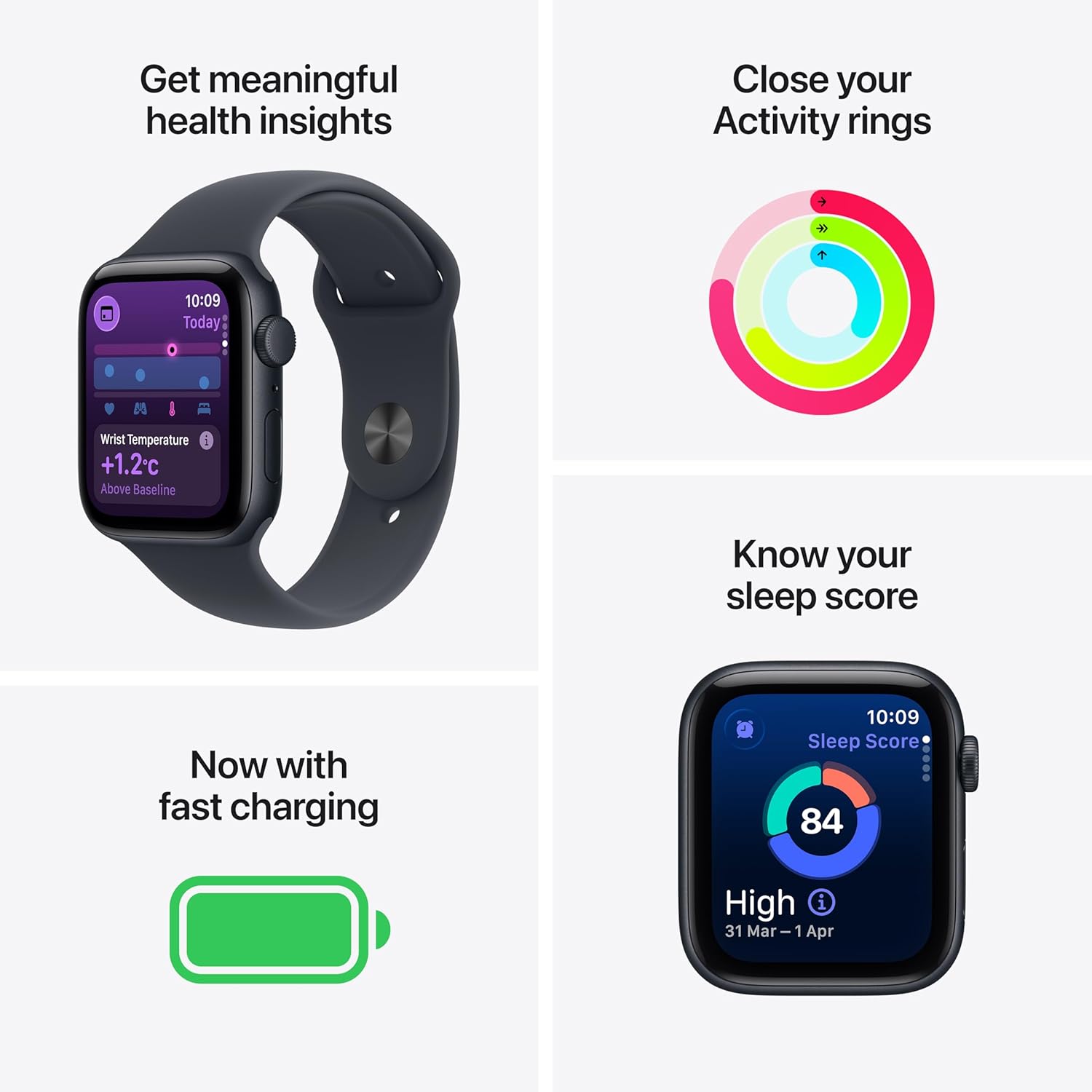
Image description: A composite image showing various Apple Watch SE 3 features: detailed health insights including wrist temperature, colorful activity rings, a fast charging indicator, and a sleep score display.
The Activity app tracks your daily movement, exercise, and standing time through three rings: Move, Exercise, and Stand. Close all three rings daily to meet your fitness goals. You can customize your goals in the Activity app on your Watch or iPhone.
Workout Tracking

Image description: Two Apple Watch SE 3 screens side-by-side. One shows the activity rings, and the other shows the interface for an 'Outdoor Run' workout, indicating tracking capabilities.
The Workout app provides real-time metrics for various activities. Select your workout type, and the watch will track duration, calories burned, heart rate, and more. GPS functionality allows for accurate tracking of outdoor activities without your iPhone.
Sleep Tracking
Monitor your sleep patterns and receive a daily sleep score. Set up your sleep schedule in the Health app on your iPhone to utilize this feature effectively.
Heart Rate Monitoring and Alerts
The Apple Watch continuously monitors your heart rate. It can alert you to unusually high or low heart rates, or an irregular heart rhythm, which may indicate a health condition. Consult a medical professional if you receive such alerts.
Fall Detection
The watch can detect hard falls and initiate an Emergency SOS call if you are unresponsive. This feature is enabled by default for users over a certain age and can be managed in the Watch app.
Connectivity Features

Image description: A person wearing an Apple Watch SE 3 on their wrist and AirPods in their ears, illustrating the device's capability for staying connected and enjoying media while mobile.
Your Apple Watch SE 3 (GPS model) connects to your iPhone via Bluetooth and can also connect to Wi-Fi networks. This allows you to receive notifications, send messages, make calls (when your iPhone is nearby or connected to Wi-Fi), stream music, and use Siri directly from your wrist.
Battery and Charging
The Apple Watch SE 3 offers up to 18 hours of battery life with typical usage. It supports fast charging, allowing you to charge up to 80% in approximately 45 minutes and achieve 8 hours of battery life in just 15 minutes.
Charging Instructions
- Connect the USB-C end of the magnetic charging cable to a compatible USB-C power adapter (sold separately).
- Place the back of your Apple Watch on the magnetic charging puck. The magnets will align it automatically.
- Ensure the charging icon appears on the watch face to confirm it is charging.
For optimal battery health, avoid extreme temperatures and use only Apple-certified charging accessories.
Maintenance and Care
Cleaning Your Apple Watch
- Wipe your Apple Watch and band with a non-abrasive, lint-free cloth.
- If necessary, lightly dampen the cloth with fresh water. Do not use soaps or cleaning products.
- Dry the watch thoroughly before wearing or charging.
Water Resistance
The Apple Watch SE 3 is water resistant up to 50 meters. It can be used for shallow-water activities like swimming in a pool or ocean. It should not be used for scuba diving, waterskiing, or other activities involving high-velocity water or submersion below shallow depths.
Band Care
Regularly clean your sport band to prevent skin irritation. Remove the band from the watch and wipe it with a damp, non-abrasive cloth. Allow it to air dry completely before reattaching.
Troubleshooting Common Issues
Watch Not Turning On
- Ensure the watch is charged. Place it on the magnetic charging cable for at least 30 minutes.
- Perform a force restart: Press and hold both the side button and the Digital Crown for at least 10 seconds, until you see the Apple logo.
Pairing Issues
- Check that Bluetooth is enabled on your iPhone and both devices are near each other.
- Restart both your Apple Watch and iPhone.
- If the watch is already paired to another iPhone, you may need to unpair it first.
Inaccurate Heart Rate Readings
- Ensure the watch is worn snugly on your wrist, not too loose or too tight.
- Clean the back of the watch and your wrist to remove any debris or sweat.
- Environmental factors or certain movements can affect accuracy.
Product Specifications
| Model Number | MEHQ4HN/A |
| Operating System | WatchOS |
| Memory Storage Capacity | 64 GB |
| Connectivity Technology | Bluetooth, Wi-Fi |
| Special Features | Activity Tracker, Alarm Clock, Always On Display, Fall Detection, GPS |
| Battery Capacity | 0.1 Milliamp Hours (typical usage up to 18 hours) |
| Item Weight | 32.9 g |
| Manufacturer | Apple |
| Country of Origin | China |
Warranty and Support
Limited Warranty
Your Apple Watch SE 3 is covered by a one-year limited warranty from Apple against defects in materials and workmanship. This warranty is in addition to rights provided by consumer law. For detailed terms and conditions, please refer to the Apple website or the documentation included with your product.
AppleCare Service
Optional AppleCare+ protection plans are available for extended coverage and technical support. These plans may include accidental damage coverage. Check with Apple for availability and details.
Contacting Support
For technical assistance, service, or support, please visit the official Apple Support website or contact Apple customer service. Manufacturer details: Apple Inc, One Apple Park Way, Cupertino, CA 95014, USA. For India, Apple India Private Limited, 13th Floor, Prestige Minsk Square, Municipal No. 6, Cubbon Road, Bengaluru, Karnataka - 560001, India.


