
Introduction
This manual provides essential information for setting up, operating, and maintaining your Apple Watch Series 11 GPS + Cellular 42mm. Please read these instructions carefully to ensure proper use and to maximize the device's capabilities.
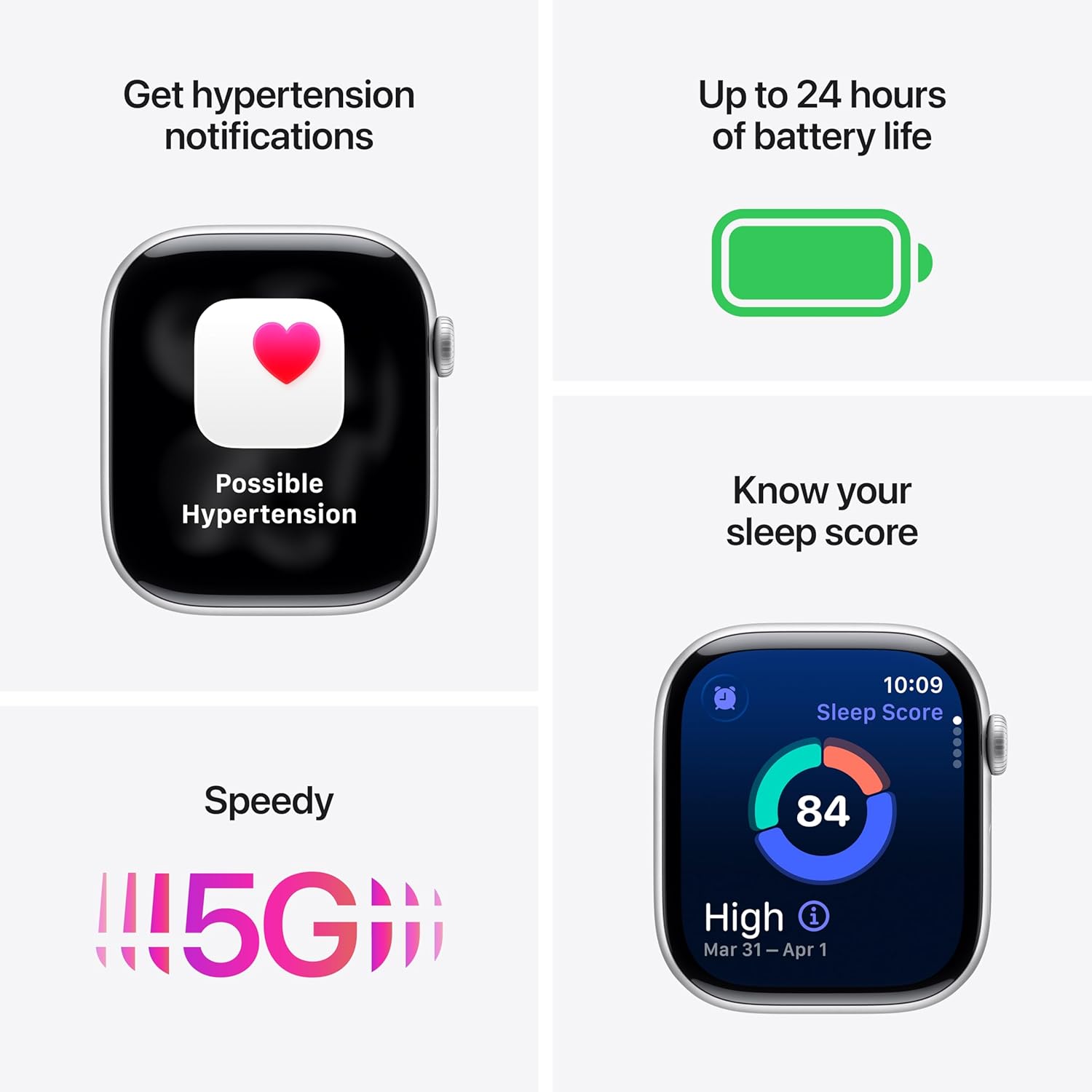
Image: The Apple Watch Series 11, showcasing its design with a Natural Titanium Case and Natural Milanese Loop band.
What's in the Box
Verify that all items are present in the packaging:
- Apple Watch Series 11 GPS + Cellular 42mm Natural Titanium Case
- Natural Milanese Loop
- 1m Magnetic Charging Cable

Image: A visual representation of the Apple Watch Series 11, its Milanese Loop band, and the USB-C Magnetic Fast Charging Cable, as found in the product box.
Setup
- Charge Your Apple Watch: Connect the magnetic charging cable to the back of your Apple Watch and plug the USB-C end into a power adapter (sold separately) or a USB-C port. Allow the watch to charge until it powers on.
- Pair with iPhone: Ensure your iPhone is updated to the latest iOS version and has Bluetooth enabled. Open the Apple Watch app on your iPhone. Follow the on-screen instructions to pair your watch. Position your iPhone so the Apple Watch appears in the viewfinder.
- Set Up Cellular (GPS + Cellular models): During the pairing process, you will be prompted to set up cellular service. This requires an active cellular plan with a compatible carrier. Follow the steps provided by your carrier.
- Customize Settings: Personalize your watch settings, including passcode, Apple Pay, and app preferences.
Operating the Device
Health Monitoring
The Apple Watch Series 11 offers advanced health tracking capabilities:
- Hypertension Notifications: The watch can detect signs of chronic high blood pressure and provide notifications.
- Sleep Score: Track and understand your sleep quality with detailed sleep scores.
- ECG App: Take an electrocardiogram (ECG) at any time to record your heart's electrical activity.
- Heart Rate Monitoring: Receive notifications for high, low, or irregular heart rhythms.
- Blood Oxygen App: Measure your blood oxygen levels.
- Vitals App: View overnight health metrics for comprehensive insights.
- Sleep Apnea Notifications: Receive alerts for possible sleep apnea events.

Image: The Apple Watch Series 11 screen showing current heart rate and an overview of overnight vitals, illustrating its health monitoring features.
Fitness Tracking
Utilize the watch for comprehensive fitness tracking:
- Activity Rings: Track your daily movement, exercise, and standing goals.
- Workout App: Access advanced metrics for various workouts, including Pacer, Heart Rate Zones, and training load.
- Workout Buddy: Connect with Apple Intelligence on your iPhone for enhanced workout support.

Image: The Apple Watch Series 11 displaying activity rings on one screen and an active 'Outdoor Run' workout on another, highlighting its fitness tracking capabilities.
Connectivity
Stay connected with your Apple Watch:
- 5G and LTE: Make calls, send texts, download music, and access emergency services without your iPhone nearby.
- Wi-Fi and Bluetooth: Connect to wireless networks and accessories.

Image: A person wearing the Apple Watch Series 11, with text indicating "A 5G leap in connectivity," demonstrating its advanced cellular capabilities.
Safety Features
The watch includes features designed for your safety:
- Fall Detection: Automatically detects hard falls and can initiate a call to emergency services.
- Crash Detection: Can detect severe car crashes and connect you with emergency services.
- Emergency SOS: Press and hold the side button to quickly contact emergency services.
- Check In: Automatically notifies a loved one when you arrive at your destination.
Controls
- Digital Crown: Navigate menus, zoom, and scroll with haptic feedback.
- Side Button: Access the Dock, Apple Pay, and Emergency SOS.
- Double Tap and Wrist Flick Gesture: Interact with the watch using simple hand movements.
- Siri: Use voice commands for various tasks with on-device processing.
Battery Life and Charging
The Apple Watch Series 11 is designed for extended use:
- Normal Use: Up to 24 hours of battery life.
- Low Power Mode: Up to 38 hours of battery life.
- Fast-Charge Capable: Achieve up to 80% charge in approximately 30 minutes.
- Quick Charge for Short Use: 15 minutes of charging provides up to 8 hours of normal use, or 5 minutes for up to 8 hours of sleep tracking.
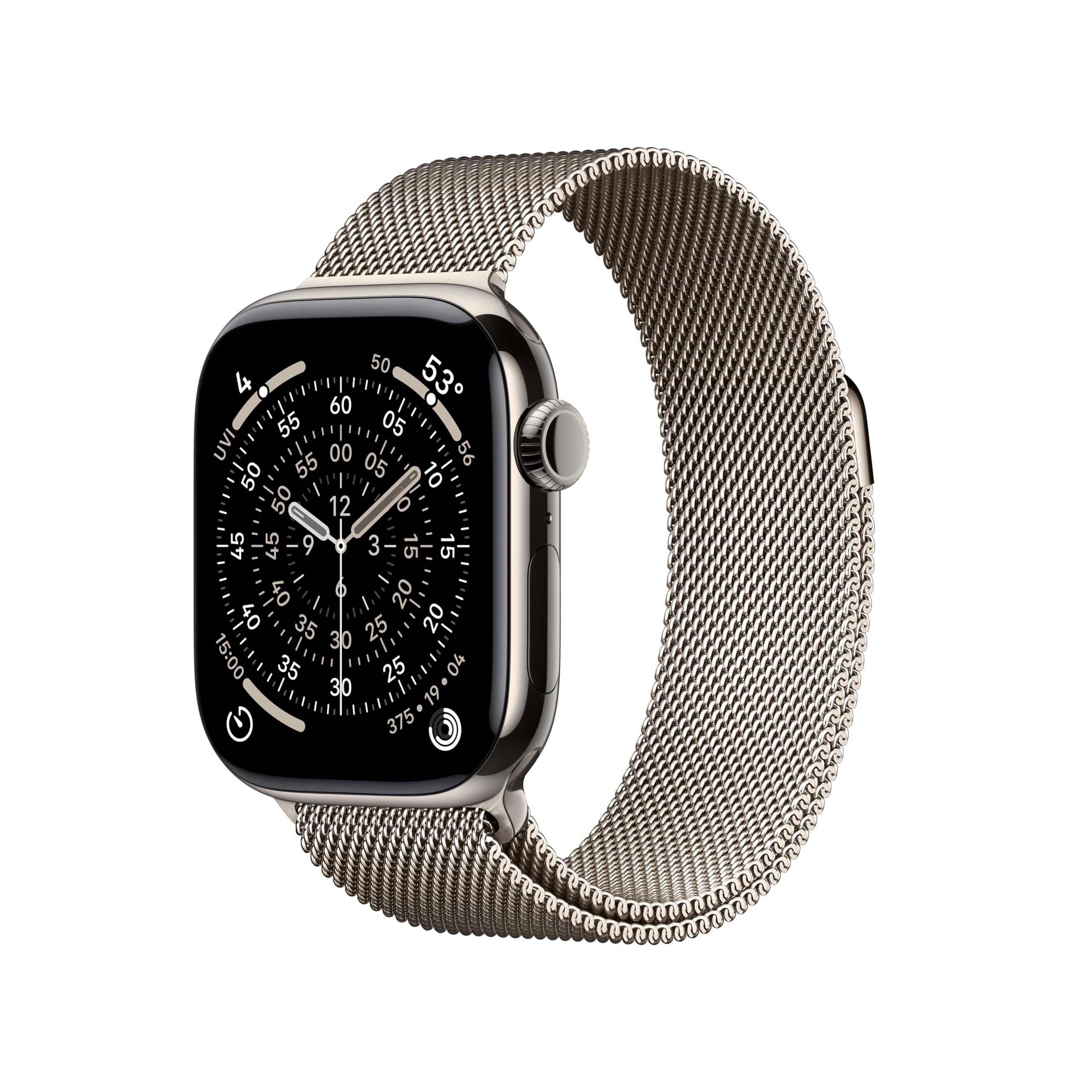
Image: A composite image highlighting key features of the Apple Watch Series 11, including hypertension notifications, up to 24 hours of battery life, sleep score display, and 5G connectivity.
Durability and Care
Your Apple Watch Series 11 is built for resilience:
- Water Resistance: Water resistant up to 50 meters, suitable for swimming.
- Dust Resistance: IP6X dust resistant.
- Display Durability: Features a superdurable glass display that is 2x more scratch resistant than Series 10. Titanium cases include a sapphire front crystal.
Care Instructions:
- Clean your watch regularly with a soft, lint-free cloth.
- Avoid exposing the watch to extreme temperatures or harsh chemicals.
- Dry the watch thoroughly after exposure to water.
Troubleshooting
If you encounter issues with your Apple Watch, consider the following steps:
- Restart Your Watch: Press and hold the side button until the power off slider appears, then drag the slider. To turn it back on, press and hold the side button again until you see the Apple logo.
- Check Connections: Ensure your Apple Watch is properly paired with your iPhone and that Bluetooth and Wi-Fi are enabled. For cellular models, verify your cellular plan is active.
- Update Software: Ensure both your Apple Watch and iPhone are running the latest software versions.
- Reset Settings: If problems persist, you may need to reset your Apple Watch settings via the Apple Watch app on your iPhone.
- Contact Support: For further assistance, visit the official Apple Support website or contact Apple customer service.
Specifications
| Product Dimensions | 9.4 x 3 x 1.2 inches |
| Item Weight | 1.28 ounces |
| Manufacturer | Apple |
| Item Model Number | MF8P4LW/A |
| Operating System | watchOS |
| Memory Storage Capacity | 64 GB |
| Special Features | Activity Tracker, Always On Display, Cycle Tracking, GPS, Heart Rate Monitor |
| Battery Capacity | 327 Milliamp Hours |
| Connectivity Technology | 5G and LTE, GPS + Cellular |
| Wireless Communication Standard | 802.11a/g/n/ac, Bluetooth |
| GPS | Built-in GPS |
| Shape | Rectangular |
| Screen Size | 42 Millimeters |
| Material | Aluminium or Titanium |
| Dimensions (42mm) | Height: 42mm, Width: 36mm, Depth: 9.7mm |
| Case Weight (Titanium) | 34.6g |
| Display | Always-On Retina display, up to 2,000 nits brightness, 326 pixels per inch |
| Chip | S10 SiP with 64-bit dual-core processor, 4-core Apple Neural Engine |
| Sensors | Electrical heart sensor, Optical heart sensor, Blood oxygen sensor, Temperature sensor, Compass, Altimeter, Gyroscope, Accelerometer, Ambient light sensor, Depth gauge, Water temperature sensor |
| Durability | Water resistance 50m (swimproof), Dust Resistance IP6X |
Warranty and Support
Your Apple Watch Series 11 is covered by Apple's standard limited warranty. For detailed warranty information, technical support, service options, and additional resources, please visit the official Apple Support website:
You can also find information regarding AppleCare+ for extended coverage and accidental damage protection.