
Introduction
This manual provides essential information for setting up, operating, and maintaining your Apple Watch Series 11 GPS 46mm Smartwatch. The Apple Watch Series 11 is designed to enhance your daily life with advanced health monitoring, comprehensive fitness tracking, and seamless connectivity. Key features include hypertension notifications, sleep score tracking, ECG capabilities, and an always-on Retina display.
What's in the Box
Upon opening your Apple Watch Series 11 package, verify that all components are present:
- Apple Watch Series 11 GPS 46mm Jet Black Aluminium Case
- Black Sport Band
- 1m Magnetic Charging Cable

Image: The Apple Watch Series 11, a black sport band, and a USB-C magnetic fast charging cable, as included in the product packaging.
Setup
1. Initial Charging
Before first use, fully charge your Apple Watch. Connect the magnetic charging cable to the back of your watch and plug the USB-C end into a power adapter (sold separately) or a USB-C port. The watch will display a charging indicator.
2. Pairing with iPhone
- Ensure your iPhone is updated to the latest iOS version and Bluetooth is enabled.
- Turn on your Apple Watch by pressing and holding the side button until the Apple logo appears.
- Bring your iPhone near your Apple Watch. A pairing screen will appear on your iPhone. Tap "Continue".
- Position your iPhone so the Apple Watch appears in the viewfinder. This will pair the devices.
- Follow the on-screen instructions on both your iPhone and Apple Watch to complete the setup, including setting up a passcode, Apple ID, and preferred settings.
Operating Your Apple Watch
The Apple Watch Series 11 features an Always-On Retina display and intuitive controls for navigation and interaction.
Controls
- Digital Crown: Rotate to scroll, zoom, or adjust values. Press once to go to the watch face or app list. Double-press to switch between your last two apps. Press and hold for Siri.
- Side Button: Press once to open the Dock (recent apps). Press and hold for Emergency SOS or to power off the watch.
- Double Tap Gesture: Perform common actions like answering a call or stopping a timer by tapping your index finger and thumb together twice.
- Wrist Flick Gesture: Interact with notifications and other elements with a simple flick of your wrist.
Display
The Always-On Retina display utilizes wide-angle OLEDs and LTPO3 technology, offering up to 2,000 nits maximum brightness and 1 nit minimum brightness for clear visibility in various lighting conditions. Aluminum cases feature Ion-X front glass with 2x scratch resistance, while titanium cases use sapphire front crystal.
Health Monitoring Features
Your Apple Watch Series 11 is equipped with advanced sensors to provide comprehensive health insights.
- Hypertension Notifications: The watch can detect signs of chronic high blood pressure and notify you of possible hypertension.
- Sleep Score: Track and understand the quality of your sleep with detailed sleep stages and a restorative sleep score.
- ECG App: Take an electrocardiogram anytime to check for signs of atrial fibrillation.
- Heart Rate Monitoring: Receive notifications for high and low heart rates, and irregular rhythms.
- Blood Oxygen App: Measure your blood oxygen levels on demand.
- Vitals App: View overnight health metrics, including heart rate, blood oxygen, and temperature.
- Cycle Tracking: Monitor your menstrual cycle with retrospective ovulation estimates.
- Mindfulness App: Engage in mindfulness exercises and track your state of mind.
- Noise App: Monitor ambient sound levels to protect your hearing.
- Sleep Apnea Notifications: Receive alerts for possible sleep apnea.

Image: The Apple Watch displaying current heart rate and overnight vital signs, illustrating its health monitoring capabilities.
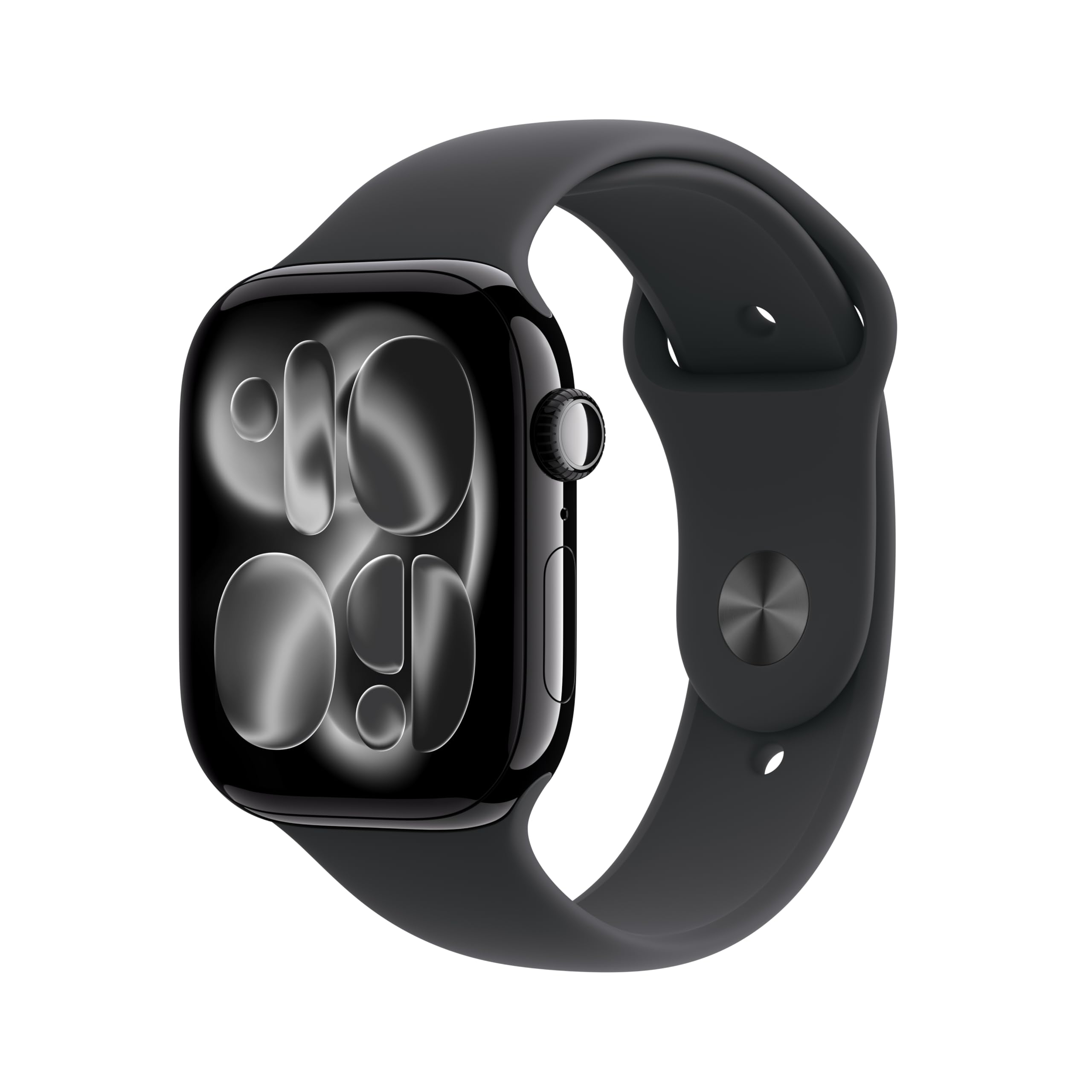
Image: A visual summary of key features including hypertension notifications, 24-hour battery life, sleep score tracking, and the superdurable display.
Fitness Tracking
The Apple Watch Series 11 serves as a powerful fitness partner, tracking your activity and workouts with precision.
- Activity Rings: Track your daily movement, exercise, and stand goals.
- Workout App: Access advanced metrics for various workouts, including Pacer, Heart Rate Zones, and training load.
- Workout Buddy: Utilize Apple Intelligence from your nearby iPhone for enhanced workout guidance.
- GPS: Built-in GPS accurately tracks your outdoor activities without needing your iPhone.

Image: The Apple Watch displaying activity rings and an outdoor run workout screen, demonstrating its fitness tracking capabilities.
Connectivity
Stay connected with your Apple Watch Series 11, even when your iPhone isn't immediately at hand.
- GPS Model: Works with your iPhone or Wi-Fi to send texts, take calls, listen to music, use Siri, and receive notifications.
- Wireless Communication: Supports 802.11a/g/n/ac Wi-Fi and Bluetooth 5.3.
- Apple Pay: Make secure payments directly from your wrist.
- GymKit: Connect to compatible gym equipment for synchronized workout data.

Image: A user interacting with their Apple Watch, highlighting its connectivity features for staying in touch while mobile.
Battery Life and Charging
The Apple Watch Series 11 offers extended battery life and fast charging capabilities.
- Normal Use: Up to 24 hours of battery life.
- Low Power Mode: Extends battery life up to 38 hours.
- Fast Charging: Achieve up to 80% charge in approximately 30 minutes.
- Quick Charge for Use: 15 minutes of charging provides up to 8 hours of normal use.
- Quick Charge for Sleep Tracking: 5 minutes of charging provides up to 8 hours of sleep tracking.
Durability and Safety
Your Apple Watch Series 11 is built to withstand daily use and includes important safety features.
- Water Resistance: Water resistant up to 50 meters, making it suitable for swimming.
- Dust Resistance: IP6X dust resistant for protection against dust ingress.
- Crash Detection: Automatically detects severe car crashes and connects you with emergency services.
- Fall Detection: Detects hard falls and can initiate an emergency call if you are unresponsive.
- Emergency SOS: Allows you to quickly call emergency services.
- Check In: Automatically notifies a loved one when you've arrived at your destination.
Maintenance
To ensure the longevity and optimal performance of your Apple Watch Series 11, follow these maintenance guidelines:
- Cleaning: Regularly clean your watch and band with a soft, lint-free cloth. For stubborn dirt, slightly dampen the cloth with fresh water. Avoid using harsh chemicals or abrasive materials.
- Drying: After exposure to water, dry your Apple Watch thoroughly with a soft cloth.
- Avoid Extreme Temperatures: Do not expose your watch to extreme heat or cold, as this can affect battery life and internal components.
- Band Care: Follow specific cleaning instructions for your band material. Sport bands can typically be wiped clean with a damp cloth.
Troubleshooting
If you encounter issues with your Apple Watch Series 11, consider these common troubleshooting steps:
- Watch Not Responding: Force restart your watch by holding both the side button and the Digital Crown for at least 10 seconds until you see the Apple logo.
- Pairing Issues: Ensure your iPhone's Bluetooth is on and both devices are charged. Try restarting both your iPhone and Apple Watch.
- Battery Draining Quickly: Check for apps running in the background. Reduce screen brightness or disable unnecessary notifications. Ensure your watchOS is up to date.
- Inaccurate Readings: Ensure the watch is worn snugly on your wrist. Clean the back of the watch to ensure sensors are clear.
- Software Updates: Regularly update your Apple Watch to the latest watchOS version for performance improvements and bug fixes.
For more detailed troubleshooting or persistent issues, refer to the official Apple Support website or contact Apple customer service.
Specifications
| Feature | Detail |
|---|---|
| Model Number | MEUX4LW/A |
| Product Dimensions | 9.4 x 3 x 1.2 inches |
| Item Weight | 1.28 ounces |
| Operating System | watchOS |
| Memory Storage Capacity | 64 GB |
| Special Features | Activity Tracker, Always On Display, Cycle Tracking, GPS, Heart Rate Monitor |
| Connectivity Technology | GPS |
| Wireless Communication Standard | 802.11a/g/n/ac, Bluetooth |
| Battery Cell Composition | Lithium Ion |
| GPS | Built-in GPS |
| Screen Size | 46 Millimeters |
| Material | Aluminium or Titanium |
| Audio | Speaker, Microphone |
| Display | Always-On Retina display with wide-angle OLEDs and LTPO3, Ion-X front glass (aluminum cases), Sapphire front crystal (titanium cases), Up to 2,000 nits max brightness, 1 nit min brightness, 326 pixels per inch |
| Chip | S10 SiP with 64-bit dual-core processor, 4-core Apple Neural Engine, 64GB capacity |
| Health and Wellness Sensors | Electrical heart sensor, Third-generation optical heart sensor, Blood oxygen sensor, Temperature sensor |
| Other Sensors | Compass, Always-on altimeter, High dynamic range gyroscope, High-g accelerometer, Ambient light sensor, Depth gauge up to 6 meters, Water temperature sensor |
| Durability | Water resistance 50m (swimproof), Dust Resistance IP6X |
| Power and Battery Life | Up to 24 hours normal use, Up to 38 hours in Low Power Mode, Fast-charge capable |
Warranty and Support
Your Apple Watch Series 11 is covered by Apple's standard limited warranty. For detailed information regarding warranty terms, coverage, and how to obtain service, please visit the official Apple Support website. You can also find extensive support resources, FAQs, and contact options there.