
Introduction
The Apple Watch SE 3 is a versatile smartwatch designed to enhance your daily life with advanced health monitoring, fitness tracking, and communication features. This manual provides essential information to help you get started and make the most of your device.
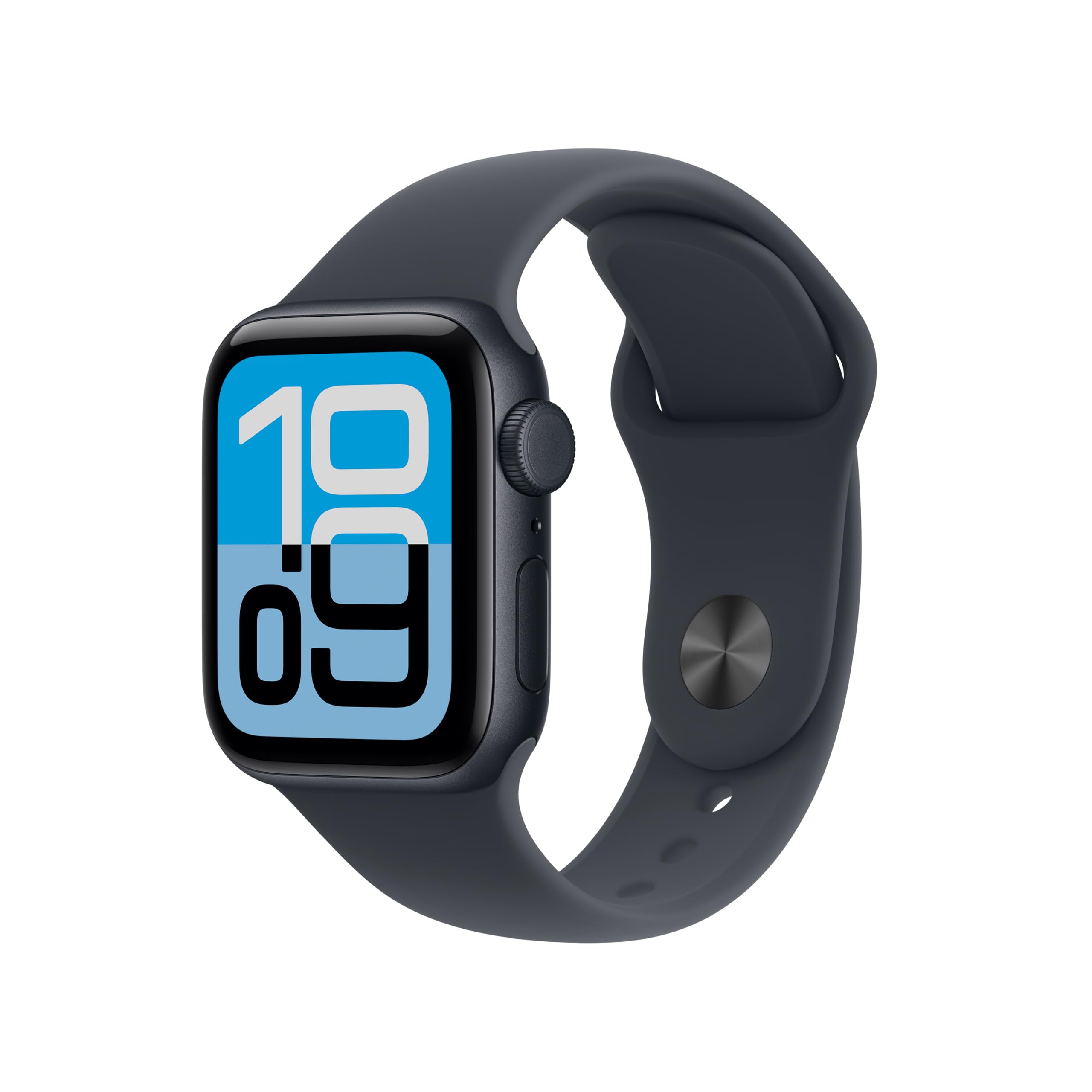
Image: Apple Watch SE 3 in Midnight Aluminium with Midnight Sport Band.
What's in the Box
Verify that all components are present in the packaging:
- Apple Watch SE 3 Case (Midnight Aluminium 40mm)
- Midnight Sport Band (S/M)
- 1m Magnetic Charging Cable

Image: The Apple Watch SE 3, a Sport Band, and a USB-C Magnetic Fast Charging Cable, illustrating the contents of the product box.
Setup
1. Initial Charging
Before first use, fully charge your Apple Watch SE 3 using the provided 1m Magnetic Charging Cable. Connect the magnetic end to the back of your watch and the USB-C end to a compatible power adapter (sold separately) or USB-C port.
2. Pairing with iPhone
- Ensure your iPhone is updated to the latest iOS version and Bluetooth is enabled.
- Turn on your Apple Watch by pressing and holding the side button until the Apple logo appears.
- Place your iPhone near your Apple Watch. A pairing screen will appear on your iPhone. Tap "Continue".
- Position your iPhone so the Apple Watch appears in the viewfinder of the Camera app.
- Follow the on-screen instructions on both your iPhone and Apple Watch to complete the pairing process, including setting up cellular service if applicable.
Operating Your Apple Watch SE 3
Always-On Display
The Always-On display allows you to see the time and watch face information without needing to raise your wrist or tap the screen. This feature keeps essential information visible at a glance.

Image: A close-up of the Apple Watch SE 3 on a wrist, displaying the time and other information on its Always-On screen.
Health Monitoring
The Apple Watch SE 3 provides various health insights:
- Temperature Sensing: Enables retrospective ovulation estimates and richer insights within the Vitals app.
- Heart Rate Monitoring: Alerts for high, low, or irregular heart rhythms.
- Sleep Tracking: Provides a daily sleep score to help monitor sleep patterns.

Image: A four-panel image showing the Apple Watch SE 3's health features: meaningful health insights (wrist temperature), activity rings, sleep score, and fast charging.
Fitness Tracking
Track your daily activity and workouts with precision:
- Activity Rings: Monitor your Move, Exercise, and Stand goals.
- Workout App: Track various workouts with real-time metrics.
- Workout Buddy: Utilize Apple Intelligence from your iPhone for enhanced workout guidance.

Image: Two Apple Watch SE 3 displays side-by-side, one showing activity rings and the other showing an "Outdoor Run" workout in progress.
Connectivity
The GPS + Cellular model allows you to stay connected even without your iPhone nearby:
- Send and receive texts and calls.
- Download and stream music and podcasts.
- Access emergency services.
- Benefit from speedy 5G performance for fast data transfer.

Image: A person wearing an Apple Watch SE 3 and AirPods, looking at their watch, with text indicating "Speedy 5G comes to SE."
Battery Life and Charging
The Apple Watch SE 3 offers up to 18 hours of battery life with typical use. It supports fast charging, allowing you to get up to 8 hours of battery life in approximately 15 minutes.
Maintenance
Cleaning Your Apple Watch
- Turn off your Apple Watch and disconnect it from the charger.
- Wipe the watch and band with a non-abrasive, lint-free cloth. If necessary, lightly dampen the cloth with fresh water.
- Do not use soaps, cleaning products, abrasive materials, or compressed air.
- Dry the Apple Watch thoroughly with a soft, lint-free cloth.
Band Care
Regularly clean your sport band to prevent skin irritation. Wipe it with a damp cloth and dry it thoroughly. Avoid prolonged exposure to direct sunlight or high temperatures.
Troubleshooting
Watch Not Turning On
Ensure the watch is sufficiently charged. Connect it to the magnetic charging cable and a power source for at least 30 minutes. If it still doesn't turn on, try a force restart by holding both the side button and Digital Crown for at least 10 seconds until you see the Apple logo.
Pairing Issues
If your watch fails to pair with your iPhone, ensure both devices have Bluetooth enabled and are within range. Restart both your iPhone and Apple Watch. If the issue persists, unpair and re-pair the devices through the Apple Watch app on your iPhone.
Inaccurate Health Data
For accurate heart rate and activity tracking, ensure your Apple Watch is worn snugly on your wrist. Clean the back of the watch regularly to ensure proper sensor contact. Check for software updates on both your watch and iPhone.
Specifications
| Model Number | MEP94HN/A |
| Manufacturer | Apple |
| Country of Origin | China |
| Item Weight | 26.4 g |
| Operating System | WatchOS |
| Memory Storage Capacity | 64 GB |
| Special Features | Activity Tracker, Alarm Clock, Always On Display, Fall Detection, GPS |
| Battery Capacity | 0.1 Milliamp Hours (Note: This is likely a nominal value, actual capacity supports 18hr life) |
| Connectivity Technology | Bluetooth, Cellular |
Warranty and Support
Your Apple Watch SE 3 is covered by Apple's standard limited warranty. For detailed warranty information, service options, and technical support, please visit the official Apple Support website or contact Apple customer service.
You can find additional resources and contact information at support.apple.com/watch.
Optional protection plans, such as "1 Year Protect+ with AppleCare Service by Apple," may be available for extended coverage and support.


