
1. Introduction
This manual provides essential information for the safe and effective operation, maintenance, and troubleshooting of your TOPUTURE TP5 Walking Pad Treadmill. Please read this manual thoroughly before initial use and retain it for future reference.
The TOPUTURE TP5 is a versatile 4-in-1 folding treadmill designed for home and office use, featuring an adjustable 12% incline, a handle bar, app control, and a Bluetooth speaker. It supports speeds from 0.6 to 10 MPH.
2. Safety Information
Important Safety Precautions:
- Always consult with a physician before starting any exercise program.
- Place the treadmill on a flat, stable surface with adequate clearance around it.
- Keep children and pets away from the treadmill during operation.
- Wear appropriate athletic footwear and clothing.
- Do not operate the treadmill if it is damaged or malfunctioning.
- Ensure the safety key is properly attached to your clothing during use. The treadmill will stop if the safety key is disengaged.
- Do not exceed the maximum weight capacity of 300 lbs (136 kg).
- Unplug the treadmill from the power outlet when not in use or before cleaning/maintenance.
3. Package Contents
Verify that all components are present in the package:
- TOPUTURE TP5 Walking Pad Treadmill (main unit)
- Handle Bar (pre-installed or easily attachable)
- Power Cord
- Remote Control
- Safety Key
- User Manual (this document)
- Lubricant (if included for maintenance)
4. Setup
4.1 Unpacking and Placement
- Carefully remove the treadmill from its packaging.
- Place the treadmill on a level, hard surface. Ensure there is at least 2 feet of clear space behind the treadmill and 1 foot on each side.
4.2 Handle Bar Assembly (Tool-Free)
The handle bar features a snap-on design for tool-free assembly. Lift the handle bar into the upright position until it locks securely into place. Ensure both sides are firmly engaged before use.

Figure 4.2.1: Tool-Free Handle Bar Assembly. The handle bar can be easily raised and locked into position for running mode.
4.3 Incline Adjustment
The TOPUTURE TP5 offers three manual incline levels: 1%, 6%, and 12%. To adjust the incline:
- Ensure the treadmill is powered off and unplugged.
- Carefully lift the front of the treadmill.
- Adjust the support legs at the front to the desired incline level (1%, 6%, or 12%) and secure them with the provided pins or locking mechanism.
- Ensure the treadmill is stable before use.
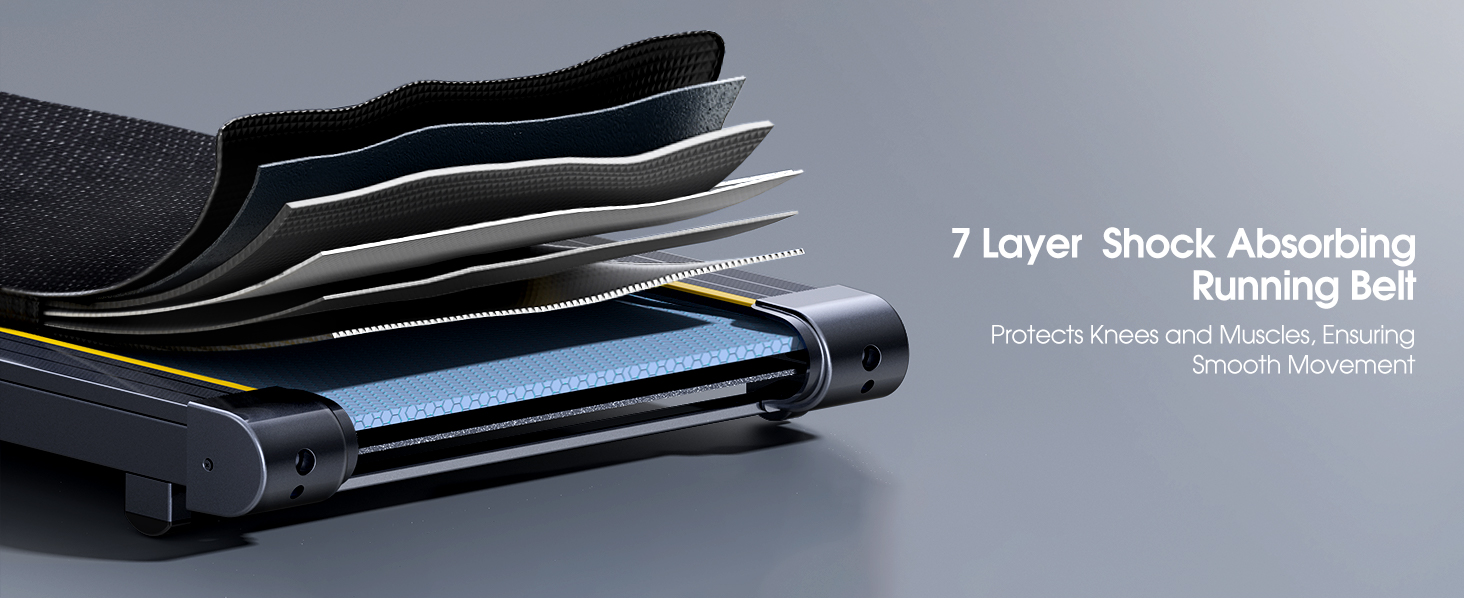
Figure 4.3.1: Manual Incline Adjustment. The treadmill offers 1%, 6%, and 12% incline settings.
5. Operating Instructions
5.1 Powering On/Off
- Connect the power cord to the treadmill and a grounded electrical outlet.
- Flip the main power switch located near the power cord inlet to the 'ON' position.
- Attach the safety key to the designated slot on the console and clip the other end to your clothing.
- To power off, remove the safety key, then flip the main power switch to 'OFF'.
5.2 Modes of Operation (4-in-1 Functionality)
The TP5 treadmill supports various exercise modes:
- Working Mode (0.6-1.5 MPH): Handle bar folded down, ideal for use under a standing desk.
- Walking Mode (1.5-5 MPH): Handle bar folded down, suitable for brisk walking.
- Climbing Mode (0.6-3 MPH): Handle bar upright, with incline engaged for a climbing simulation.
- Running Mode (3-10 MPH): Handle bar upright, for jogging and running.

Figure 5.2.1: 4-in-1 Treadmill Modes. The treadmill adapts to various exercise needs.
5.3 Speed Adjustment
Speed can be adjusted using the touch screen controls on the console, the remote control, or via the connected sports app.
- Touch Screen: Use the '+' and '-' buttons on the LED display to increase or decrease speed.
- Remote Control: The included remote control allows for convenient speed adjustments and pause/start functions.
- Sports App: Connect to the recommended sports app for advanced control and program selection.
5.4 Multifunction LED Display
The integrated LED display provides real-time feedback on your workout metrics:
- Time: Duration of your workout.
- Speed: Current speed in MPH.
- Calories: Estimated calories burned.
- Distance: Distance covered in miles.
- Heart Rate: Your heart rate when gripping the sensors on the handle bar.

Figure 5.4.1: Multifunction LED Display. Track your workout progress with clear metrics.
5.5 Bluetooth Speaker and App Control
Bluetooth Speaker:
- Enable Bluetooth on your mobile device.
- Search for the treadmill's Bluetooth name (e.g., "TOPUTURE TP5") and pair.
- Once connected, you can play audio through the treadmill's built-in speaker.
App Control (FITSHOW App):
- Download the 'FITSHOW' app from your device's app store.
- Open the app and follow the instructions to connect to your TOPUTURE TP5 treadmill via Bluetooth.
- The app allows you to control speed, select pre-set programs, track workout data, and engage with scenic videos.

Figure 5.5.1: App Control Interface. Enhance your workout with the FITSHOW app.

Figure 5.5.2: Dual Intelligent Control. Control your treadmill via remote or smartphone app.
6. Maintenance
Regular maintenance ensures the longevity and optimal performance of your treadmill.
6.1 Cleaning
- Always unplug the treadmill before cleaning.
- Wipe down the console and exterior surfaces with a soft, damp cloth. Avoid abrasive cleaners or solvents.
- Periodically vacuum underneath the treadmill to prevent dust and debris buildup.
6.2 Running Belt Lubrication
The running belt requires periodic lubrication to reduce friction and extend its lifespan. Refer to the specific instructions provided with your lubricant or contact customer support for guidance on frequency and application.
6.3 Running Belt Adjustment
If the running belt starts to slip or drift to one side, it may need adjustment. Consult the troubleshooting section or contact customer support for detailed instructions on how to tension and center the belt.
7. Troubleshooting
If you encounter issues with your treadmill, refer to the common problems and solutions below. If the problem persists, contact customer support.
| Problem | Possible Cause | Solution |
|---|---|---|
| Treadmill does not power on | Power cord not connected; Main switch off; Safety key not in place | Check power cord connection; Turn main switch ON; Ensure safety key is inserted |
| Running belt slips or stops | Belt too loose; Overload; Motor issue | Adjust belt tension; Reduce user weight; Contact support |
| Unusual noise during operation | Loose parts; Lack of lubrication; Motor issue | Check for loose bolts; Lubricate belt; Contact support |
| Display not working correctly | Loose connection; Electronic fault | Check connections; Restart treadmill; Contact support |
8. Specifications
| Feature | Specification |
|---|---|
| Brand | TOPUTURE |
| Model Name | TP5 |
| Product Dimensions (LxWxH) | 52.3" x 28.2" x 5.1" |
| Item Weight | 78 Pounds |
| Material | Alloy Steel |
| Maximum Speed | 10 Miles per Hour |
| Maximum Horsepower | 2.5 Horsepower |
| Maximum Incline Percentage | 12% (Manual Adjustment) |
| Maximum Weight Recommendation | 300 Pounds |
| Running Belt Dimensions | 41'' x 16.5'' (1040mm x 420mm) |
| Display Type | LED |
| Connectivity Technology | Bluetooth |
| Special Features | Built-In Speaker, Foldable, Heart Rate Monitor, Portable, Shock Absorbent |
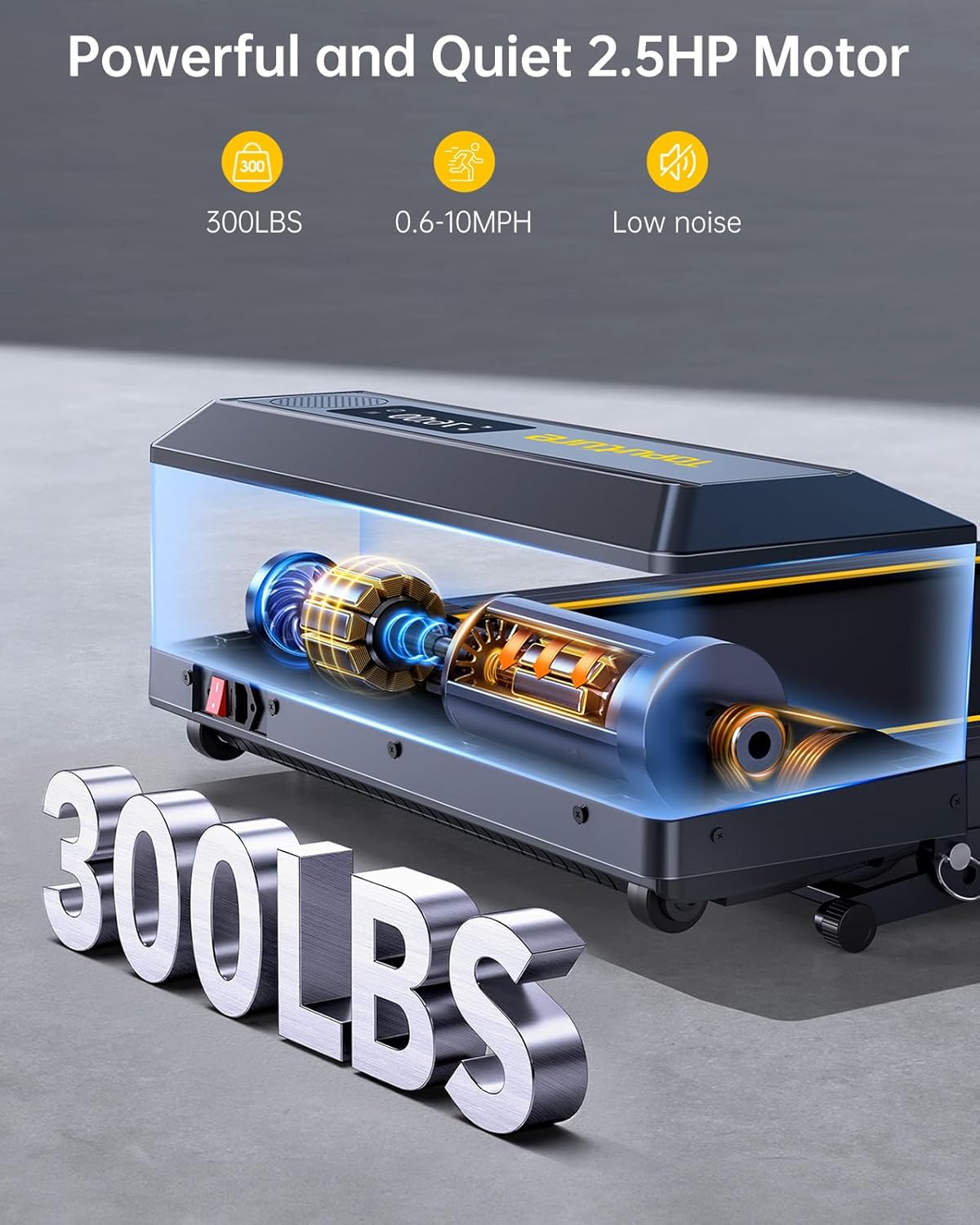
Figure 8.1: Powerful and Quiet 2.5HP Motor. Supports up to 300 lbs with low noise operation.

Figure 8.2: Extra Wide Comfortable Running Area. Dimensions of 1040mm x 420mm for comfortable use.

Figure 8.3: High-Tech Running Belt and Shock Absorption. Features a 7-layer belt and 8 shock absorbers for joint protection.

Figure 8.4: Convenient Folding Design and Storage. The treadmill folds for easy storage under furniture or against a wall.
9. Warranty and Support
9.1 Warranty Information
The TOPUTURE TP5 Walking Pad Treadmill comes with a one-year warranty from the date of purchase. This warranty covers manufacturing defects and ensures the product meets quality standards. Please retain your proof of purchase for warranty claims.
9.2 Customer Support
For any questions, technical assistance, or warranty claims, please contact TOPUTURE customer support. You can typically reach support by:
- Logging into your Amazon account.
- Navigating to 'Your Orders'.
- Finding the specific order ID for your treadmill.
- Clicking on 'Contact Seller'.
Our support team is committed to providing high-quality assistance.


