
Product Overview
The Redragon S155-RGB Wired Gaming Keyboard and Mouse Combo offers a comprehensive solution for gaming and productivity. This combo features a 75% mini macro membrane keyboard with RGB backlighting and an 8000 DPI programmable optical mouse, designed for enhanced performance and user comfort.
Key Features:
- RGB Backlighting: The keyboard offers 8 RGB lighting modes with adjustable speed and brightness. The mouse features 8 lighting effects.
- Professional Gaming Mouse: Adjustable DPI from 1200 to 8000 (via button) or 100 to 8000 (via software), with 7 buttons (6 programmable) and a high-precision sensor. Polling rate adjustable up to 1000Hz.
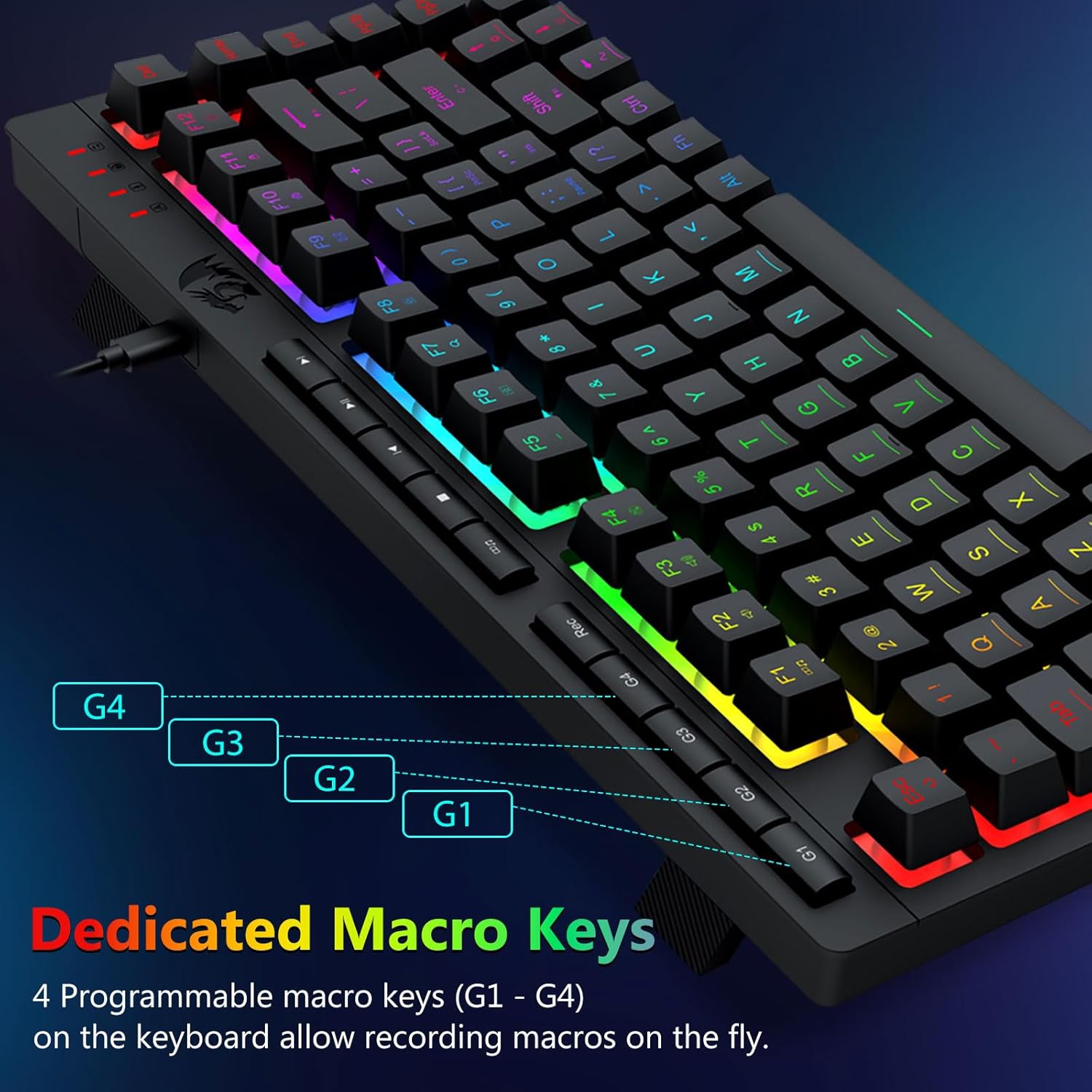
- Efficient & Convenient: Equipped with 4 on-board macro keys, 5 independent multimedia keys, and 12 FN multimedia function keys.
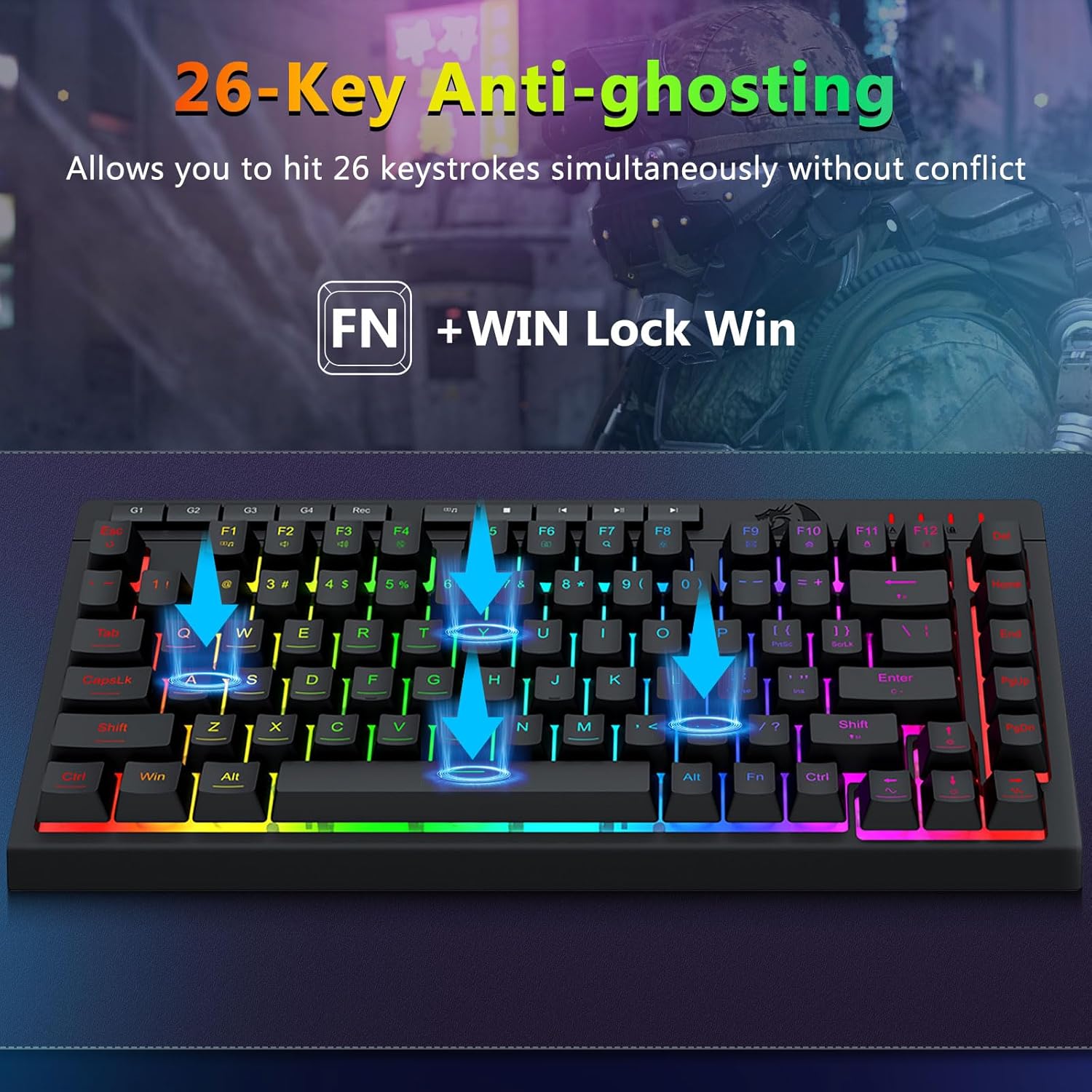
- Comfortable Design: Keyboard features a foldable stand, skin-friendly coating, and floating keycaps for typing comfort. 26-key anti-ghosting and WIN key disable function for gaming.
- Wide Compatibility: Compatible with Windows 11, 10, 8, 7, Vista, XP, and limited Mac OS keyboard support.
Setup Instructions
Follow these steps to set up your Redragon S155-RGB Gaming Keyboard and Mouse Combo:
- Connect the Keyboard: Plug the keyboard's USB-C cable into an available USB port on your computer.
- Connect the Mouse: Plug the mouse's USB cable into an available USB port on your computer.
- Driver Installation: Your operating system should automatically detect and install the necessary drivers. If not, proceed to step 4.
- Software Installation (Optional for advanced features): Download the dedicated software for the keyboard and mouse from the official Redragon website. The links are provided in the Warranty and Support section.

Operating Instructions
Keyboard Functions:
- RGB Lighting Modes: The keyboard offers 8 distinct RGB lighting modes. Use the designated function keys (refer to your quick start guide or software) to cycle through these modes.
- Brightness & Speed Adjustment: Adjust the brightness and speed of the RGB effects using the appropriate key combinations (e.g., FN + Arrow keys).
- Macro Keys: The keyboard features 4 on-board macro keys (G1-G4) for recording macros directly without software.
- Multimedia Keys: Utilize the 5 independent multimedia keys and 12 FN multimedia function keys for quick access to media controls (play, pause, volume, etc.).
- Anti-Ghosting: The 26-key anti-ghosting ensures accurate input even when multiple keys are pressed simultaneously.
- WIN Key Lock: Disable the WIN key during gaming to prevent accidental interruptions.
Mouse Functions:
- DPI Adjustment: Use the dedicated DPI button on the mouse to cycle through preset DPI levels (1200, 2400, 3500, 5500, 8000). Fine-tune DPI from 100 to 8000 via the software.
- Polling Rate: The mouse supports adjustable polling rates up to 1000Hz via the software.
- Programmable Buttons: The mouse has 7 buttons, 6 of which are programmable via the software for custom commands or macros.
- RGB Lighting Effects: Cycle through 8 lighting effects on the mouse using its dedicated button or software.


Customization
Unlock the full potential of your Redragon S155-RGB combo using the dedicated software:
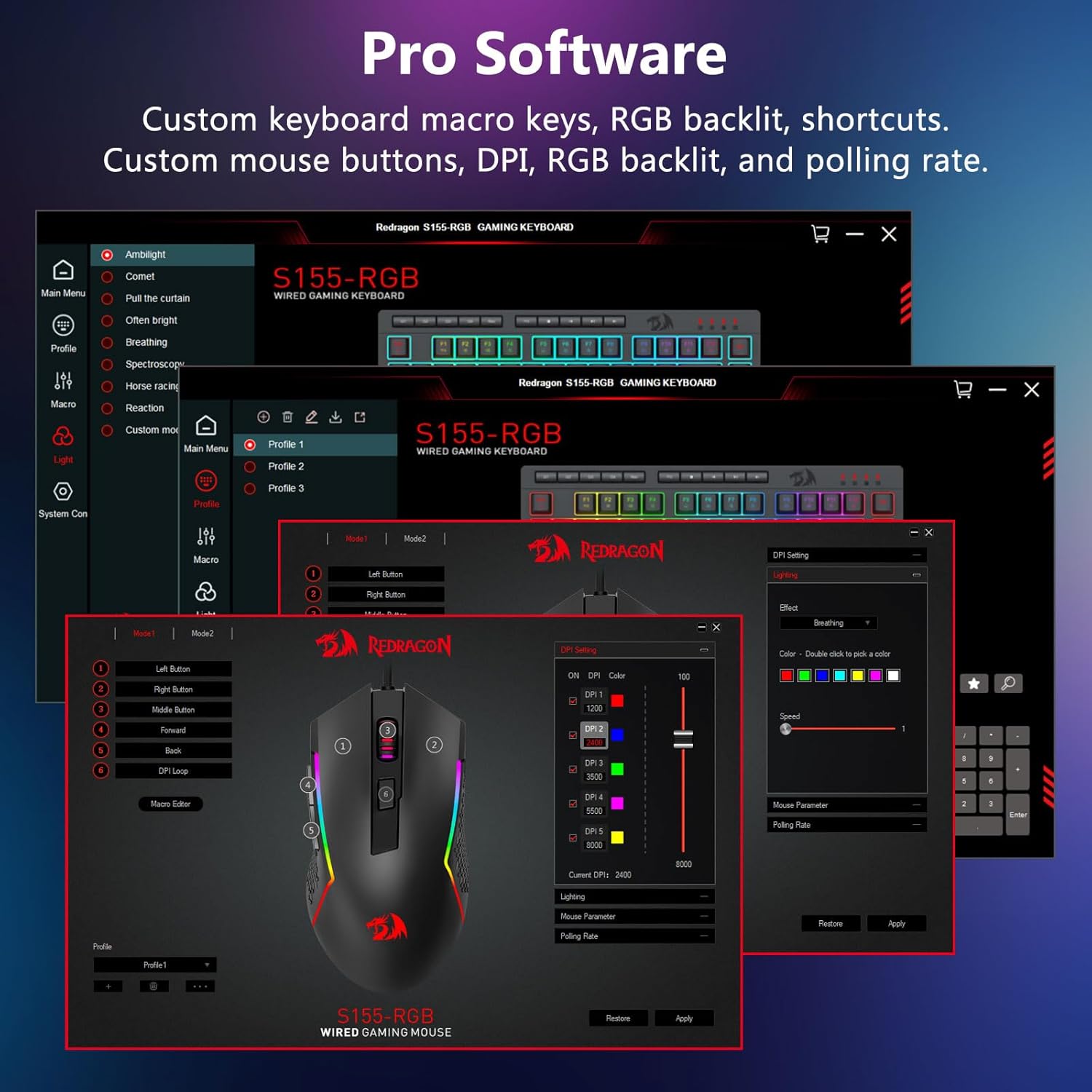
- Keyboard Customization: Program macro keys, customize RGB backlight effects, and set up shortcuts.
- Mouse Customization: Adjust mouse buttons, DPI levels, RGB backlighting, and polling rate.
- Profiles: Create and save multiple profiles for different games or applications, allowing quick switching between personalized settings.
Maintenance
To ensure the longevity and optimal performance of your Redragon S155-RGB combo, follow these maintenance guidelines:
- Cleaning: Regularly clean the keyboard and mouse with a soft, dry cloth. For deeper cleaning, use compressed air to remove dust and debris from between keys.
- Spill Resistance: The keyboard is designed to be spill-resistant, effectively preventing water droplets from entering internal components. However, avoid submerging the device in liquids.
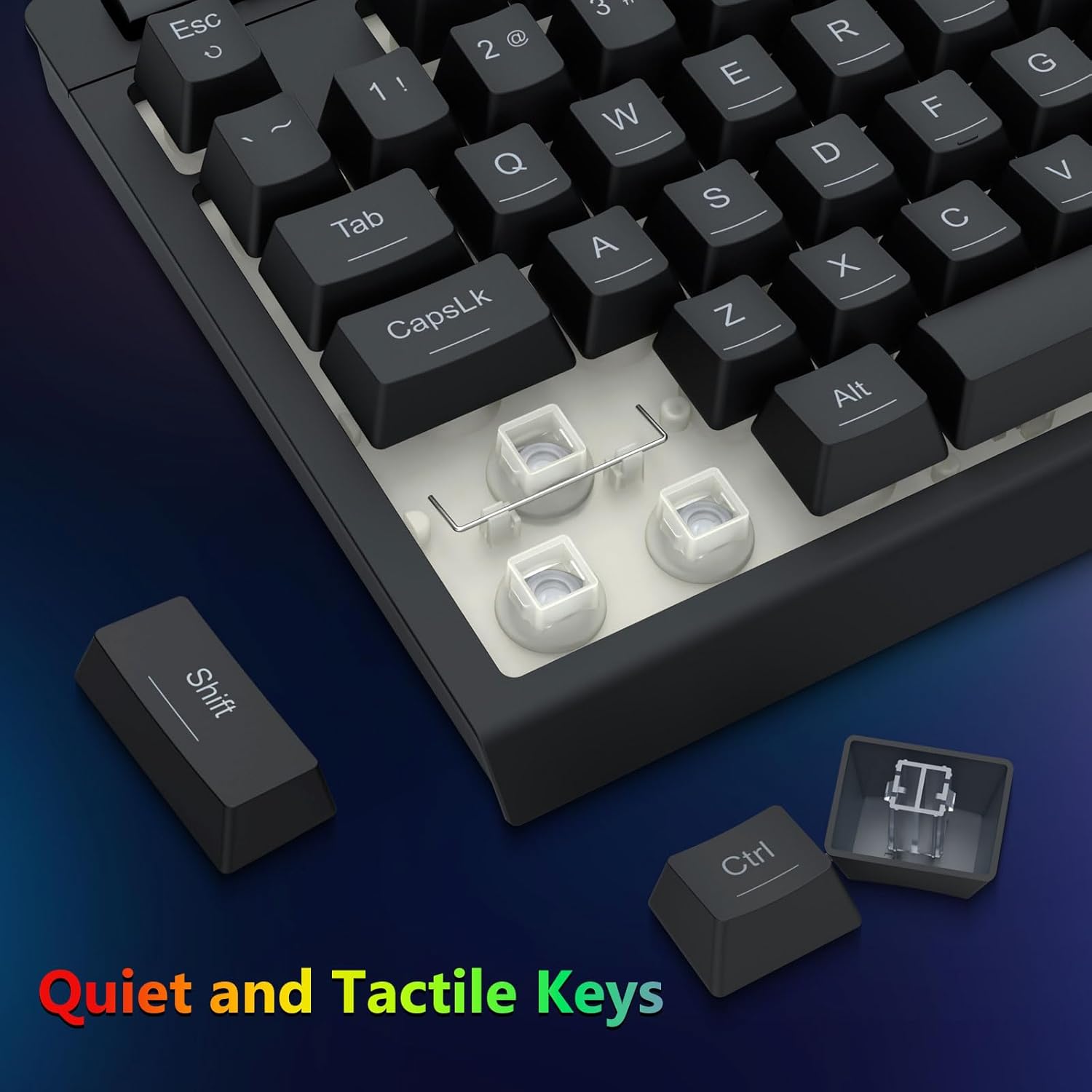
- Keycap Replacement: The keyboard features linear membrane gaming switches. If a keycap needs replacement, use the provided keycap puller tool.
Troubleshooting
If you encounter issues with your Redragon S155-RGB combo, refer to these common solutions:
- Device Not Detected: Ensure both the keyboard and mouse are securely plugged into your computer's USB ports. Try different USB ports or restart your computer.
- RGB Lighting Issues: If RGB lights are not functioning correctly, ensure the software is installed and updated. Check if specific lighting modes are selected or if the lights have been accidentally turned off.
- Mouse Color Not Staying: Some users have reported issues with the mouse RGB not retaining a single color setting. Ensure the latest software is installed and check for firmware updates. If the issue persists, try resetting the mouse settings via the software.
- Software Not Recognizing Device: Verify that the correct software version for the S155-RGB model is installed. Ensure the devices are connected before launching the software.
- Keys Not Responding: Check for physical obstructions under the keycaps. If individual keys are unresponsive, consider replacing the keycap or switch if spare parts are available.
Specifications
| Feature | Detail |
|---|---|
| Model Number | S155-RGB |
| Brand | Redragon |
| Color | Black |
| Connectivity Technology | Wired |
| Keyboard Type | 75% Mini Macro Membrane Keyboard |
| Mouse DPI | 1200-8000 DPI (adjustable) |
| Mouse Polling Rate | Up to 1000Hz (via software) |
| Anti-Ghosting | 26 Keys |
| Special Features | Ergonomic, Hotkeys and Media Keys, Integrated Stand, RGB Backlit, Spillproof |
| Compatible Devices | Gaming Console, Laptop, Personal Computer |
| Item Weight | 1.13 pounds |
| Package Dimensions | 16.26 x 7.2 x 1.89 inches |
Warranty and Support
For technical support, warranty information, or to download the latest software and drivers for your Redragon S155-RGB Gaming Keyboard and Mouse Combo, please visit the official Redragon website or use the links below:
- Keyboard Software: bit.ly/S155-RGBKeyboard
- Mouse Software: bit.ly/S155-RGBMouse


