1. Introduction
This manual provides essential information for the safe and efficient operation of your E GATE Duster 5X Pro Projector. Please read this manual thoroughly before using the product and retain it for future reference.
The E GATE Duster 5X Pro is a native 1080p projector featuring Android 13, certified streaming applications like Netflix and Prime Video, automatic focus and keystone correction, and advanced connectivity options including Wi-Fi 6 and Bluetooth 5.0. It is designed for home entertainment, offering a large screen experience with clear visuals and integrated smart features.
2. Safety Information
Observe the following safety precautions to prevent damage to the projector and ensure user safety:
- Do not block ventilation openings. Ensure adequate airflow around the projector.
- Do not expose the projector to rain, moisture, or extreme temperatures.
- Use only the power cord supplied with the projector.
- Avoid looking directly into the projector lens when the lamp is on.
- Do not attempt to disassemble or modify the projector. Refer all servicing to qualified personnel.
- Keep the projector away from heat sources and direct sunlight.
3. Package Contents
Verify that all items are present in the package:
- 1 Projector
- Remote Control
- Power Cord
- AV Connector
- Manual with Warranty Card
4. Product Overview
Familiarize yourself with the components of your E GATE Duster 5X Pro Projector.
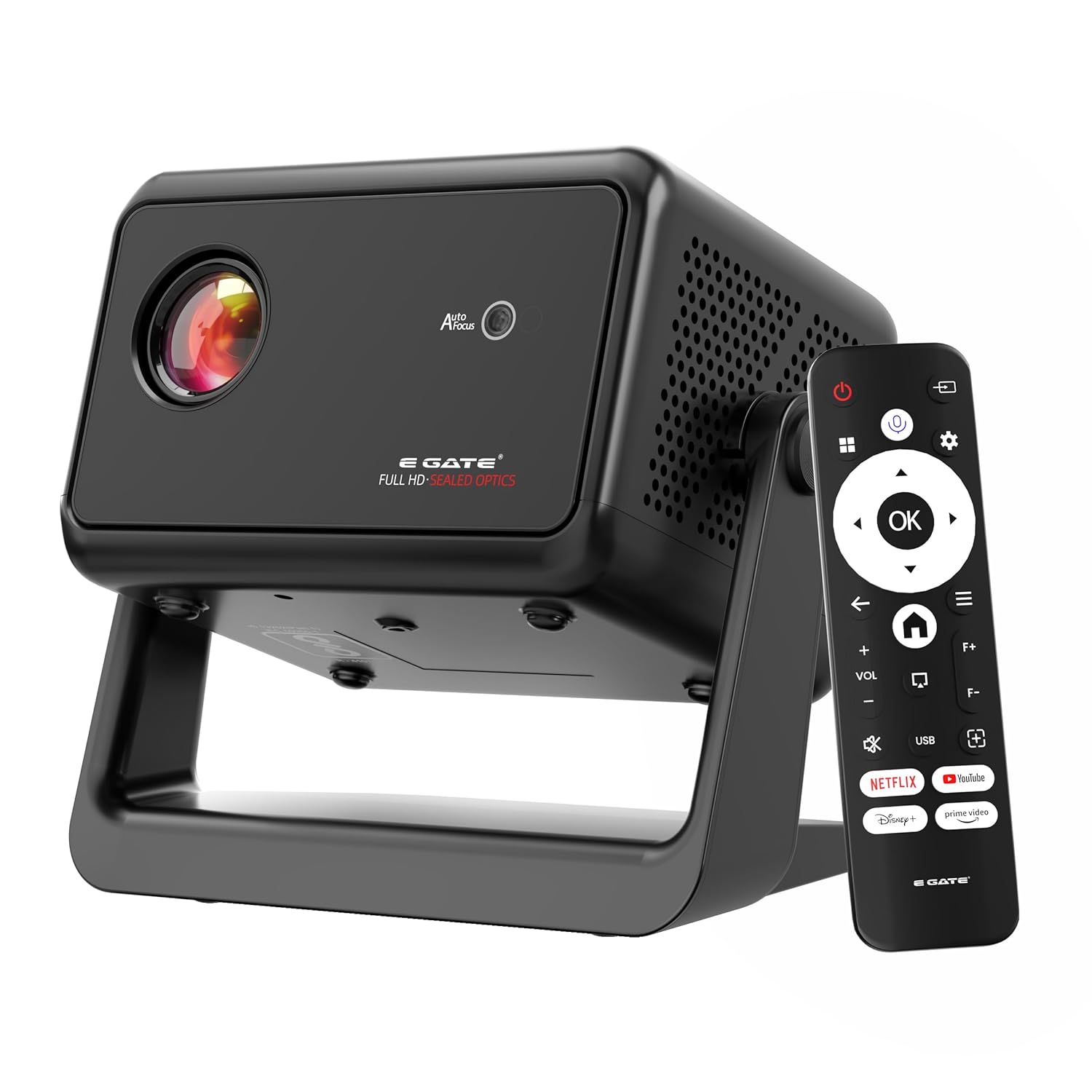
Image: The E GATE Duster 5X Pro projector in black, shown with its remote control. The projector features a lens on the front, ventilation grilles, and a sturdy base.
The projector includes a sealed optical engine for dust protection, a flexible rotating stand, and various input/output ports for versatile connectivity.

Image: An overview of the Duster 5X Pro highlighting features such as 100% Dust Proof, 1080p Native resolution, Automatic Keystone, Flexible Rotation, Certified OTT apps, Automatic Focus, 500 ISO Lumens, Dual Wi-Fi 6, Two-way Bluetooth 5.0, Built-in WhaleOS, and AI Voice Assistant with ChatGPT.
5. Setup
5.1 Power Connection
- Connect the power cord to the projector's power input.
- Plug the other end of the power cord into a suitable electrical outlet.
5.2 Remote Control
Insert two AAA batteries (not included) into the remote control. The remote supports Bluetooth for voice commands.
5.3 Initial Placement and Adjustment
The Duster 5X Pro features a flexible rotating stand and automatic adjustment capabilities.
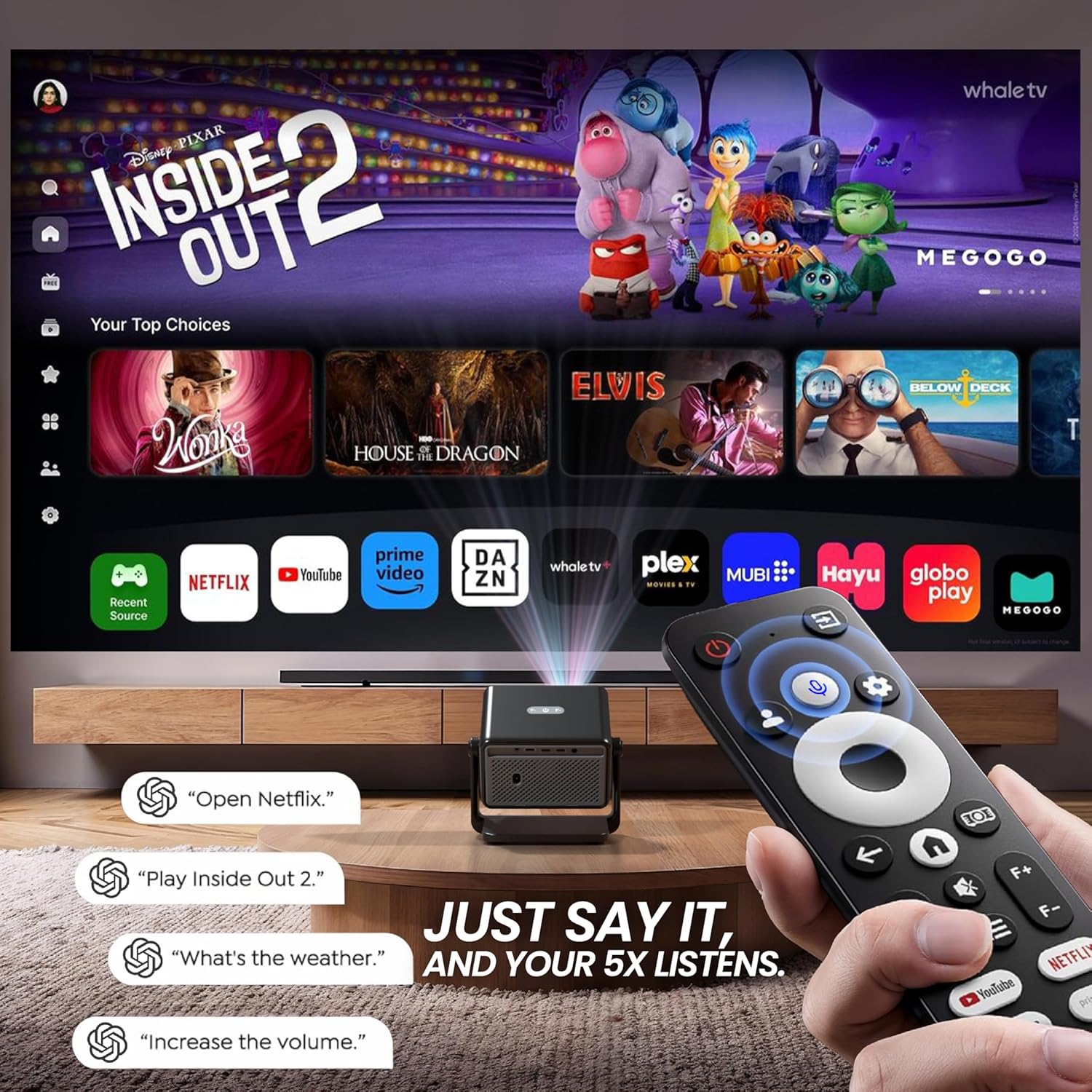
Image: Diagram illustrating the flexible rotating stand of the Duster 5X Pro, showing projection angles at 0, 45, and 90 degrees, with a total 110-degree adjustment range.
- Flexible Stand: Adjust the projector's angle using the integrated stand to project onto walls or ceilings. The stand allows for up to 110 degrees of rotation.
- Automatic Adjustments: The projector is equipped with AI-powered auto-focus, auto keystone correction (4P and 6D), auto screen fit, and obstacle avoidance for a clear and perfectly aligned image without manual intervention.

Image: A cutaway view of the Duster 5X Pro projector highlighting its internal components and illustrating the functions of Auto Focus, Auto 4D+4P Keystone, Auto Screen Fit, and Obstacle Avoidance for precise image projection.
6. Operating Instructions
6.1 Power On/Off
Press the power button on the projector or the remote control to turn the unit on or off.
6.2 Navigation and Smart Features
The projector runs on Whale OS (based on Android 13), providing a smart interface for applications and settings.
- Certified Apps: Access pre-installed and certified applications such as Netflix, Prime Video, YouTube, Zee5, and SonyLIV. These apps are optimized for Full HD content playback.
- Live TV: The App store provides access to two live TV services (Whale TV+ & MovieARK) offering numerous free channels.
- Voice Control: Use the Bluetooth remote with its integrated microphone for voice commands. Simply press the voice button and speak your command.
Image: An overview of the Duster 5X Pro highlighting features such as 100% Dust Proof, 1080p Native resolution, Automatic Keystone, Flexible Rotation, Certified OTT apps, Automatic Focus, 500 ISO Lumens, Dual Wi-Fi 6, Two-way Bluetooth 5.0, Built-in WhaleOS, and AI Voice Assistant with ChatGPT.
Image: Diagram illustrating the flexible rotating stand of the Duster 5X Pro, showing projection angles at 0, 45, and 90 degrees, with a total 110-degree adjustment range.
6.3 Screen Mirroring
The projector supports screen mirroring from various devices using Dual Band Wi-Fi 6.
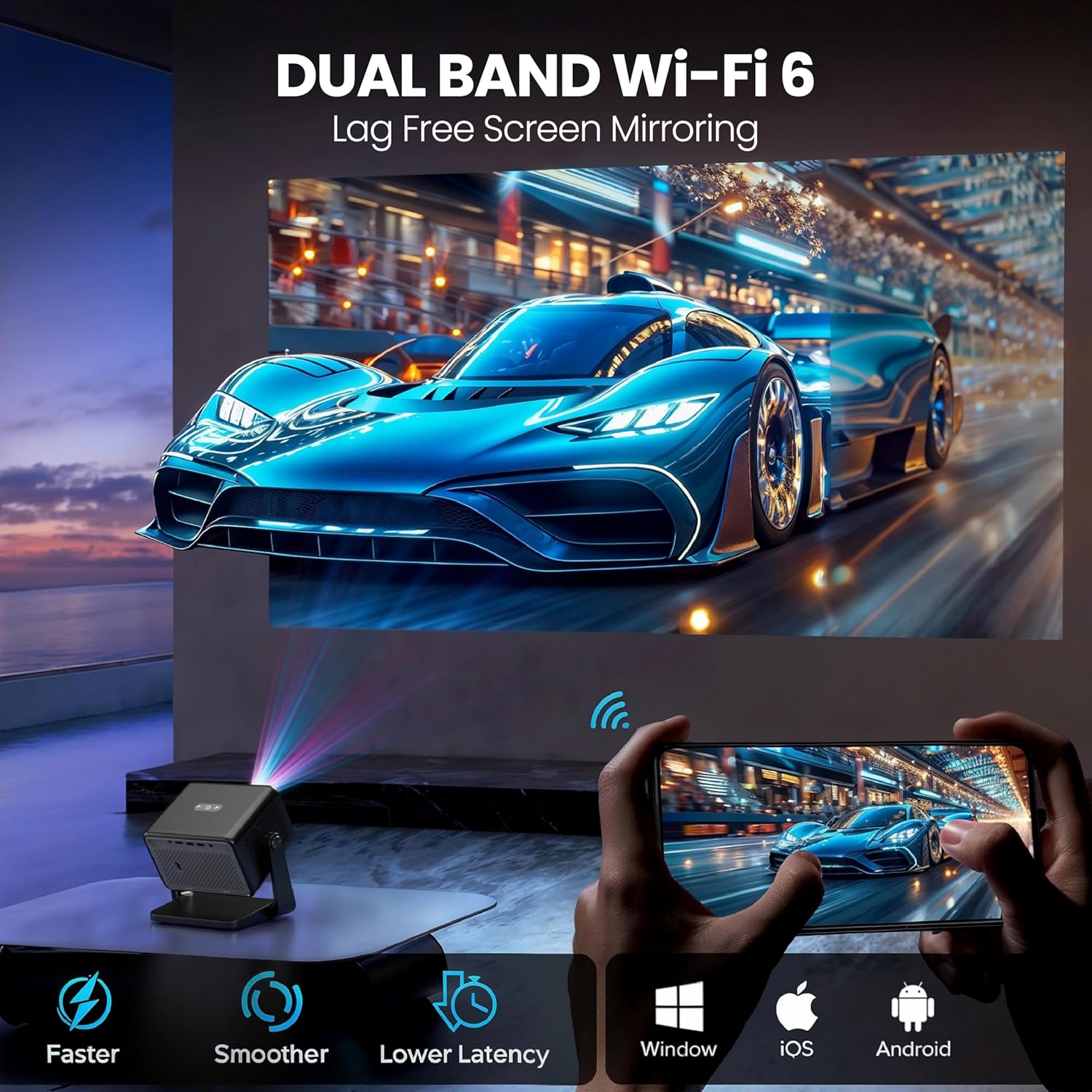
Image: Illustration of the Duster 5X Pro's Dual Band Wi-Fi 6 capability, enabling lag-free screen mirroring from Android, iOS, and Windows devices.
- Connect your smartphone, tablet, or computer to the same Wi-Fi network as the projector.
- Select the screen mirroring option on your device and choose the projector from the available devices.
6.4 Connectivity
The Duster 5X Pro offers multiple ports for connecting external devices:
- HDMI 2.1 (ARC+CEC): Connect Blu-ray players, gaming consoles, laptops, or other HDMI-enabled devices. ARC (Audio Return Channel) and CEC (Consumer Electronics Control) are supported.
- USB: Play media directly from USB storage devices.
- Audio Out 3.5 mm: Connect external speakers or headphones.
- Bluetooth 5.0: Connect Bluetooth speakers, headphones, or other compatible accessories.
7. Image and Display Features
- Native 1080p Resolution: Delivers sharp, vibrant visuals with true Full HD clarity. Supports 4K video decoding at 30 FPS.
- Brightness: 500 ISO Lumens for clear images.
- Contrast Ratio: 6000:1 for deep blacks and bright whites.
- Screen Size: Projects images up to 300 inches (762 cm).
- HDR+ and HLG Support: Enhances dynamic range and color for a more immersive viewing experience.
- Short Throw Ratio (1.3:1): Allows for a larger screen size from a shorter projection distance.

Image: A visual comparison demonstrating the superior clarity of Native 1080p resolution on the Duster 5X Pro compared to 'Fake 1080p' projectors that use pixel shifting.
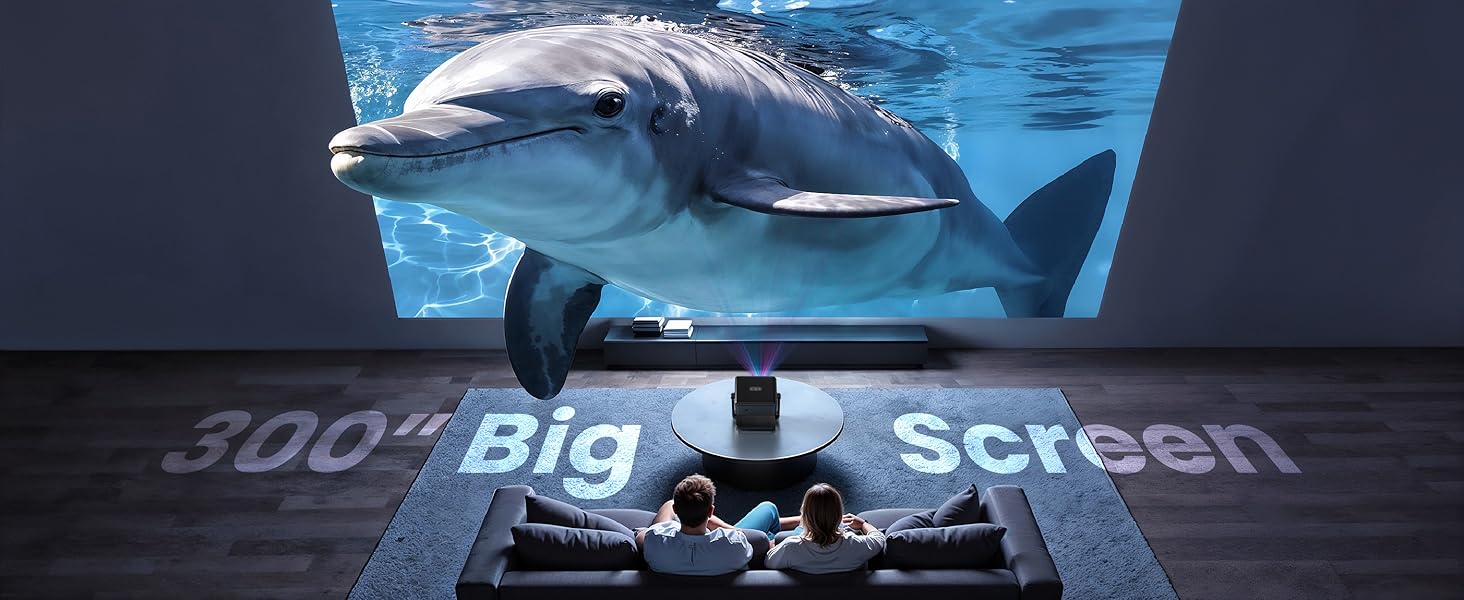
Image: An illustration showing the Duster 5X Pro's 1.3:1 short throw ratio, allowing it to project a large screen from a closer distance compared to other projectors.
8. Audio
The projector features 10 Watt inbuilt speakers for integrated audio output. For enhanced audio, connect external speakers via the 3.5mm audio out port or Bluetooth.
9. Maintenance
9.1 Dust-Proof Design
The E GATE Duster 5X Pro is designed with a 100% sealed optical engine, making it dust-proof. This design helps maintain image clarity and extends the lifespan of the projector by preventing dust accumulation on internal optical components.
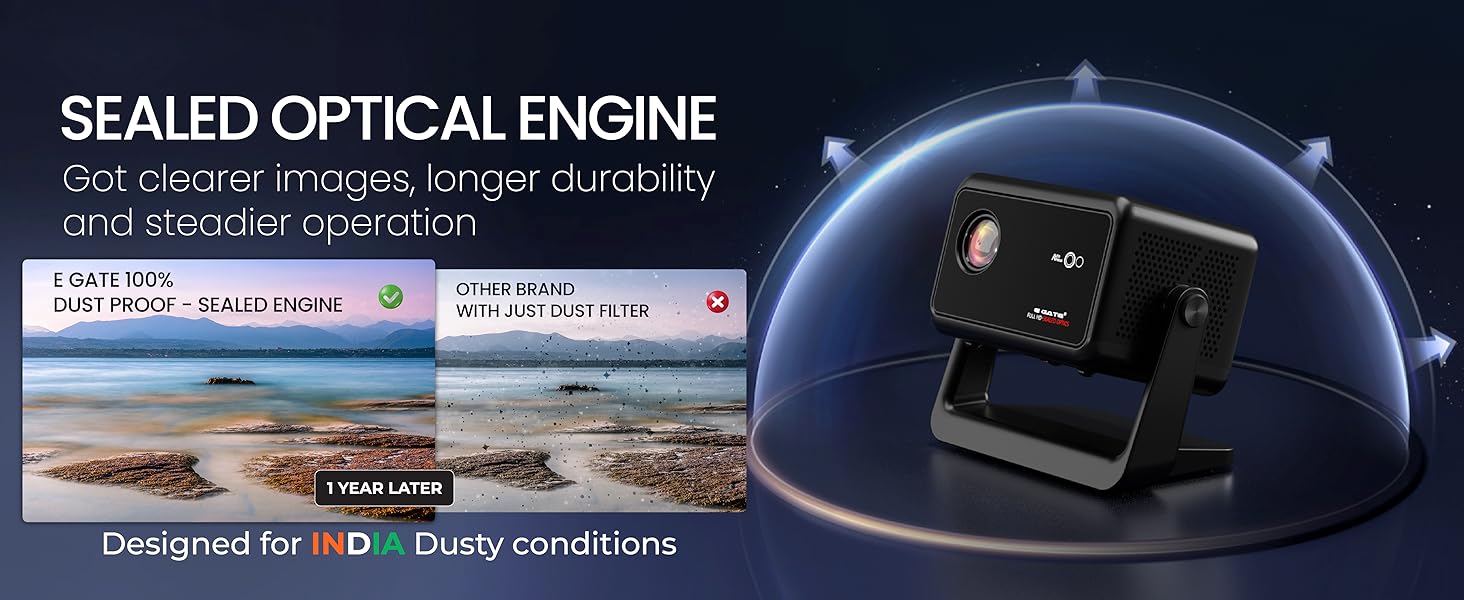
Image: A diagram illustrating the sealed optical engine of the Duster 5X Pro, highlighting its dust-proof design for clearer images and longer durability compared to projectors with only dust filters.
9.2 Cleaning
- Use a soft, dry cloth to clean the exterior of the projector.
- For the lens, use a lens cleaning cloth and specialized lens cleaning solution. Do not use abrasive cleaners.
- Ensure the projector is powered off and unplugged before cleaning.
10. Troubleshooting
If you encounter issues with your projector, refer to the following common solutions:
| Problem | Possible Cause | Solution |
|---|---|---|
| No Power | Power cord not connected; Power outlet faulty | Check power cord connection; Try a different outlet |
| No Image | Input source not selected; Cable connection loose; Lens cap on | Select correct input source; Secure cable connections; Remove lens cap |
| Blurred Image | Out of focus; Incorrect keystone | Allow auto-focus to adjust; Check auto keystone settings |
| No Sound | Volume too low; External audio device not connected; Muted | Increase volume; Connect external audio; Unmute projector |
| Screen Mirroring Fails | Not on same Wi-Fi network; Device incompatibility | Ensure both devices are on the same 2.4GHz or 5GHz Wi-Fi network; Refer to device manual for compatibility |
11. Specifications
Detailed technical specifications for the E GATE Duster 5X Pro Projector:
| Feature | Specification |
|---|---|
| Brand | E GATE |
| Model | DUSTER 5X PRO |
| Model Year | 2025 |
| Product Dimensions | 17 x 11.4 x 16 cm |
| Item Weight | 3.7 kg |
| Hardware Interface | Bluetooth |
| Compatible Devices | Laptops, Smartphones, Gaming Consoles, Blu-ray Players, Media Players |
| Display Technology | LED |
| Display Type | LCD |
| Image Contrast Ratio | 6000:1 |
| Aspect Ratio | 16:9 |
| Screen Resolution | 1920 x 1080 Pixels (Native) |
| Wattage | 150 Watts |
| Refresh Rate | 60 Hz |
| Connector Type | Wi-Fi (Dual Band Wi-Fi 6) |
| Form Factor | Portable |
| Mounting Type | Tabletop Mount |
| Special Features | 100% Certified Netflix, Prime, JioHotstar & More - 100% Fully SEALED Optical Engine - Dust Proof Design - HDMI ARC, Fully Automatic, Throw Ratio 1.3:1, 10 Watt HiFi Speakers, Native 1080P and 4K HDR Support, Dual Band WiFi 6, 1GB+8GB |
12. Warranty and Support
E GATE provides comprehensive warranty and support for your product:
- Warranty Period: 1-year warranty from the date of purchase.
- Registration: Product registration is mandatory to avail warranty benefits.
- Service: Free home pickup & drop service is provided during the warranty period.
- For more details, visit the company's official website.


