
Reboot RBC6000DLF
Reboot Plasma Cutter RBC6000DLF Instruction Manual
Model: RBC6000DLF | Brand: Reboot
1. Introduction
The Reboot RBC6000DLF Plasma Cutter is a versatile and powerful tool designed for precise metal cutting. Featuring Non-High Frequency and Non-Touch Pilot Arc technology, it offers stable performance and ease of use for both beginners and experienced users. This manual provides essential information for safe and effective operation, setup, and maintenance of your plasma cutter.
Key Features:
- Powerful Cutting Performance: Achieves 1" (25mm) max cut and 5/8" (15.8mm) clean cut at 240V, with 60A high current output.
- Safe & Easy Arc Starting: Non-High Frequency and Non-Touch Pilot Arc reduces consumable wear and device interference.
- User-Friendly Operation: Large LED display for real-time parameters and support for 2T (short cuts) & 4T (long cuts) modes.
- Dual Voltage Compatibility: Operates on both 120V and 240V power sources.
- Beginner-Oriented Design: Simple controls for easy mastery.
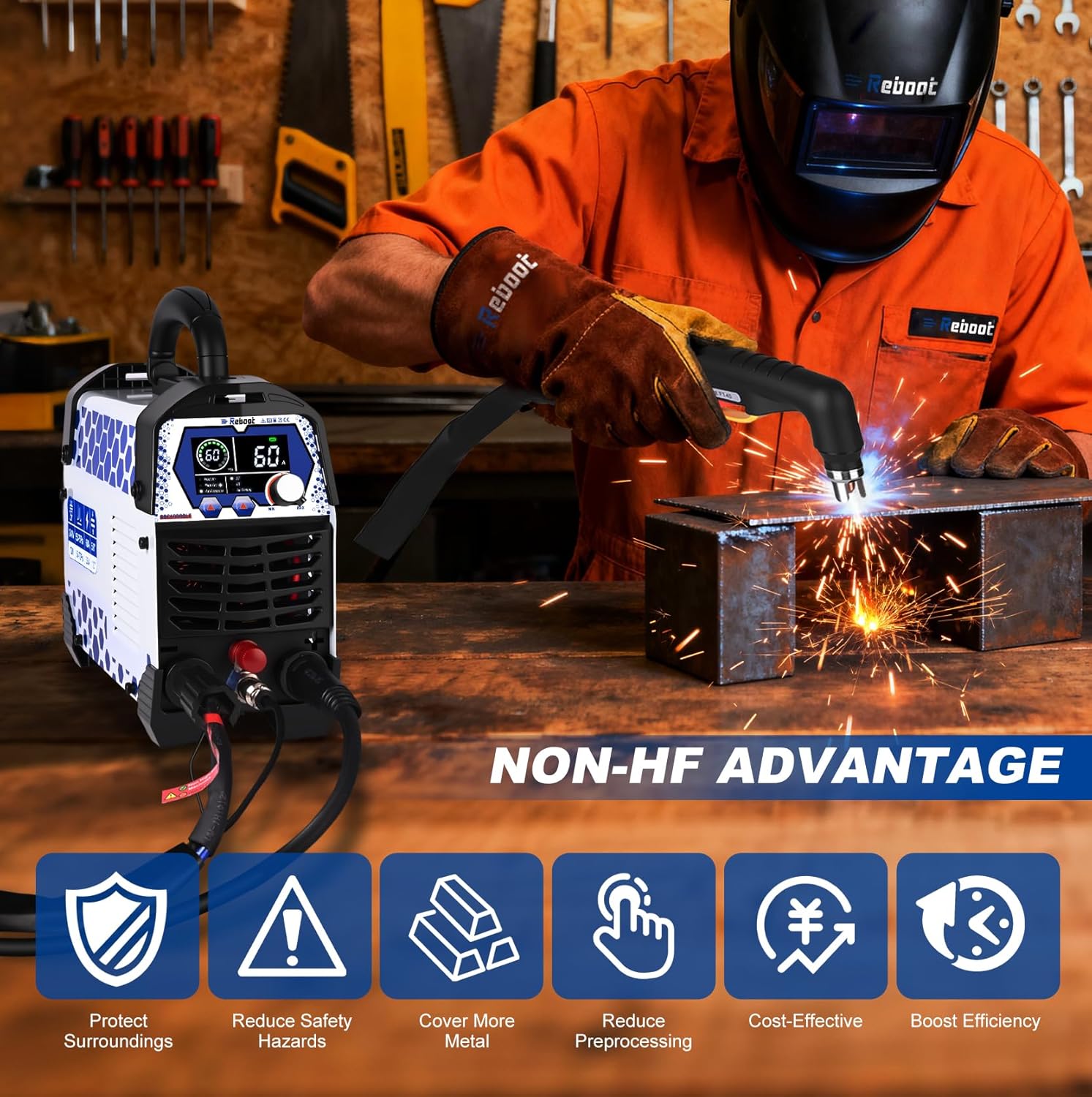
Image: Benefits of Non-High Frequency technology, including enhanced safety and efficiency.

Image: The Reboot RBC6000DLF addresses common plasma cutting concerns with 40A Non-Frequency, pre-installed air filter regulator, and overheat/overcurrent protection.
2. Safety Information
Always prioritize safety when operating the plasma cutter. Read and understand all warnings and instructions before use.
General Safety:
- Wear appropriate personal protective equipment (PPE), including welding helmet, gloves, and protective clothing.
- Ensure adequate ventilation in the work area to disperse fumes.
- Keep flammable materials away from the cutting area.
- Do not operate the machine in wet conditions.
Electrical Safety:
- Connect the machine to a properly grounded power source.
- Verify the power supply voltage matches the machine's requirements (120V/240V).
- Inspect power cables and connections for damage before each use.
Air Pressure Safety:
- Ensure the air compressor is rated for the required pressure and flow (e.g., 5CFM @ 60PSI).
- Regularly check the air filter and drain any accumulated moisture.
3. Package Contents
The Reboot RBC6000DLF Plasma Cutter package typically includes the following items:
- Reboot RBC6000DLF Plasma Cutter Unit
- RB PT-40 Cutting Torch
- Ground Clamp
- Voltage Adapter Cord (for 120V/240V)
- Air Hose and Hose Clamp
- Consumables (Extend Tip, Electrodes, Isolation Ring)
- Operating Manual

Image: All included accessories for the Reboot RBC6000DLF Plasma Cutter.
4. Setup
Follow these steps to set up your Reboot RBC6000DLF Plasma Cutter:
- Unpack: Carefully remove all components from the packaging.
- Connect Air Compressor: Attach the air hose to the pre-installed air regulator on the plasma cutter. Ensure a secure connection to prevent leaks. An external air compressor (not included) is required.
- Connect Torch and Ground Clamp: Connect the RB PT-40 cutting torch and the ground clamp to their respective ports on the front panel of the machine. Ensure connections are tight.
- Power Connection: Connect the plasma cutter to a suitable 120V or 240V power outlet using the provided adapter cord.
- Adjust Air Pressure: Turn on the machine and adjust the air pressure using the regulator knob to the recommended PSI for your cutting task.
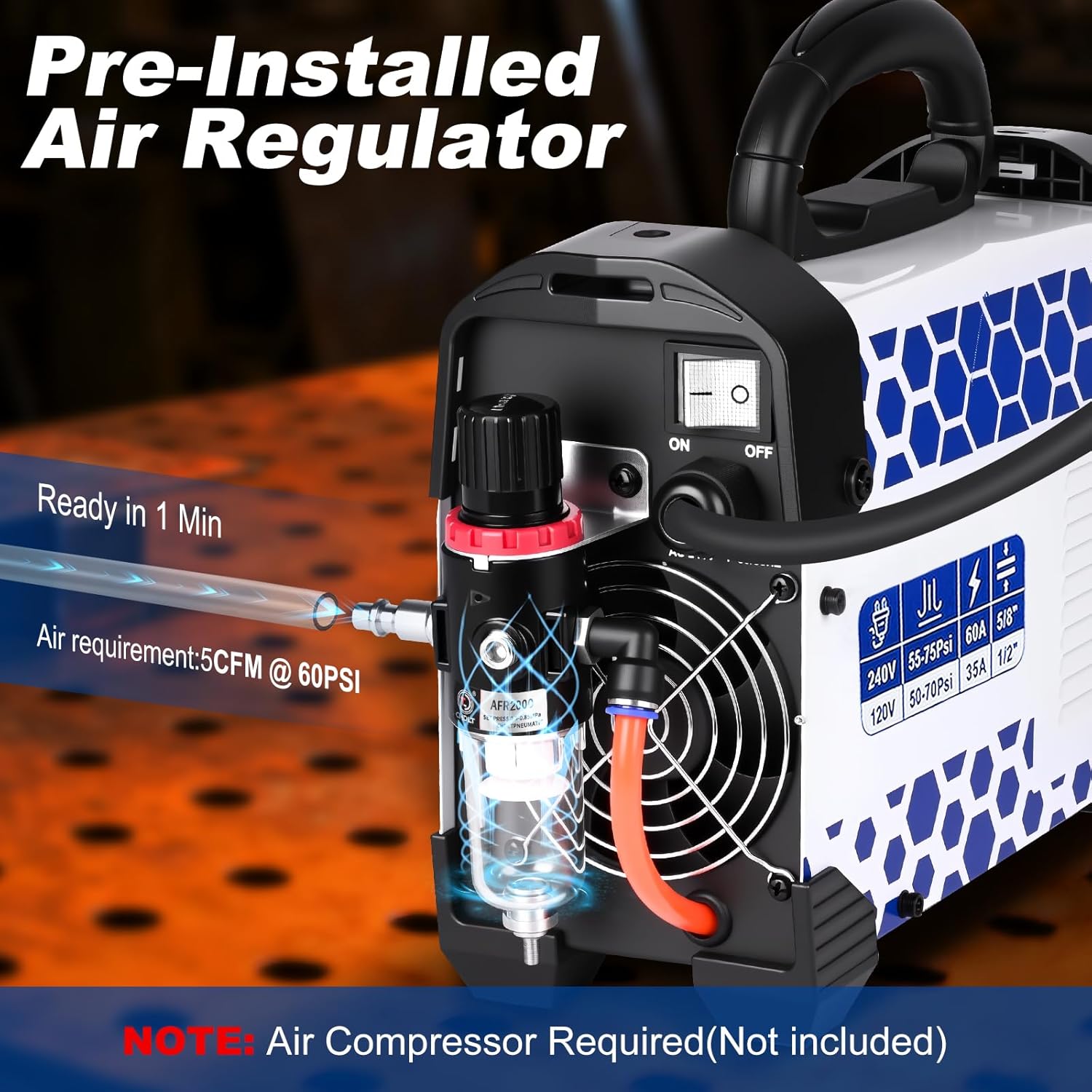
Image: Pre-installed air regulator on the plasma cutter. Note: Air compressor is required and not included.

Image: Quick start guide showing 4 steps for setup and operation.
Setup Video:
Video: Demonstrates the easy setup process for the Reboot RBC6000DL Plasma Cutter, including connecting the torch, ground clamp, and air hose.
5. Operating Instructions
The RBC6000DLF Plasma Cutter features a large LED display and intuitive controls for efficient operation.

Image: Overview of the plasma cutter's control panel and components.
Display and Controls:
- The large LED display shows real-time current, air pressure, and selected mode.
- Use the adjustment knob to set the desired cutting current (Amps).
- Select between 2T (Two-Touch) and 4T (Four-Touch) modes based on your cutting needs.
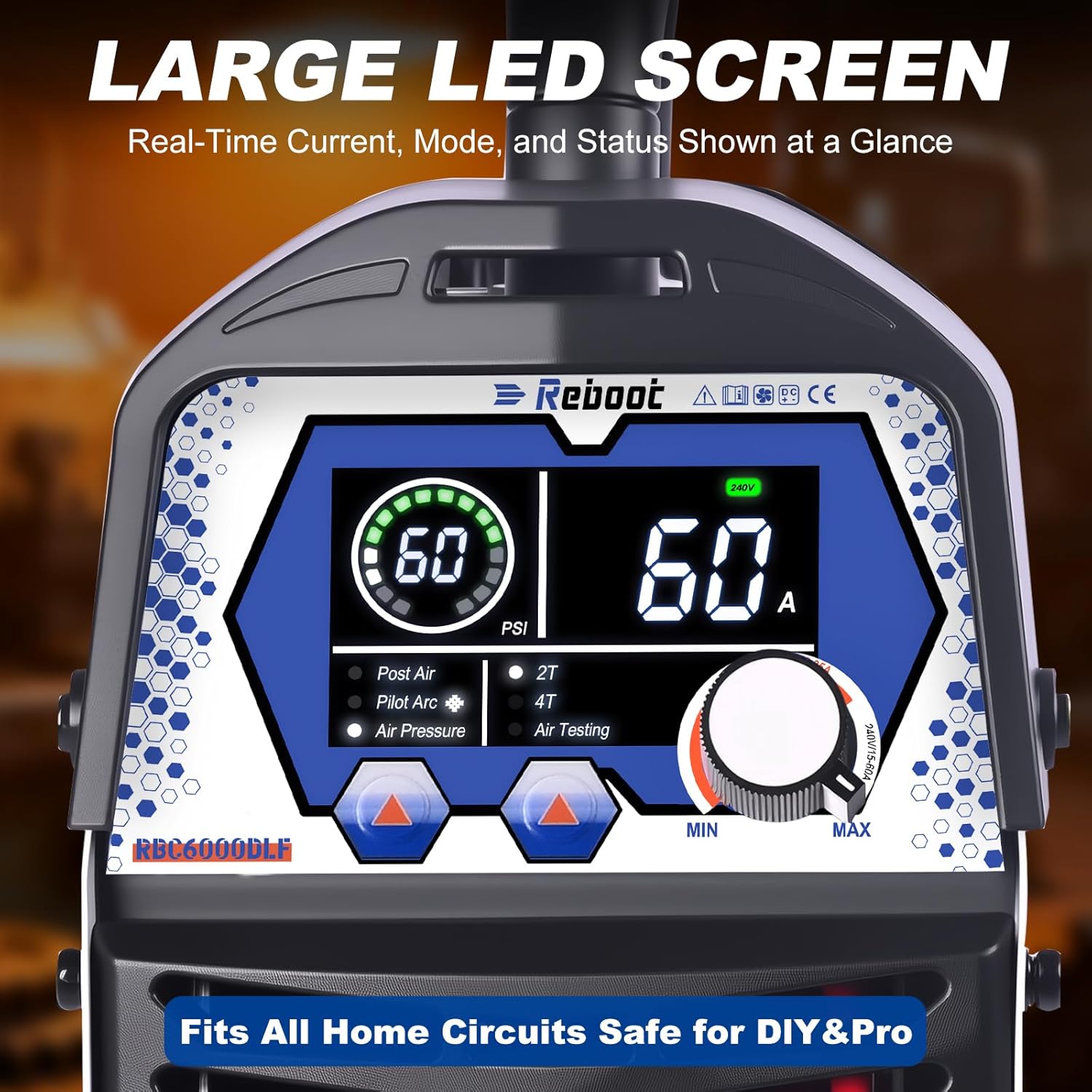
Image: Close-up of the large LED display showing operational parameters.
Cutting Modes (2T/4T):
- 2T (Two-Touch) Mode: Press and hold the torch button to start cutting; release to stop. Ideal for short, quick cuts.
- 4T (Four-Touch) Mode: Press and release the torch button to start cutting; press and release again to stop. Suitable for longer cuts, reducing hand fatigue.

Image: Explanation of 2T and 4T cutting modes.
Cutting Performance:
The RBC6000DLF is capable of cutting various conductive metals, including aluminum, stainless steel, and carbon steel.

Image: Powerful cutting ability of the RBC6000DLF, showing clean and max cut thicknesses for 120V and 240V.

Image: The upgraded PT-40 Blowback Pilot Arc torch is effective on various metals.
Cutting Demonstration Video:
Video: Demonstrates the 16mm cutting performance of the plasma cutter.

Image: The plasma cutter is suitable for beginner-friendly home DIY cutting.
6. Maintenance
Regular maintenance ensures the longevity and optimal performance of your plasma cutter.
Consumable Replacement:
- Regularly inspect the torch consumables (electrode, nozzle, shield cup) for wear.
- Replace worn consumables to maintain cut quality and prevent damage to the torch.
Consumables Replacement Video:
Video: Guide on replacing PT31 cutting torch consumables.
Air Filter Maintenance:
- Check the air filter/regulator regularly for accumulated moisture and debris.
- Drain the moisture trap as needed to ensure clean, dry air supply to the torch.
7. Troubleshooting
The plasma cutter features a diagnostic display to help identify common issues. Refer to the table below for common error codes and their solutions.

Image: Error codes displayed on the LED screen.
| Error Code | Description | Possible Solution |
|---|---|---|
| E01 | Over Current | Reduce cutting current or check for short circuits. |
| E02 | Over Heated | Allow the machine to cool down. Ensure proper ventilation. |
| E03 | Thermal Sensor Disconnected | Contact customer support for assistance. |
| E04 | Low Temperature Anomaly | Operate the machine within recommended ambient temperature ranges. |
| E05 | Abnormal Temperature Rise | Check for blockages in cooling vents. Allow machine to cool. |
| E06 | No Compressed Air | Verify air compressor is on and connected. Check air hose for kinks or leaks. |
8. Specifications
| Specification | Value |
|---|---|
| Manufacturer | Reboot |
| Model Number | RBC6000DLF |
| Power Source | AC |
| Voltage | 120V/240V |
| Max Cut (240V) | 1 inch (25mm) |
| Clean Cut (240V) | 5/8 inch (15.8mm) |
| Item Weight | 6.8 kg |
| Parcel Dimensions | 43.18 x 26.67 x 25.4 cm |
| Country of Origin | China |
9. Warranty & Support
For warranty information, technical support, or service inquiries, please refer to the contact details provided in your product packaging or visit the official Reboot website. Keep your purchase receipt as proof of purchase for warranty claims.
For additional support, you may visit the Reboot Store on Amazon.
Related documentsRBC6000DLF


Ask a question about this manual
Ask about setup, troubleshooting, compatibility, parts, safety, or missing instructions. Manuals+ will review the question and use this page’s manual context to help answer it.