
1. Introduction
The Suptig Portable Charger is a 9000mAh battery pack designed to provide extended power for a wide range of electronic devices. Its compact design and integrated mounting options make it particularly suitable for photographers and videographers using action cameras, DSLR cameras, and other mobile devices. This manual provides instructions for safe and efficient use of your portable charger.
1.1 Device Compatibility
This power bank is compatible with:
- Mobile phones (iPhone, Android, etc.)
- GoPro models (Hero 13/12/11/10/9/8/7/6/5/4/3+, Session, Max, Fusion)
- DJI Osmo
- AKASO cameras
- Insta360 cameras
- DSLR cameras (Canon, Nikon, etc.)
- Smartwatches
- Other USB-powered devices

Image 1.1: The Suptig Portable Charger offers wide compatibility with various electronic devices, including smartphones, tablets, smartwatches, action cameras, and DSLR cameras.
2. Package Contents
Verify that all items are present in your package:
- 1x Suptig Portable Charger (9000mAh Power Bank)
- 1x Charging Cable (USB-A to USB-C)
- 1x 1/4-inch Tripod Mounting Adapter
- 1x 1/4-inch Screw
3. Product Features
- 9000mAh Capacity: Provides extended power for multiple device charges.
- Dual Charging Ports: Equipped with one Type-C port (bidirectional input/output) and one USB-A port, supporting various fast-charging protocols.
- Integrated Mounting: Features double-sided 1/4-inch threaded design and reserved 1/4-inch holes for direct attachment to tripods, light stands, camera cages, and other equipment.
- Compact and Lightweight: Weighing 0.41lb (184g) and measuring 4x2.4x1.1 inches, it is designed for portability.
- LED Indicators: Four blue LED lights indicate the remaining battery charge level.

Image 3.1: The Suptig Portable Charger features USB-C and USB-A ports for versatile charging, along with LED indicators to show battery status.

Image 3.2: The compact and lightweight design allows the power bank to be easily carried in a pocket or bag.
4. Setup
4.1 Initial Charging of the Power Bank
- Connect the provided USB-A to USB-C charging cable to the Type-C port on the Suptig Portable Charger.
- Connect the other end of the cable (USB-A) to a compatible USB power adapter (not included).
- The LED indicators will illuminate to show the charging progress. All four LEDs will be solid blue when fully charged.
- A full charge typically takes approximately 4 hours.
4.2 Attaching to Camera Equipment
The portable charger features dual 1/4-inch threaded holes for mounting. Use the included 1/4-inch screw and tripod mounting adapter to attach the power bank to various camera accessories.
- Identify the 1/4-inch threaded hole on the power bank.
- Screw the 1/4-inch screw into the desired mounting point on your camera cage, tripod, or other equipment.
- Attach the power bank to the screw using the 1/4-inch threaded hole.
- Ensure the connection is secure before use.
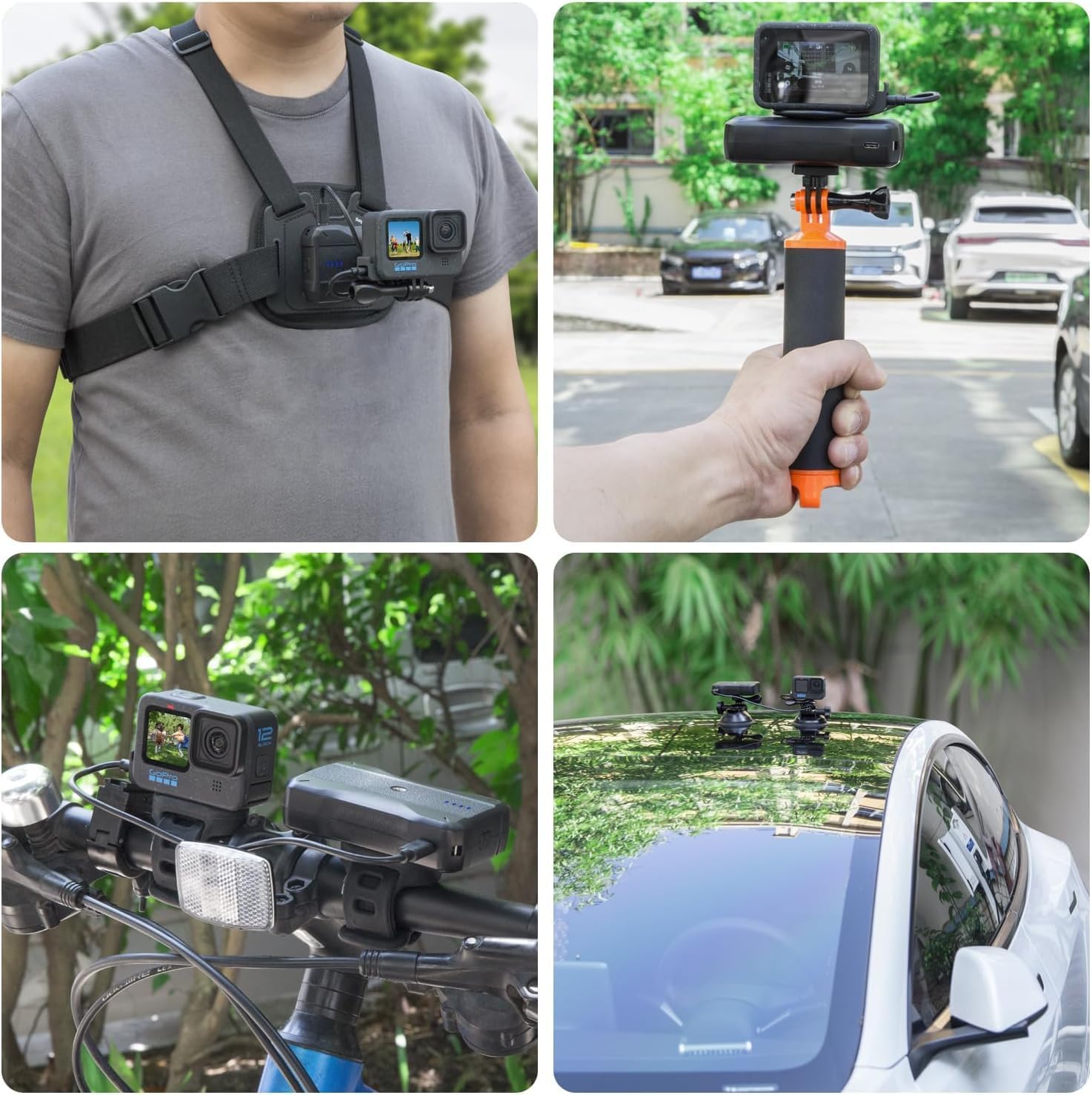
Image 4.1: The power bank features a 1/4-inch screw mount for direct attachment to camera accessories.

Image 4.2: Examples of the Suptig Portable Charger mounted on a camera rig and a tripod for extended power during use.
5. Operating Instructions
5.1 Charging External Devices
- Connect your device's charging cable to either the USB-A port or the Type-C port (for output) on the Suptig Portable Charger.
- Connect the other end of the cable to your device.
- The power bank will automatically begin charging your device. The LED indicators will show the remaining charge level of the power bank.
- Disconnect your device once it is fully charged or when you no longer need to charge.
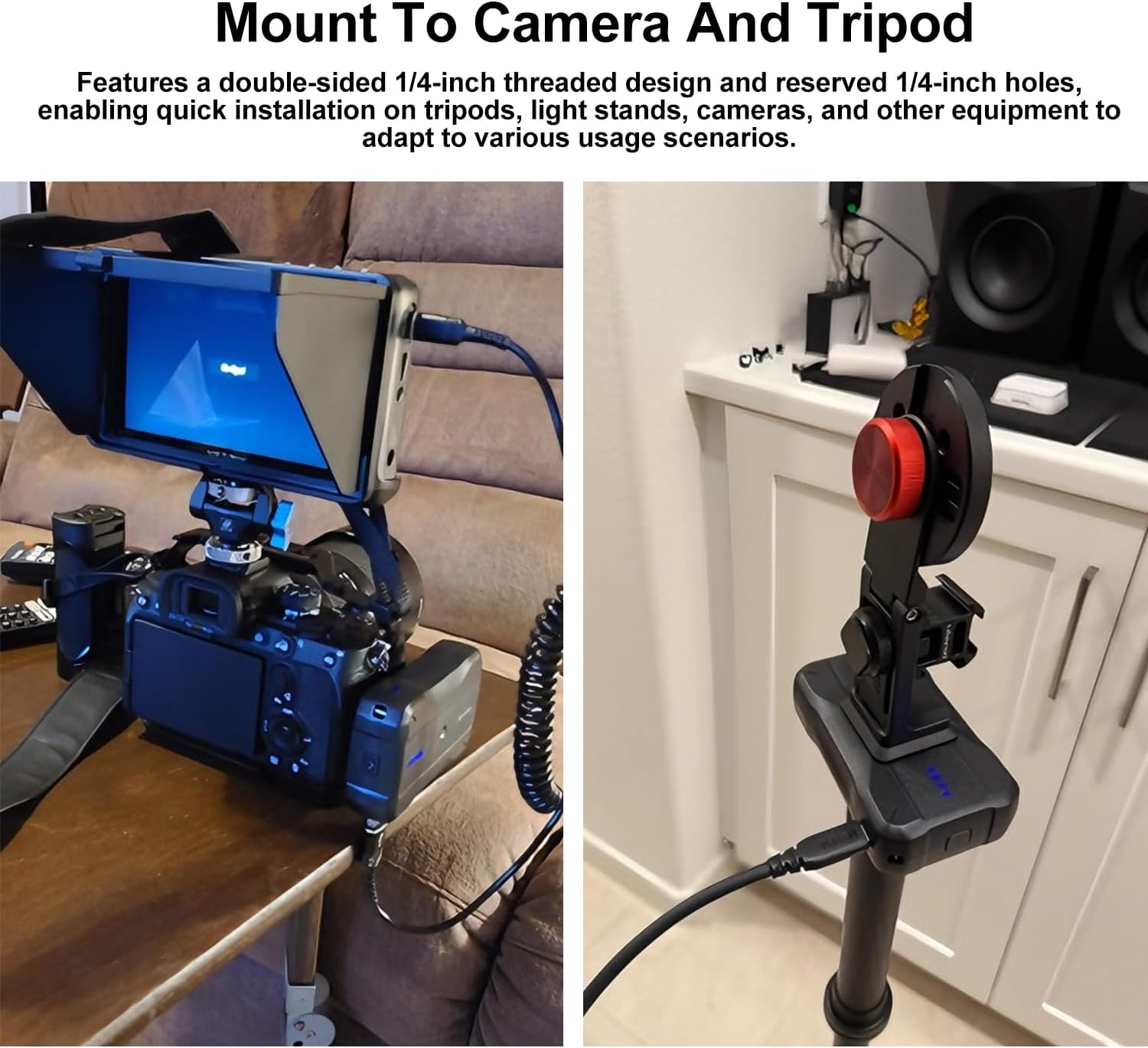
Image 5.1: The power bank can charge devices via its USB-A output or bidirectional Type-C port.
5.2 Checking Battery Level
Press the power button once to view the current battery level indicated by the four blue LED lights:
- 4 LEDs: 75-100% charge
- 3 LEDs: 50-75% charge
- 2 LEDs: 25-50% charge
- 1 LED: 0-25% charge (recharge soon)
6. Maintenance
- Keep the power bank away from extreme temperatures, direct sunlight, and moisture.
- Do not drop, disassemble, or attempt to repair the device yourself.
- Clean the exterior with a soft, dry cloth. Avoid using harsh chemicals.
- Store in a cool, dry place when not in use.
- For optimal battery life, fully charge the power bank at least once every three months if stored for extended periods.
7. Troubleshooting
7.1 Power Bank Not Charging
- Ensure the charging cable is securely connected to both the power bank's Type-C input and the power adapter.
- Verify that the power adapter is functioning correctly and connected to a live power source.
- Try using a different charging cable or power adapter.
7.2 Device Not Charging from Power Bank
- Check if the power bank has sufficient charge (refer to LED indicators).
- Ensure the charging cable connecting the power bank to your device is securely plugged in at both ends.
- Try using a different charging cable for your device.
- Verify that your device is compatible with the power bank's output specifications.
7.3 Loose Mounting Screw
If the 1/4-inch screw mount becomes loose, it may indicate wear or improper installation. Ensure the screw is fully tightened into the power bank and the accessory. Avoid over-tightening, which can strip threads. If the internal threading is damaged, the product may require replacement.
Video 7.1: This video demonstrates the Suptig Portable Charger's features and how it can be used to power various cameras and phones, showcasing its versatility in different setups.
8. Specifications
| Feature | Detail |
|---|---|
| Brand | Suptig |
| Model | B0FPFN439R |
| Capacity | 9000mAh |
| Color | Black |
| Product Dimensions | 0.78"D x 2.36"W x 3.9"H (20mm D x 60mm W x 100mm H) |
| Item Weight | 184 Grams (0.41 lb) |
| Input Voltage | 5 Volts |
| Battery Charge Time | 4 Hours |
| Connector Type | Type-C (bidirectional), USB-A (output) |
| Number of Ports | 2 |
| Certifications | UL, FCC, CE |

Image 8.1: The compact dimensions of the Suptig Portable Charger, measuring 3.9 inches in length.
9. Warranty and Support
The Suptig Portable Charger comes with a 1-year warranty from the date of purchase, covering manufacturing defects. Please retain your proof of purchase for warranty claims.
For technical support, warranty claims, or any questions regarding your product, please contact Suptig customer service through the retailer's platform or visit the official Suptig brand store:


