
1. Product Overview
The ICEVOKE 4-in-1 Water Dispenser with built-in ice maker provides convenient access to hot, cold, and room-temperature water, along with bullet-shaped ice cubes. Designed for ease of use and safety, this appliance is suitable for both home and office environments.

Figure 1: Smart Integrated Design of the ICEVOKE Water Dispenser.
Key Features:
- Multiple Water Temperatures: Dispenses hot (≥194°F), cold (≤50°F), and room-temperature water.
- Integrated Ice Maker: Produces 9 bullet-shaped ice cubes in 7-15 minutes, with a daily capacity of 22 lbs.
- Bottom-Loading Design: Accommodates 3 or 5-gallon water bottles without heavy lifting.
- Child Safety Lock: Prevents accidental dispensing of hot water.
- Nightlight: Illuminates the dispensing area for visibility in low-light conditions.
- Energy Saving (ECO) Mode: Automatically stops heating water at night to conserve energy.
- Water Shortage Indicator: Alerts when the water bottle needs replacement.
- Certified Quality: ETL, FCC, and UL Certifications ensure safety and food-grade materials.
Video 1: Overview of the ICEVOKE 4-in-1 Water Dispenser (Model LYCZ629W-0902).
2. Setup Instructions
The ICEVOKE water dispenser is designed for quick and easy setup, requiring no complex plumbing or installation.
Initial Placement:
- Unpack the appliance and place it on a flat, stable surface.
- Ensure there is at least 8 inches of clearance from the wall to allow for proper ventilation of the cooling coils.
- Allow the dispenser to stand upright for 24 hours before plugging it in. This allows the compressor fluids to settle.
Loading the Water Bottle:
This unit features a convenient bottom-loading design, eliminating the need for heavy lifting.
- Open the lower compartment door.
- Remove the cap from a standard 3 or 5-gallon water bottle.
- Insert the water probe into the bottle opening.
- Slide the water bottle into the lower compartment.
- Close the compartment door securely. The dispenser will automatically begin pumping water into the internal reservoirs.

Figure 2: Illustration of the bottom-loading water bottle compartment.
3. Operating Instructions
The control panel is user-friendly and allows for easy selection of water temperature and ice making functions.
Control Panel Overview:

Figure 3: Easy-to-Use Control Panel.
Dispensing Water:
Once the water bottle is loaded and the unit is powered on, allow time for the water to reach desired temperatures (indicated by lights on the control panel).
- Cold Water: Press the button with the snowflake icon.
- Room Temperature Water: Press the button with the house icon.
- Hot Water: This button features a child safety lock. Slide the red safety lock and then press the button with the steam icon to dispense hot water.

Figure 4: Water Temperature Settings.
Ice Making:
To activate the ice maker, press the "Making Ice" button on the control panel. The unit will produce bullet-shaped ice cubes.
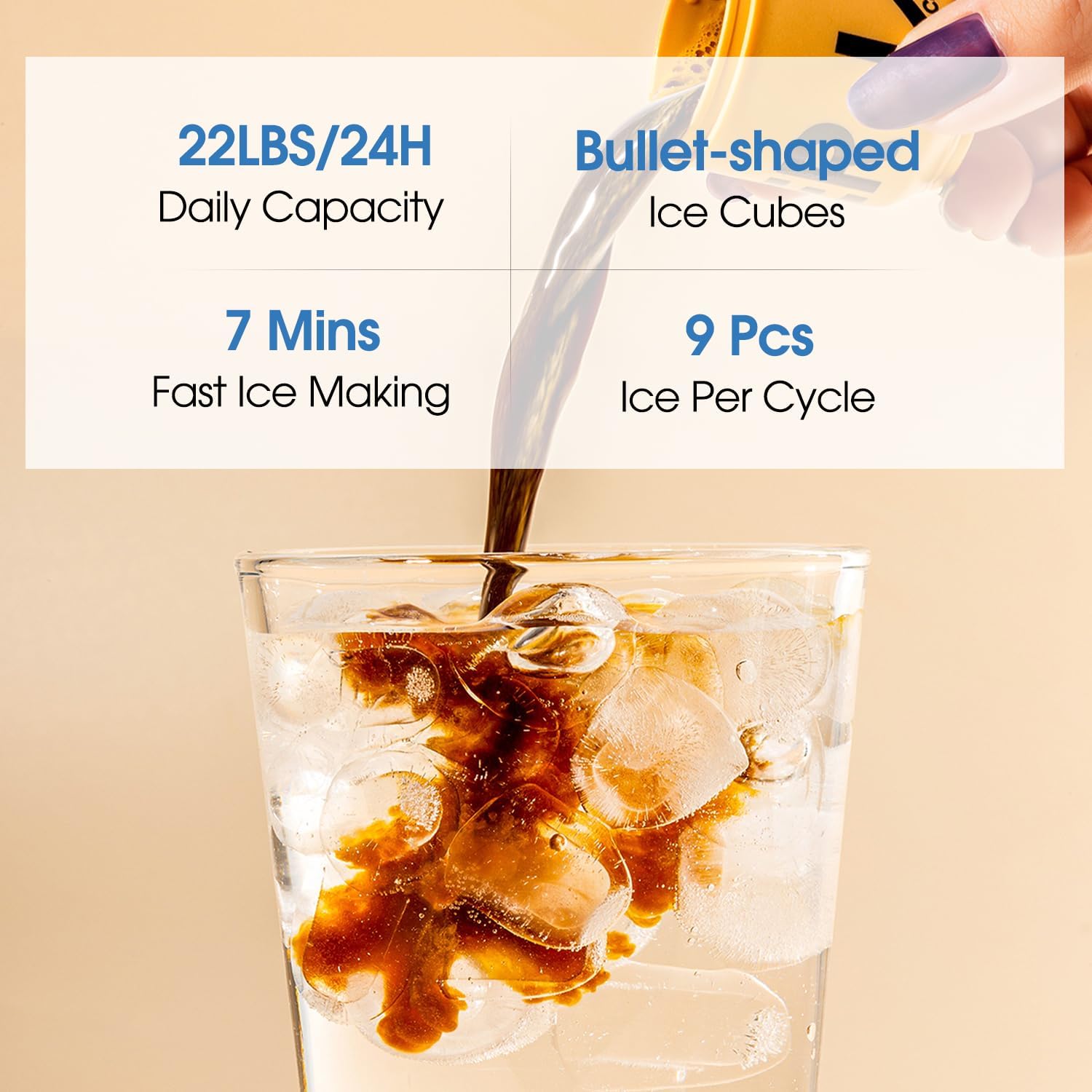
Figure 5: Fast and Efficient Ice Making.
Video 2: Demonstration of the ice making process.
Nightlight Function:
The nightlight illuminates the dispensing area, preventing spills in low light. This feature can be toggled on/off via a switch, if available, or may activate automatically.

Figure 6: Nightlight in operation.
ECO Mode:
Activate the ECO mode to conserve energy. The machine will automatically stop heating water at night.
4. Maintenance
Regular maintenance ensures optimal performance and longevity of your water dispenser.
- Self-Cleaning Function: The dispenser features a self-cleaning mechanism. Refer to the control panel for activation or specific instructions.
- Water Bottle Replacement: The "Lack of Water" indicator light will illuminate when the 3 or 5-gallon bottle needs to be replaced. Prompt replacement helps extend the service life of the water pump.
- General Cleaning: It is recommended to perform a quick cleaning of the unit every 3 to 5 months to maintain hygiene and water quality. Use mild soap and water for exterior surfaces and follow specific instructions for internal cleaning if provided in the full manual.
- Drip Tray: Regularly empty and clean the drip tray to prevent overflow and maintain cleanliness.
5. Troubleshooting
If you encounter any issues with your ICEVOKE water dispenser, refer to the following common solutions:
- No Water Dispensing: Check if the water bottle is empty (refer to the "Lack of Water" indicator). Ensure the bottle is correctly seated and the probe is fully inserted. Verify the unit is plugged in and powered on.
- Water Not Hot/Cold: Allow sufficient time for the unit to heat or cool the water after initial setup or bottle replacement. Ensure the hot/cold functions are enabled (check corresponding indicator lights).
- Ice Maker Not Producing Ice: Ensure the "Making Ice" function is activated. Check if the water reservoir is full. Allow 7-15 minutes for the first batch of ice.
- Unusual Noise: Some operational noise is normal, especially during cooling or ice production cycles. Ensure the unit has adequate clearance from walls for ventilation.
For persistent issues, please contact customer support.
6. Specifications
| Feature | Detail |
|---|---|
| Model Number | LYCZ629W-0902 |
| Color | Ivory |
| Material | Acrylonitrile Butadiene Styrene (ABS), Stainless Steel |
| Capacity | 5 Gallons (compatible with 3 or 5-gallon bottles) |
| Product Dimensions (D x W x H) | 16.54"D x 12.2"W x 40.75"H |
| Item Weight | 37.5 pounds |
| Installation Type | Freestanding |
| Access Location | Bottom |
| Upper Temperature Rating (Hot) | 95 Degrees Celsius (203°F) |
| Power Source | Corded Electric |
7. Warranty and Support
For warranty information, technical support, or service inquiries regarding your ICEVOKE water dispenser, please refer to the contact details provided with your product packaging or visit the official ICEVOKE website.
Always ensure to have your model number (LYCZ629W-0902) and purchase date available when contacting support.