
1. Introduction
This manual provides detailed instructions for the proper use and maintenance of your LIGE Smart Watch FV6-B2. Please read this manual thoroughly before using the device to ensure optimal performance and longevity.
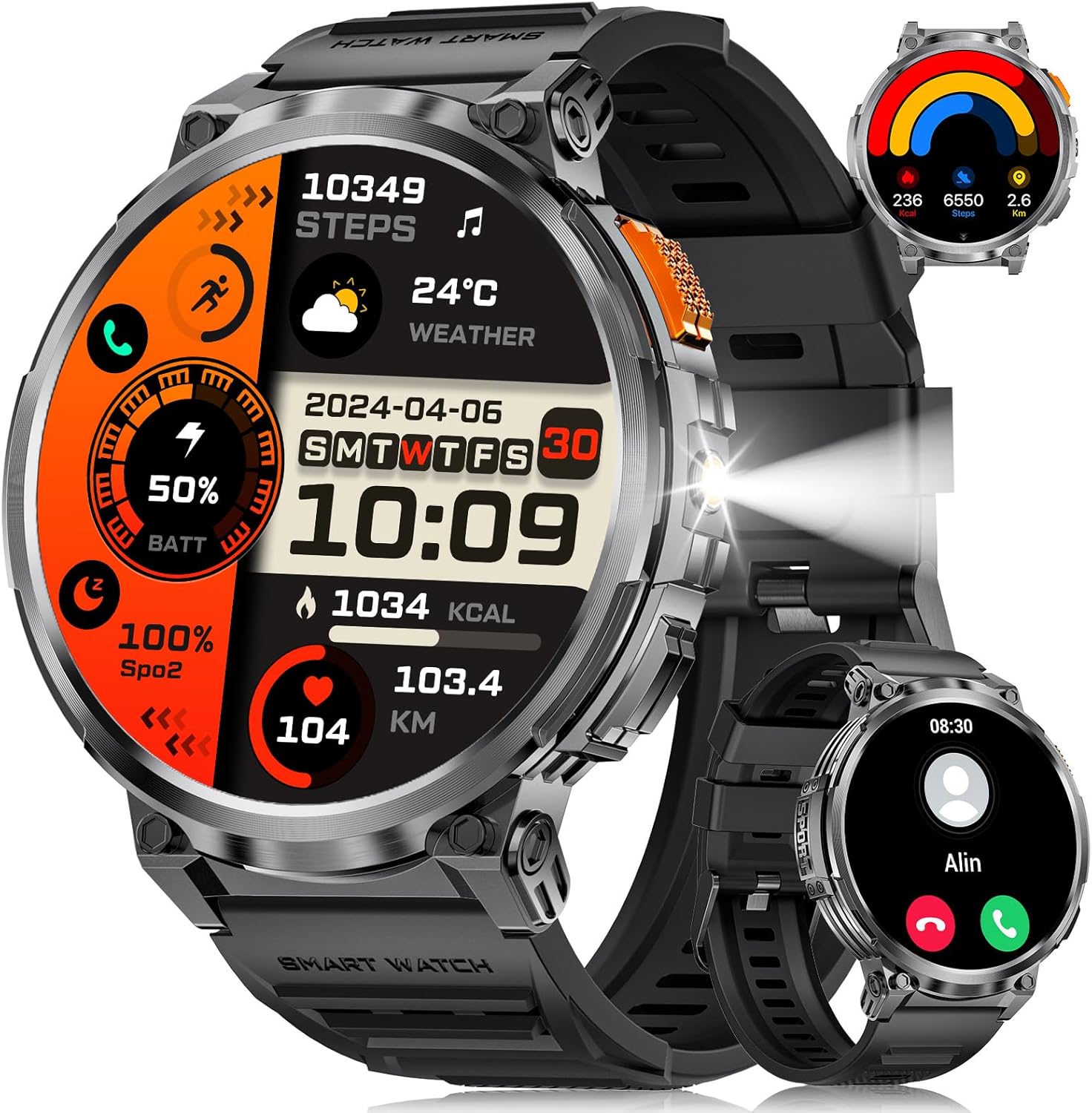
Image 1.1: LIGE Smart Watch FV6-B2 displaying various health and activity metrics.
2. Package Contents
Verify that all items are present in the package:
- 1 x LIGE Smart Watch FV6-B2
- 1 x Watch Strap (pre-installed or separate)
- 1 x Charging Cable
- Accessories and Extension Tools (for strap adjustment, if applicable)
- 1 x User Manual (this document)
3. Setup Guide
3.1 Initial Charging
Before first use, fully charge your smartwatch. Connect the provided charging cable to the watch and a compatible USB power source. A full charge typically takes approximately 2.5 hours. The watch features a 730mAh battery, providing extended usage time.

Image 3.1: Smartwatch connected to its charging cable, highlighting the 730mAh battery.
3.2 App Installation and Pairing
To unlock the full functionality of your LIGE Smart Watch FV6-B2, download and install the companion application on your smartphone. The watch is compatible with Android 4.4 and iOS 8.0 or above. Refer to the quick start guide or packaging for the specific app name and QR code.
- Scan the QR code provided in the watch packaging or search for the app in your smartphone's app store.
- Install the application on your smartphone.
- Open the app and follow the on-screen instructions to create an account or log in.
- Enable Bluetooth on your smartphone.
- Within the app, search for your LIGE Smart Watch FV6-B2 and initiate the pairing process.
- Confirm the pairing request on both your smartphone and the smartwatch.
For visual guidance, a connection video may be available. Check the product page or manufacturer's website for more information.
4. Operating Instructions
4.1 Navigating the Interface
The LIGE Smart Watch FV6-B2 features a 1.85-inch HD display with a 360x360 resolution and a highly responsive touch interface. Navigate through menus and functions with simple swipes and taps.
- Swipe Up/Down: Scroll through notifications or menu options.
- Swipe Left/Right: Access quick widgets or different watch faces.
- Tap: Select an item or open an application.
- Side Button: Typically used to return to the home screen, power on/off, or access the app list.

Image 4.1: Detailed view of the 1.85-inch HD display.
4.2 Bluetooth Calling and Notifications
Once paired with your smartphone, the watch supports Bluetooth calling and displays notifications.
- Make/Answer Calls: Use the built-in microphone and speaker to handle calls directly from your wrist. Access the dial keypad or call records on the watch.
- Message Notifications: Receive alerts for incoming messages from various applications (e.g., SMS, social media).

Image 4.2: Bluetooth calling and notification features on the smartwatch.
4.3 Health Monitoring
The watch utilizes advanced biosensor technology for continuous health tracking.
- Heart Rate Monitoring: Measures your heart rate throughout the day.
- Blood Pressure Monitoring: Provides blood pressure readings.
- Sleep Monitoring: Tracks your sleep patterns, including deep and light sleep stages. View detailed sleep reports in the companion app.

Image 4.3: Sleep monitoring interface on the smartwatch.
4.4 Sports Modes and Activity Tracking
The watch supports over 120 sports modes to track your physical activities.
- Built-in Modes: Access over 20 pre-installed exercise modes.
- Custom Modes: Add over 100 additional sports modes via the app (e.g., running, badminton, baseball).
- Tracking Metrics: Records training history, speed, rhythm, heart rate, and steps to help plan and improve exercise efficiency.

Image 4.4: Overview of multiple sports tracking modes.
4.5 Additional Functions
The LIGE Smart Watch FV6-B2 includes several utility features:
- Weather Forecast
- Voice Assistant
- Alarm Clock
- Stopwatch
- Pedometer
- Music Control Playback
- Photo Control
- Drinking Water Reminder
- Multi-language Switching
- Women's Health Tracking
- Brightness Adjustment
- Do Not Disturb Mode
- Set a Password
- Raise Hand to Turn On Screen
- Built-in Flashlight (range up to 20m)

Image 4.5: Multifunctional interface showing various features.
Over 200 watch desktop faces can be downloaded and switched. You can also customize the watch face with your favorite pictures.
5. Maintenance
5.1 Water Resistance
The LIGE Smart Watch FV6-B2 has an IP68 waterproof rating. This means it is protected against dust ingress and can withstand immersion in water up to 1.5 meters for up to 30 minutes. It is suitable for use in rainy conditions, during sweating, or while showering. However, it is not recommended for diving or high-pressure water activities.

Image 5.1: Smartwatch demonstrating its IP68 waterproof capability.
5.2 Cleaning and Care
- Regularly clean the watch and strap with a soft, damp cloth.
- Avoid using harsh chemicals, abrasive cleaners, or solvents, as these can damage the watch's finish and seals.
- Ensure the charging contacts are clean and dry before charging to prevent corrosion.
- Store the watch in a cool, dry place when not in use.
6. Troubleshooting
6.1 Watch Will Not Turn On
- Charge the watch using the provided cable for at least 10 minutes.
- If it still does not turn on, press and hold the side button for 10 seconds to force a restart.
- If the issue persists, charge the watch fully for 2.5 hours.
- If the watch still does not power on after these steps, contact customer support.
6.2 Watch Stopped Working Suddenly
- Restart the watch by pressing and holding the side button for 10 seconds.
- Ensure the watch is sufficiently charged.
- If the problem continues, consider resetting the watch via the settings menu: Settings > System > Reset. Note that a reset will erase all data on the watch.
- If the issue persists, contact customer support.
6.3 Connectivity Issues (Bluetooth)
- Ensure Bluetooth is enabled on both your smartphone and the smartwatch.
- Make sure the watch is within the Bluetooth range of your smartphone (typically 10 meters or 33 feet).
- Restart both your smartphone and the smartwatch.
- Unpair and re-pair the watch through the companion app.
- Check if the companion app is running in the background and has necessary permissions.
7. Specifications
| Feature | Detail |
|---|---|
| Model Number | FV6-B2 |
| Display Size | 1.85 Inches |
| Display Resolution | 360x360 pixels |
| Battery Capacity | 730 mAh (Lithium Polymer) |
| Charging Time | Approx. 2.5 hours |
| Typical Usage Battery Life | 15+ days |
| Standby Battery Life | 50+ days |
| Water Resistance Rating | IP68 |
| Connectivity | Bluetooth |
| Compatible OS | Android 4.4 and above, iOS 8.0 and above |
| Operating System | AsteroidOS |
| Memory Storage Capacity | 128 MB |
| Item Weight | 8.8 ounces |
| Package Dimensions | 8.07 x 3.78 x 0.87 inches |
8. Warranty and Support
8.1 Warranty Information
Specific warranty details are not provided in the available product information. Please refer to the warranty card included in your product packaging or contact the manufacturer directly for comprehensive warranty terms and conditions.
8.2 Customer Support
Should you encounter any issues or have questions regarding your LIGE Smart Watch FV6-B2, please contact our customer support team. We aim to respond to all inquiries within 24 hours.
For support, please visit the official LIGE website or refer to the contact information provided in your product packaging.
9. Official Product Videos
No official product videos from the seller were found in the provided data for this model. Please check the product's online listing or the manufacturer's website for any available video resources.


