
1. Product Overview
The KLSYQ W610 Smart AI Glasses combine advanced technology with a stylish design, offering features such as a high-resolution camera, AI-powered translation, and hands-free communication. Designed for comfort and durability, these glasses are your ideal companion for capturing moments, staying connected, and exploring the world.
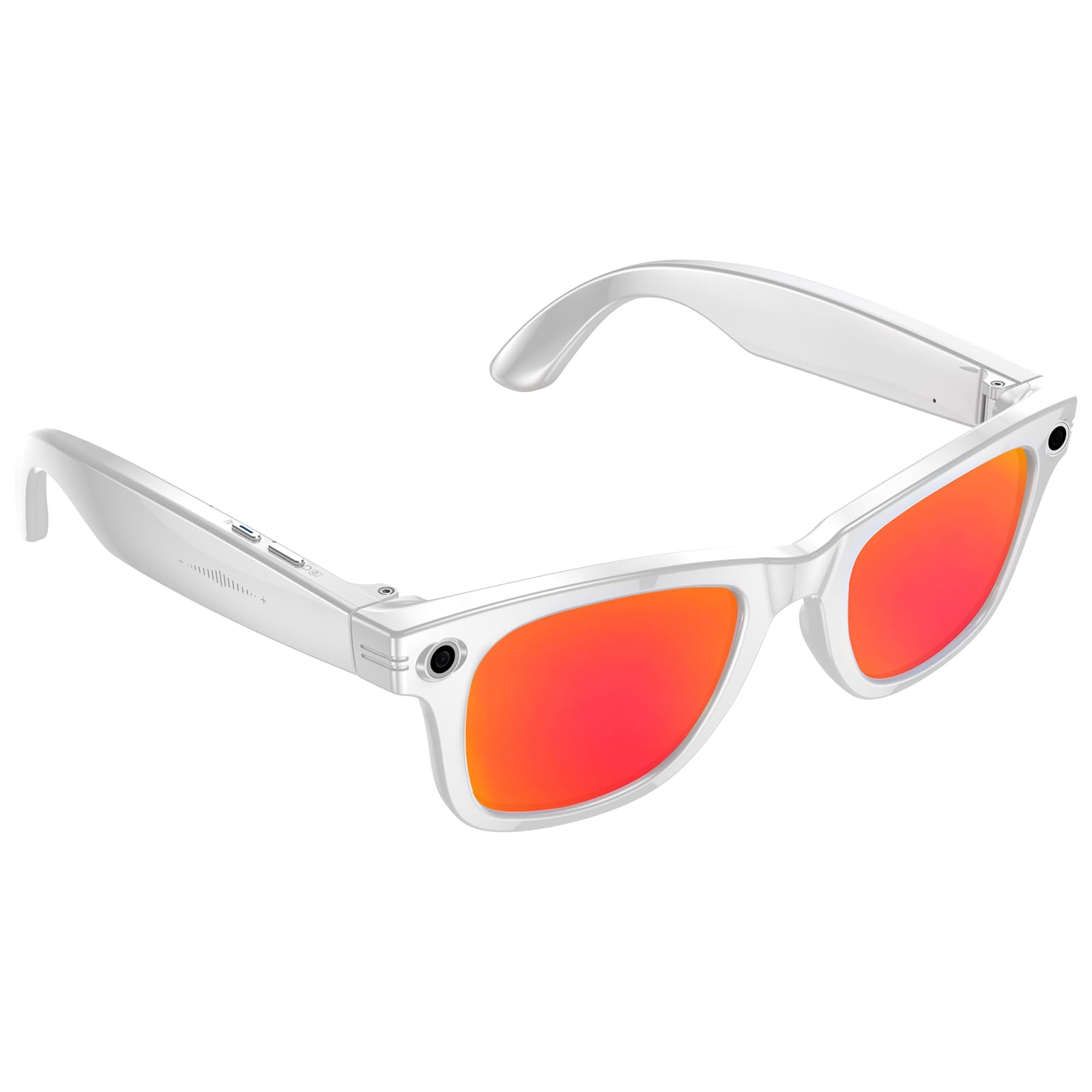
Figure 1: KLSYQ W610 Smart AI Glasses (White)
Key Features:
- 32 MP Ultra-Clear Camera with EIS Stabilization: Capture high-quality photos and videos with enhanced stability.
- AI Smart Interaction & Translation: Utilize an on-call AI assistant for object recognition, explanations, and real-time translation across multiple languages.
- High-Speed Wi-Fi Transfer: Instantly transfer photos, videos, and voice memos to your mobile device without cables or extra apps.
- Dual-Mic Noise Cancellation: Enjoy clear audio for calls and recordings, filtering out ambient noise.
- Lightweight & Comfortable Design: Weighing just 35g, with adaptive photochromic lenses for all-day wear.
- IP65 Dust- and Water-Resistance: Durable design protected against dust and splashes, suitable for various environments.
2. What's in the Box
Please ensure all items are present upon unboxing:
- KLSYQ W610 Smart AI Glasses
- User Manual
- Charging Cable
- Touchpad (integrated into glasses)
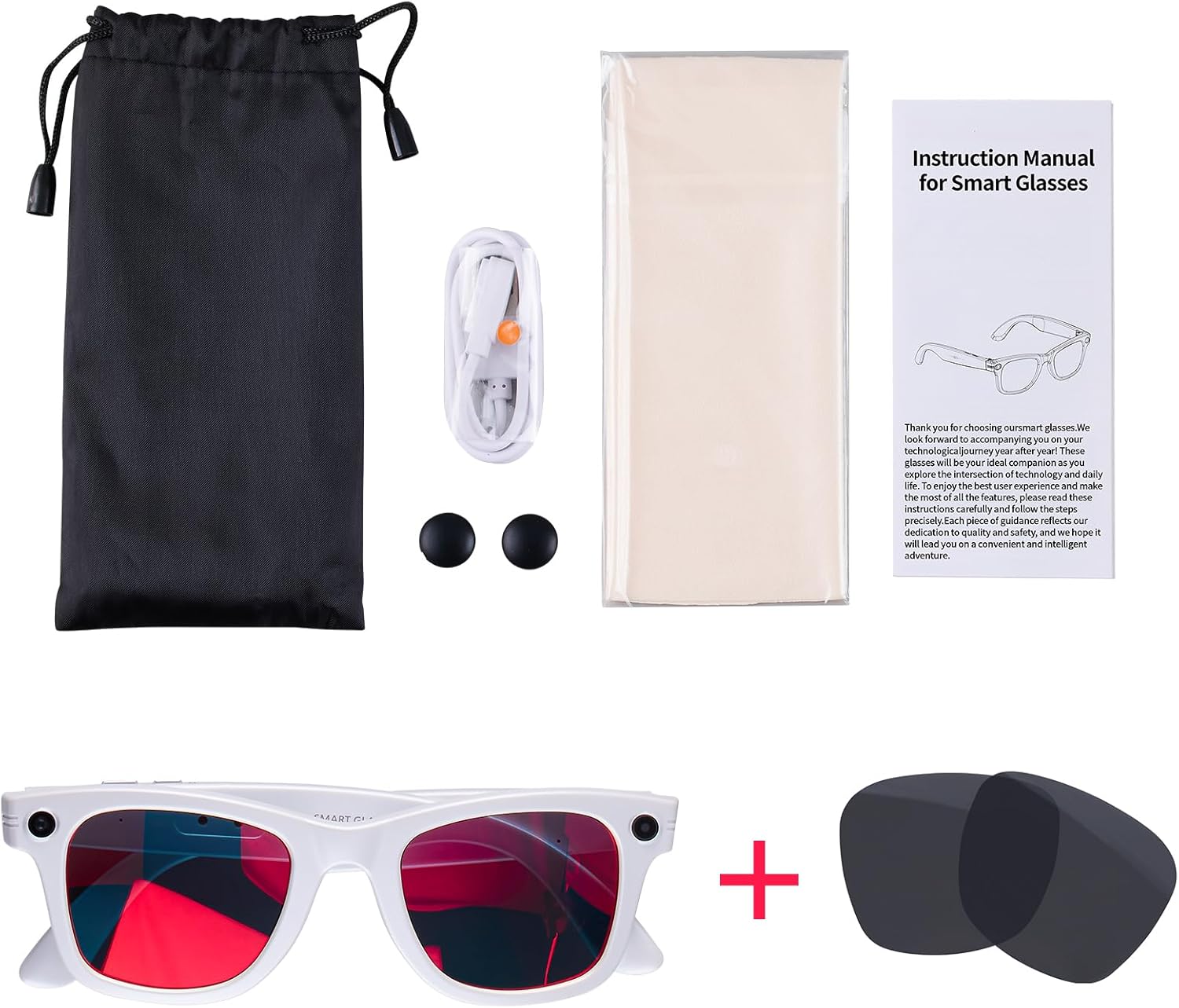
Figure 2: Package contents of the KLSYQ W610 Smart AI Glasses.
3. Setup
3.1 Charging the Glasses
Before initial use, fully charge your KLSYQ W610 Smart AI Glasses.
- Locate the magnetic charging port on the glasses.
- Connect the provided magnetic charging cable to the glasses and a USB power adapter (not included).
- The indicator light will show charging status. A full charge typically takes approximately 2 hours.
3.2 App Download and Installation
The KLSYQ W610 glasses require the companion app, HeyCyan, for full functionality. Scan the QR code provided in the physical user manual or search for "HeyCyan" in your device's app store (iOS/Android).
3.3 Connecting to Your Mobile Device
- Ensure your glasses are sufficiently charged and powered on.
- Enable Bluetooth on your mobile device.
- Open the HeyCyan app and follow the on-screen instructions to connect your glasses. The app will guide you through the pairing process.
4. Operating Instructions
4.1 Power On/Off
- Power On: Press and hold the front physical button for 2 seconds.
- Power Off: Press and hold the front physical button for 5 seconds.
4.2 Camera Functions (Photo & Video)
The glasses feature an 8 MP physical sensor, interpolated to 32 MP for photos, and EIS stabilization for video recording.
- Take a Photo: Single click the front physical button. The LED light flashes once when taking a photo.
- Record Video: Double click the front physical button to start video recording. The LED light stays solid white during recording. Press once more to stop recording.
Photos and videos are saved in the glasses' local storage and can be transferred to your phone via Wi-Fi using the HeyCyan app.
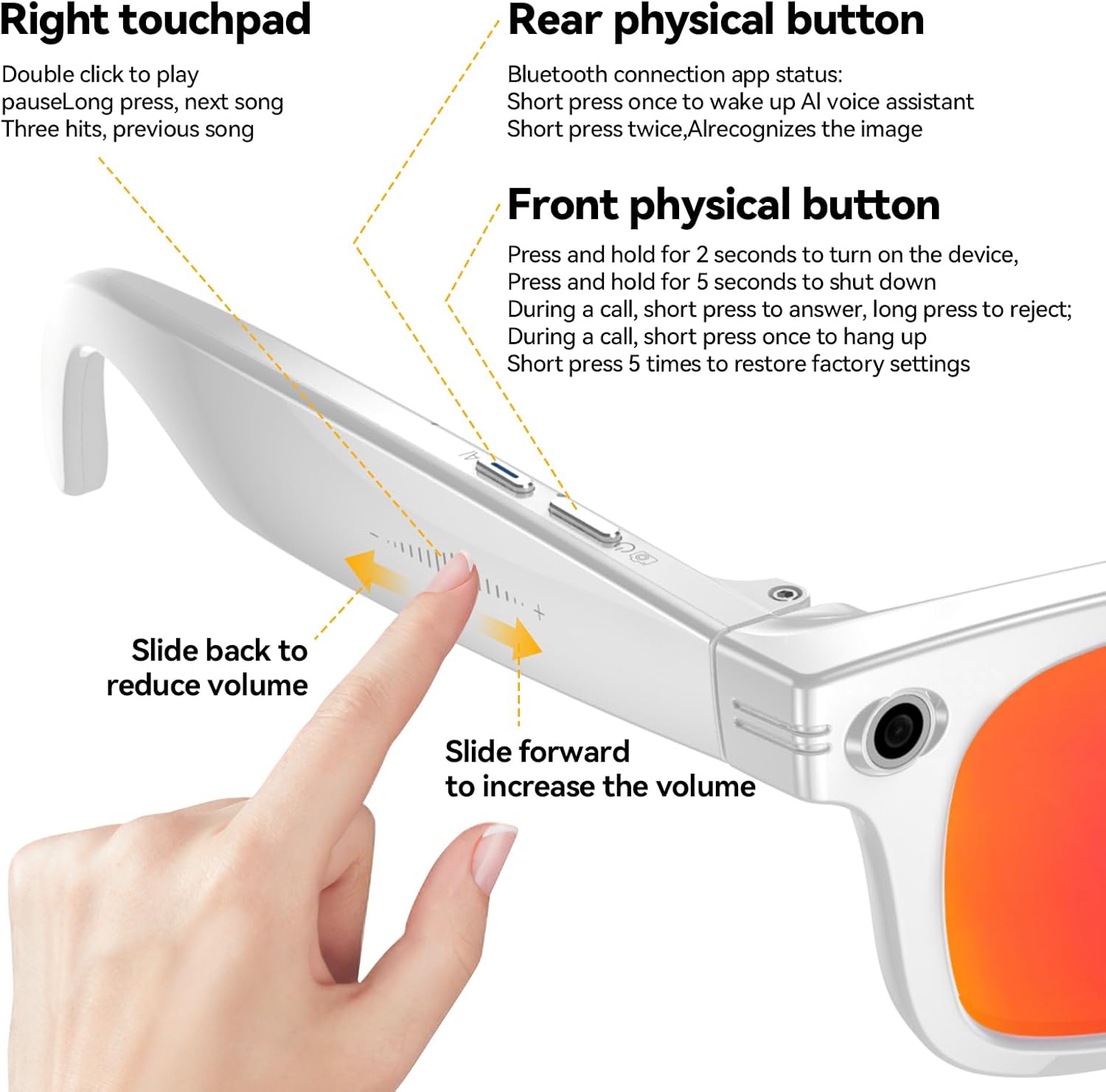
Figure 3: Button and Touchpad Controls.
4.3 AI Smart Interaction & Voice Assistant
The W610 glasses integrate an AI assistant for various tasks.
- Wake-word Interaction: Say "HeyCyan" to activate the voice assistant.
- Object Recognition: Point at an object and ask the AI to identify or explain it.
- AI Assistant: Ask ChatGPT questions about what you see or for suggestions.

Figure 4: AI Smart Interaction for information retrieval.
4.4 Real-time Translation
The glasses support real-time translation for various languages.
- Simultaneous Translation: In the HeyCyan app, set the desired languages for mutual translation. The content of oral communication in one language can be converted into another language in real-time, with subtitles displayed in the app and audio output from the glasses.
- Text Translation: Point at text (e.g., a menu or sign) and use the AI assistant to translate it.
4.5 Music Playback & Calls
The glasses feature open-ear audio and Bluetooth 5.4 connectivity.
- Music Playback: Double click the right touchpad to play/pause music. Long press for next song, triple hit for previous song.
- Volume Control: Slide forward on the right touchpad to increase volume, slide backward to reduce volume.
- Answering Calls: During a call, short press the front physical button to answer, long press to reject. Short press 5 times to restore factory settings.
5. Media Integration
5.1 Product Images
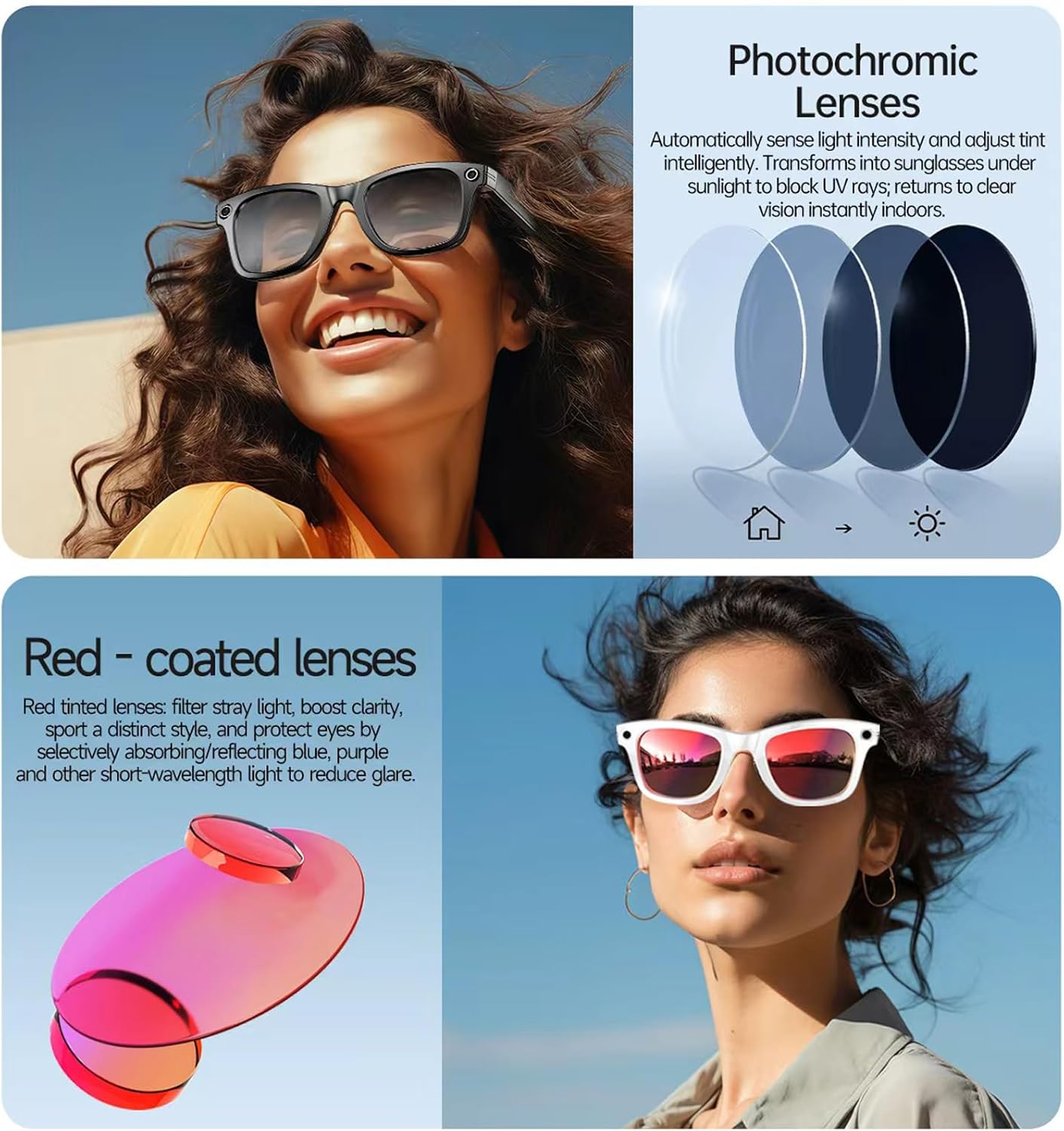
Figure 5: The W610 glasses feature adaptive photochromic lenses and can be fitted with red-coated lenses for different styles and light conditions.

Figure 6: Detailed diagram of KLSYQ W610 features and components.
5.2 Official Product Videos
Video 1: An official product video from KLSYQ demonstrating the AI Camera glasses in various usage scenarios, highlighting hands-free recording and smart features.
6. Maintenance
- Cleaning: Use the provided cleaning cloth to gently wipe the lenses and frame. Avoid harsh chemicals.
- Water Resistance: The glasses are IP65-rated, meaning they are dust-tight and protected against low-pressure water jets. They can withstand rain splashes and sweat but should not be submerged in water.
- Storage: Store the glasses in their protective case when not in use to prevent scratches and damage.
7. Troubleshooting
| Issue | Possible Cause | Solution |
|---|---|---|
| Glasses not powering on | Low battery | Charge the glasses fully using the provided cable. |
| Unable to connect to app/Bluetooth | Bluetooth off, app not installed, glasses not in pairing mode, low battery | Ensure Bluetooth is on, app is installed, glasses are charged, and follow pairing instructions in the app. |
| Poor audio quality during calls/recordings | Excessive ambient noise, microphone obstruction | Ensure microphones are clear. Dual-mic noise cancellation is active, but extreme noise may still affect quality. |
| App crashes or does not function correctly | Software glitch, outdated app version | Restart the app, check for app updates, or reinstall the app. |
| AI assistant not responding | Incorrect wake-word, poor network connection | Ensure you are using the correct wake-word ("HeyCyan"). Check your phone's internet connection for AI features requiring online access. |
8. Specifications
- Model: W610
- Brand: KLSYQ
- Item Weight: 5.9 ounces (approx. 167g)
- Memory Storage Capacity: 32 GB
- Operating System: AsteroidOS, Bluetooth 5.4
- Camera: 8 MP physical lens (32 MP interpolated photos)
- Battery Capacity: 290 Milliamp Hours
- Battery Type: Lithium Polymer (1 A battery included)
- Connectivity: Bluetooth, 802.11ac Wi-Fi
- Special Features: Wi-Fi Instant Share, Translation, AI wake-word interaction, EIS Stabilization
- Water Resistance: IP65-rated dust- and water-resistance
9. Warranty and Support
For warranty information and customer support, please refer to the documentation included with your purchase or visit the official KLSYQ website. Contact details for support are typically found on the product packaging or within the HeyCyan application.