
Introduction
This manual provides detailed instructions for the assembly, installation, operation, and maintenance of your SOLIDEE 24-inch Bathroom Vanity with Black Ceramic Sink. Please read all instructions carefully before beginning installation and retain this manual for future reference.
Safety Information
Important Safety Precautions:
- Always unplug and turn off the water supply before installation.
- Use appropriate safety gear when handling heavy and large items.
- Ensure proper mounting to prevent tipping.
- Keep the area around the vanity clear to avoid potential hazards.
Package Contents
Verify that all components are present before beginning assembly. If any parts are missing or damaged, please contact customer support.
- Bathroom Vanity Cabinet (Dark Brown)
- Black Ceramic Sink
- Faucet
- Pop-up Drain
- Hot/Cold Water Supply Lines
- Mounting Hardware
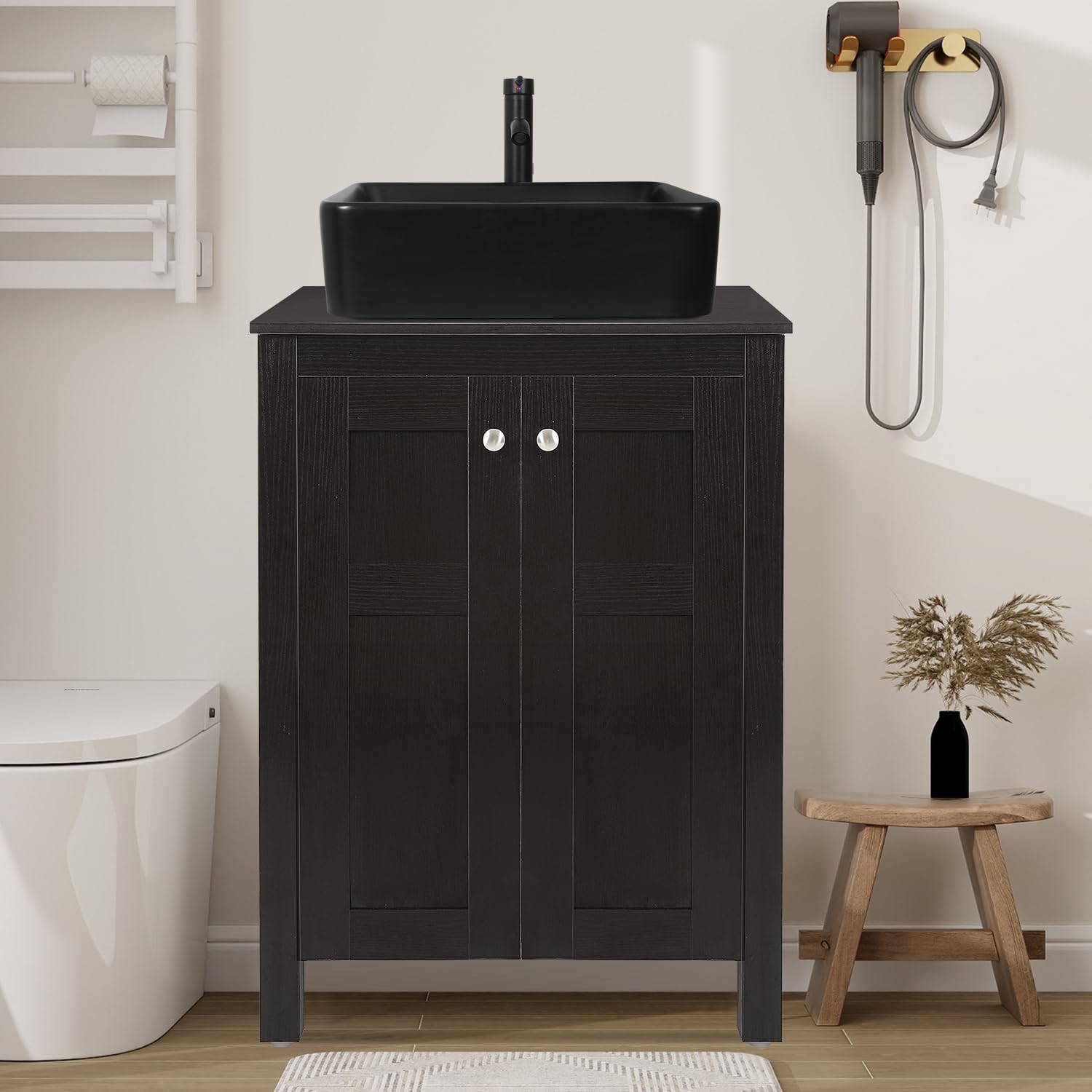
Image: Complete SOLIDEE 24-inch dark brown bathroom vanity with black ceramic sink and faucet.
Product Overview and Features
The SOLIDEE 24-inch Bathroom Vanity is designed for durability and functionality, featuring a modern stylish dark brown cabinet and a black ceramic sink. It offers practical storage solutions and high-quality components.
Key Features:
- High-quality Material: Constructed with a medium-density MDF wooden frame and equipped with a durable ceramic sink.
- Durable Hardware: Features 304 stainless steel door hinges for longevity and zinc alloy handles.
- Space-saving Design: Includes side-by-side opening cabinet doors and double-layer storage shelves for maximum space utilization.
- Easy Care Ceramic Sink: The black ceramic sink is designed for easy cleaning and maintenance.

Image: Close-up of SOLIDEE vanity features including zinc alloy handle, 304 stainless steel hinge, and alloy leg pads.
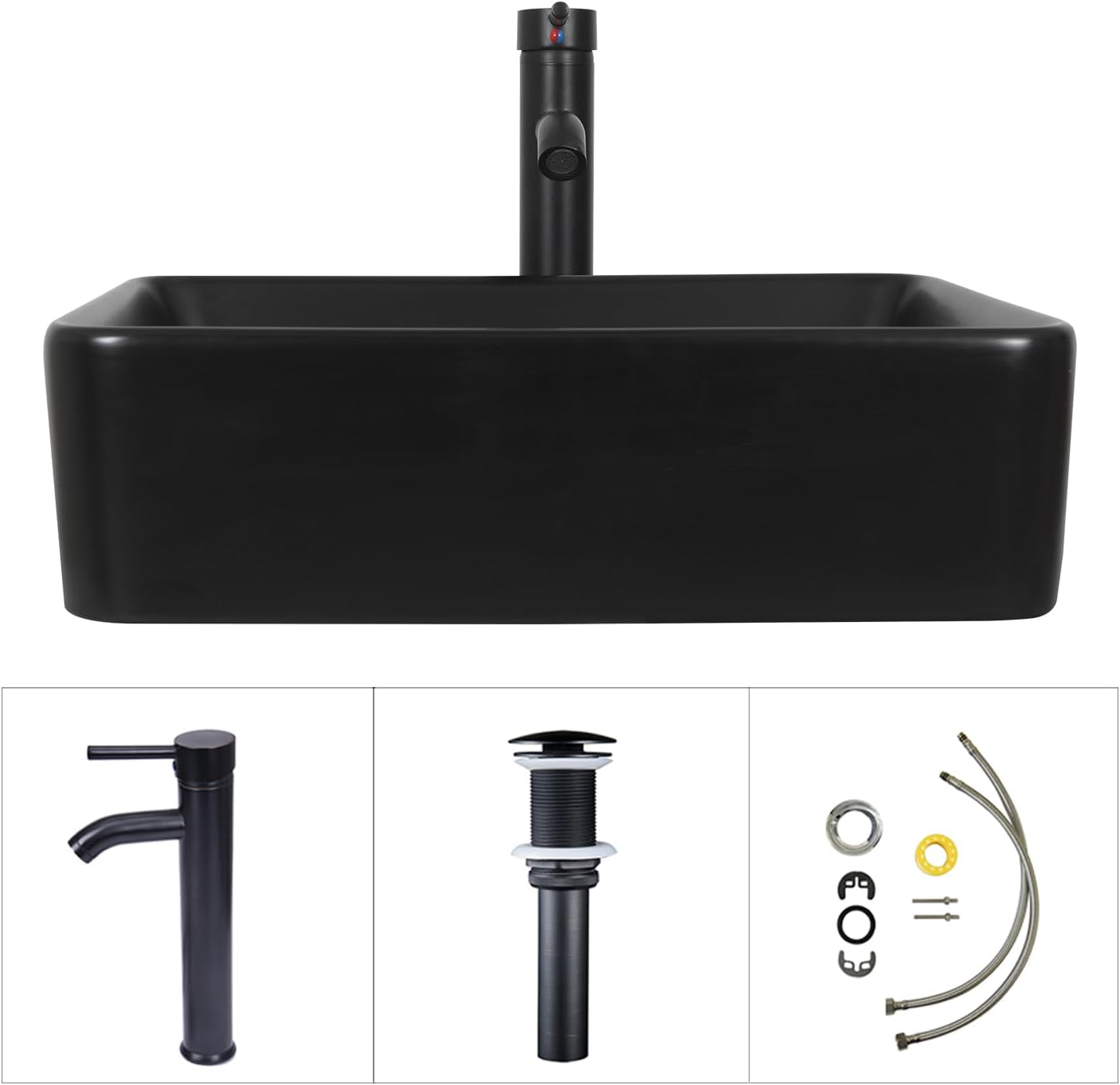
Image: Top panel of the SOLIDEE vanity showing eco-friendly board material and interior shelving with alphanumeric assembly labels for easy assembly.
Dimensions
Refer to the diagrams below for detailed product dimensions.
Vanity Cabinet Dimensions:
- Width: 24 inches (60.96 cm)
- Depth: 19 inches (48 cm)
- Height: 31.5 inches (92.45 cm)
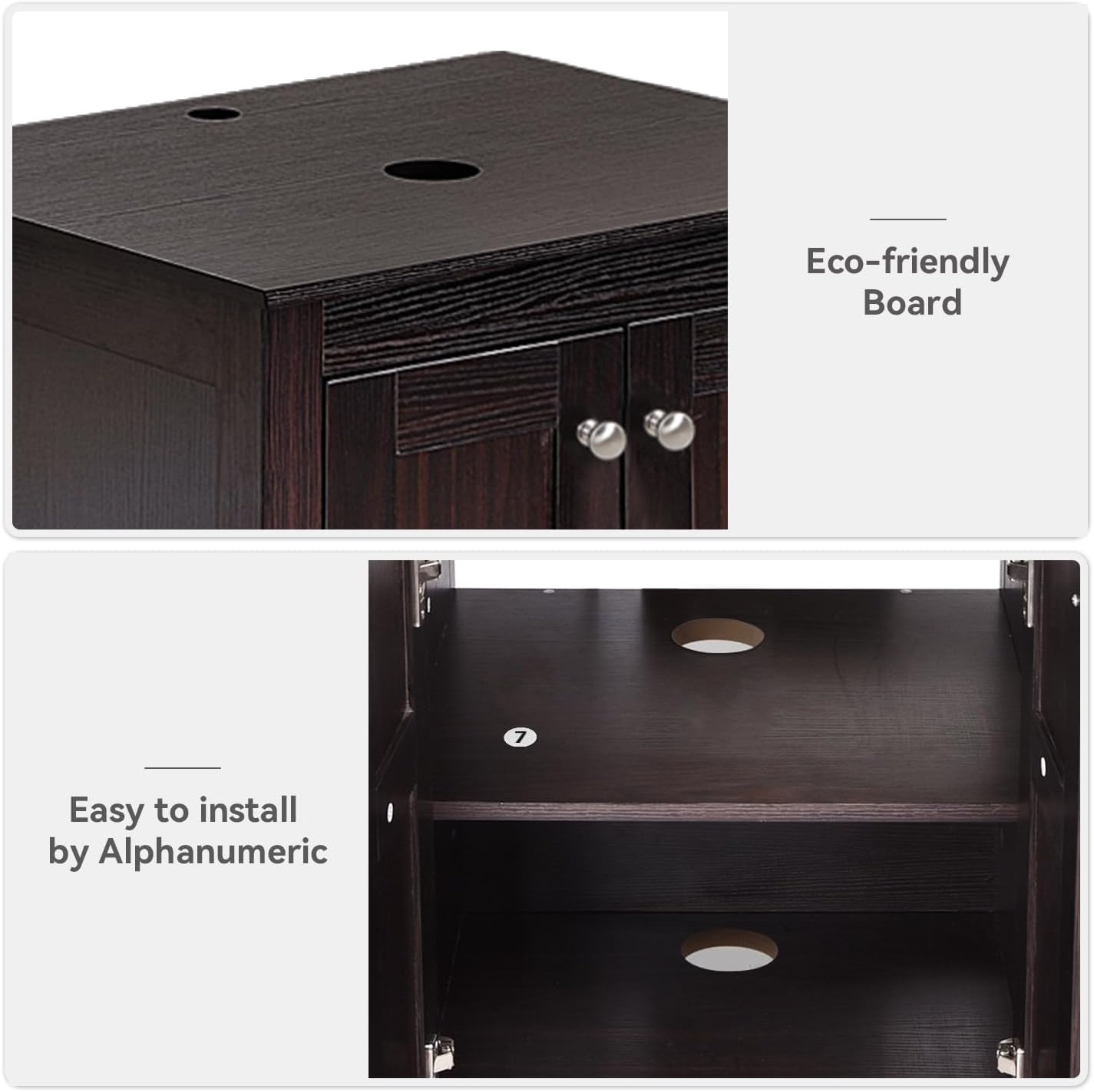
Image: Overall dimensions of the SOLIDEE 24-inch bathroom vanity.
Black Ceramic Sink Dimensions:
- Width: 19.5 inches
- Depth: 15.2 inches
- Height: 5.5 inches
- Bowl Thickness: 0.5 inches
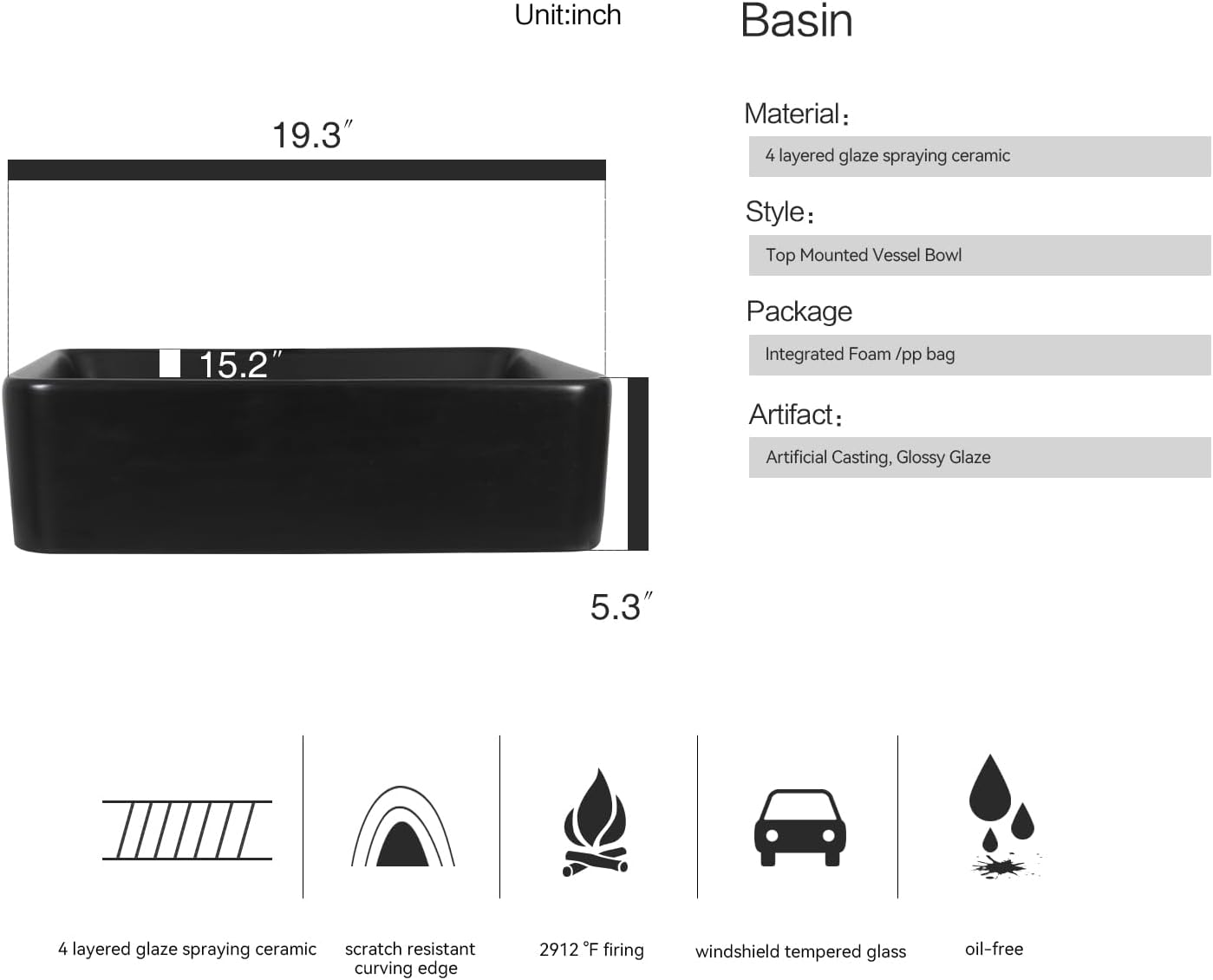
Image: Dimensions and material properties of the black ceramic basin.
Setup and Installation
The SOLIDEE bathroom vanity is designed for easy assembly. Please follow these general steps. A detailed installation guide with a parts list and hardware list is included in your package. Refer to that guide for step-by-step instructions.
- Unpack Components: Carefully remove all items from the packaging. Inspect for any damage or missing parts. Note that the main cabinet and sink may arrive in separate boxes.
- Assemble Cabinet: Follow the alphanumeric labels and diagrams in the provided installation guide to assemble the vanity cabinet structure.
- Install Sink: Secure the black ceramic sink onto the assembled vanity cabinet according to the instructions.
- Install Faucet and Drain: Connect the faucet, pop-up drain, and hot/cold water supply lines to the sink. Ensure all connections are tight to prevent leaks.
- Connect Water Supply: Connect the hot and cold water supply lines to your home's plumbing. Turn on the water supply and check for leaks.
- Secure Vanity: Position the vanity in its desired location. If necessary, secure the vanity to the wall to prevent tipping, using appropriate mounting hardware (not always included, check your specific package).
Maintenance
Regular maintenance will help preserve the appearance and functionality of your SOLIDEE bathroom vanity.
- Cleaning the Cabinet: Wipe the engineered wood cabinet with a soft, damp cloth. Avoid abrasive cleaners or harsh chemicals that could damage the finish.
- Cleaning the Sink: The ceramic sink can be cleaned with mild soap and water. Rinse thoroughly and wipe dry to prevent water spots. Avoid using abrasive pads or strong chemical cleaners.
- Hardware Care: Periodically check and tighten any loose screws on hinges or handles. Clean metal parts with a soft, dry cloth.
- Prevent Water Damage: Wipe up any water spills on the cabinet surfaces immediately to prevent swelling or discoloration of the wood.
Troubleshooting
If you encounter any issues with your vanity, refer to the following common problems and solutions:
| Problem | Possible Cause | Solution |
|---|---|---|
| Water Leakage | Loose connections at faucet, drain, or supply lines. | Check all connections and tighten as necessary. Ensure plumber's tape or sealant was used correctly during installation. |
| Cabinet Doors Misaligned | Hinges need adjustment. | Adjust the screws on the 304 stainless steel hinges to align the doors. Refer to the hinge manufacturer's instructions if available. |
| Slow Drainage | Partial clog in drain or pop-up mechanism. | Remove the pop-up drain and clear any debris. Use a mild drain cleaner if necessary, following product instructions. |
Specifications
- Brand: SOLIDEE
- Model Number: CA-BA079-BW-X+CA-BTS8001-BK-03-A
- Colour: Dark Brown Cabinet, Black Ceramic Sink
- Product Dimensions: 48 x 60.96 x 92.45 cm (19D x 24W x 31.5H inches)
- Material: Engineered Wood (Cabinet), Ceramic (Sink)
- Special Features: Heavy Duty construction
- Item Weight: 28.8 kg
- Mounting Type: Floor Mount
- Style: Classic
- Door Style: Flat Panel
- Included Components: Bathroom Vanity Cabinet, Black Ceramic Sink, Faucet, Pop-up Drain, Hot/Cold Lines, Mounting Hardware
Warranty and Support
For warranty information or technical support, please refer to the documentation included with your purchase or contact SOLIDEE customer service directly. Keep your purchase receipt for warranty claims.