
1. Introduction
The Blackview D1 Smart Glasses are polarized Bluetooth sunglasses designed to integrate audio and voice control features into your eyewear. They offer UV protection and anti-blue light lenses, making them suitable for various outdoor and daily activities. This manual provides instructions for setup, operation, maintenance, and troubleshooting to ensure optimal use of your smart glasses.
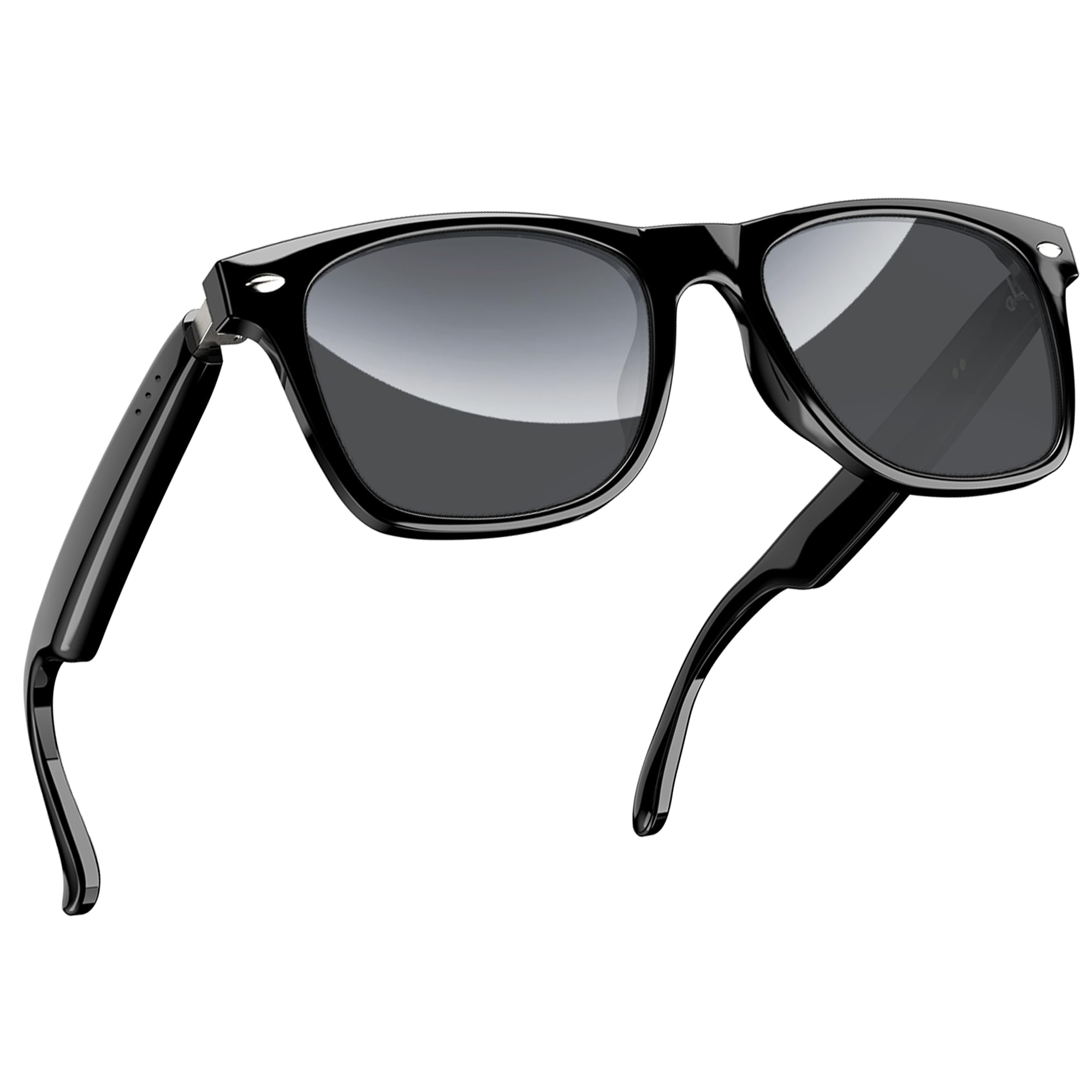
Figure 1: Blackview D1 Smart Glasses, front view.
2. Setup
2.1 Charging the Glasses
Before first use, fully charge the smart glasses for at least 2 hours. The glasses are equipped with an 80mAh+80mAh rechargeable battery. Charging is performed via magnetic connection. A full charge typically takes approximately 90 minutes.

Figure 2: Magnetic charging connection for the smart glasses.
2.2 Bluetooth Pairing
- Ensure the smart glasses are charged.
- Open the case of the smart glasses to power them on. They will automatically enter pairing mode.
- On your smartphone or compatible device, enable Bluetooth and search for available devices.
- Select "Blackview D1" (or similar name) from the list of devices to connect.
- Once paired, the glasses will automatically reconnect to the last paired device when powered on.
The glasses utilize Bluetooth 5.3 technology for stable and low-latency connections. They are compatible with both iOS and Android devices, as well as other Bluetooth-enabled devices like computers and tablets.

Figure 3: Compatibility of Blackview D1 Smart Glasses with various devices.
3. Operating Instructions
3.1 Touch Controls
The Blackview D1 Smart Glasses feature intuitive touch controls located on the temples. The convex touch range indicator helps in locating the touch points easily.
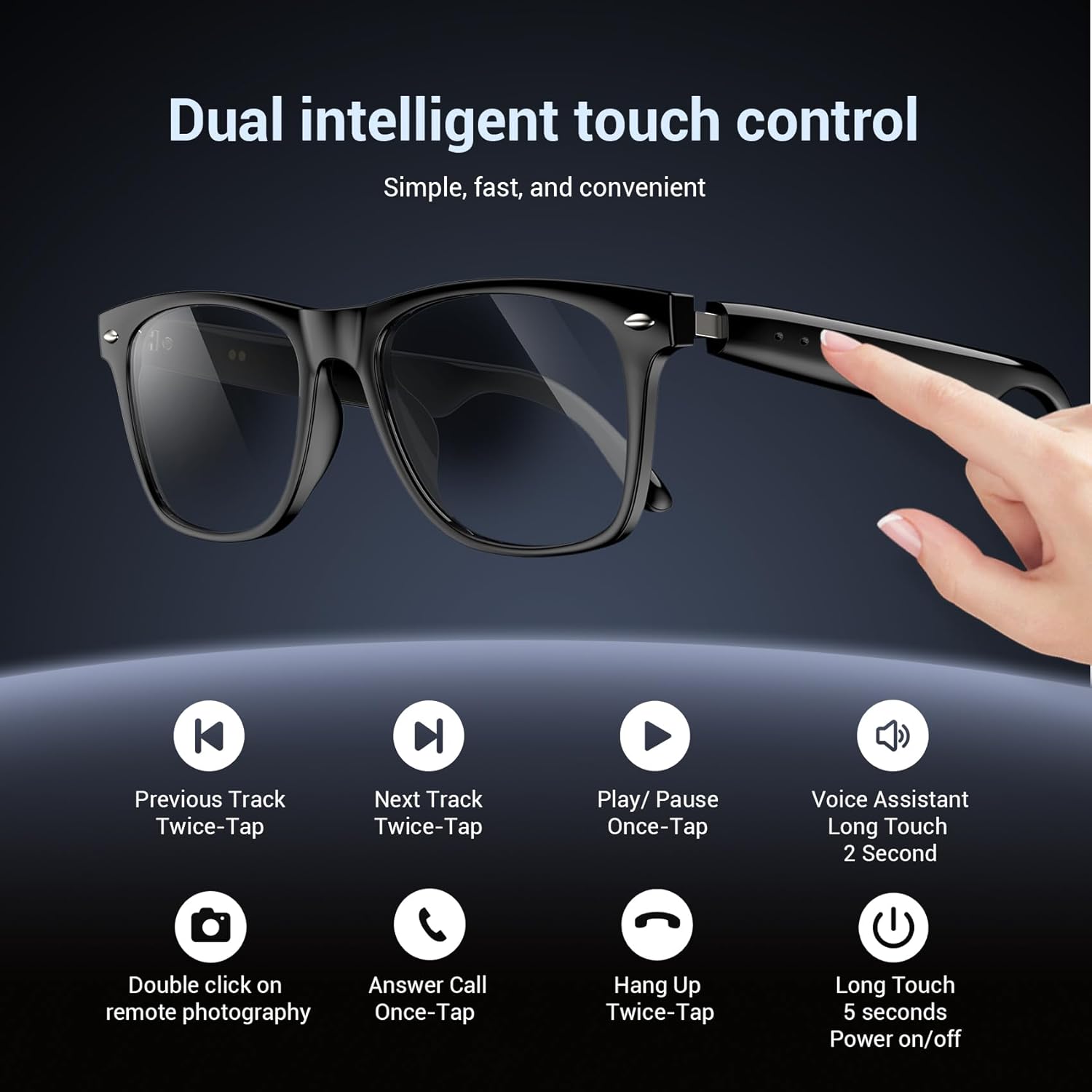
Figure 4: Touch control functions for Blackview D1 Smart Glasses.
- Power On/Off: Long touch for 5 seconds.
- Play/Pause Music: Once-tap.
- Next Track: Twice-tap.
- Previous Track: Twice-tap.
- Answer Call: Once-tap.
- Hang Up Call: Twice-tap.
- Activate Voice Assistant: Long touch for 2 seconds.
- Remote Photography: Double click (if supported by connected device).
3.2 Audio Experience
The open-ear speaker design, combined with a dynamic driver and ultra-sensitive polymer diaphragm, delivers clear audio. The balanced three-channel audio framework emphasizes vocals, allowing for an immersive listening experience while remaining aware of your surroundings.

Figure 5: Open-ear audio feature of the smart glasses.
3.3 Call Clarity
Advanced microphone design and noise reduction technology suppress up to 90% of background noise during calls, ensuring clear communication.
3.4 Voice Assistant
Activate your mobile device's voice assistant by long-touching the control area for 2 seconds. This allows for hands-free commands and queries.

Figure 6: Using the voice assistant feature while wearing the smart glasses.
4. Features Overview
- Bluetooth 5.3: Provides fast, stable, and low-latency wireless connectivity.
- IP65 Waterproof Rating: Protects against sweat and light raindrops, ensuring durability during outdoor activities.
- Battery Life: Approximately 7 hours for calls, 6 hours for music playback, and 160 hours standby time.
- Polarized Lenses: 100% UV400 protection, filtering UVA, UVB, UVC, and harmful blue light.
- Durable Frame: Constructed with high-quality PC material and light steel frame for ergonomic fit and comfort.

Figure 7: Features of the smart glasses, including polarized lenses and IP64 waterproof rating.

Figure 8: Smart glasses with water droplets, illustrating the waterproof design.
5. Maintenance
- Cleaning: Wipe the lenses and frame with a soft, clean cloth. For stubborn smudges, use a lens cleaning solution. Avoid harsh chemicals.
- Water Exposure: While the glasses are IP65 rated for water and dust resistance, avoid submerging them in water. Dry them thoroughly if exposed to rain or sweat.
- Storage: Store the glasses in their protective case when not in use to prevent scratches and damage. Avoid extreme temperatures.
- Charging Port: Keep the magnetic charging contacts clean and dry to ensure efficient charging.
6. Troubleshooting
- Glasses not powering on: Ensure the glasses are fully charged. Connect them to the magnetic charger and check the charging indicator light.
- Unable to pair via Bluetooth:
- Ensure Bluetooth is enabled on your device.
- Make sure the glasses are in pairing mode (usually indicated by a flashing light).
- Forget the device from your phone's Bluetooth settings and try pairing again.
- Ensure the glasses are within the Bluetooth range of your device.
- No audio or poor sound quality:
- Check the volume level on both the glasses and your connected device.
- Ensure the glasses are properly connected via Bluetooth.
- Restart both the glasses and your connected device.
- Touch controls unresponsive:
- Ensure your fingers are clean and dry.
- Restart the glasses.
7. Specifications
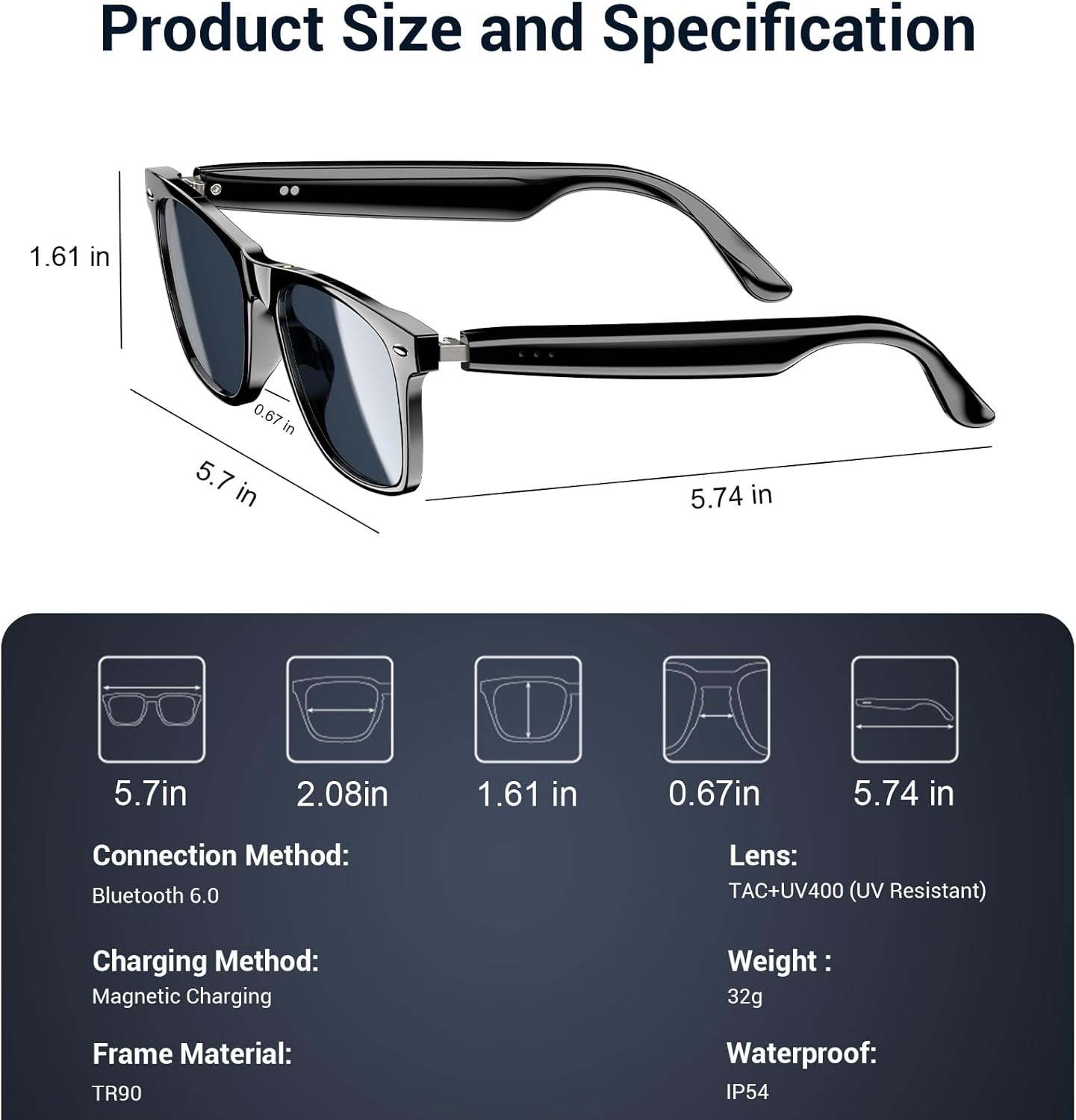
Figure 9: Product size and specification diagram.
| Feature | Specification |
|---|---|
| Model Name | D1 Black |
| Brand | Blackview |
| Connectivity Technology | Bluetooth 5.3 |
| Battery Capacity | 160 mAh (80mAh+80mAh) |
| Battery Charge Time | 90 minutes |
| Music Playback Time | Approx. 6 hours |
| Call Time | Approx. 7 hours |
| Standby Time | Approx. 160 hours |
| Water Resistance Level | IP65 |
| Lens Type | Polarized, UV400 Protection, Anti Blue Light |
| Frame Material | PC & Light Steel |
| Weight | 0.13 Kilograms |
| Human Interface Input | Microphone, Touchscreen |
| Supported Application | Voice Control, Voice Assistant |
8. Warranty and Support
Blackview offers a 2-year warranty for the D1 Smart Glasses. For any product-related questions or support, please contact our customer service. We provide 24/7 product support for your peace of mind.
9. Official Product Video
Video 1: Official product overview of Blackview Polarized Sport Smart Sunglasses. This video demonstrates key features and usage scenarios.


