Introduction
Thank you for choosing the INSMY Wearable Bluetooth Speaker, Model INSMY-CLIP-S. This compact and durable speaker is designed for versatile use, offering clear sound and hands-free convenience. This manual provides essential information for optimal use and care of your device.
What's in the Box
- INSMY Clip-S Small Speaker
- Lanyard
- Power Cable (USB-A to USB-C)
- Quick Start Guide
- Warranty Card
Please ensure all items are present before proceeding with setup.
Key Features
- Multi-Functional Wearable Design: Features a sturdy carabiner clip and attach back for secure attachment to bags, belts, or clothing.
- IP67 Waterproof & Rugged Durability: Designed to withstand rain, spills, or accidental submersion (up to 30 minutes). Dustproof and shock-resistant.
- Ultra-Light & Portable: Weighing just 77g (2.7oz), it's easy to carry in a pocket, bag, or clipped onto gear.
- Crisp Clear Sound & Stereo Pairing: 5W mini Bluetooth speaker with powerful audio. Activate stereo pairing mode to sync two INSMY Clip-S speakers for immersive sound.
- Bluetooth 5.4: Offers a stable connection up to 100ft range and faster pairing.
- ENC Mic for Crystal-Clear Calls: Built-in noise-canceling microphone with ENC technology reduces background noise for clear hands-free calls.
Setup Guide
1. Charging the Speaker
Before first use, fully charge your INSMY Clip-S speaker. Connect the provided USB-C cable to the charging port located at the bottom of the speaker. Plug the other end into a compatible USB power source. The indicator light will show charging status.

Image: Side view of the INSMY Clip-S speaker, highlighting the control buttons and the charging port cover at the bottom.
2. Powering On/Off
- To Power On: Press and hold the central 'O' button for 2 seconds. You will hear an audible confirmation and the indicator light will blink.
- To Power Off: Press and hold the central 'O' button for 2 seconds. You will hear an audible confirmation and the indicator light will turn off.
3. Bluetooth Pairing
- Ensure the speaker is powered on and the indicator light is blinking, indicating it's in pairing mode.
- On your device (smartphone, tablet, etc.), go to Bluetooth settings and enable Bluetooth.
- Select "INSMY Clip-S" from the list of available devices.
- Once connected, you will hear an audible confirmation, and the indicator light will remain solid.
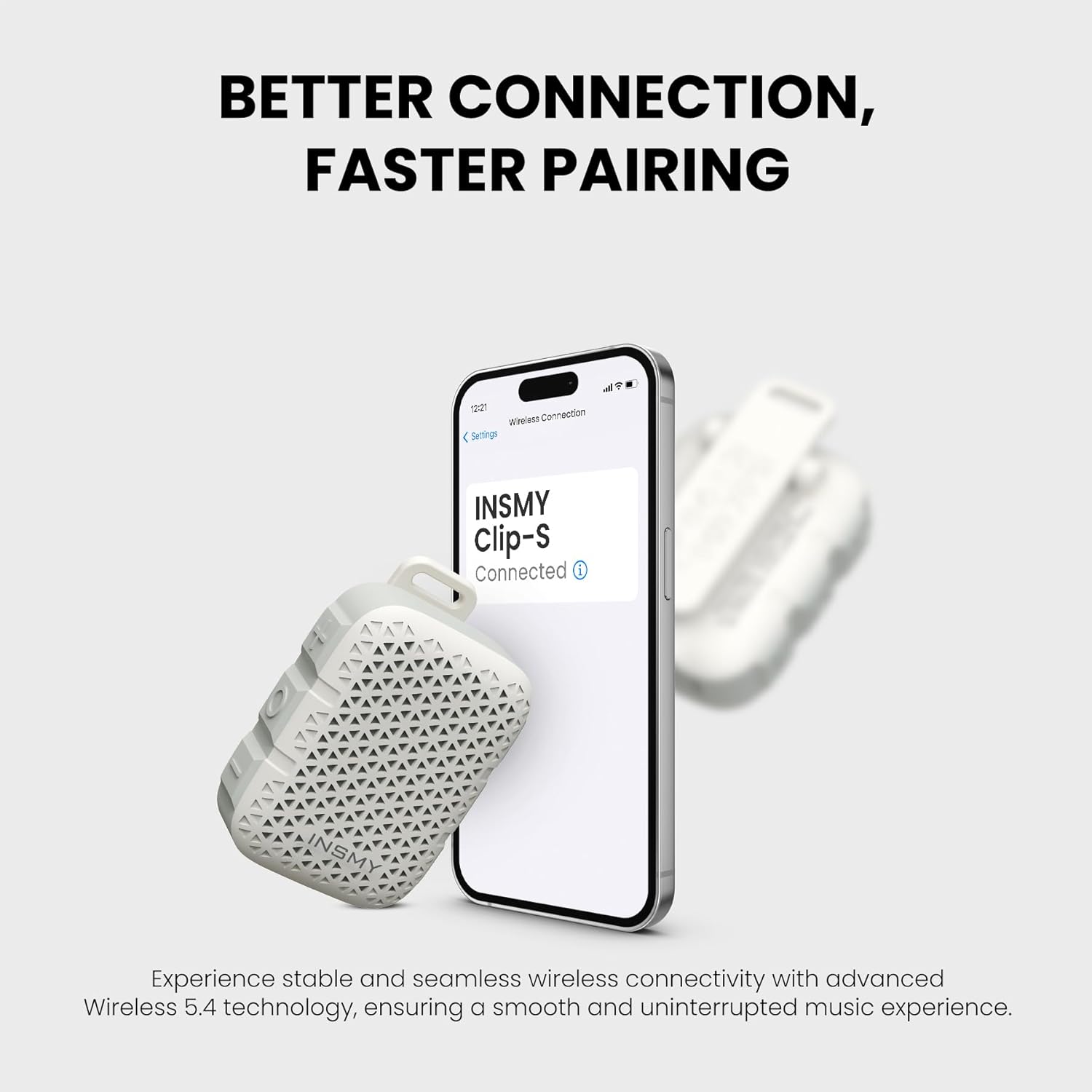
Image: The INSMY Clip-S speaker positioned next to a smartphone displaying its Bluetooth settings, showing "INSMY Clip-S" as a discoverable device.
4. Attaching the Speaker
The INSMY Clip-S offers multiple attachment options for hands-free use:
- Carabiner Clip: Use the integrated sturdy clip to attach the speaker to your belt, pocket, backpack strap, or other gear.
- Lanyard: Thread the included lanyard through the designated loop on the speaker for wearing around your neck or wrist.

Image: A person wearing the INSMY Clip-S speaker clipped to their shirt collar, demonstrating its wearable design.

Image: A close-up of the back of the INSMY Clip-S speaker, clearly showing the durable clip mechanism for secure attachment.
Operating Instructions
1. Music Playback Controls
- Play/Pause: Press the central 'O' button once to play or pause music.
- Volume Up: Press the '+' button to increase volume.
- Volume Down: Press the '-' button to decrease volume.
- Next Track: Press and hold the '+' button for 2 seconds to skip to the next song.
- Previous Track: Press and hold the '-' button for 2 seconds to go to the previous song.

Image: The INSMY Clip-S speaker displaying its large, easy-to-press control buttons for volume adjustment and power/play/pause functions.
2. Answering Calls
With the built-in ENC microphone, you can answer calls hands-free:
- Answer Call: Press the central 'O' button once when a call comes in.
- End Call: Press the central 'O' button once during a call to end it.
- Reject Call: Press and hold the central 'O' button for 2 seconds to reject an incoming call.
3. Stereo Pairing Mode (TWS)
For an enhanced audio experience, you can pair two INSMY Clip-S speakers together:
- Ensure both INSMY Clip-S speakers are powered off.
- Power on both speakers. They will automatically enter pairing mode.
- On one of the speakers (this will be the primary speaker), double-press the 'O' button. The speakers will attempt to connect to each other.
- Once successfully paired, you will hear an audible confirmation. The primary speaker's indicator light will blink, and the secondary speaker's light will be solid.
- Now, connect your device to the primary speaker via Bluetooth as described in the "Bluetooth Pairing" section.
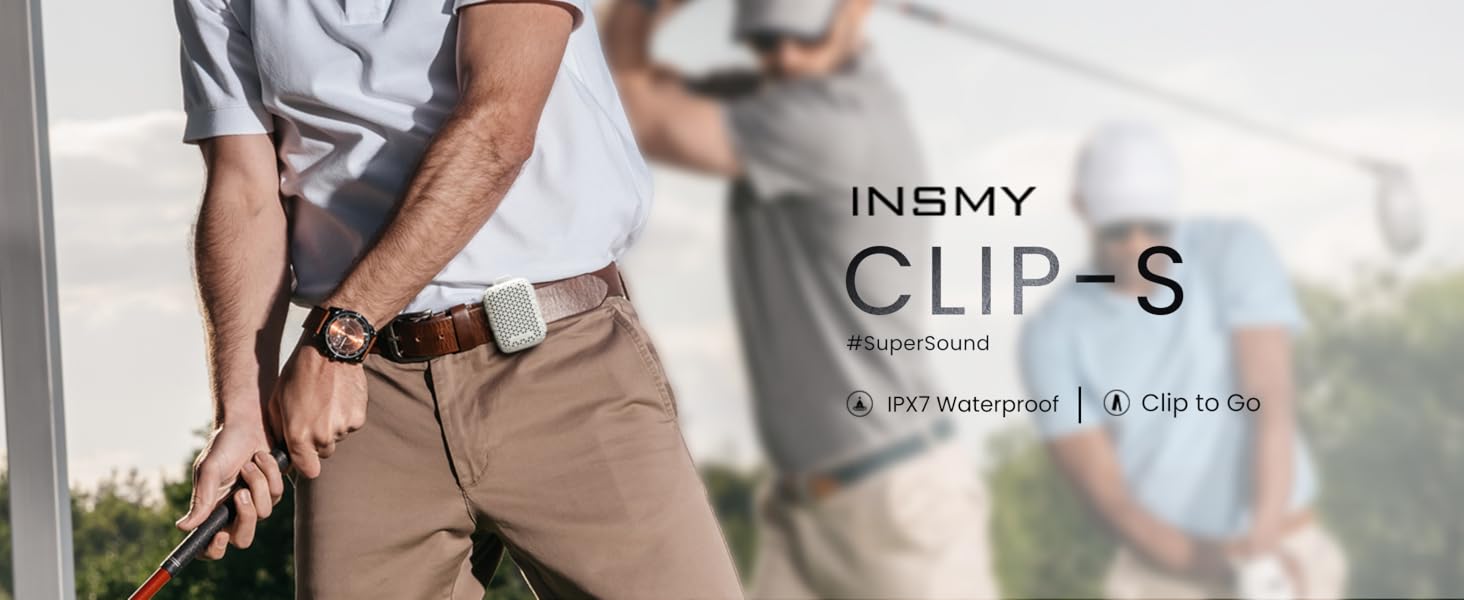
Image: Two INSMY Clip-S speakers shown wirelessly connected, illustrating the stereo pairing feature for immersive sound.
Media Demonstrations
Product Overview and Features
Video: A seller demonstrating the INSMY Clip-On Portable Small Personal Speaker, highlighting its features and ease of use.
Bluetooth Connection and Controls
Video: A seller reviewing the INSMY Wearable Speaker, demonstrating its Bluetooth connection process and control functions.
Care and Maintenance
- Waterproof Care: While IP67 rated, ensure the charging port cover is securely closed before exposing the speaker to water. After exposure to saltwater or chlorinated water, rinse with fresh water and allow to air dry completely.
- Cleaning: Use a soft, damp cloth to clean the speaker. Avoid harsh chemicals or abrasive materials.
- Storage: Store the speaker in a cool, dry place away from direct sunlight and extreme temperatures.
- Battery Life: The actual battery life may vary. For optimal performance, adjust volume and usage as needed.
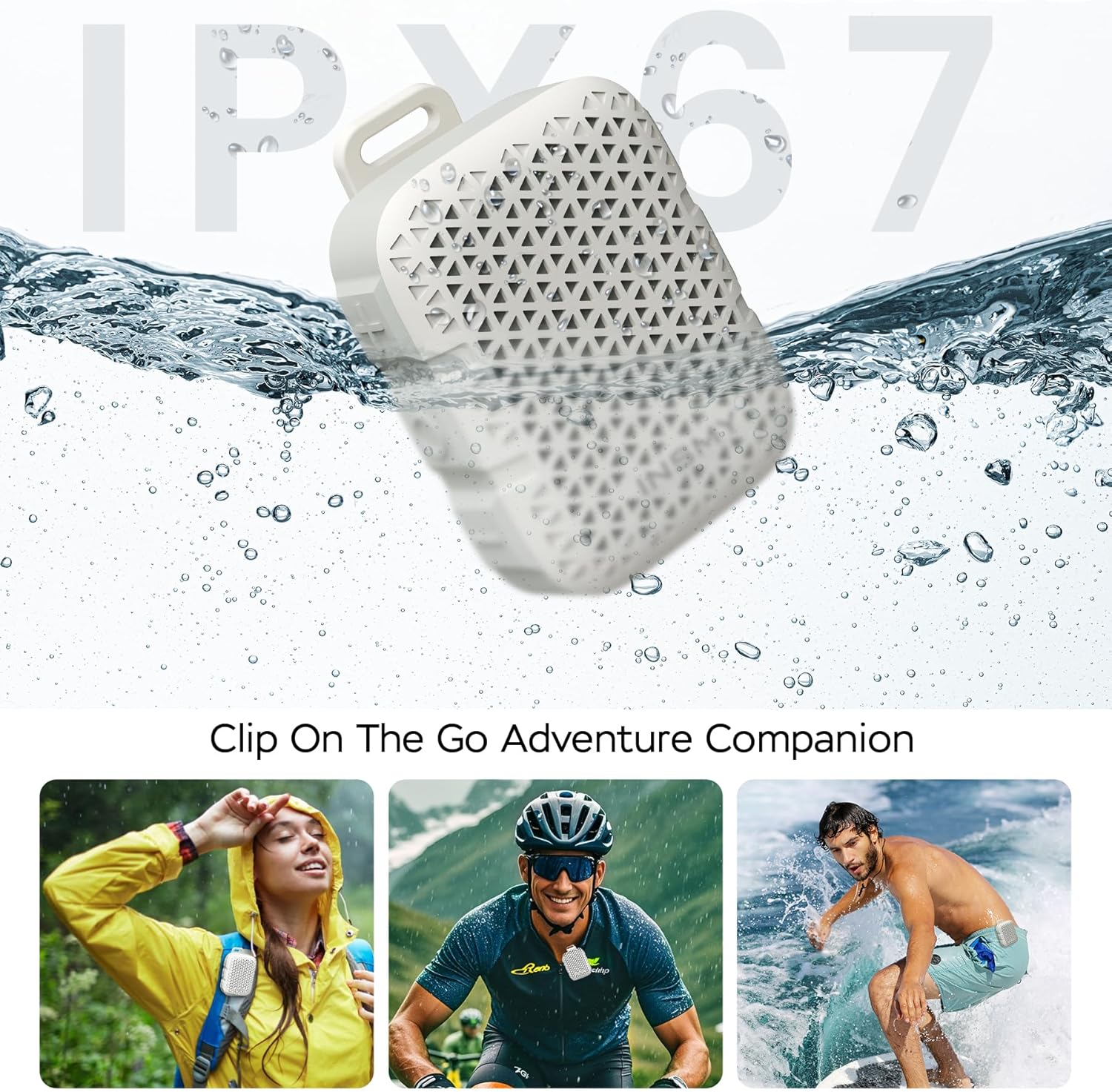
Image: The INSMY Clip-S speaker partially submerged in water, demonstrating its IP67 waterproof capability.
Troubleshooting
- Speaker not powering on: Ensure the battery is charged. Connect to a power source and try again.
- Unable to pair via Bluetooth:
- Ensure the speaker is in pairing mode (blinking indicator light).
- Check that Bluetooth is enabled on your device.
- Move the speaker closer to your device.
- Forget "INSMY Clip-S" from your device's Bluetooth list and try pairing again.
- No sound or low volume:
- Increase the volume on both the speaker and your connected device.
- Ensure the speaker is properly paired to your device.
- Stereo pairing not working: Ensure both speakers are fully charged and powered off before initiating the stereo pairing process. Follow the steps precisely.
Specifications
| Feature | Detail |
|---|---|
| Model Name | INSMY-CLIP-S |
| Speaker Type | Portable Speaker |
| Mounting Type | Clip-On/Bracket Mount |
| Connectivity Technology | Bluetooth 5.4 |
| Wireless Range | Up to 100 Feet |
| Water Resistance Level | IP67 (Waterproof) |
| Speaker Maximum Output Power | 5 Watts |
| Item Weight | 2.7 Ounces (77g) |
| Product Dimensions | 2.81"D x 1.23"W x 1.96"H |
| Audio Output Mode | Stereo (with pairing) |
| Special Features | Bass Boost, Stereo Pairing, Built-in ENC Microphone, Portable, Lightweight, Snap Clip, Waterproof, Dustproof |
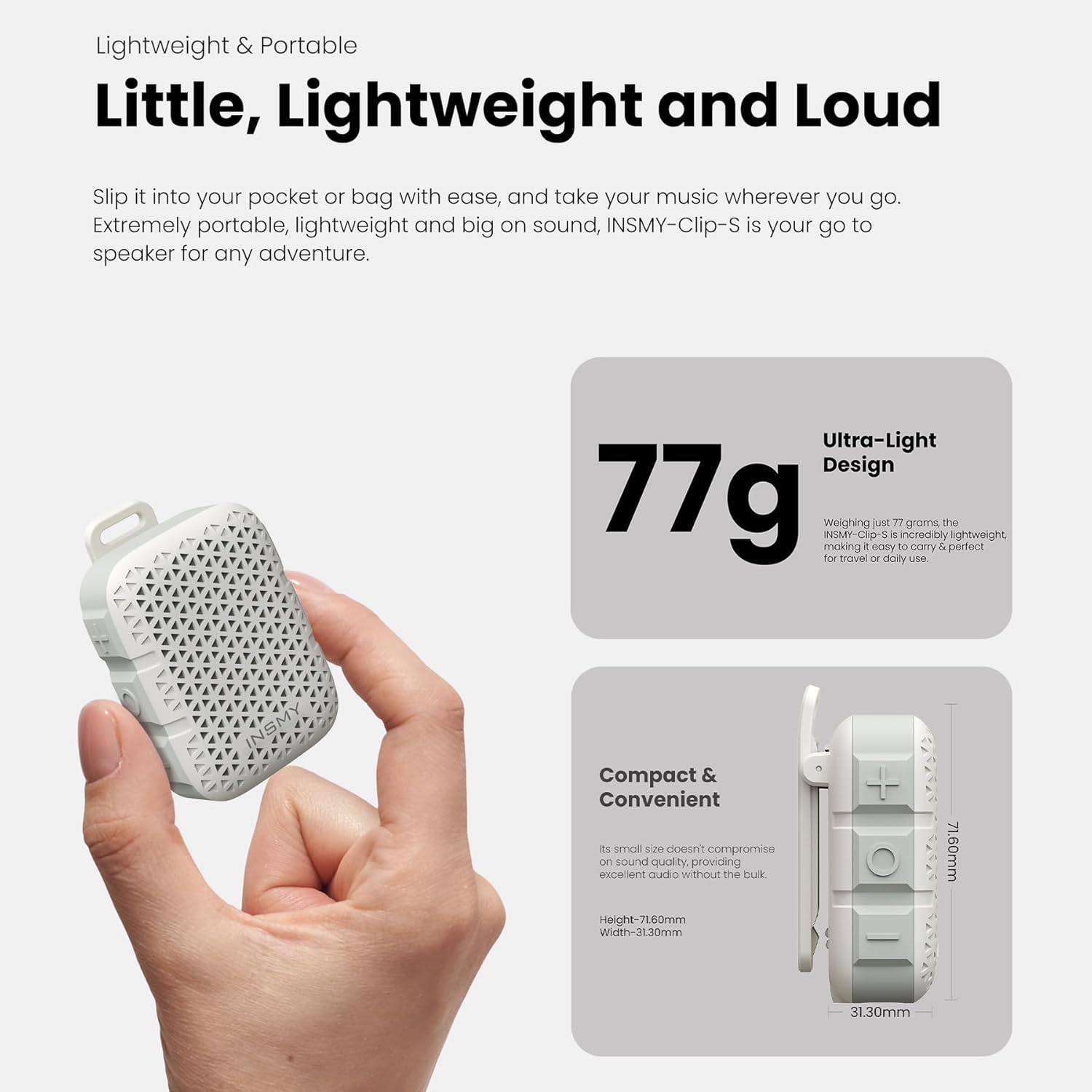
Image: The INSMY Clip-S speaker with its compact dimensions clearly indicated.
Warranty and Support
The INSMY Clip-S speaker comes with a Limited Warranty. Please refer to the included Warranty Card for detailed terms and conditions.
For technical support, troubleshooting assistance, or warranty claims, please contact INSMY customer service through the contact information provided on your Warranty Card or visit the official INSMY website.


