
LIGE EF5-A
LIGE EF5-A Smart Watch User Manual
Model: EF5-A
Introduction
This manual provides detailed instructions for the LIGE EF5-A Smart Watch. Please read it carefully to ensure proper use and optimal performance of your device. This smartwatch is designed to offer a range of features including fitness tracking, communication, and health monitoring.
What's in the Box
- 1 x LIGE EF5-A Smart Watch
- 1 x Stainless Steel Strap
- 1 x Black Silicone Strap
- 1 x Camouflage Silicone Strap
- 1 x Charging Cable
- 1 x Instruction Manual (this document)
Setup
1. Charging the Device
Before first use, fully charge your LIGE EF5-A Smart Watch. Connect the magnetic charging cable to the charging contacts on the back of the watch and plug the USB end into a power adapter (not included) or a computer USB port. A full charge typically takes approximately 3 hours.

Image: The smartwatch displaying its charging status and battery capacity of 530mAh.
2. App Download and Installation
To unlock the full functionality of your smartwatch, download the FitCloudPro application on your smartphone. The app is compatible with Android 4.4+ and iOS 8.0+ devices.
- Scan the QR code below using your phone's camera or a QR code scanner app.
- Alternatively, search for "FitCloudPro" in the Apple App Store or Google Play Store.
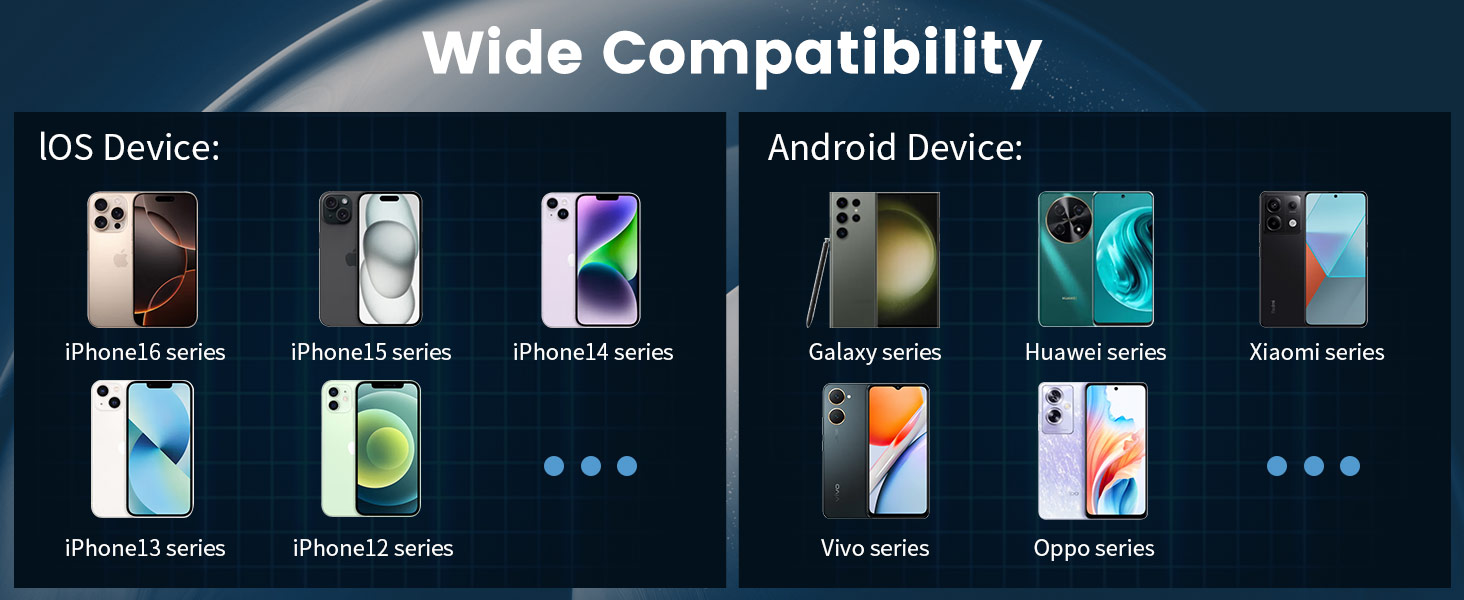
Image: Connection method diagram with QR code for FitCloudPro app. The QR code links to http://fitcloud.hetangsmart.com/qrcode/_cn/.
3. Device Pairing
Follow these steps to pair your smartwatch with the FitCloudPro app:
- Ensure Bluetooth is enabled on your smartphone.
- Open the FitCloudPro app.
- Navigate to the "Device" section and select "Add Device."
- The app will search for nearby devices. Select "EF5" from the list.
- A pairing request will appear on your phone. Confirm by selecting "Pair."
- After successful connection, you can enable or disable "Call audio" and "Media audio" from the watch settings or phone's Bluetooth settings.
Operating Instructions
Basic Navigation
The LIGE EF5-A Smart Watch features a 1.43-inch AMOLED HD touchscreen for intuitive interaction. Swipe across the screen to access different functions and menus. Physical buttons on the side provide additional control, such as power on/off and quick access to certain features.

Image: The smartwatch's 1.43-inch AMOLED HD display with 466x466 resolution, offering a clear view and always-on screen option.
Bluetooth Calling and Notifications
Once paired with your smartphone, the watch allows you to make and receive calls directly from your wrist using its built-in microphone and speaker. You will also receive smart notifications for messages, emails, and app alerts (e.g., WhatsApp, Facebook, Instagram) via discreet vibrations.

Image: The smartwatch showing an incoming call interface and various app notification icons.
Flashlight Function
The smartwatch includes a built-in LED flashlight. This feature can be activated for convenience in low-light conditions, such as unlocking a door at night or navigating in the dark.

Image: The smartwatch's integrated flashlight illuminating a path in the dark.
Customizable Watch Faces
Personalize your smartwatch with over 200 available watch faces through the FitCloudPro app. You can also upload your own photos to create custom dials.

Image: A selection of customizable watch faces and other features like stopwatch, remote photography, music control, and weather forecast.
Additional Features
- Music Control: Control music playback on your connected smartphone.
- Weather Forecast: View current weather conditions and forecasts.
- Voice Assistant: Interact with your phone's voice assistant.
- Remote Photography: Use your watch as a remote shutter for your phone's camera.
- Find Phone: Locate your misplaced smartphone.
- Sedentary Reminder: Receive alerts to encourage movement after periods of inactivity.
- Drink Water Reminder: Get reminders to stay hydrated.
- Always On Display: Keep the time visible without needing to activate the screen.
Health Monitoring
The LIGE EF5-A Smart Watch provides continuous health monitoring features to help you stay informed about your well-being. These features are for informational purposes and should not be used for medical diagnosis.
Heart Rate Monitor
The watch continuously tracks your heart rate throughout the day, providing data on your resting and active heart rate zones. View trends and detailed reports in the FitCloudPro app.
Sleep Monitor
Monitor your sleep patterns, including deep sleep, light sleep, and awake times. The app provides insights into your sleep quality to help you improve your rest.
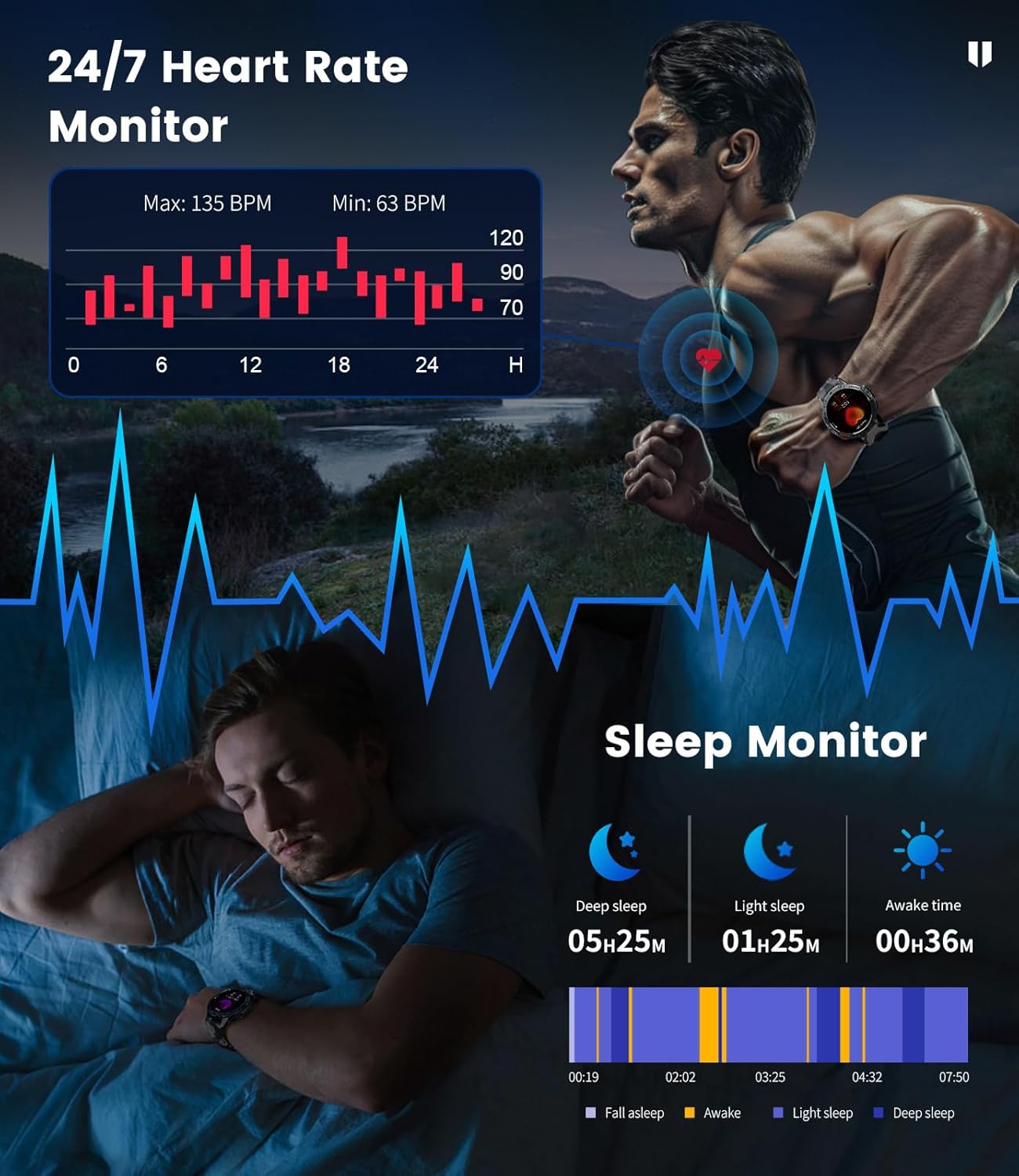
Image: The smartwatch showing heart rate monitoring data and a breakdown of sleep stages.
Blood Oxygen and Stress Levels
The watch can track blood oxygen saturation (SpO2) and estimate daily stress levels, offering a broader view of your physiological state.
Sport Modes
With over 100 built-in professional sport modes, the LIGE EF5-A Smart Watch is designed to track a wide range of physical activities. It accurately records metrics such as calorie consumption, heart rate, distance, and exercise duration for each activity, helping you optimize your training.

Image: The smartwatch showing activity tracking data for distance, calories, and steps during a sport mode.
Durability and Water Resistance
The LIGE EF5-A Smart Watch is built to military standards (MIL-STD-810G), ensuring robust performance in challenging environments. It features shock resistance and is IP68 waterproof, making it suitable for various outdoor activities and daily wear.

Image: Visual representation of the smartwatch's military-grade durability, including water resistance and shock protection.
The IP68 rating means the watch is resistant to dust and can withstand immersion in water up to 1.5 meters for 30 minutes. It is suitable for swimming, showering, and handwashing, but avoid hot water or saltwater exposure.
Battery Life
Equipped with a 530mAh battery, the LIGE EF5-A Smart Watch offers extended usage. Expect up to 10-14 days of working time on a single charge and approximately 45 days in standby mode, depending on usage patterns.
Image: The smartwatch displaying its charging status and battery capacity of 530mAh.
Specifications
| Feature | Specification |
|---|---|
| Brand | LIGE |
| Model Number | EF5-A |
| Screen Size | 1.43 Inches |
| Display Type | AMOLED HD |
| Resolution | 466x466 |
| Battery Capacity | 530 mAh |
| Working Time | Up to 10-14 Days |
| Standby Time | Up to 45 Days |
| Water Resistance | IP68 (5ATM) |
| Military Standard | MIL-STD-810G |
| Connectivity | Bluetooth |
| Operating System | FitCloudPro App (Android 4.4+, iOS 8.0+) |
| Memory Storage Capacity | 256 MB |
| Item Weight | 180 Grams (6.3 ounces) |
| Package Dimensions | 8.11 x 3.82 x 0.94 inches |
Maintenance
To ensure the longevity and optimal performance of your LIGE EF5-A Smart Watch, follow these maintenance guidelines:
- Cleaning: Regularly wipe the watch screen and straps with a soft, dry cloth. For stubborn dirt, a slightly damp cloth can be used. Avoid harsh chemicals or abrasive materials.
- Water Exposure: While IP68 waterproof, avoid prolonged exposure to hot water (e.g., hot showers, saunas) or saltwater, as this can degrade seals over time. Rinse with fresh water and dry thoroughly if exposed to chlorinated water.
- Temperature: Do not expose the watch to extreme temperatures (very hot or very cold) for extended periods, as this can affect battery life and internal components.
- Charging: Use only the provided charging cable. Ensure the charging contacts are clean and dry before charging.
- Storage: When not in use for an extended period, store the watch in a cool, dry place.
Troubleshooting
If you encounter issues with your LIGE EF5-A Smart Watch, refer to the following common solutions:
| Problem | Solution |
|---|---|
| Watch does not turn on | Ensure the watch is fully charged. Press and hold the power button for several seconds. |
| Cannot pair with phone | 1. Ensure Bluetooth is enabled on your phone and the watch is within range. 2. Restart both the watch and your phone. 3. Make sure the FitCloudPro app is installed and open. 4. Forget the device in your phone's Bluetooth settings and try pairing again. |
| Notifications not received | 1. Check if notifications are enabled in the FitCloudPro app settings. 2. Ensure the app has necessary permissions on your phone (e.g., notification access). 3. Verify that the watch is successfully connected via Bluetooth. |
| Inaccurate health data | 1. Ensure the watch is worn snugly on your wrist, not too tight or too loose. 2. Clean the sensor on the back of the watch. 3. Note that environmental factors and individual physiology can affect readings. This device is not a medical instrument. |
| Short battery life | 1. Reduce screen brightness. 2. Limit the use of power-intensive features like continuous heart rate monitoring or frequent calls. 3. Ensure the watch is fully charged. |
Warranty and Support
For warranty information and customer support, please refer to the documentation included with your purchase or contact LIGE customer service through their official channels. Keep your proof of purchase for warranty claims.
Related documentsEF5-A


Ask a question about this manual
Ask about setup, troubleshooting, compatibility, parts, safety, or missing instructions. Manuals+ will review the question and use this page’s manual context to help answer it.