
Introduction
This manual provides instructions for the proper installation, maintenance, and care of your Blueair Replacement Wick Filter, model 113807. This filter is specifically designed for use with Blueair H38i and H76i humidifiers to ensure optimal performance and clean humidification.
Product Overview
The Blueair Replacement Wick Filter is an essential component for your humidifier, designed to trap impurities and minerals from water before releasing clean, humidified air into your environment. It features an antimicrobial coating to inhibit bacterial growth and extend its lifespan.

Image: The Blueair Replacement Wick Filter shown alongside two compatible Blueair humidifiers, illustrating its genuine design for optimal performance.
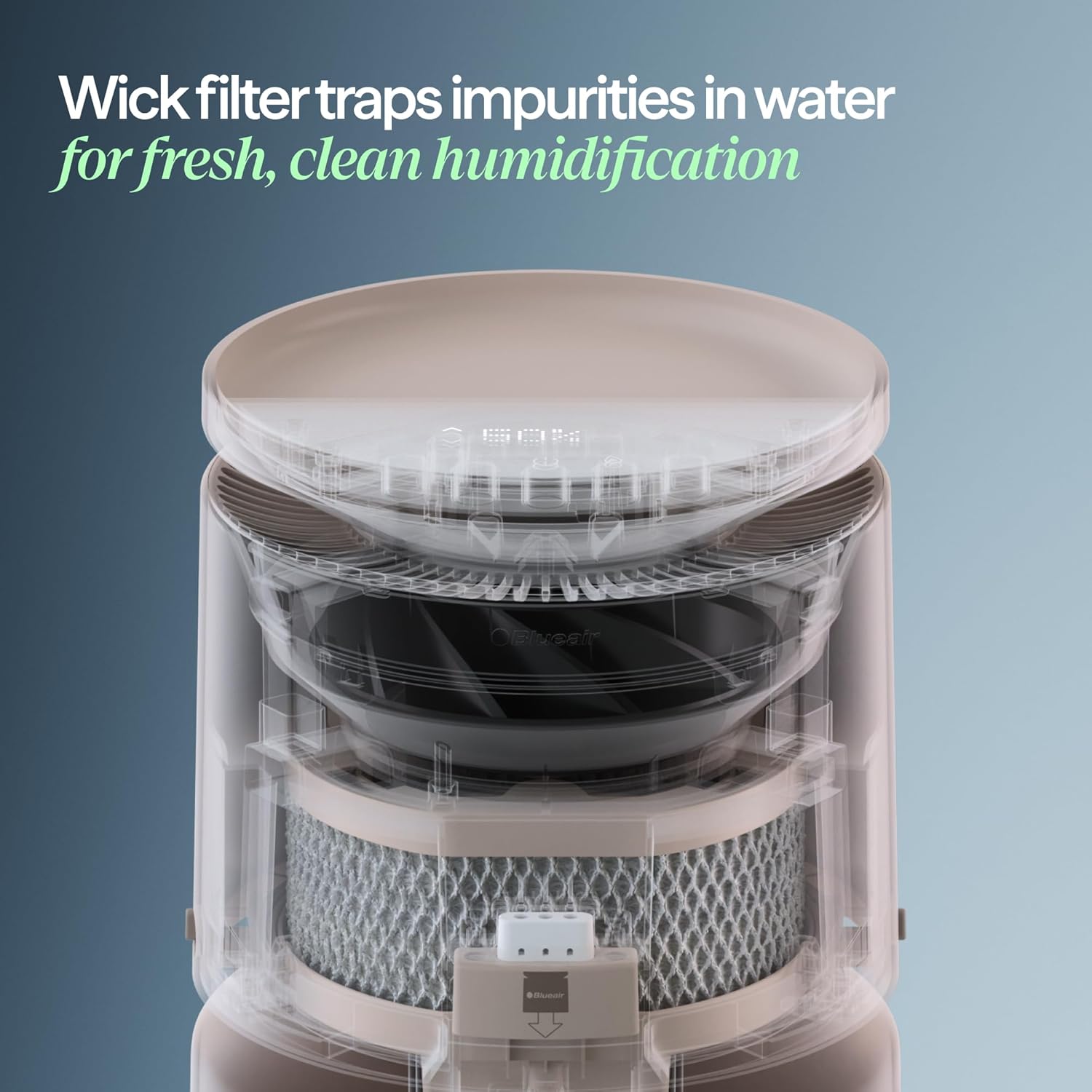
Image: A cross-section view of the humidifier highlighting the wick filter's role in trapping impurities from water, ensuring fresh and clean humidification.
Setup and Installation
Follow these steps to replace the wick filter in your Blueair H38i or H76i humidifier. No special tools are required for this process.
- Power Off: Ensure your humidifier is unplugged and turned off before beginning the filter replacement.
- Remove Humidifier Top: Carefully lift and remove the top cover of your humidifier.
- Access Filter Cover: Locate the filter cover and release its snaps. Remove the filter cover.
- Remove Old Filter: Gently pull the wick filter tabs to remove the used filter from its frame. Dispose of the old filter responsibly.
- Install New Filter: Place the new Blueair Replacement Wick Filter onto the frame. Ensure it is properly seated and aligned.
- Secure Filter Cover: Align the filter cover snaps and secure it back into place. Listen for a "click" to confirm it is properly fastened.
- Replace Humidifier Top: Place the humidifier's top cover back on.
- Power On: Plug in and power on your humidifier.

Image: Hands demonstrating the simple process of installing a new wick filter into the humidifier, highlighting the drop-in replacement design.
Video: This video demonstrates the step-by-step process of replacing the wick filter in a Blueair DreamWell Humidifier, showing how to remove the old filter and install a new one.
Operating Principles
The wick filter functions by absorbing water from the humidifier's reservoir. As air passes through the moistened wick, water evaporates, adding humidity to the air. The filter's material is designed to capture waterborne minerals and contaminants, ensuring that only clean, pure moisture is released into your room. The integrated antimicrobial coating helps maintain hygiene by inhibiting the growth of bacteria within the filter.
Maintenance
Regular maintenance of your wick filter is crucial for optimal humidifier performance and air quality.
- Replacement Schedule: It is recommended to replace the wick filter every 6 months, based on approximately 10 hours of daily use. Actual replacement frequency may vary depending on local water quality and usage habits.
- Antimicrobial Protection: The filter includes a built-in antimicrobial coating to help inhibit bacterial growth and extend the filter's effective life.
- Washable Design: The filter features a machine washable design, which can extend its lifetime up to 1 year. Refer to your humidifier's main manual for specific washing instructions.

Image: A person placing the wick filter into a washing machine, illustrating its machine washable design for extended use.
Troubleshooting
If you experience reduced humidification or notice unusual odors, your wick filter may need attention.
- Reduced Humidification: If your humidifier is producing less moisture than usual, the wick filter may be saturated with minerals or nearing the end of its lifespan. Inspect the filter for discoloration or hardening.
- Unusual Odors: A persistent musty or unpleasant odor from the humidifier can indicate bacterial growth on the filter. Ensure regular cleaning and timely replacement.
- Filter Change Alert: Your Blueair humidifier is equipped with an alert system to indicate when it's time to change the filter. Pay attention to these indicators.

Image: The humidifier's control panel displaying an alert, indicating that it is time to change the filter for continued optimal performance.
Specifications
| Brand | BLUEAIR |
| Model Number | 113807 |
| Filter Type | Wick |
| Item Dimensions (D x W x H) | 0.5"D x 2.8"W x 6.9"H |
| Item Weight | 0.1 Pounds |
| Material | Plastic |
| Included Components | Replacement Wick Filter |
| UPC | 689122032702 |
| GTIN | 00689122032702 |
Warranty Information
The Blueair Replacement Wick Filter comes with a 1-year filter lifetime warranty. This warranty covers manufacturing defects and ensures the filter performs as expected under normal use conditions for up to one year from the date of purchase. Please retain your proof of purchase for warranty claims.
Support
For further assistance, technical support, or to inquire about other Blueair products, please visit the official Blueair website or contact their customer service department. Contact information can typically be found on the Blueair packaging or their official website.
You can also visit the Blueair Store on Amazon for more product information and support resources.