
1. Introduction
Thank you for choosing the BOBLOV KJ26 2K Body Camera. This device is designed for reliable audio and video recording in various professional and outdoor environments. It features 2K resolution, night vision capabilities, dual 2000mAh batteries for extended recording, and a convenient charging base. This manual provides essential information for proper setup, operation, and maintenance of your body camera.
2. What's in the Box
- KJ26 Body Camera
- 360° Rotatable Clips (Long & Short)
- Two Rechargeable 2000mAh Batteries
- Charging Dock
- USB-C Cable
- User Manual

Image: Contents of the BOBLOV KJ26 package, including the camera, two clips, two batteries, charging dock, USB-C cable, and user manual.
3. Product Overview
The BOBLOV KJ26 is a compact and robust body camera designed for various applications requiring reliable video and audio evidence. Key features include:
- Dual 2000mAh Batteries: Provides up to 8 hours of 1080P recording per battery, allowing for extended operational periods with easy swapping.
- Convenient Dock Charging: Simplifies charging by allowing the camera and a spare battery to be placed directly onto the included charging base.
- 2K Audio & Video Recording: Captures clear footage and sound at 2K resolution, suitable for detailed documentation.
- Clear Night Vision: Integrated infrared LEDs automatically activate in low-light conditions, ensuring visibility in darkness.
- Expandable Storage: Utilizes an external memory card, allowing for easy replacement and extended recording capacity.
- 360° Rotatable Clips: Includes both long and short clips for flexible and secure attachment to uniforms or gear.

Image: A police officer wearing the compact BOBLOV KJ26 body camera on their uniform, highlighting its wearable design.

Image: The BOBLOV KJ26 body camera shown with one of its two 2000mAh batteries removed, next to the charging base, illustrating its dual-battery system for extended power.

Image: The BOBLOV KJ26 body camera on a table in an office environment, with several memory cards nearby, emphasizing its support for storage expansion.
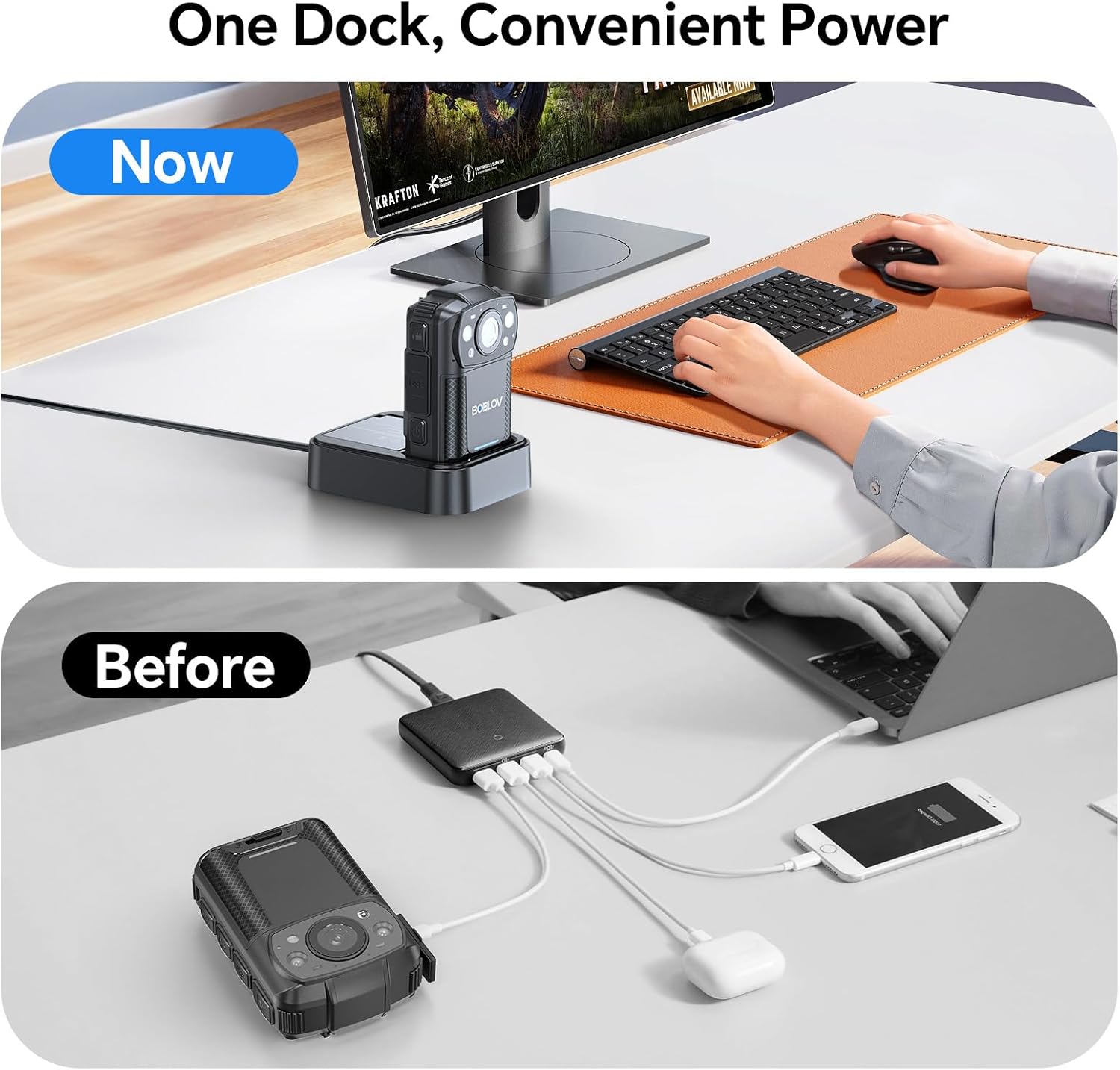
Image: A visual comparison showing the BOBLOV KJ26 body camera conveniently charging in its dedicated dock, contrasted with a cluttered setup of multiple cables, highlighting the ease of dock charging.

Image: The BOBLOV KJ26 body camera showing a clear, grayscale night vision view of a room, demonstrating its reliable surveillance capabilities in darkness.

Image: A delivery person wearing the BOBLOV KJ26 body camera, illustrating its use for capturing high-definition footage in professional settings.
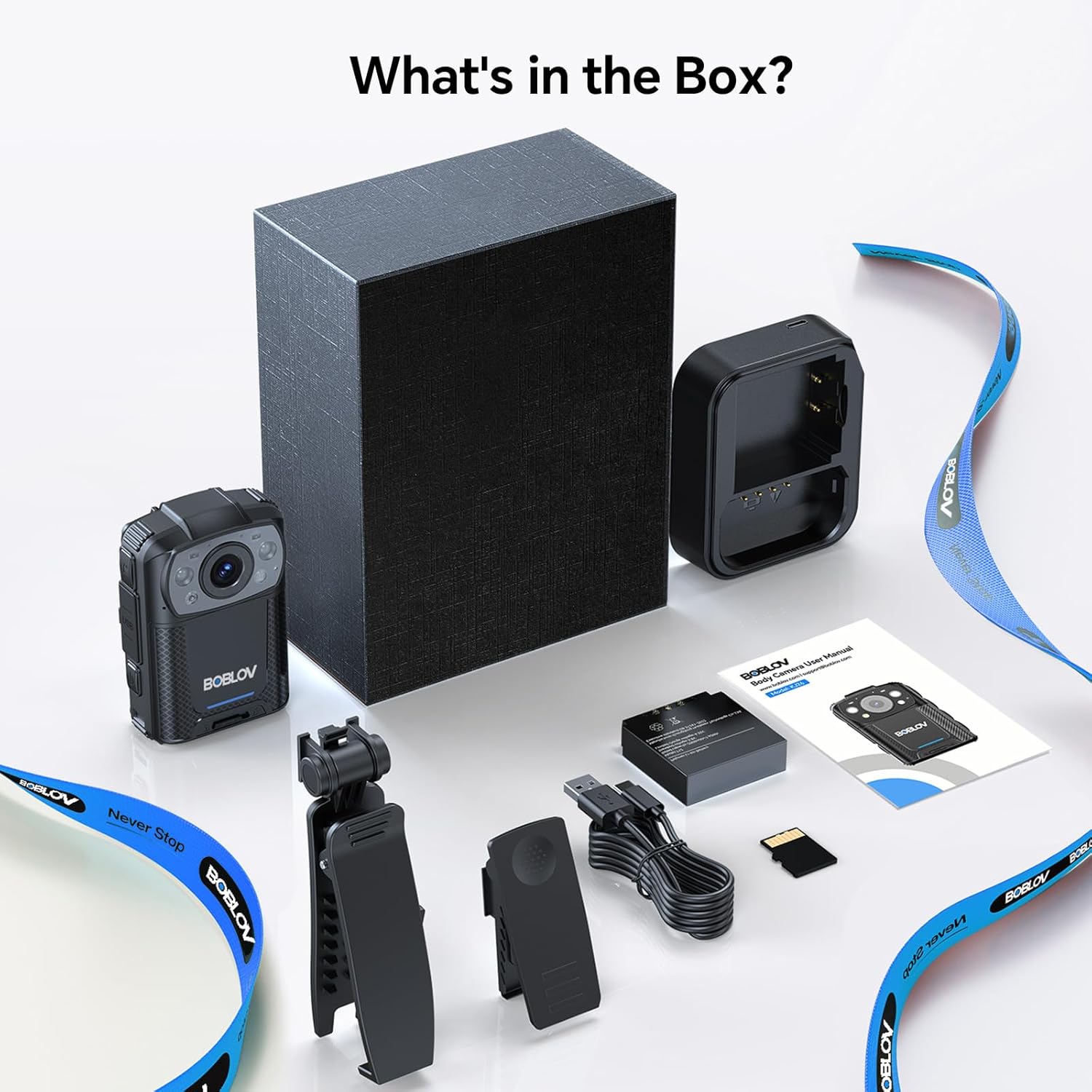
Image: The BOBLOV KJ26 body camera mounted on a car dashboard, showcasing its versatility for in-vehicle recording and surveillance.
4. Setup
4.1. Charging the Battery
Before first use, fully charge both batteries. Insert one battery into the camera and the other into the designated slot on the charging dock. Connect the USB-C cable to the charging dock and a power adapter. The indicator lights will show charging status.
4.2. Inserting/Replacing Memory Card
The camera uses an external Micro SD card for storage. Locate the memory card slot on the side of the camera, gently insert the card until it clicks into place. To remove, press the card inward until it springs out. Ensure the camera is powered off before inserting or removing the memory card.
4.3. Attaching Rotatable Clips
Select either the long or short rotatable clip based on your preference. Attach the clip to the back of the camera by sliding it into the designated groove until it locks securely. The 360° rotation allows for flexible positioning on uniforms or gear.
Video: An unboxing and setup guide for the BOBLOV KJ26 body camera, demonstrating how to prepare the device for first use, including battery installation and clip attachment.
5. Operating Instructions
5.1. Power On/Off
Press and hold the Power button for a few seconds to turn the camera on or off. The screen will display the BOBLOV logo upon startup.
5.2. Video Recording
From standby mode, press the Video Record button once to start recording. Press it again to stop recording. A red indicator light will flash during video recording.
5.3. Photo Capture
From standby mode, press the Photo button once to take a still picture. A single red flash indicates a picture has been taken.
5.4. Audio Recording
From standby mode, press the Audio Record button once to start audio-only recording. Press it again to stop. A yellow indicator light will flash during audio recording.
5.5. Night Vision Activation
The KJ26 features automatic infrared night vision. In low-light conditions, the camera will automatically activate its IR LEDs to provide clear black and white footage.
5.6. Car Dash Cam Mode
The camera supports a Car Dash Cam Mode. When enabled and connected to a car's power source, the camera can automatically start recording when the vehicle is on and stop when it's off. This feature allows for continuous recording while driving.
5.7. Motion Detection
The BOBLOV KJ26 includes a motion detection feature. When activated, the camera will only begin recording when motion is detected within its field of view, conserving battery life and storage space.
6. Maintenance
- Keep the camera lens clean using a soft, lint-free cloth.
- Avoid exposing the camera to extreme temperatures or direct sunlight for prolonged periods.
- Store the camera and accessories in a dry, cool place when not in use.
- Regularly back up your recorded data to prevent loss.
- Ensure the battery contacts are clean for optimal charging.
7. Troubleshooting
7.1. Camera Not Powering On
- Ensure the battery is fully charged.
- Check if the battery is correctly inserted.
- Try using the spare battery.
7.2. Recording Issues
- Verify that the memory card is inserted correctly and has sufficient free space.
- Ensure the battery has enough charge for recording.
- Check the camera settings for recording resolution and other parameters.
7.3. Charging Problems
- Ensure the USB-C cable and power adapter are functioning correctly.
- Check if the camera and battery are properly seated in the charging dock.
- Clean the charging contacts on both the camera/battery and the dock.
8. Specifications
| Brand | BOBLOV |
| Model Number | KJ26 |
| Video Capture Resolution | 2K |
| Video Resolution | 2K |
| Effective Video Resolution | 2560 Pixels |
| Photo Sensor Technology | CMOS |
| Flash Memory Type | SD |
| Flash Memory Installed Size | 128 GB |
| Battery Average Life | 8 Hours (per battery) |
| Features | Night Vision |
| Water Resistance Level | Not Water Resistant |
| Screen Size | 2 Inches |
| Connectivity Technology | USB |
9. Warranty and Support
The BOBLOV KJ26 Body Camera comes with a 2-year warranty. For technical support, troubleshooting assistance, or warranty claims, please contact BOBLOV customer service through their official website or the retailer where the product was purchased. Please retain your proof of purchase for warranty validation.


