
1. Introduction
Thank you for choosing the JONR ED12 Lite Wet/Dry Vacuum Cleaner. This innovative 3-in-1 device is designed to simplify your cleaning routine by vacuuming, mopping, and drying your floors simultaneously. Its powerful suction, anti-tangle brush, and lightweight design make it ideal for various floor types and household needs. Please read this manual thoroughly before use to ensure safe and optimal performance.

Image: The JONR ED12 Lite offers superior wet and dry cleaning compared to traditional vacuum cleaners and robot cleaners, which often only handle dry debris or spread wet messes.
2. Safety Information
Always follow basic safety precautions when using electrical appliances to reduce the risk of fire, electric shock, or injury.
- Read all instructions before using the appliance.
- Do not immerse the appliance in water or other liquids.
- Keep hair, loose clothing, fingers, and all parts of the body away from openings and moving parts.
- Use only as described in this manual. Use only manufacturer's recommended attachments.
- Do not use with a damaged cord or plug. If the appliance is not working as it should, has been dropped, damaged, left outdoors, or dropped into water, return it to a service center.
- Do not handle the plug or appliance with wet hands.
- Exercise extreme caution when cleaning on stairs.
- Do not use to pick up flammable or combustible liquids, such as gasoline, or use in areas where they may be present.
- Do not pick up anything that is burning or smoking, such as cigarettes, matches, or hot ashes.
- Unplug from outlet when not in use and before cleaning or servicing.
3. Package Contents
Verify that all components are present in the package:
- Main Unit (JONR ED12 Lite)
- Handle Assembly
- Charging Dock
- Power Adapter
- Brush Roller (pre-installed)
- HEPA Filter (pre-installed)
- Cleaning Tool
- User Manual

Image: The JONR ED12 Lite and its included accessories, such as the handle, brush, and adapter.
4. Product Overview
Familiarize yourself with the components of your JONR ED12 Lite.
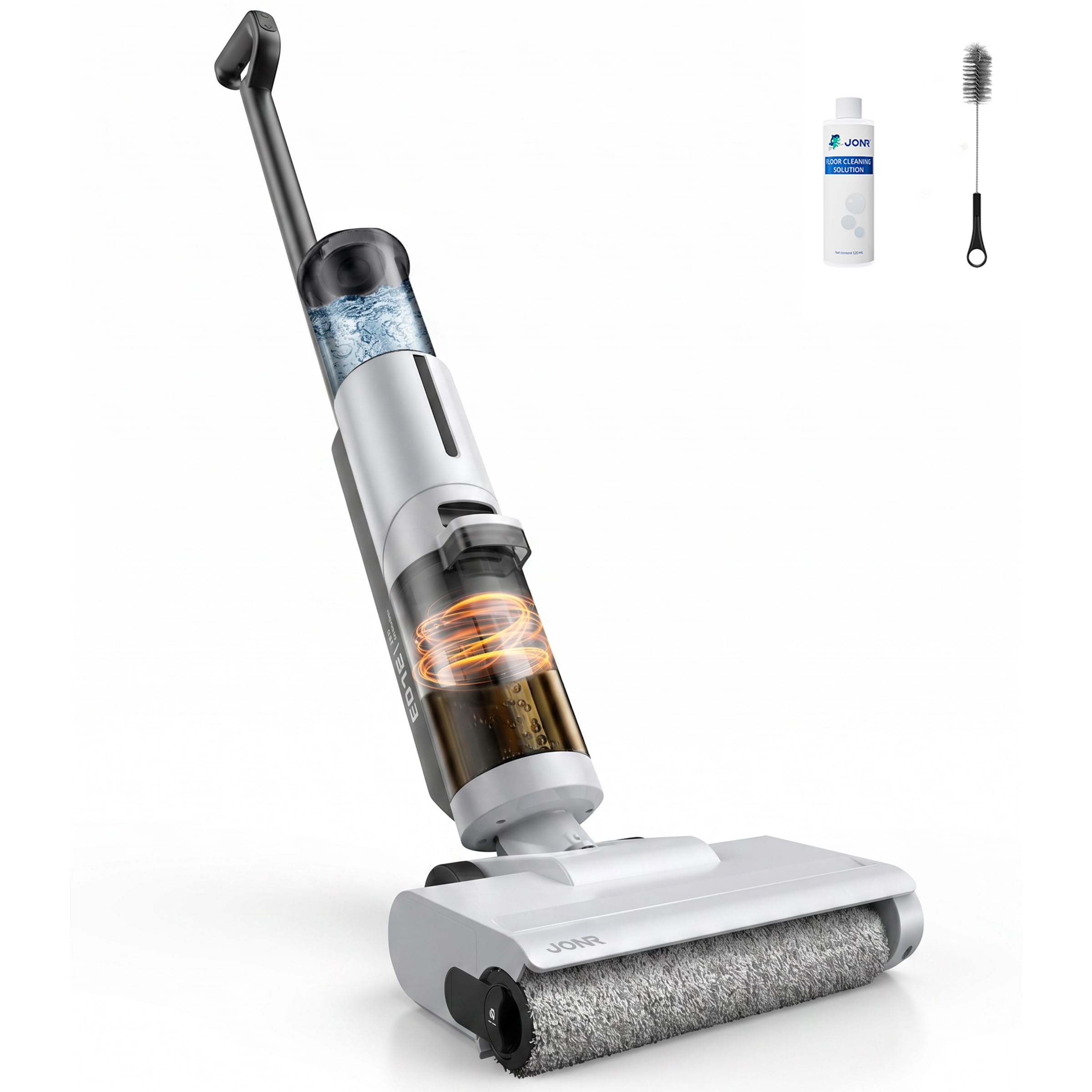
Image: The JONR ED12 Lite wet/dry vacuum cleaner standing upright on its charging base.
Key Features:
- 3-in-1 Cleaning: Vacuums, mops, and dries floors in one pass.
- Powerful Suction: Up to 20000Pa for effective removal of dirt, debris, and liquids.
- Anti-Tangle Brush: Features a real-time scraper and comb blade structure to prevent hair tangles.
- Edge Cleaning: Designed to clean within 1mm of walls and edges.
- Lightweight & Self-Propelled: Weighs only 3.4kg with forward assist for easy maneuverability.
- Dual Cleaning Modes: Auto mode for daily cleaning and Strong mode for stubborn messes.
- Automatic Self-Cleaning: One-touch self-cleaning function for the brush roller.
- Long Runtime: Up to 45 minutes in Auto mode, 25 minutes in Strong mode.
5. Setup
5.1 Assembly
- Insert the handle into the main unit until it clicks securely into place.
- Ensure the clean water tank and dirty water tank are correctly installed.
5.2 Charging
- Place the charging dock on a flat surface near a power outlet.
- Connect the power adapter to the charging dock and plug it into the outlet.
- Place the JONR ED12 Lite onto the charging dock. The indicator lights will show charging status.
- Fully charge the device before first use (approximately 4-6 hours).
5.3 Filling the Clean Water Tank
- Remove the clean water tank from the main unit.
- Open the tank cap and fill with clean tap water. You may add a compatible floor cleaning solution if desired (refer to manufacturer's guidelines for compatible solutions). Do not exceed the MAX fill line.
- Close the cap securely and reattach the clean water tank to the main unit.
6. Operating Instructions
6.1 Power On/Off
- To power on, press the Power button on the handle.
- To power off, press the Power button again.
6.2 Selecting Cleaning Modes
The JONR ED12 Lite offers two cleaning modes:
- Auto Mode: Ideal for daily cleaning of dust, light debris, and minor spills. The device automatically adjusts suction power and water flow.
- Strong Mode: For stubborn stains, dried-on messes, and larger liquid spills, providing maximum suction and scrubbing power.
Press the Mode button on the handle to switch between Auto and Strong modes.
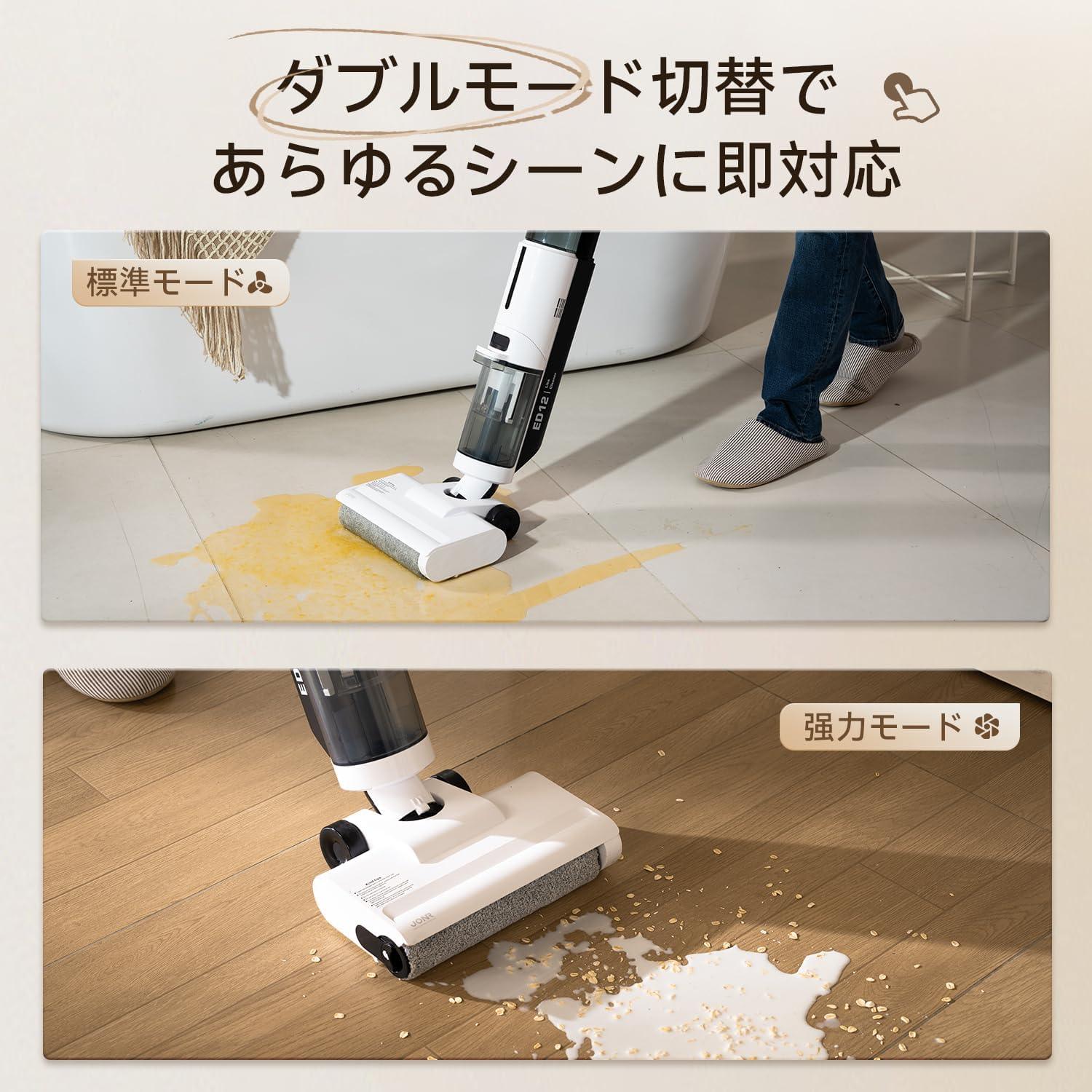
Image: The JONR ED12 Lite demonstrating its Auto mode for general cleaning and Strong mode for tougher messes.
6.3 Cleaning Your Floors
- Ensure the clean water tank is filled and the dirty water tank is empty.
- Select the appropriate cleaning mode.
- Tilt the main unit back to engage the brush roller and begin cleaning. The device will self-propel, making it easy to push and pull.
- Move the cleaner slowly over the desired area. For best results on tough stains, allow the brush to work for a few seconds over the spot.
- The slim nozzle design allows for effective cleaning along edges and under furniture.
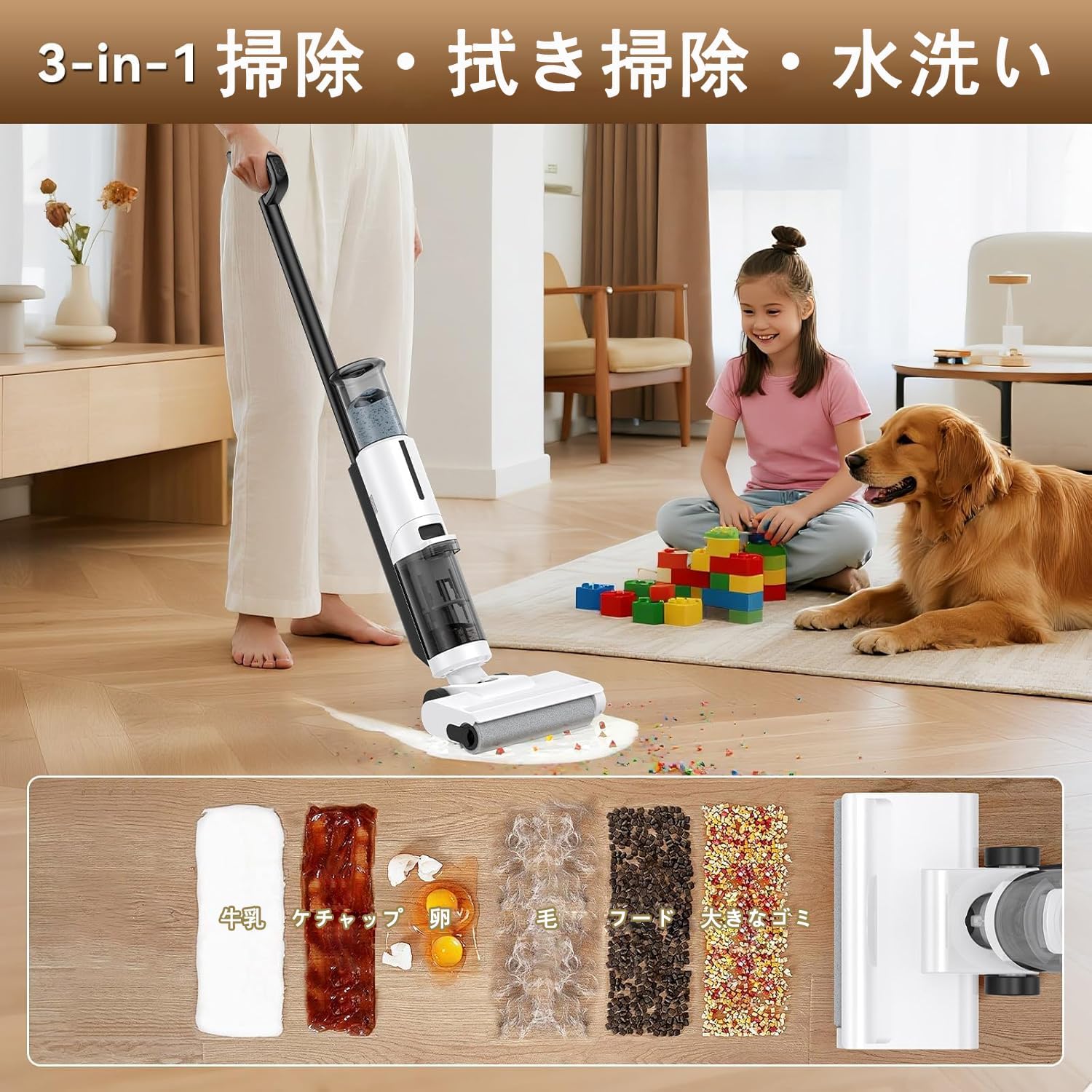
Image: The JONR ED12 Lite effectively cleaning various types of wet and dry spills, including milk, ketchup, eggs, hair, and food particles.
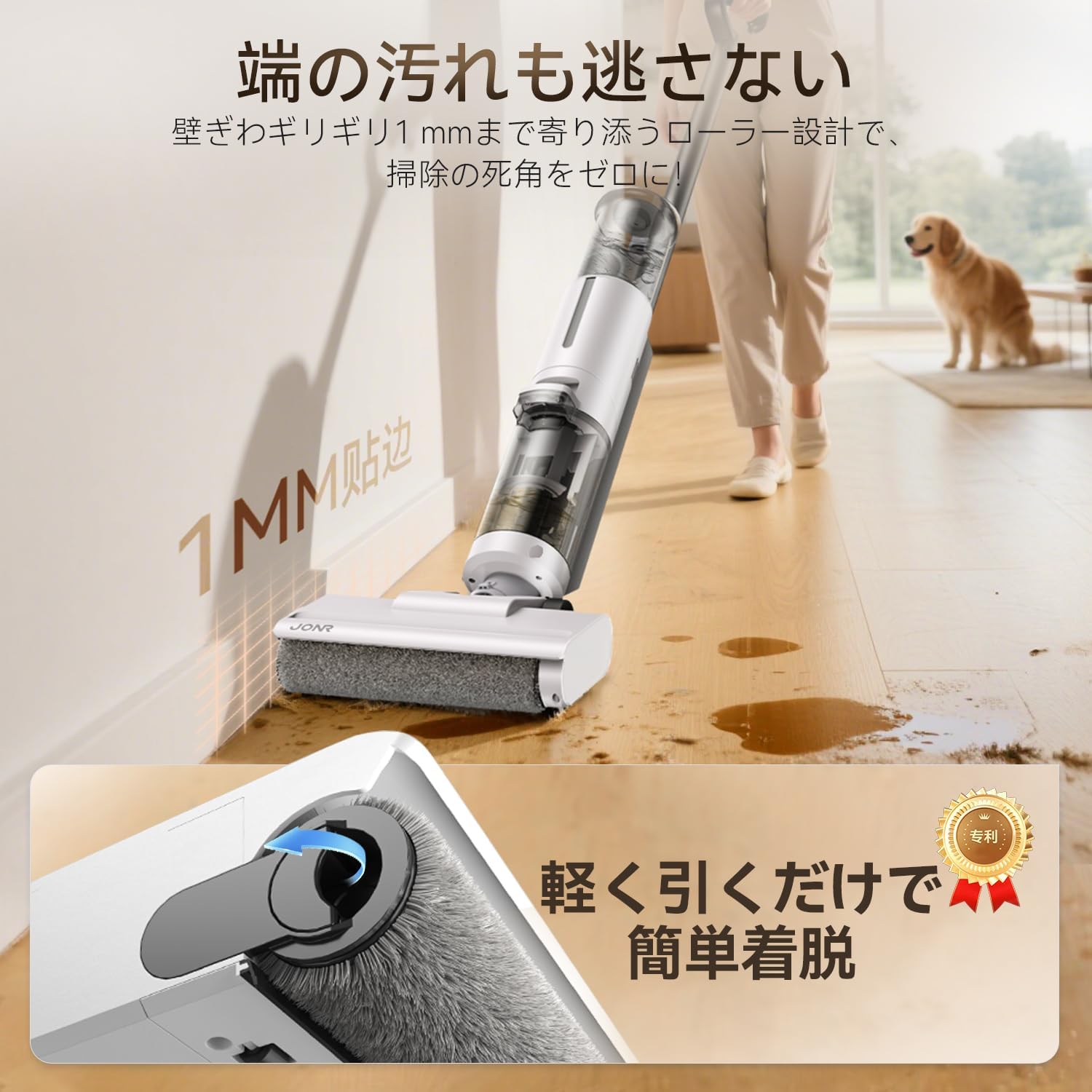
Image: The JONR ED12 Lite demonstrating its ability to clean very close to walls and edges, leaving no dirty spots.
7. Maintenance
Regular maintenance ensures the longevity and optimal performance of your JONR ED12 Lite.
7.1 Automatic Self-Cleaning
After each use, it is recommended to run the self-cleaning cycle:
- Place the cleaner on its charging dock.
- Ensure the clean water tank has sufficient water and the dirty water tank is empty.
- Press the Self-Clean button (usually indicated by a water drop icon). The device will perform a cleaning cycle for the brush roller.
- Once the cycle is complete, empty the dirty water tank.

Image: The JONR ED12 Lite performing its automatic self-cleaning cycle while docked, ensuring the brush roller remains clean.
7.2 Emptying and Cleaning Water Tanks
- Dirty Water Tank: After each use, remove the dirty water tank, empty its contents, rinse thoroughly with clean water, and allow it to air dry before reattaching.
- Clean Water Tank: Empty any remaining water after use to prevent stagnation. Rinse and refill with fresh water before the next cleaning session.
7.3 Brush Roller Maintenance
Even with self-cleaning, occasional manual inspection and cleaning of the brush roller is recommended.
- Turn off the device and remove it from the charging dock.
- Press the release button to detach the brush roller cover.
- Remove the brush roller. Use the provided cleaning tool to remove any tangled hair or debris.
- Rinse the brush roller under running water and allow it to air dry completely before re-installing.

Image: Diagram illustrating the anti-tangle brush roller with its scraper and comb blade structure, designed to cut and remove hair during operation.
7.4 HEPA Filter Cleaning
The HEPA filter should be cleaned regularly to maintain suction power.
- Locate and remove the HEPA filter (usually found near the dirty water tank).
- Tap the filter gently to remove loose dust and debris.
- Rinse the filter under running water. Ensure it is completely dry before re-installing. Do not use the device with a wet filter.
8. Troubleshooting
If you encounter any issues, refer to the following table for common problems and solutions.
| Problem | Possible Cause | Solution |
|---|---|---|
| Device does not turn on | Low battery; Not charged | Place on charging dock and ensure it is fully charged. |
| No water dispensing | Clean water tank empty; Tank not installed correctly | Refill clean water tank; Reinstall tank securely. |
| Poor suction | Dirty water tank full; Clogged brush roller; Clogged HEPA filter | Empty dirty water tank; Clean brush roller; Clean HEPA filter. |
| Streaks on floor | Dirty brush roller; Dirty water tank full; Too much cleaning solution | Run self-cleaning cycle or manually clean brush roller; Empty dirty water tank; Use less cleaning solution. |
| Device stops unexpectedly | Low battery; Overheating | Recharge the device; Allow the device to cool down before resuming use. |
9. Specifications
| Feature | Specification |
|---|---|
| Brand | JONR |
| Model Number | ED12 Lite |
| Functions | Wet/Dry Vacuum, Mop, Wash |
| Suction Power | 20000Pa |
| Battery Capacity | 2600mAh |
| Runtime (Auto Mode) | Up to 45 minutes |
| Runtime (Strong Mode) | Up to 25 minutes |
| Clean Water Tank Capacity | 850ml |
| Dirty Water Tank Capacity | 450ml |
| Filter Type | HEPA |
| Item Weight | 3.4 kg |
| Product Dimensions (L x W x H) | 27 x 21.5 x 111.5 cm |
| Control Method | Push Button |
| Cordless | Yes |
| UPC | 739768137146 |
10. Warranty and Support
10.1 Product Warranty
The JONR ED12 Lite comes with a 2-year product warranty from the date of purchase. This warranty covers manufacturing defects and malfunctions under normal use. Please retain your proof of purchase for warranty claims. The warranty does not cover damage caused by misuse, neglect, unauthorized repairs, or normal wear and tear.
10.2 Customer Support
For any questions, technical assistance, or warranty claims, please contact our customer support team. We offer 24-hour online support to assist you.
- Online Support: Visit the official JONR website or contact us through your purchase platform for 24/7 assistance.
- Email: [Insert Customer Support Email Address Here, if available]
- Phone: [Insert Customer Support Phone Number Here, if available]
Please have your model number (ED12 Lite) and purchase date ready when contacting support.


