
1. Product Overview
The EMKE Electric Towel Warmer is designed to provide warm towels and a comfortable bathroom environment. It combines the functions of a towel dryer, towel rack, bathroom radiator, and a storage shelf. This unit features efficient carbon fiber heating, smart temperature control, and durable construction.
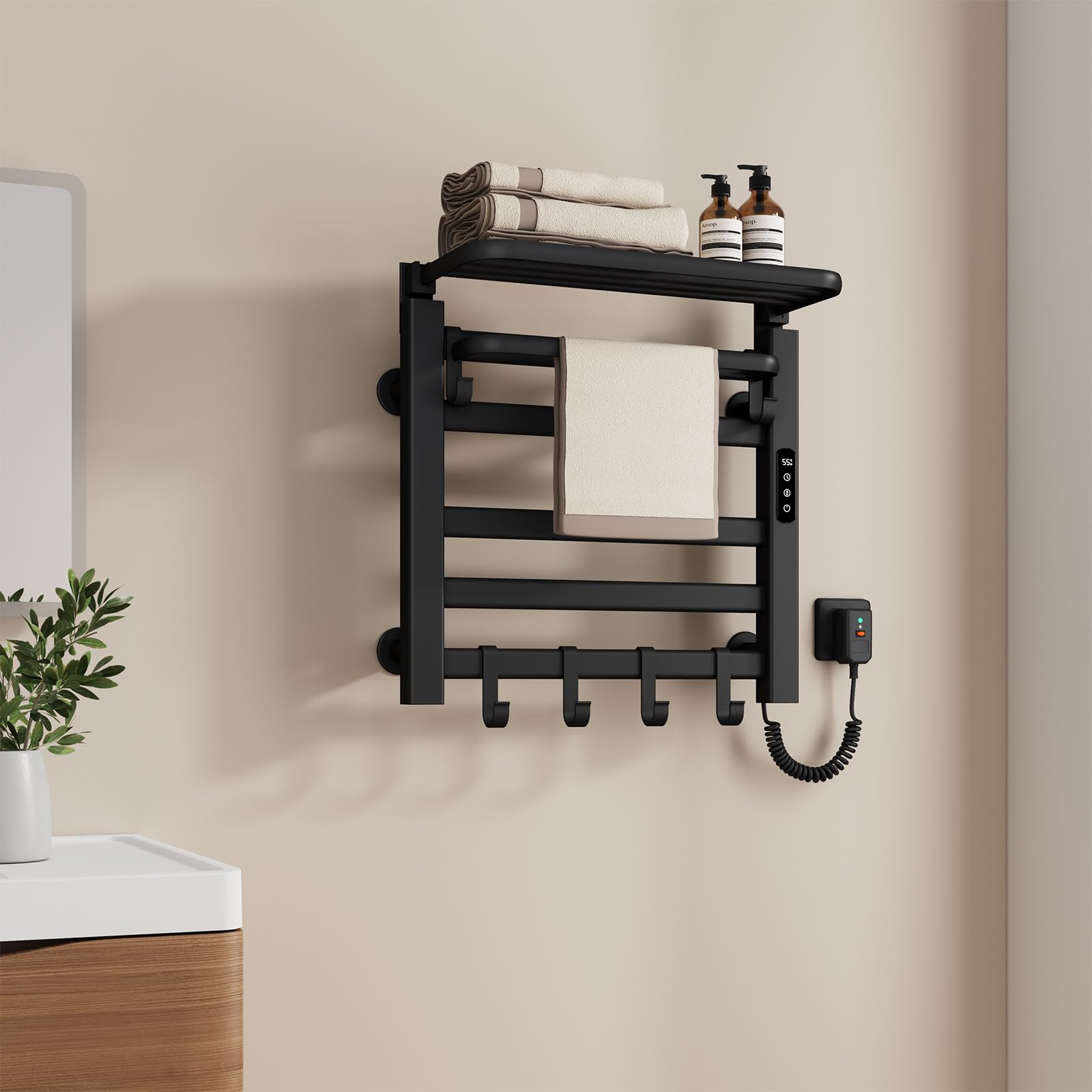
Image 1.1: The EMKE Electric Towel Warmer in black, showcasing its design and functionality with a towel draped over it.
Key Features:
- Multifunctional Design: Serves as a towel dryer, towel rack, bathroom radiator, and includes a foldable shelf with four hooks for versatile storage.
- Efficient Heating: 140W power with advanced carbon fiber heating technology ensures rapid heat-up, providing warm towels quickly.
- Durable Construction: Made from high-quality aluminum with an anti-corrosion coating and IPX5 water protection, suitable for humid environments. Features a scratch-resistant, anti-scald finish.
- Smart Control: Integrated LCD touch display for temperature adjustment (30°C-70°C) and a 1-9 hour timer. Supports WiFi control via the Tuya app and voice commands. Includes a 55°C constant temperature mode.
- Enhanced Safety: Equipped with advanced electrical protection for user safety.
2. Safety Information
Please read all safety instructions carefully before installation and use. Failure to follow these instructions may result in electric shock, fire, or injury.
- Ensure the product is installed by a qualified electrician in accordance with local electrical codes.
- Do not immerse the unit in water or spray directly with water. The unit has an IPX5 rating, meaning it is protected against low-pressure water jets from any direction, but it is not submersible.
- Keep children and pets away from the heated surface to prevent burns.
- Do not cover the towel warmer with excessive items as this can lead to overheating.
- Always unplug the unit before cleaning or maintenance.
- If the power cord is damaged, it must be replaced by the manufacturer, its service agent, or similarly qualified persons to avoid a hazard.
- This appliance is not intended for use by persons (including children) with reduced physical, sensory or mental capabilities, or lack of experience and knowledge, unless they have been given supervision or instruction concerning use of the appliance by a person responsible for their safety.

Image 2.1: Illustration of enhanced safety features, including a differential switch for optimal protection and multi-layer IPX5 waterproof protection for high-quality materials.
3. Product Components
The EMKE Electric Towel Warmer package includes the following components:
- Electric Towel Warmer Unit
- Foldable Storage Shelf
- Adjustable Hooks (4 pieces)
- Mounting Hardware (screws, wall anchors)
- Power Cable with Differential Switch
- Instruction Manual

Image 3.1: Adjustable hooks and supports, allowing flexible hanging positions and combinations.

Image 3.2: The 90-degree rotatable shelf, designed for space-saving and ease of use.
4. Setup and Installation
Follow these steps for proper installation of your EMKE Electric Towel Warmer. A detailed installation manual is included in the package.
- Choose Location: Select a suitable wall in your bathroom, ensuring it is within reach of a power outlet and away from direct water spray. The wall must be capable of supporting the weight of the unit and towels.
- Mark Drilling Points: Use the provided template or measure carefully to mark the drilling points for the mounting brackets on the wall.
- Drill Holes: Drill holes at the marked points and insert the wall anchors.
- Attach Brackets: Secure the mounting brackets to the wall using the provided screws.
- Mount Towel Warmer: Carefully attach the towel warmer unit to the mounting brackets. Ensure it is securely fastened.
- Connect Power: Plug the power cable into a grounded electrical outlet. The integrated differential switch provides optimal protection.
- Install Shelf and Hooks: Attach the foldable shelf and adjustable hooks as desired.

Image 4.1: Simple installation guide with product dimensions (500mm width, 500mm height, 255mm depth including shelf) for reference.
5. Operating Instructions
Your EMKE Electric Towel Warmer features an intuitive LCD touch display and smart control options.
5.1. Using the LCD Touch Display

Image 5.1: Digital display with intelligent touch control, showing real-time status, timer (1-9 hours), temperature regulation (55-70°C), and LED power switch.
- Power On/Off: Press the power icon (⏻) on the display to turn the unit on or off. The LED indicator will light up when active.
- Temperature Adjustment: Touch the temperature icon (☼) to cycle through or adjust the desired temperature between 30°C and 70°C.
- Timer Setting: Press the timer icon (⏱) to set the operating duration from 1 to 9 hours. The unit will automatically turn off after the set time.
- Constant Temperature Mode: The unit has a preset constant temperature mode of 55°C for continuous warmth. Refer to the full manual for activation details.
5.2. Smart Remote Control (WiFi/App/Voice)

Image 5.2: Smart remote control functionality, showing control via voice assistants or the Tuya app, requiring a Wi-Fi connection.
- Download App: Download the "Tuya Smart" app from your smartphone's app store.
- Connect to WiFi: Follow the in-app instructions to connect your towel warmer to your home WiFi network.
- Pair with Voice Assistant: Integrate the Tuya Smart app with your preferred voice assistant (e.g., Amazon Alexa, Google Assistant) by following their respective setup guides.
- Remote Operation: Use the app or voice commands to control power, adjust temperature, and set timers from anywhere.


