1. Introduction
This manual provides detailed instructions for the AGPTEK A02 MP3 Player. Please read this manual thoroughly before using the device to ensure proper operation and to maximize your listening experience. The AGPTEK A02 is a portable music player featuring Bluetooth 5.3, an FM radio, voice recording capabilities, and expandable storage.
2. What's in the Box
- AGPTEK A02 MP3 Player
- USB-C Charging Cable
- User Manual
3. Product Overview
The AGPTEK A02 MP3 Player is designed for portable audio enjoyment with a range of features:
- Bluetooth 5.3 Technology: Offers stable signal and reduced power consumption for connecting to Bluetooth headphones or speakers.
- Independent Volume and Back Buttons: Simplifies operation for ease of use.
- 32GB Built-in Memory: Stores up to 3000 songs and supports expansion up to 128GB via a Micro SD card (not included).
- Long Playback Time: Up to 40 hours of playback on a 2-hour charge via Type-C cable.
- 1.8-inch TFT Color Screen: Provides clear display for reading text, viewing album covers, and navigating menus.
- Portable Design: Palm-sized and lightweight, ideal for exercise, travel, and daily use.
- Lossless Sound Quality: Supports MP3, WMA, OGG, WAV, APE, FLAC, AAC-LC, ACELP formats. Features a built-in speaker.
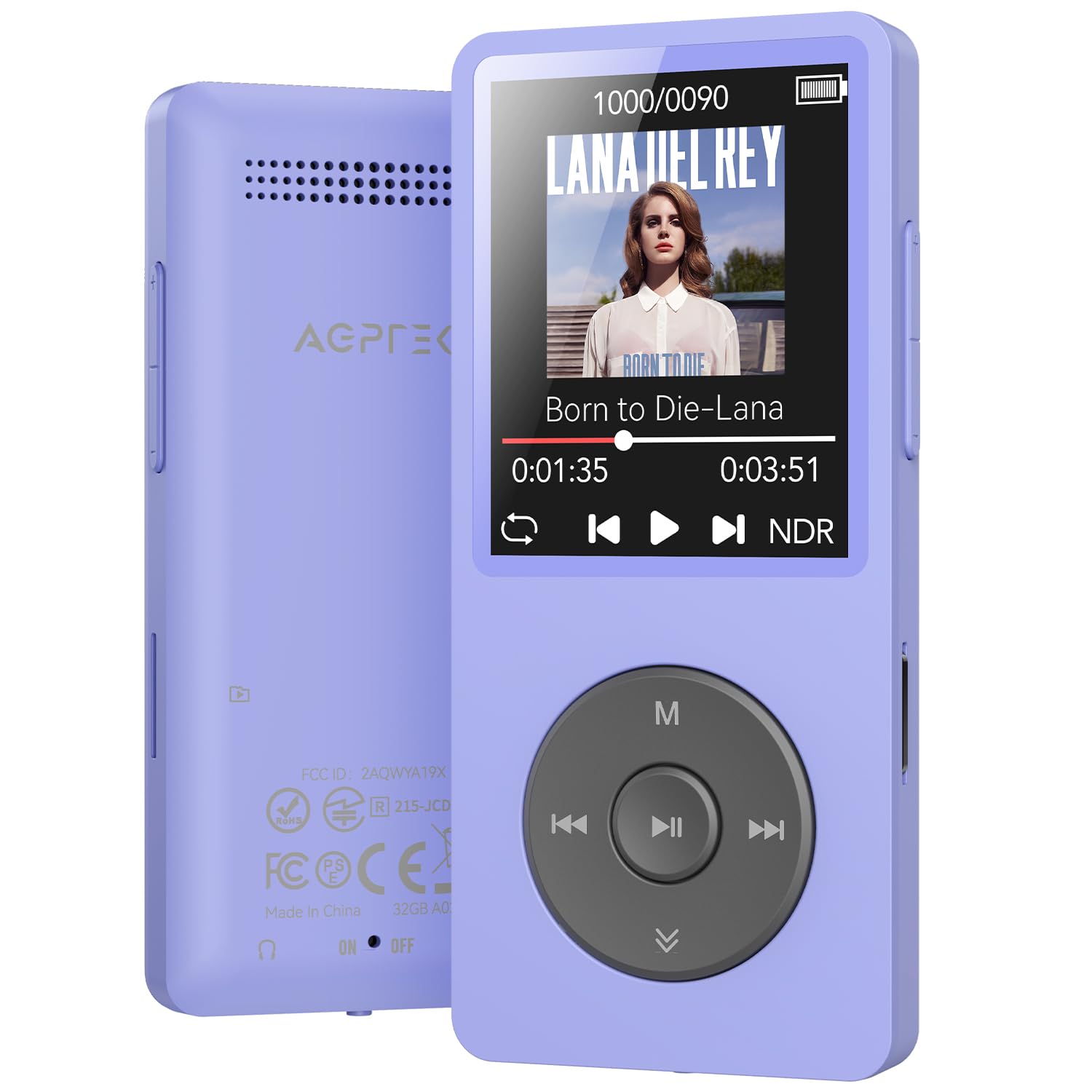
Figure 1: AGPTEK A02 MP3 Player (Purple)

Figure 2: Multifunctional Interface
4. Setup
4.1 Charging the Device
Connect the included USB-C cable to the MP3 player and a power source (e.g., computer USB port, USB wall adapter). The device will fully charge within approximately 2 hours.
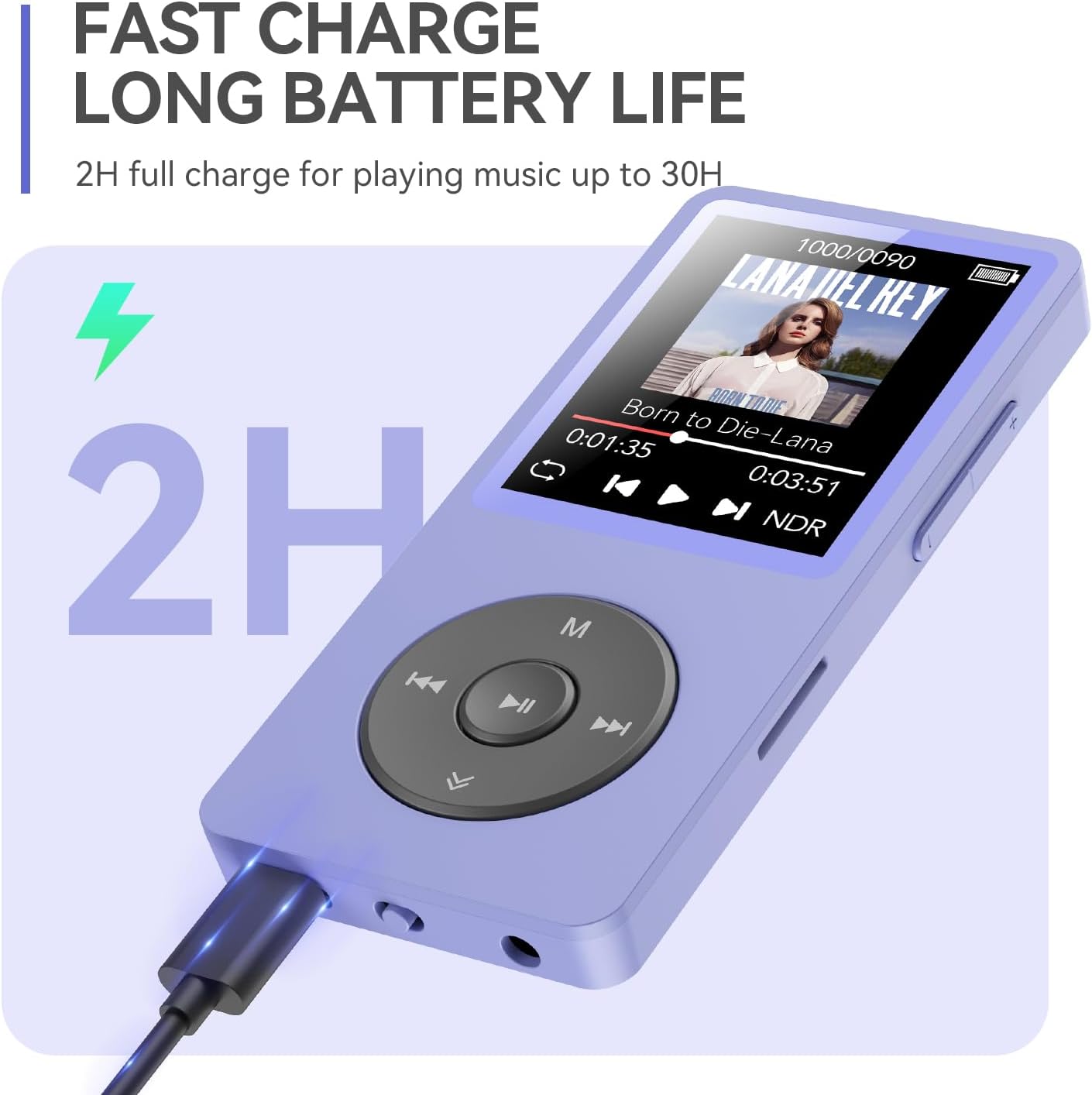
Figure 3: Charging the MP3 Player
4.2 Power On/Off
To power on, press and hold the power button until the screen lights up. To power off, press and hold the power button until the device shuts down.
4.3 Connecting to a Computer and File Transfer
To transfer music or other files, connect the MP3 player to your computer using the USB-C cable. Select "Charge & Transfer" on the device screen if prompted. The device will appear as a removable drive on your computer. You can then drag and drop files into the appropriate folders.
Video 1: How to Transfer Files from PC to MP3 Player. This video demonstrates the steps to connect your MP3 player to a computer and transfer music files.
Video 2: File Transfer between Memory Card and Player. This video illustrates how to transfer files between the internal memory and an inserted microSD card on the MP3 player.

Figure 4: Customizing Playlists via PC
5. Operating Instructions
5.1 Music Playback
Navigate to the "Music" icon on the main menu and press the play button to enter. You can browse by All Songs, Artists, Albums, Genres, or Playlists. To search for a specific song, use the search function.
Video 3: How to search for songs. This video demonstrates two methods for searching for songs on your MP3 player.

Figure 5: Quick Song Search Interface

Figure 6: Playback Modes
5.2 Bluetooth Connection
From the main menu, select the "Bluetooth" icon. Turn on Bluetooth and search for available devices. Select your Bluetooth headphones or speakers to pair. The device supports auto-reconnect after powering on.

Figure 7: Bluetooth Auto-Reconnect
Video 4: AGPTEK A02 MP3 Player with Bluetooth. This video provides a general overview of the MP3 player's features, including Bluetooth connectivity, song search, playback modes, FM radio, video playback, and charging.
5.3 FM Radio
Select the "FM Radio" icon. You can auto-tune to find available stations or manually tune to a specific frequency. Your headphones act as the antenna for the FM radio.

Figure 8: Connecting to Car via AUX Port
5.4 Voice Recorder
Select the "Recorder" icon. You can record audio using the built-in microphone or through a line-in connection. Ensure you save your recordings after completion.
Video 5: How to Record and Play Back Using the Line-in Function. This video demonstrates how to use the line-in function for recording and playback.
5.5 Lock Screen
Press and hold the 'M' button to lock the screen, preventing accidental presses during use. Repeat the action to unlock.

Figure 9: Lock Screen Function
6. Maintenance
To ensure the longevity and optimal performance of your AGPTEK A02 MP3 Player, follow these maintenance guidelines:
- Keep the device dry and away from moisture.
- Avoid extreme temperatures.
- Clean the screen and body with a soft, dry cloth.
- Do not drop or subject the device to strong impacts.
- Use only the provided charging cable or a certified equivalent.
7. Troubleshooting
If you encounter issues with your MP3 player, refer to the following common solutions:
7.1 Device Freezing or Unresponsive
If the device freezes or becomes unresponsive, you may need to perform a firmware update. Follow the instructions in the video below.
Video 6: How to fix a freeze? This video guides you through the process of updating the firmware on your AGPTEK MP3 player to resolve freezing issues.
7.2 Cannot Connect to Bluetooth
Ensure your Bluetooth headphones/speakers are in pairing mode. Check that the MP3 player's Bluetooth is enabled. Note that the device cannot connect directly to phones, tablets, or car Bluetooth systems (AUX port connection is required for cars).
7.3 Music Files Not Appearing
After transferring files, ensure you update the playlist on the device. Verify that the music files are in a supported format (MP3, WMA, OGG, WAV, APE, FLAC, AAC-LC, ACELP). Note that it does not directly support Audiobook and iTunes formats.
8. Specifications
| Model Name | A02XT |
| Connectivity Technology | Bluetooth 5.3 |
| Memory Storage Capacity | 32 GB (expandable up to 128GB via Micro SD) |
| Screen Size | 1.8 Inches |
| Special Feature | Built-In Speaker, FM Radio, Voice Recorder |
| Supported Audio Formats | MP3, WMA, OGG, WAV, APE, FLAC, AAC-LC, ACELP |
| Battery Type | Lithium Polymer (320mAh) |
| Battery Life | Up to 40 hours playback |
| Charging Time | Approx. 2 hours |
| Item Weight | 4.2 ounces |
| Package Dimensions | 7.52 x 5 x 0.75 inches |
9. Warranty and Support
The AGPTEK A02 MP3 Player comes with a 12-month warranty. For technical support or warranty claims, please contact AGPTEK customer service. AGPTEK offers lifetime technical support and 7x24 online service.
For more information, visit the AGPTEK Store on Amazon.


