
1. Introduction
This manual provides essential information for the safe and effective operation of your Flashback Events 150W 6-Arm Hybrid Moving Head Light. This versatile fixture combines six independently motorized RGBW beams, a Bee Eye effect, an LED halo ring, strobe, and red & green laser effects. Please read this manual thoroughly before use and retain it for future reference.
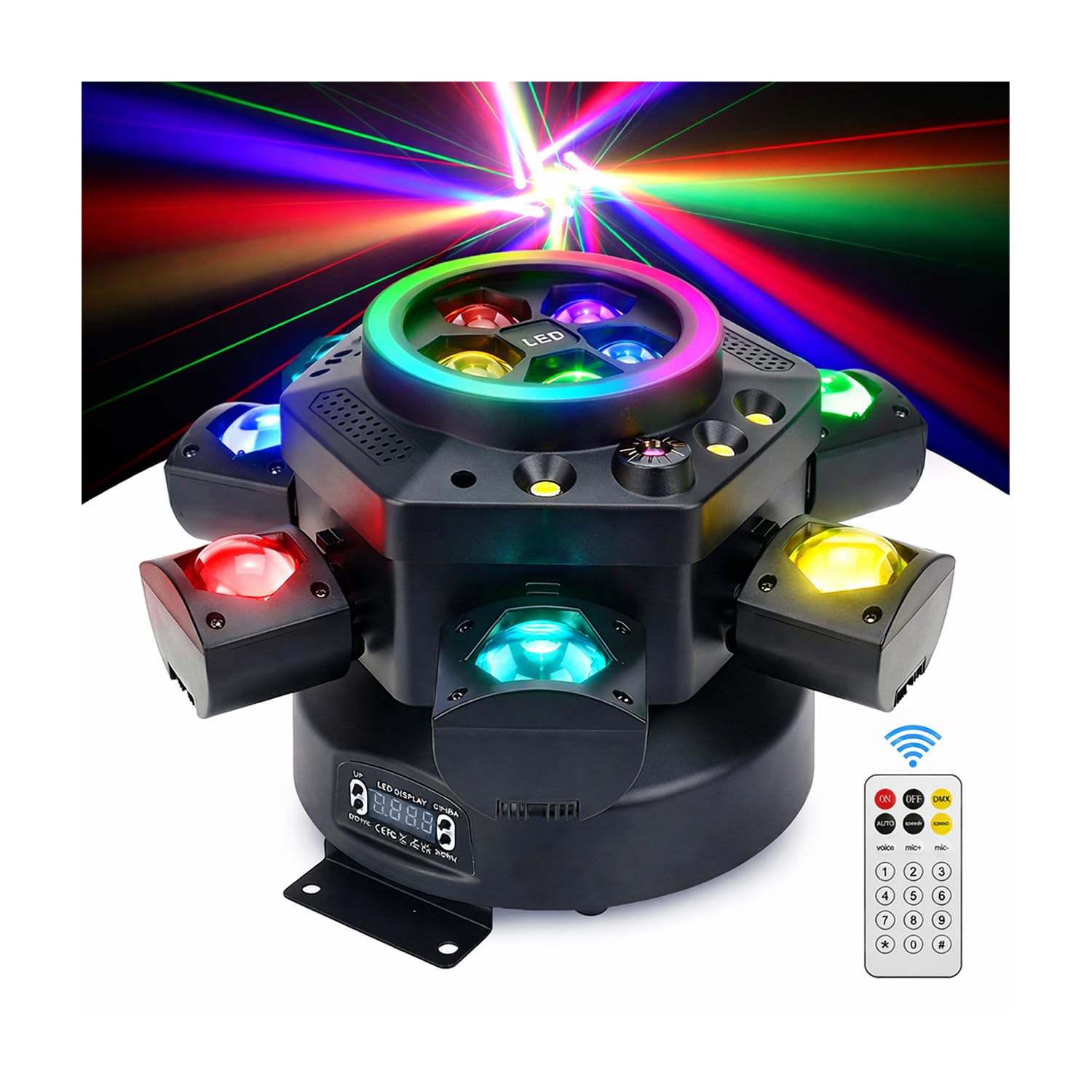
Image 1.1: Overview of the Flashback Events 150W 6-Arm Hybrid Moving Head Light and its effects.
2. Safety Information
- Always connect the unit to a grounded power outlet.
- Do not open the housing; there are no user-serviceable parts inside. Refer servicing to qualified personnel.
- Avoid direct eye exposure to the light source, especially the laser. Class 3R lasers can cause eye injury.
- Ensure proper ventilation around the fixture to prevent overheating.
- Keep the unit away from moisture, water, and flammable materials.
- Mount the fixture securely using appropriate hardware to prevent accidental falls.
3. What's in the Box
Verify that all components are present upon unpacking:
- 1x Flashback Events 150W 6-Arm Hybrid Moving Head Light + LED Halo Light Strip
- 1x Power Cable
- 1x DMX Cable
- 1x Remote Control
- 1x Mounting Bracket
- 1x Truss Clamp

Image 3.1: Contents of the Flashback Events 150W 6-Arm Hybrid Moving Head Light package.
4. Setup
4.1 Mounting
The fixture can be mounted in various orientations: truss mount, wall mount, floor mount, or table mount. Use the included mounting bracket and truss clamp for secure installation. Ensure the mounting surface or truss can support the weight of the fixture (approximately 9.15 lbs / 4.15 kg).

Image 4.1: Illustration of the fixture's 540° pan and 180° arm rotation capabilities.
4.2 Power Connection
Connect the included power cable to the fixture's power input and then to a standard 95-245V AC, 50/60Hz grounded power outlet.
4.3 DMX Connection (Optional)
For DMX control, connect a DMX cable from your DMX controller's output to the fixture's DMX IN port. For multiple fixtures, daisy-chain them by connecting the first fixture's DMX OUT to the next fixture's DMX IN.
5. Operating Modes
The fixture offers several operating modes, selectable via the onboard LED digital display or the remote control.
- Sound-Activated Mode: The light reacts to ambient sound, changing patterns and colors in sync with music.
- Auto Mode: The fixture runs through pre-programmed light shows automatically.
- DMX Mode: Provides full control over all light functions (beams, Bee Eye, halo, strobe, laser) using a DMX controller.
- Master/Slave Mode: Link multiple fixtures together. One unit acts as the master, controlling all other slave units to synchronize effects.
- Wireless Remote Mode: Use the included remote control for convenient operation and mode selection.

Image 5.1: Key features and operating modes of the 150W Six-Arm Stage Beam.
5.1 Visual Effects Overview
The light produces a variety of dynamic effects:
- 6-Arm Moving RGBW Beams: Six arms sweep, cross, and fan in all directions with RGBW color mixing.
- Bee Eye Effect: A central light engine floods the dance floor with rich colors.
- LED Halo Ring: A glowing ring around the central Bee Eye with 7 solid colors and 31 flowing animation effects, independently speed controlled.
- Red & Green Laser Starry Sky Effect: Integrated Class 3R lasers project thousands of starry dots.
- White & Amber Strobe: Dedicated strobe channels fire at up to 20 flashes per second.

Image 5.2: Examples of the various light effects produced by the fixture.

Image 5.3: Additional examples of beam, dance floor, and laser starry sky effects.
5.2 Official Product Videos
Video 5.1: Demonstrates the various light patterns and movements of the 6-Arm DJ Light. This video showcases the dynamic capabilities of the fixture, including beam sweeps and color changes.
Video 5.2: A shorter demonstration of the 6-Arm DJ Lights in action, highlighting its versatility for different event settings.
Video 5.3: Shows the Flashback Events DJ Lights 6 Arms DJ light creating various effects in a vertical format, suitable for different display orientations.
6. DMX Control
The FBE-BE6KK-LS features a 26-channel DMX profile, allowing for granular control over its various functions. This includes individual control of LED Halo Ring color, halo animation pattern, and halo animation speed, in addition to the standard beam, Bee Eye, strobe, and laser controls.
6.1 DMX Channel Map (Example)
| Channel | Function | Value Range |
|---|---|---|
| 1 | Pan Movement | 0-255 |
| 2 | Tilt Movement | 0-255 |
| 3 | Master Dimmer | 0-255 (0-100% Dimming) |
| 4 | Strobe Speed | 0-255 |
| ... | ... | ... |
| 26 | Halo Animation Speed | 0-255 |
Refer to the full DMX channel map provided with your product for complete details on all 26 channels.
7. Maintenance
- Cleaning: Regularly clean the lenses and exterior with a soft, lint-free cloth. Do not use abrasive cleaners or solvents.
- Inspection: Periodically check power and DMX cables for damage. Ensure all mounting hardware is secure.
- Storage: When not in use, store the fixture in a dry, dust-free environment.
8. Troubleshooting
| Problem | Possible Cause | Solution |
|---|---|---|
| No power | Power cable disconnected, faulty outlet, or internal fuse. | Check power connections, try a different outlet. If problem persists, contact support. |
| No light output | Dimmer at 0%, incorrect mode, or DMX signal issue. | Increase dimmer, switch operating modes, check DMX connections and address. |
| No movement | Movement locked, incorrect mode, or DMX signal issue. | Ensure no physical obstructions, switch operating modes, check DMX settings. |
| Remote not working | Battery depleted or line of sight blocked. | Replace remote battery, ensure clear line of sight to the fixture's IR receiver. |
For issues not listed or if troubleshooting steps do not resolve the problem, please contact Flashback Events customer support.
9. Specifications

Image 9.1: Detailed product parameters and dimensions.
| Feature | Detail |
|---|---|
| Model Number | FBE-BE6KK-LS |
| Power Output | 150 Watts |
| Voltage | 95-245V AC |
| Frequency | 50/60Hz |
| Light Source Type | LED (RGBW), Red & Green Laser |
| Number of Light Sources | 17 (10x CREE 10W RGBW LED, 2x 10W Amber Strobe, 2x 10W White Strobe, Red & Green Laser, LED Halo Light Strip) |
| DMX Channels | 26-channel |
| Pan Movement | 540° |
| Arm Rotation | 180° (independent) |
| Dimming | 0-100% Smooth |
| Strobe Rate | Up to 20 flashes/second |
| Material | Aluminum, High brightness RGBW lamp beads, Plastic |
| Finish Type | Matte Black |
| Item Dimensions (L x W x H) | 12.2" x 8.26" x 12.2" (31cm x 21cm x 31cm) |
| Weight | 9.15 lbs (4.15 kg) |
| Included Components | Light fixture, Power Cable, DMX Cable, Remote, Mounting Bracket, Truss Clamp |
10. Warranty and Support
10.1 Warranty
This Flashback Events product is covered by a 1-year manufacturer's warranty from the date of purchase. This warranty covers defects in materials and workmanship under normal use. It does not cover damage caused by misuse, accident, unauthorized modification, or improper installation.
10.2 Customer Support
Flashback Events is committed to providing responsive customer service. If you have any questions, require technical guidance, or need assistance with your product, please contact us directly. Our support team is available to help ensure your satisfaction.
For contact information, please refer to the packaging or the official Flashback Events website.