
XIAOMI 23124RN87G
XIAOMI Redmi 13C 5G User Manual
Model: 23124RN87G
1. Introduction
This manual provides essential information for the proper setup, operation, and maintenance of your XIAOMI Redmi 13C 5G smartphone. Please read this manual thoroughly before using your device to ensure optimal performance and longevity.
The Redmi 13C 5G offers advanced features including 5G connectivity, a 6.74-inch display, and a 50MP AI camera, designed for efficient daily use and multimedia consumption.
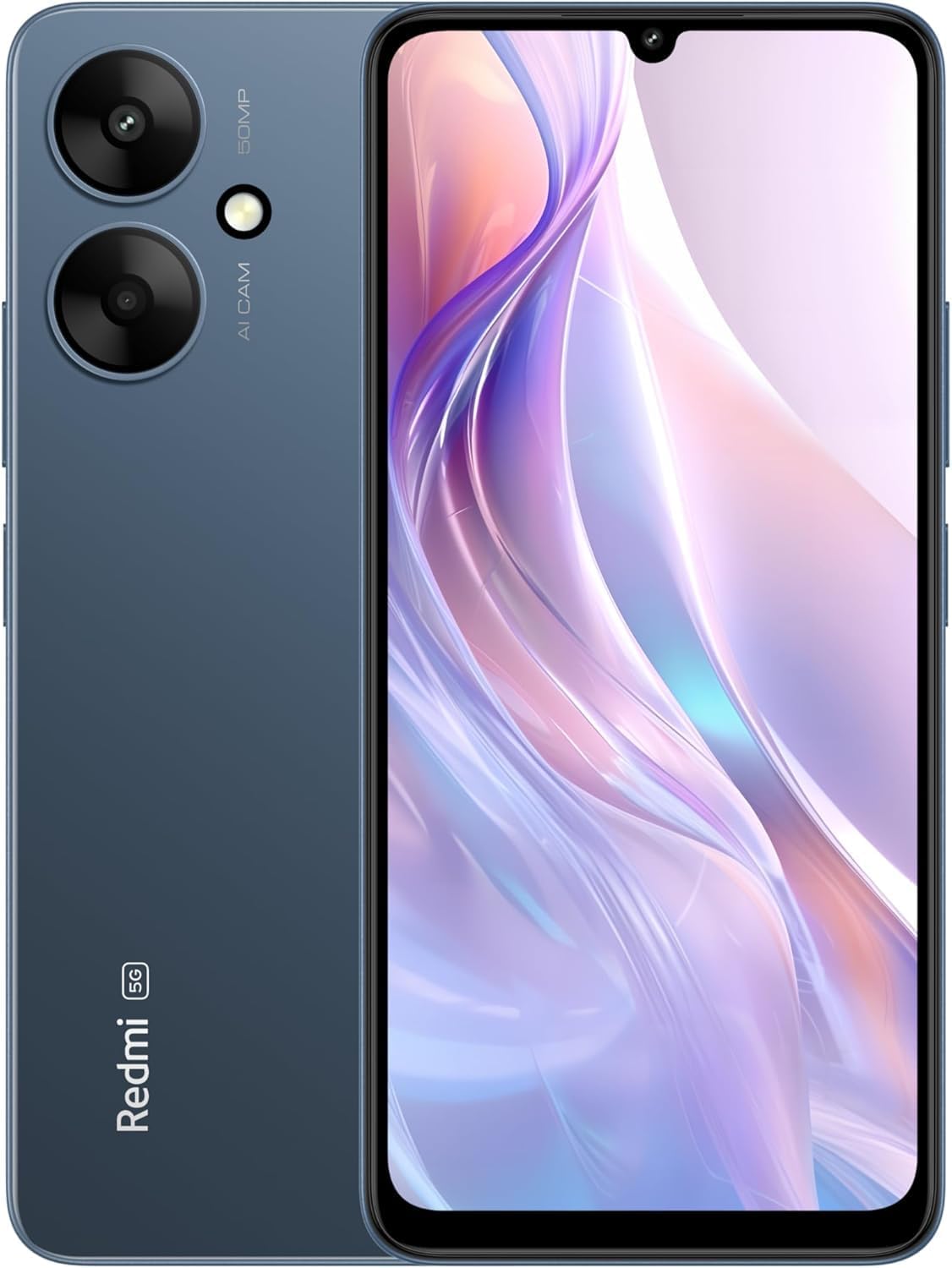
Figure 1: Front and back view of the XIAOMI Redmi 13C 5G smartphone in Twilight Blue.
2. What's in the Box
Verify that all items are present in the packaging:
- XIAOMI Redmi 13C 5G Smartphone
- 10W Power Adapter (supports 18W PD charging, 18W or above power adapters sold separately)
- USB Type-C Cable
- SIM Tray Ejector
- Quick Start Guide (this document)
3. Initial Setup
3.1. Inserting the SIM Card
- Locate the SIM card tray on the side of your device.
- Insert the SIM tray ejector tool into the small hole next to the tray and press firmly until the tray ejects.
- Place your Nano-SIM card(s) and/or microSD card into the tray with the gold contacts facing down.
- Carefully reinsert the tray into the device.
3.2. Powering On/Off
- To power on: Press and hold the Power button until the XIAOMI logo appears.
- To power off: Press and hold the Power button, then select 'Power off' from the options on the screen.
3.3. Initial Configuration
Follow the on-screen prompts to complete the initial setup, including language selection, Wi-Fi connection, Google account setup, and security settings.

Figure 2: Carrier compatibility information for the Redmi 13C 5G. Please verify your carrier's compatibility.
4. Basic Operation
4.1. Display and Navigation
The device features a 6.74-inch Dot Drop display with a 90Hz refresh rate for smooth visuals. Navigate using gestures or the traditional navigation bar. The display supports Reading mode and DC dimming for eye comfort, and is protected by Corning Gorilla Glass.

Figure 3: Redmi 13C 5G display showcasing device certification and specifications.
4.2. Processor and Performance
Powered by the MediaTek Dimensity 6100+ 5G Processor, the Redmi 13C 5G delivers efficient performance for daily tasks, gaming, and multimedia. It features 2x Arm Cortex-A76 cores up to 2.2GHz and 6x Arm Cortex-A55 cores up to 2.0GHz, with an Arm Mali-G57 MC2 GPU.
5. Connectivity
- 5G/4G/3G/2G Network Support: Compatible with various global bands for comprehensive network coverage.
- Wi-Fi: Supports 2.4GHz & 5GHz for fast wireless internet access.
- Bluetooth: Version 5.3 for efficient wireless accessory connections.
- GPS: Integrated GPS, Glonass, Galileo, and Beidou for accurate navigation and positioning.
- USB Type-C: For charging and data transfer.
- Audio Jack: 3.5 mm audio jack for wired headphones.
6. Camera Features
6.1. Rear Camera
- Main Camera: 50MP AI main camera with f/1.8 aperture.
- Features: FilmCamera, HDR Mode, Night Mode.
- Video Recording: Full HD video at 30fps (1920 x 1080), HD video at 30fps (1280 x 720).
6.2. Front Camera
- Resolution: 5MP Front Camera.
- Features: FilmCamera, AI Portrait Mode, HDR, Palm Shutter, Voice Shutter, Soft-light Ring.
- Video Recording: Full HD video at 30fps (1920 x 1080), HD video at 30fps (1280 x 720).
7. Battery and Charging
- Battery Capacity: 5000mAh (typical).
- Charging: Supports 18W PD charging. A 10W power adapter is included in the box. For 18W charging, a compatible power adapter (18W or above, supporting PD charging) is recommended and sold separately.
9. Technical Specifications
| Feature | Specification |
|---|---|
| Model Number | 23124RN87G |
| Operating System | MIUI 14 based on Android 13 |
| Display Size | 6.74 Inches |
| Display Resolution | 1600 x 720 (260 ppi) |
| Refresh Rate | Up to 90Hz |
| Processor | MediaTek Dimensity 6100+ 5G (2.2 GHz CPU Speed) |
| RAM | 8 GB |
| Internal Storage | 256 GB |
| Rear Camera | 50MP AI Main Camera |
| Front Camera | 5MP |
| Battery Capacity | 5000 Milliamp Hours (typical) |
| Charging | Supports 18W PD charging |
| Connectivity | Wi-Fi, Bluetooth 5.3, 5G/4G/3G/2G, GPS |
| Security | Side fingerprint sensor, AI face unlock |
| Dimensions | 7 x 4 x 2 inches (Package) |
| Item Weight | 6 ounces |
| Color | Twilight Blue |
10. Troubleshooting
If you encounter issues with your device, try the following basic troubleshooting steps:
- Restart the device: A simple restart can resolve many minor software glitches.
- Check for software updates: Ensure your device is running the latest software version (MIUI 14 based on Android 13 or newer).
- Clear app cache: If an app is misbehaving, try clearing its cache in Settings > Apps.
- Factory reset: As a last resort, you may perform a factory reset (Settings > System > Reset options). Back up your data before proceeding.
11. Warranty and Support
For warranty information, please refer to the warranty card included with your product or visit the official XIAOMI website. For further technical support, contact XIAOMI customer service or visit an authorized service center.
Keep your proof of purchase for warranty claims.
Ask a question about this manual
Ask about setup, troubleshooting, compatibility, parts, safety, or missing instructions. Manuals+ will review the question and use this page’s manual context to help answer it.