
1. Introduction
The KNKA APH4000 Air Purifier is designed to provide clean and fresh air for large rooms, bedrooms, and other living spaces. Featuring a comprehensive 3-stage filtration system and smart operating modes, it effectively removes various airborne particles and odors, contributing to a healthier indoor environment. This manual provides essential information for the safe and efficient use of your air purifier.
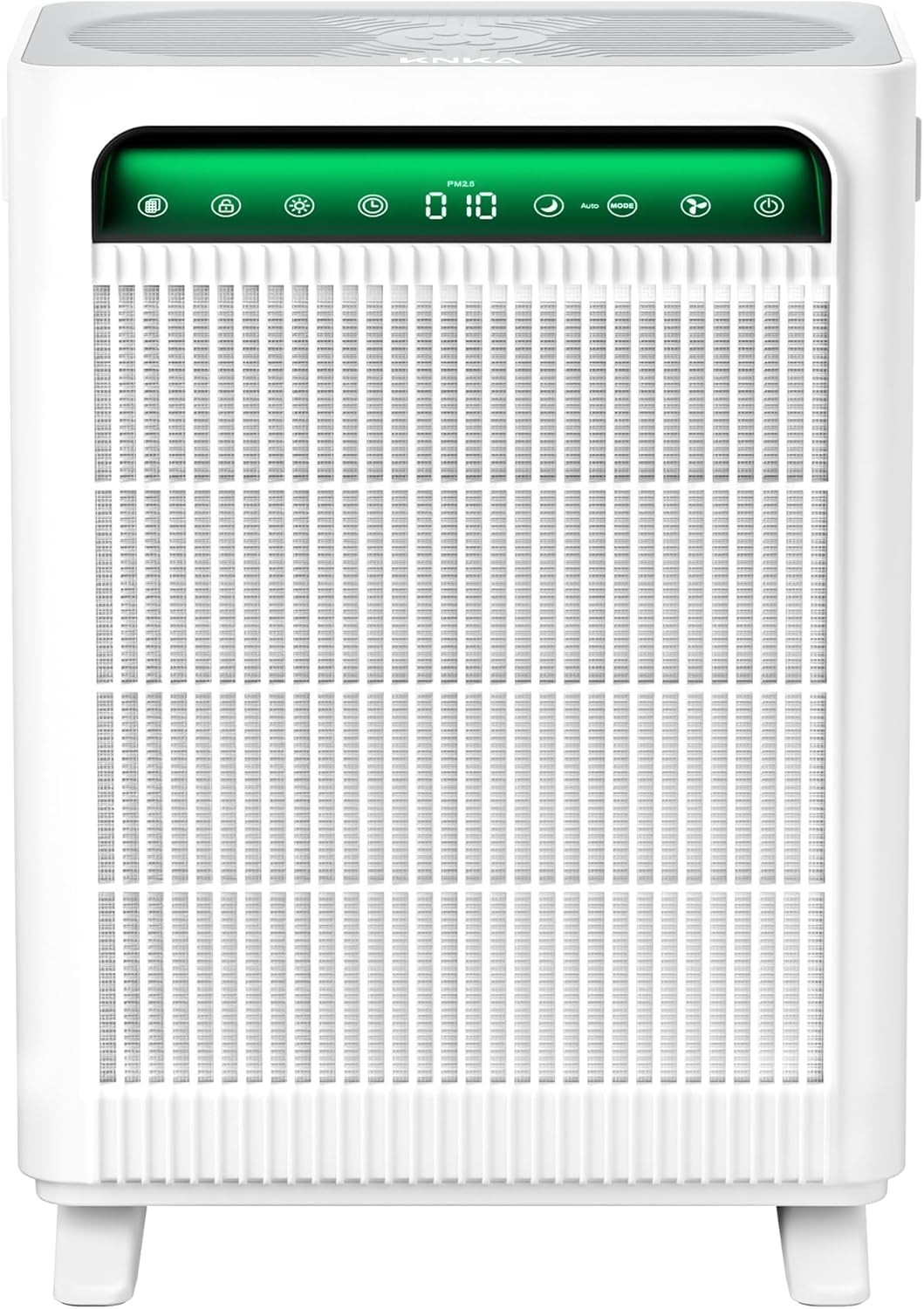
Image 1.1: Front view of the KNKA APH4000 Air Purifier, showcasing its sleek design and illuminated control panel.
2. Safety Information
Please read all safety instructions before operating the appliance to prevent injury or damage. Keep this manual for future reference.
- Always place the air purifier on a firm, level surface.
- Ensure adequate clearance (at least 8 inches) around all sides of the unit for proper airflow.
- Do not block air inlets or outlets.
- Unplug the appliance before cleaning or performing any maintenance.
- Do not operate the unit with a damaged cord or plug.
- Keep the appliance away from water or moist environments.
- This appliance is for indoor use only.
3. Product Overview
3.1 Key Features
- AHAM Verified Performance: Certified for effective air purification with high CADR values for smoke, dust, PM2.5, and pollen.
- Efficient Airflow Design: Dual front-and-back air intakes and side outlets ensure rapid air circulation, covering up to 3,500 sq ft per hour.
- 3-Stage Filtration System: Includes a washable pre-filter, True HEPA filter, and activated carbon filter to capture 99.97% of particles.
- Multiple Operating Modes: Features Auto Mode, Sleep Mode (22-24 dB), Pet Mode, and ECO Mode for versatile use.
- Real-Time AQI Display: Built-in sensor monitors and displays indoor air quality with color-coded indicators.
- User-Friendly Controls: Touch control panel with adjustable fan speeds, timer, child lock, and light control.
3.2 Components
The KNKA APH4000 Air Purifier consists of the main unit, dual filter cartridges, and a power cord. The control panel is located on the top front of the unit.
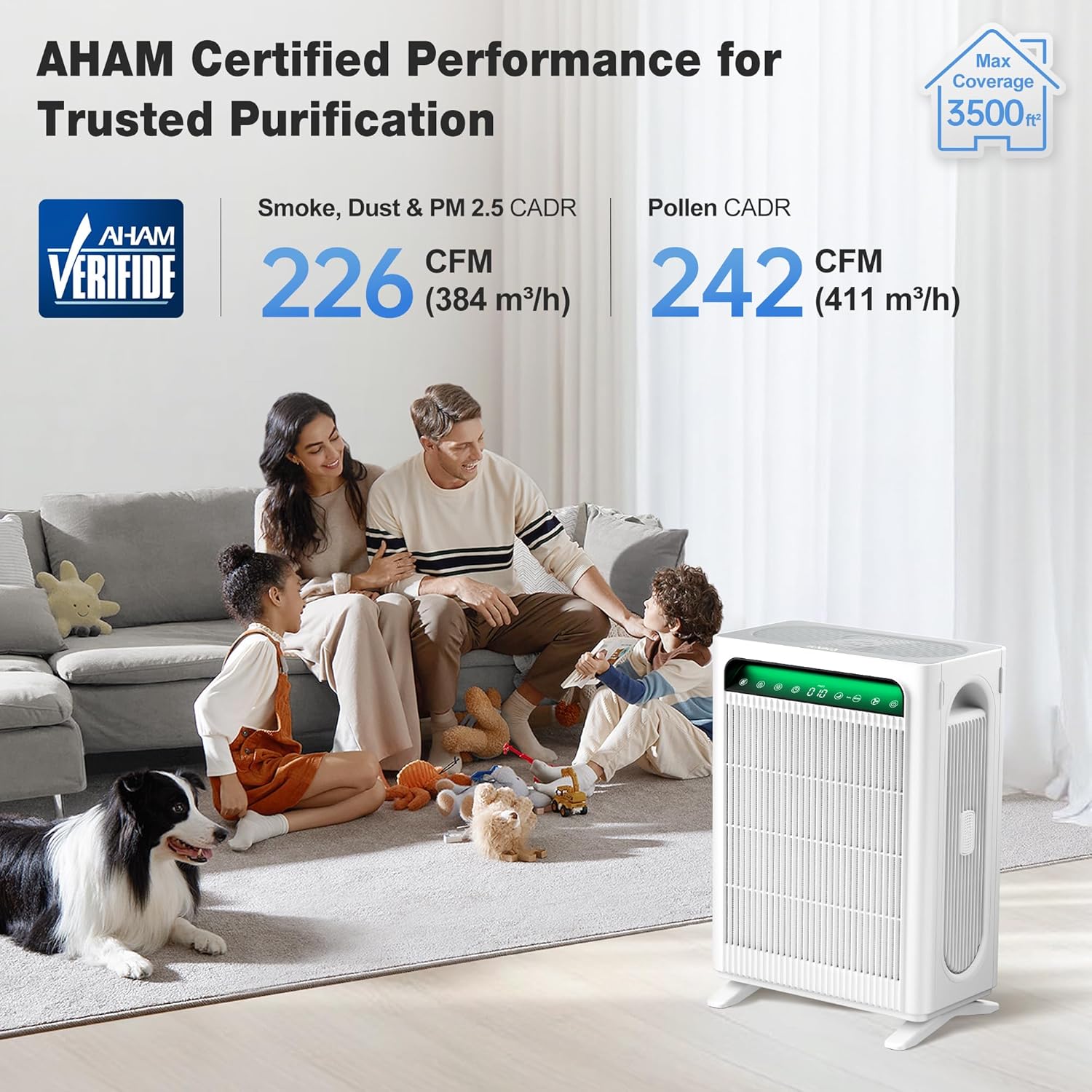
Image 3.1: The KNKA APH4000 Air Purifier in a home setting, emphasizing its AHAM certified performance and large room coverage.

Image 3.2: Illustration of the air purifier's efficient airflow design with dual intakes and side outlets for full room coverage.
4. Setup
4.1 Unboxing and Placement
- Carefully remove the air purifier from its packaging.
- Place the unit on a stable, level surface in the desired room. Ensure there is at least 8 inches of space around all sides for optimal performance.
4.2 Filter Installation
The air purifier comes with filters pre-installed, but they are wrapped in plastic for protection. Remove the plastic before first use.
- Open the filter covers on both sides of the unit.
- Remove the filter cartridges.
- Remove all plastic packaging from the filters.
- Reinsert the filters into the unit, ensuring they are correctly oriented.
- Close the filter covers securely.

Image 4.1: Detailed view of the dual 3-stage filtration system, illustrating the washable pre-filter, True HEPA filter, and activated carbon filter.
5. Operating Instructions
The KNKA APH4000 features an intuitive touch control panel. Refer to the icons on the panel for specific functions.
5.1 Power On/Off
- Press the Power button (
 ) to turn the unit on or off.
5.2 Mode Selection
Press the Mode button to cycle through available modes:
- Auto Mode: The purifier automatically adjusts fan speed based on real-time air quality (AQI).
- Sleep Mode: Operates at the lowest fan speed with minimal noise (22-24 dB) and dims the display for undisturbed sleep.
- Pet Mode: Increases airflow to quickly remove pet hair, dander, and odors, refreshing the air in approximately 30 minutes.
- ECO Mode: Saves energy by entering standby when air quality is excellent and reactivating when purification is needed.

Image 5.1: Visual representation of Pet Mode for quick air refreshment and ECO Mode for energy efficiency based on air quality.
5.3 Fan Speed Adjustment
- Press the Fan Speed button to select from four fan speed levels.

Image 5.2: The air purifier's control panel indicating the four adjustable fan speed settings.
5.4 Real-Time AQI Display
The built-in sensor continuously monitors indoor air quality and displays the PM2.5 value on the control panel. The display color indicates the air quality level:
| PM2.5 Value | Color Indicator | Air Quality |
|---|---|---|
| 0-12 | Green | Excellent |
| 13-35 | Blue | Good |
| 36-55 | Yellow | Poor |
| >55 | Red | Severe |
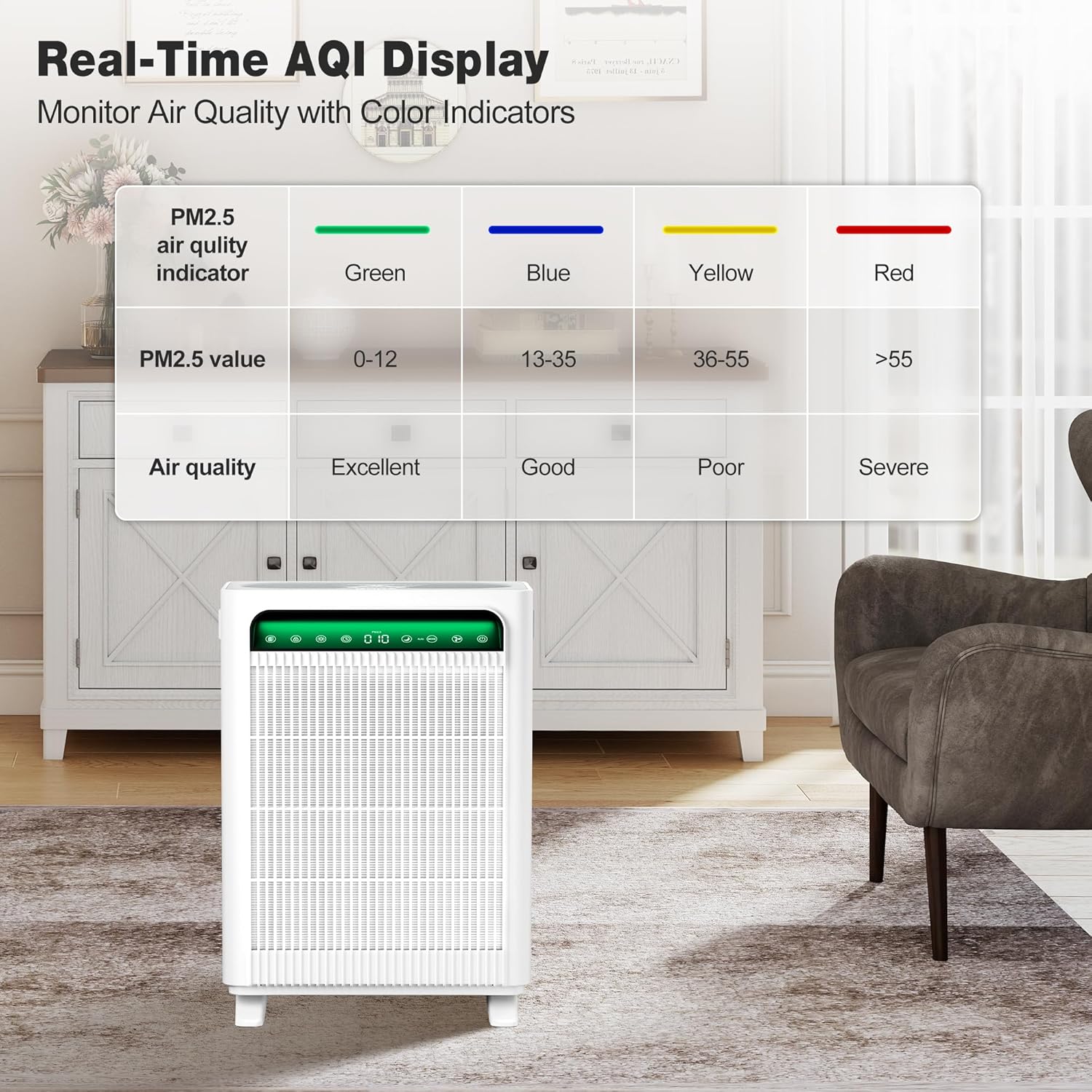
Image 5.3: The AQI display on the air purifier and a corresponding table explaining the color-coded air quality levels.
5.5 Timer Function
- Press the Timer button to set the operating time from 1 to 12 hours. The unit will automatically turn off after the set time.
5.6 Child Lock
- Press and hold the Child Lock button for 3 seconds to activate or deactivate the child lock. When activated, all other buttons are disabled.
5.7 Light Control
- Press the Light button once to turn off the control panel lights. Press again to turn off the display. Press a third time to restore full illumination.
5.8 Scent Mode
- The unit includes an aroma box. Add a few drops of essential oil to the aroma pad in the box to diffuse fragrance into the room.
6. Maintenance
Regular maintenance ensures optimal performance and extends the lifespan of your air purifier.
6.1 Filter Replacement Indicator
- The filter replacement indicator on the control panel will illuminate when it's time to replace the filters.
- For optimal performance, replace the filters every 3-6 months, depending on usage and air quality.
- Use genuine KNKA APH4000 filters. Search for B0FQNYGVZF on Amazon.
6.2 Washable Pre-Filter Cleaning
The pre-filter can be washed to remove larger particles and prolong the life of the HEPA and activated carbon filters.
- Unplug the air purifier.
- Open the filter covers and remove the filter cartridges.
- Carefully detach the pre-filter from the main filter cartridge.
- Rinse the pre-filter under running water until clean. For stubborn dirt, use a soft brush.
- Allow the pre-filter to air dry completely before reattaching it to the main filter and reinserting into the unit.

Image 6.1: Visual guide on how to clean the washable pre-filter by rinsing it under water.
7. Troubleshooting
If you encounter any issues with your KNKA APH4000 Air Purifier, please refer to the following common troubleshooting steps:
- Unit does not turn on: Ensure the power cord is securely plugged into a working outlet. Check if the power button has been pressed.
- Poor air quality reading persists: Check if the filters are installed correctly and free from plastic packaging. Clean the pre-filter if it's dirty. Ensure the unit is placed in an open area, not obstructed.
- Unusual noise: Check for any foreign objects inside the unit or around the fan. Ensure filters are properly seated.
- Filter indicator remains on after replacement: After replacing filters, press and hold the filter reset button (usually the filter icon) for 3 seconds to reset the filter life counter.
8. Specifications
| Specification | Value |
|---|---|
| Model Number | APH4000 |
| Product Dimensions (D x W x H) | 8.15" x 12.36" x 17.09" |
| Weight | 9.68 Pounds |
| Coverage Area | Up to 3,500 sq ft (1 air change per hour) |
| Smoke/Dust/PM2.5 CADR | 226 CFM (384 m³/h) |
| Pollen CADR | 242 CFM (411 m³/h) |
| Noise Level (Sleep Mode) | 22-24 dB |
| Certifications | AHAM Certified, CARB Certified, DOE Certified, ETL Certified, FCC Certified |
9. Warranty and Support
For warranty information or technical support, please refer to the product packaging or contact KNKA customer service directly. Keep your purchase receipt for warranty claims.


