
1. Introduction
This manual provides detailed instructions for the safe and effective use of your WONNIE DC106 Digital Camera. Designed for ease of use, this compact camera captures FHD 1080P videos and vivid 56MP photos, making it ideal for beginners and young users. Please read this manual thoroughly before operating the camera to ensure optimal performance and longevity.
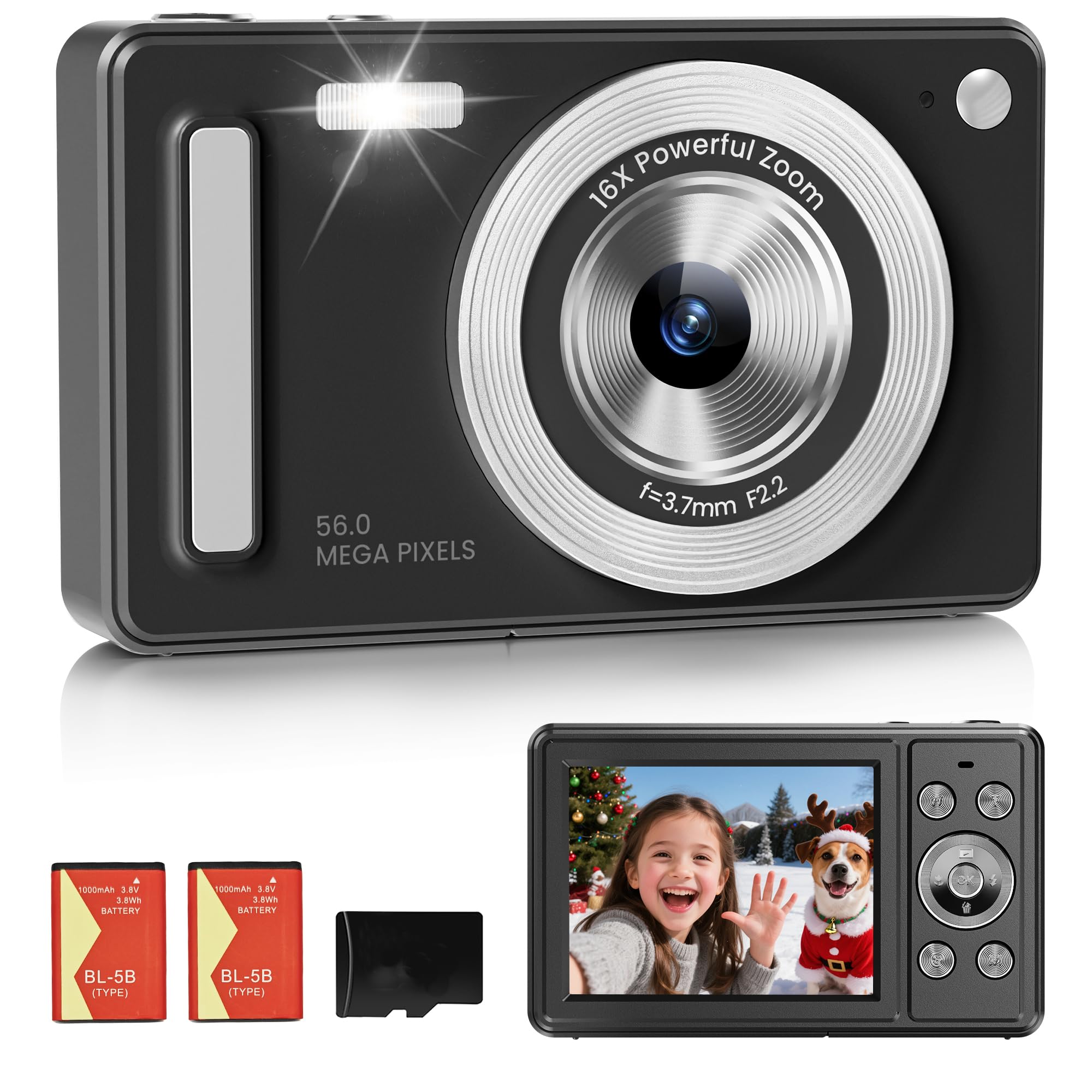
The WONNIE DC106 Digital Camera, a compact device for capturing photos and videos.
2. What's in the Box
Verify that all items listed below are included in your package:
- WONNIE DC106 Digital Camera
- 32GB SD Card
- 2 Rechargeable 1000mAh Batteries
- Type-C USB Cable
- Lanyard
- Camera Bag
- Quick Start Guide
- User Manual (this document)

All components included with your WONNIE DC106 Digital Camera.
3. Product Overview
Familiarize yourself with the camera's physical features and controls.

Detailed diagram of the camera's buttons and ports.
4. Setup
4.1. Battery Installation and Charging
The camera comes with two rechargeable 1000mAh batteries. Ensure at least one battery is charged before use.
- Open the battery cover located on the side of the camera.
- Insert a charged battery into the compartment, ensuring the metal contacts align. The battery is designed with a notch to prevent incorrect insertion.
- Close the battery cover securely.
- To charge, connect the camera to a power source using the provided Type-C USB cable. The indicator light will show charging status. A steady bright red light indicates charging, while a dim, flickering light indicates an issue.

Steps for battery installation and charging status indicators.
4.2. SD Card Insertion
A 32GB SD card is included for storage. Insert it into the designated slot next to the battery compartment until it clicks into place.
5. Operating Instructions
5.1. Power On/Off
- Power On: Press and hold the power button for 1 second.
- Power Off: Press and hold the power button for 1 second. The camera will also automatically shut down after a preset period of inactivity to conserve battery.
5.2. Taking Photos
The camera captures 56MP photos with natural color and clear details.
- Shutter Button: Press the shutter button to take a photo.
- 16X Digital Zoom: Use the W/T buttons to zoom in or out on your subject.
- Anti-Shake: This feature helps stabilize your shots, reducing blur from camera movement.
- Face Detection: The camera can automatically detect and focus on faces.
- Self-Timer: Set a delay (2s, 5s, or 10s) before taking a photo, useful for group shots or selfies.
- Filters: Explore 20 fun filters to add artistic effects to your photos.
- Scene Modes: Choose from 7 scene modes (e.g., Auto, Scenery, Portrait, Night Portrait, High Sensitivity, Beach) to optimize settings for different environments.
- Built-in Flash: Use the flash for bright and clear photos in low-light conditions.

Utilize 16X digital zoom to capture distant subjects.

The anti-shake function helps keep your photos clear and sharp.

Set the self-timer for convenient photo capture.

Select from various scene modes to enhance your photos.
5.3. Recording Videos
Capture smooth FHD 1080P videos.
- Switch to video mode using the mode button.
- Press the shutter button to start and stop recording.

Record full HD 1080P videos to capture life in motion.
5.4. Viewing and Deleting Content
Use the navigation buttons to browse through your photos and videos. The menu button allows you to delete individual items or all content.
6. Connecting to a Computer
The camera can be connected to a computer for file transfer or used as a webcam.
- File Transfer: Connect the camera to your computer using the Type-C USB cable. The camera will appear as a removable disk, allowing you to easily transfer photos and videos.
- Webcam Function: When connected to a computer, the camera can be selected as a webcam for live streaming or video calls.

Easily transfer files to your computer using the included USB-C cable.

Use the camera for webcam live streaming or video calls.
7. Maintenance
- Cleaning: Use a soft, dry cloth to clean the camera body. For the lens, use a specialized lens cleaning cloth and solution.
- Battery Care: To prolong battery life, fully charge the batteries before first use and store them in a cool, dry place when not in use. The auto power-off function helps conserve battery during idle periods.
- Storage: Store the camera in its protective bag when not in use to prevent scratches and damage.
8. Troubleshooting
If you encounter issues with your camera, refer to the following common solutions:
| Problem | Solution |
|---|---|
| Camera does not power on | Ensure the battery is correctly inserted and fully charged. |
| Cannot take photos/videos | Check if the SD card is inserted correctly and has sufficient free space. Ensure the battery has enough charge. |
| Images are blurry | Ensure the anti-shake function is enabled. Hold the camera steady while shooting. Check lighting conditions. |
| Camera freezes | Remove and reinsert the battery to reset the camera. |
| Files not transferring to computer | Ensure the Type-C USB cable is securely connected to both the camera and the computer. Try a different USB port or cable. |
9. Specifications
Detailed technical specifications for the WONNIE DC106 Digital Camera:
| Feature | Specification |
|---|---|
| Model Name | DC106 |
| Photo Sensor Resolution | 56 MP |
| Video Resolution | 1080p FHD |
| Digital Zoom | 16x |
| Screen Size | 2.8 Inches LCD |
| Image Stabilization | Digital |
| Storage Media | Micro SD Card (up to 128GB, 32GB included) |
| Battery Type | Rechargeable 1000mAh (2 included) |
| Connectivity | USB Type-C |
| Special Features | Self-Timer, Face Detection, Anti-Shake, Multiple Filters, Scene Modes |
| Item Weight | 0.23 Kilograms |
| Supported File Format | JPEG (Image), AVI (Video) |
10. Warranty and Support
Your WONNIE DC106 Digital Camera comes with a 1-year warranty. For any product-related inquiries, technical assistance, or warranty claims, please contact our professional after-sales support team. Refer to the contact information provided in your Quick Start Guide or visit the official WONNIE website for support details.
11. Official Product Video
Watch this video for an overview of the WONNIE DC106 Digital Camera's features and capabilities.
Video: Digital Camera FHD1080P. This video provides a visual demonstration of the camera's key functions and design.