
Rossetta Rossetta 3D Projector
Rossetta 3D Galaxy Projector with Bluetooth Speaker & Remote User Manual
Model: Rossetta 3D Projector
Introduction
This manual provides detailed instructions for the safe and effective use of your Rossetta 3D Galaxy Projector. Please read this manual thoroughly before operation and retain it for future reference.

Image: The Rossetta 3D Galaxy Projector and its remote control, projecting a nebula scene.
Safety Information
To ensure safe operation, please observe the following precautions:
- Do not disassemble or modify the device.
- Keep the device away from water and high humidity.
- Avoid direct eye exposure to the projector light.
- Use only the provided power adapter.
- Ensure proper ventilation to prevent overheating.
Package Contents
Verify that all items are present in the package:
- 1 x Rossetta 3D Projector
- 1 x Remote Control
- 1 x Power Adapter
- 1 x User Manual (this document)
Product Overview
Familiarize yourself with the main components of your projector:

Image: Detailed view of the projector's HD lens and focus wheel.
- Projection Lens: Emits the visual themes.
- Focus Wheel: Adjusts the clarity of the projected image.
- Control Buttons: Located on the device for basic functions (Power, Volume, Bluetooth, Timer).
- Adjustable Stand: Allows for angle adjustment of the projection.
- Bluetooth Speaker: Integrated speaker for audio playback.
- Remote Control: Provides full control over all projector functions.
Setup
- Placement: Position the projector on a stable, flat surface. For optimal viewing, place it 10 to 20 feet away from the projection surface (wall or ceiling). The projector covers an area of 130-385 sq. ft.
- Power Connection: Connect the provided power adapter to the projector's power input and then to a standard electrical outlet.
- Adjust Projection Angle: Utilize the 220-degree adjustable stand to direct the projection to your desired surface.
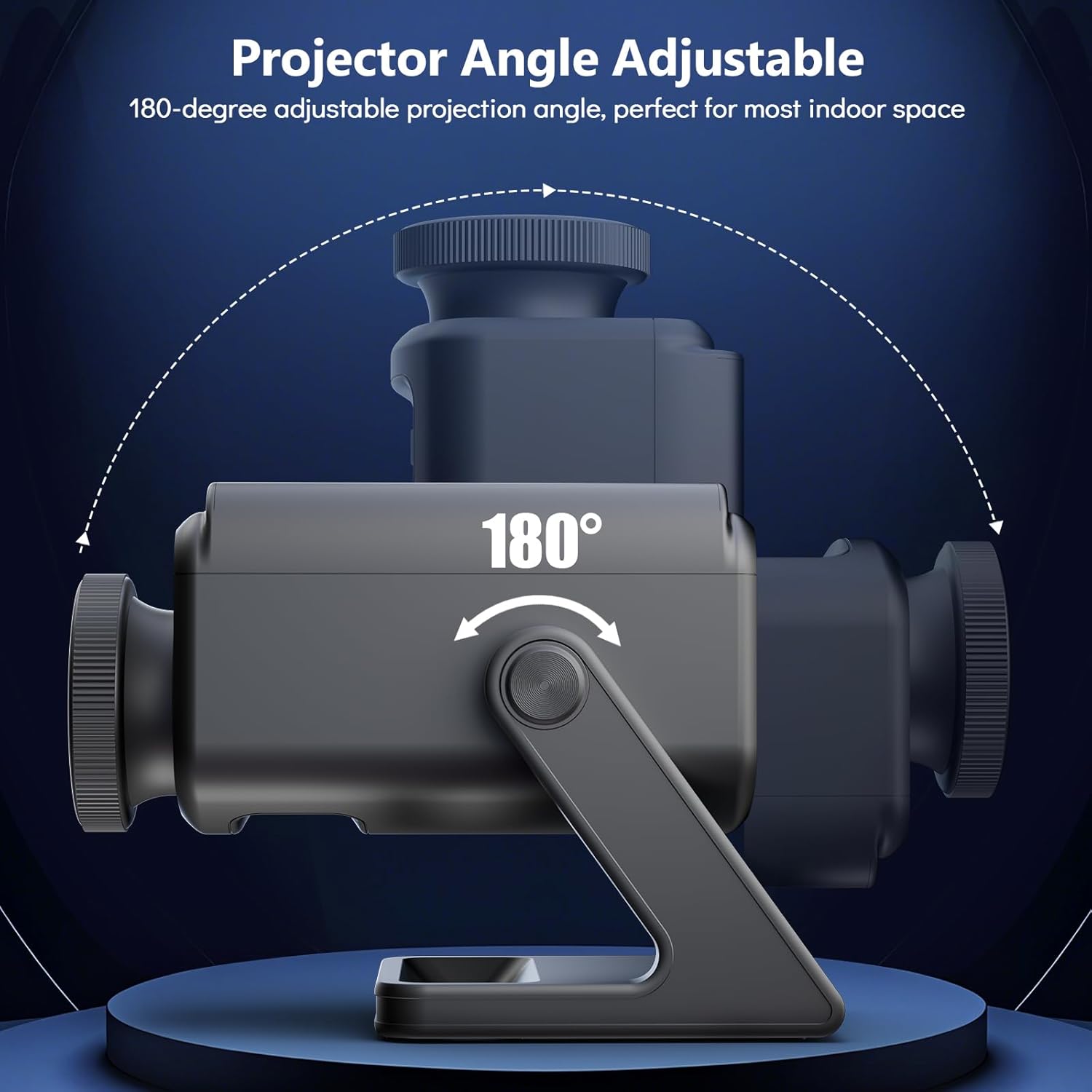
Image: Illustration of the projector's adjustable angle for versatile placement.
- Focus Adjustment: Turn the focus wheel on the projector lens to achieve a clear and sharp image.
Operating Instructions
Power On/Off
- Press the power button on the projector or the remote control to turn the device on or off.
Theme Selection
The projector features 60 dynamic 3D scenes across 12 captivating themes.

Image: A selection of the 60 dynamic 3D themes available with the projector.
- Use the remote control to browse and select desired themes.
- Themes include oceans, wildlife, cosmic wonders, and festivals.
Brightness Adjustment
- Adjust the projection brightness using the dedicated buttons on the remote control.
Timer Function
Set an automatic shut-off timer for convenience and energy saving.
- Press the "1H" or "2H" button on the remote control to set the projector to turn off after 1 or 2 hours, respectively.
Bluetooth Speaker
The integrated Bluetooth speaker allows for audio playback.
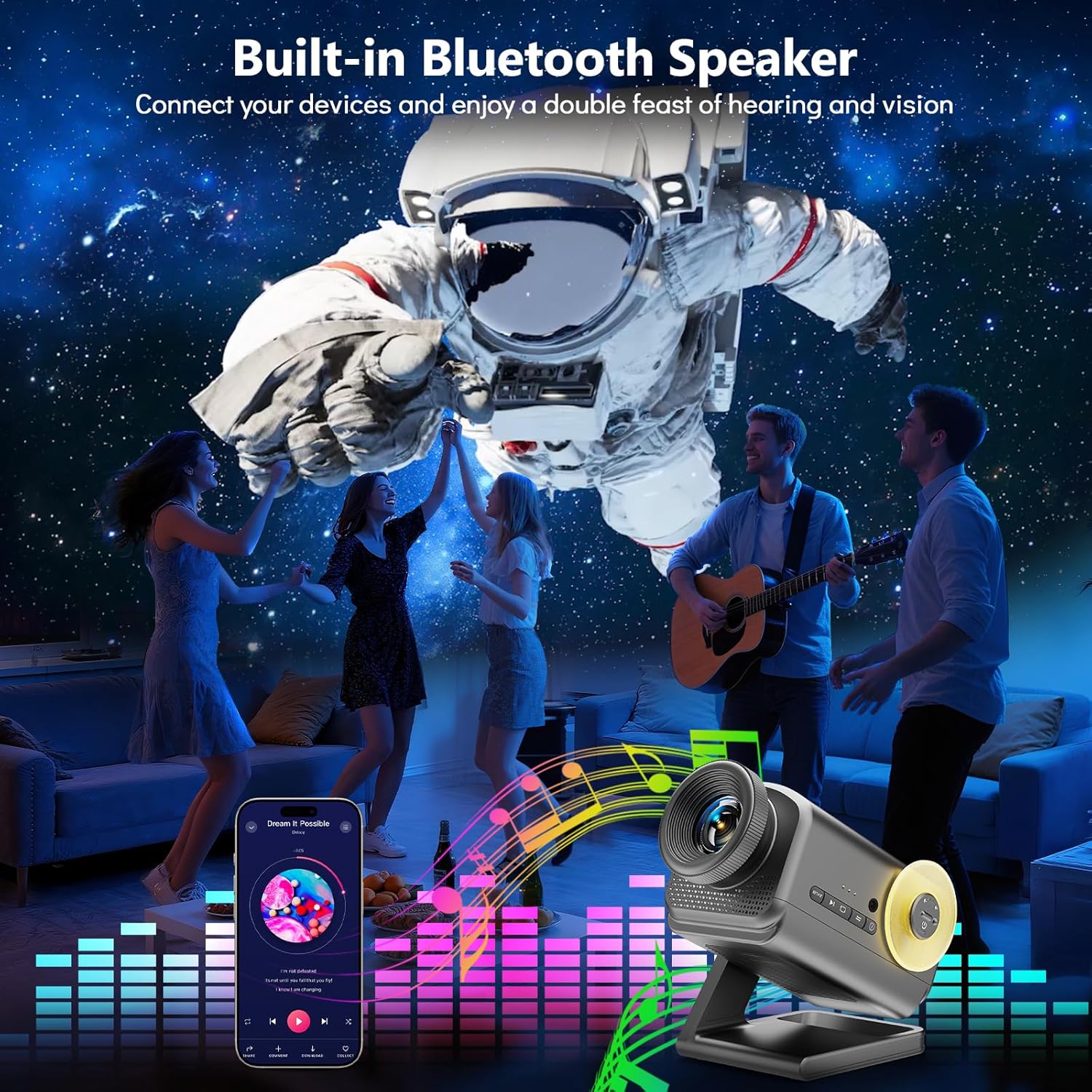
Image: The projector in use, highlighting its Bluetooth speaker capability during a social gathering.
- Activate Bluetooth on your mobile device.
- Search for "Rossetta Projector" in your device's Bluetooth settings and pair.
- You can now stream audio from your device or use the projector's built-in theme-matched background sounds.
Remote Control Usage
The remote control provides comprehensive access to all features.
- Power Button: On/Off.
- Theme Selection Buttons: Navigate through the 60 themes.
- Brightness Buttons: Increase or decrease projection brightness.
- Timer Buttons (1H/2H): Set automatic shut-off.
- Volume Buttons: Adjust speaker volume.
- Bluetooth Button: Toggle Bluetooth mode.
Media Integration
Official Product Video
Watch this video for a visual demonstration of the Rossetta 3D Galaxy Projector's features and capabilities.
Video: An official product video showcasing the Rossetta 3D Theme Projector and its various projections.
Maintenance
- Cleaning: Use a soft, dry cloth to clean the exterior of the projector. Do not use liquid cleaners or abrasive materials.
- Lens Care: Gently wipe the projector lens with a microfiber cloth designed for optics. Avoid touching the lens with bare hands.
- Storage: When not in use, store the projector in a cool, dry place, away from direct sunlight and extreme temperatures.
Troubleshooting
| Problem | Possible Cause | Solution |
|---|---|---|
| Projector does not turn on. | No power supply. | Ensure the power adapter is securely connected to both the projector and a working electrical outlet. |
| Image is blurry. | Focus is not adjusted correctly. | Rotate the focus wheel on the projector lens until the image is clear. |
| Bluetooth speaker not connecting. | Bluetooth is not enabled or device is out of range. | Ensure Bluetooth is enabled on your device and the projector, and that they are within pairing range. Restart both devices if necessary. |
| Remote control not working. | Low battery or obstruction. | Replace the remote control batteries. Ensure there are no obstructions between the remote and the projector. |
Specifications
| Feature | Detail |
|---|---|
| Color | Gray |
| Material | Plastic |
| Light Source Type | Light Emitting Diode (LED) |
| Power Source | Corded Electric |
| Voltage | 19 Volts (DC) |
| Light Source Wattage | 28 Watts |
| Product Dimensions | 7.76"L x 5"W x 5.59"H |
| Item Weight | 3.06 pounds |
| Beam Angle | 220 Degrees |
| Features | Dimmable, Bluetooth Speaker, 60 Themes, 1H/2H Timer |
| Certifications | CE, FCC, RoHS |
Warranty and Support
Rossetta is committed to providing quality products and customer satisfaction.
- Returns/Replacements: Easy return and replacement options are available. Please refer to your purchase platform's return policy for details.
- Professional Support: Rossetta offers lifetime professional support for its products. For assistance, please contact customer service through the vendor's contact information provided at the point of purchase.
Related documentsRossetta 3D Projector


Ask a question about this manual
Ask about setup, troubleshooting, compatibility, parts, safety, or missing instructions. Manuals+ will review the question and use this page’s manual context to help answer it.