
LIGE LG89107D
LIGE LG89107D Quartz Chronograph Watch with Lunar Phase Display User Manual
Model: LG89107D | Brand: LIGE
Introduction
This manual provides comprehensive instructions for the setup, operation, and maintenance of your LIGE LG89107D Quartz Chronograph Watch. Please read this manual carefully to ensure proper use and to maximize the lifespan of your timepiece.
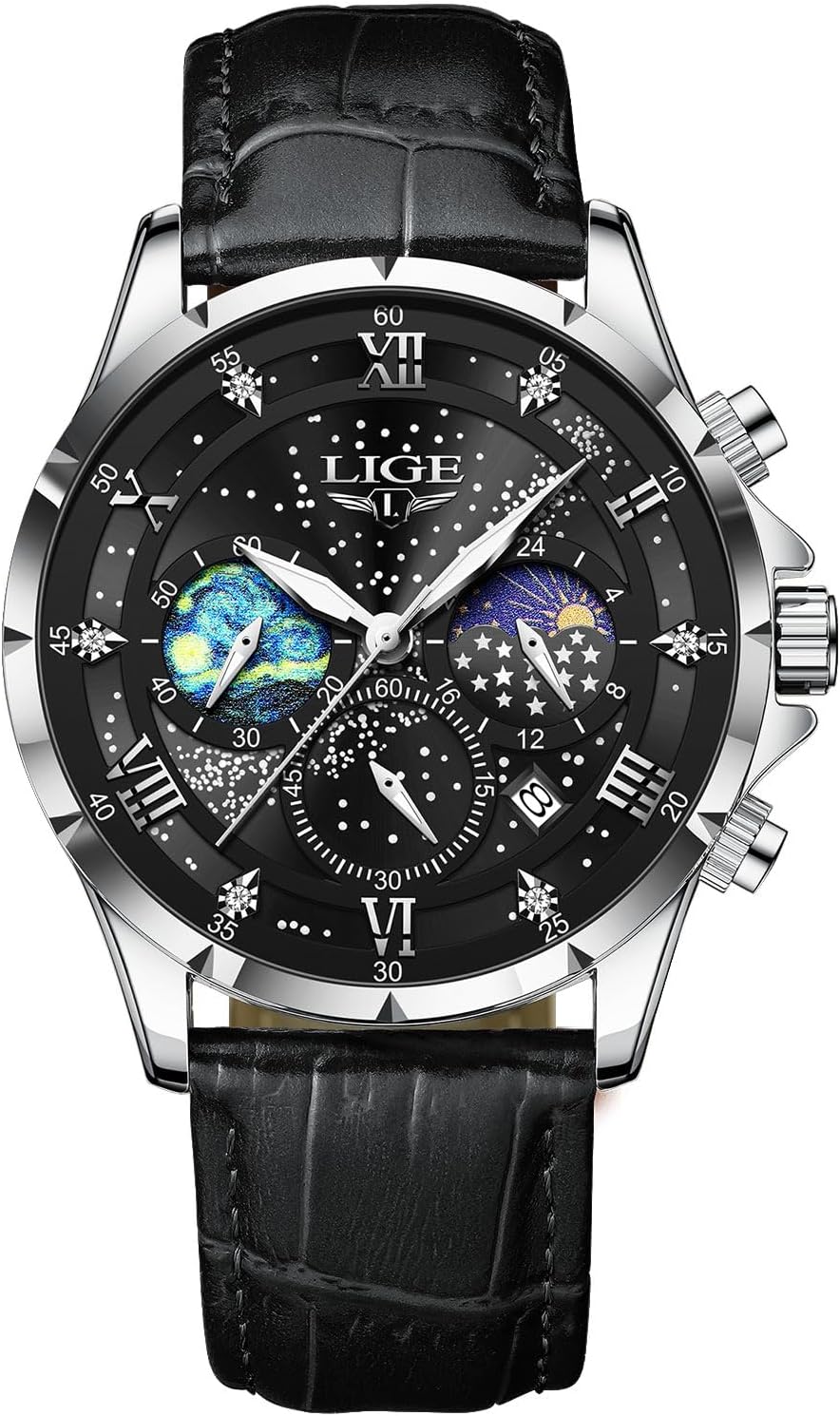
Image: Front view of the LIGE LG89107D Quartz Chronograph Watch, featuring a black dial with lunar phase and chronograph sub-dials, and a black leather strap.
Product Features
- Japanese Quartz Movement: Ensures precise and accurate timekeeping.
- Chronograph Function: Allows for precise measurement of elapsed time.
- Lunar Phase Display: Indicates the current phase of the moon.
- Date Display: Shows the current date.
- Luminous Hands: Provides visibility in low-light conditions.
- Water Resistance: Rated up to 3 ATM (30 meters), suitable for splashes and rain, but not for swimming or diving.
- Scratch-Resistant Mineral Crystal Lens: Durable glass with 500-600 HV Vickers hardness.
- Durable Construction: Features a quality stainless steel case and a genuine leather strap.

Image: A four-panel illustration highlighting key features: 30-meter water resistance, high-hardness mineral glass, luminous hands, and a durable leather strap.
Watch Components and Basic Setup

Image: A detailed diagram illustrating the watch's crown and push-button functions for time, date, and chronograph adjustments.
Setting the Time
- Pull the crown out to position 2 (the outermost position).
- Rotate the crown to move the hour and minute hands to the correct time. Ensure the 24-hour/lunar phase sub-dial also aligns correctly (e.g., sun for daytime, moon for nighttime).
- Push the crown back into position 0 (normal operating position).
Setting the Date
- Pull the crown out to position 1 (the middle position).
- Rotate the crown clockwise to adjust the date in the date window.
- Once the correct date is displayed, push the crown back into position 0.
- Note: Avoid setting the date between 9 PM and 3 AM, as this may interfere with the automatic date change mechanism.
Setting the Lunar Phase (24-hour sub-dial)
The lunar phase indicator is synchronized with the 24-hour hand. When setting the time, ensure the 24-hour hand (and thus the lunar phase) corresponds to AM/PM. The sun icon indicates daytime, and the moon icon indicates nighttime.
Operating Instructions
Using the Chronograph
- Start: Press the upper push-button to start the chronograph. The chronograph seconds hand (bottom sub-dial) and chronograph minutes hand (right sub-dial) will begin to move.
- Pause: Press the upper push-button again to pause the chronograph. The elapsed time will be displayed.
- Resume: Press the upper push-button once more to resume timing from where it was paused.
- Reset: While the chronograph is stopped (paused), press the lower push-button to reset all chronograph hands to their zero positions.
Maintenance
- Water Resistance: The watch is 3 ATM (30 meters) water-resistant. This means it can withstand splashes, rain, and brief immersion. It is not suitable for showering, swimming, diving, or any water sports. Do not operate the crown or push-buttons when the watch is wet.
- Cleaning: Wipe the watch case and crystal with a soft, dry cloth. For the leather strap, use a slightly damp cloth and allow it to air dry completely. Avoid harsh chemicals or abrasive materials.
- Temperature: Avoid exposing the watch to extreme temperatures (hot or cold) or sudden temperature changes, as this can affect the movement and seals.
- Magnetic Fields: Keep the watch away from strong magnetic fields, which can affect the accuracy of the quartz movement.
- Battery Replacement: The watch uses a nonstandard battery. When the battery runs low, the watch may lose accuracy or stop. It is recommended to have the battery replaced by a qualified watch technician to ensure proper sealing and function.

Image: The LIGE watch demonstrating its luminous hands and water resistance, highlighting features relevant to maintenance.
Troubleshooting
| Problem | Possible Cause | Solution |
|---|---|---|
| Watch stops or loses time. | Low battery. | Replace the battery. Consult a professional watch technician. |
| Date does not change automatically. | Date set during restricted hours (9 PM - 3 AM). | Adjust the time past 3 AM, then reset the date. |
| Chronograph hands do not reset to zero. | Minor misalignment. | Reset the chronograph as per operating instructions. If persistent, consult customer support. |
| Condensation under the crystal. | Exposure to extreme temperature changes or water ingress. | Immediately take the watch to a professional watch technician for inspection and repair to prevent damage. |
Specifications

Image: A visual representation of the LIGE LG89107D watch's key dimensions and material specifications.
- Model Number: LG89107D
- Movement: Japanese Quartz
- Case Material: Stainless Steel
- Case Diameter: 42mm
- Case Thickness: 12mm
- Band Material: Genuine Leather
- Band Width: 22mm
- Clasp Type: Buckle
- Water Resistance: 3 ATM (30 meters)
- Crystal: Mineral Glass (500-600 HV Vickers hardness)
- Special Features: Chronograph, Date Display, Lunar Phase Display, Luminous Hands
- Battery: 1 Nonstandard Battery (included)
- Weight: Approximately 5.11 ounces
Warranty and Customer Support
LIGE provides a 2-year customer service policy for this watch. Additionally, a 60-day return/exchange policy is available. For any questions, concerns, or assistance, please contact LIGE customer support. Our dedicated team is ready to provide professional assistance.
For further information or to contact support, please visit the official LIGE store or refer to your purchase documentation.
Ask a question about this manual
Ask about setup, troubleshooting, compatibility, parts, safety, or missing instructions. Manuals+ will review the question and use this page’s manual context to help answer it.