
1. Introduction
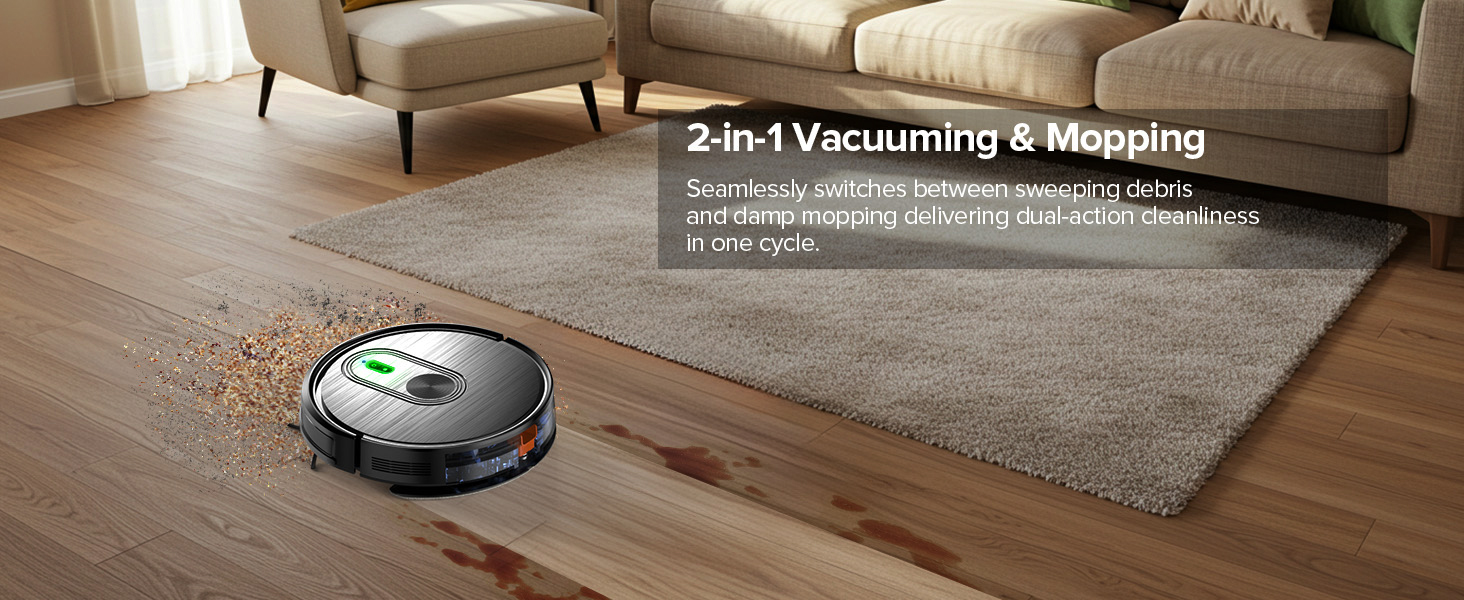
Thank you for choosing the XIEBro T8S Robot Vacuum and Mop Combo. This innovative 2-in-1 device is designed to simplify your home cleaning routine by efficiently vacuuming and mopping various floor types. Featuring powerful suction, intelligent navigation, and multiple control options, the T8S provides a comprehensive cleaning solution.
2. Safety Information
Please read all safety instructions carefully before using the product. Keep this manual for future reference.
- Ensure the robot is fully charged before first use.
- Do not use the robot in wet environments or near water sources.
- Keep children and pets away from the robot during operation.
- Remove loose cables, small objects, and fragile items from the cleaning path to prevent entanglement or damage.
- Do not use cleaning agents in the water tank to prevent corrosion.
- Regularly clean brushes and filters to maintain optimal performance.
3. Product Overview (Components)
The XIEBro T8S Robot Vacuum and Mop Combo includes the following components:
- T8S Vacuum Robot
- Remote Control (2 AAA batteries included)
- Charging Base
- Power Adapter
- Water Tank
- Dustbin
- 4 Side Brushes
- User Manual
- Cleaning Brush
- Filter
- Mop Board
- Mop Pad
This image displays the XIEBro T8S Robot Vacuum Cleaner along with its complete set of accessories, including the remote control, charging base, power adapter, water tank, dustbin, side brushes, cleaning brush, filter, mop board, and mop pad.
4. Setup
4.1 Unboxing and Initial Inspection
Carefully remove all components from the packaging. Verify that all items listed in the Product Overview section are present and undamaged. Remove any protective films or stickers from the robot and its accessories.
4.2 Charging Base Placement
Place the charging base against a wall in an open area, ensuring there are no obstacles within 1 meter (3 feet) to the sides and 2 meters (6 feet) in front. Connect the power adapter to the charging base and a power outlet.

This image illustrates the XIEBro T8S Robot Vacuum Cleaner automatically navigating back to its charging base when its battery is low or a cleaning cycle is complete.
4.3 Initial Charging
Place the robot onto the charging base, ensuring the charging contacts align. The indicator light on the robot will show charging status. For optimal battery life, fully charge the robot before its first use (approximately 4-5 hours).
4.4 Side Brush Installation
Attach the side brushes to the corresponding posts on the underside of the robot until they click into place.
4.5 Water Tank & Dustbin Preparation
For vacuuming, ensure the dustbin is properly installed. For mopping, fill the water tank with clean water. Attach the mop pad to the mop board and then slide the mop board assembly into the designated slot on the robot.

This image shows the XIEBro T8S Robot Vacuum with its water tank and dust box detached, highlighting the ease of access for maintenance and refilling.
4.6 App & Remote Control Setup
To use the Tuya Smart App, download it from your app store. Follow the in-app instructions to connect your robot (supports 2.4GHz Wi-Fi only). The remote control is pre-paired; simply insert the included AAA batteries.
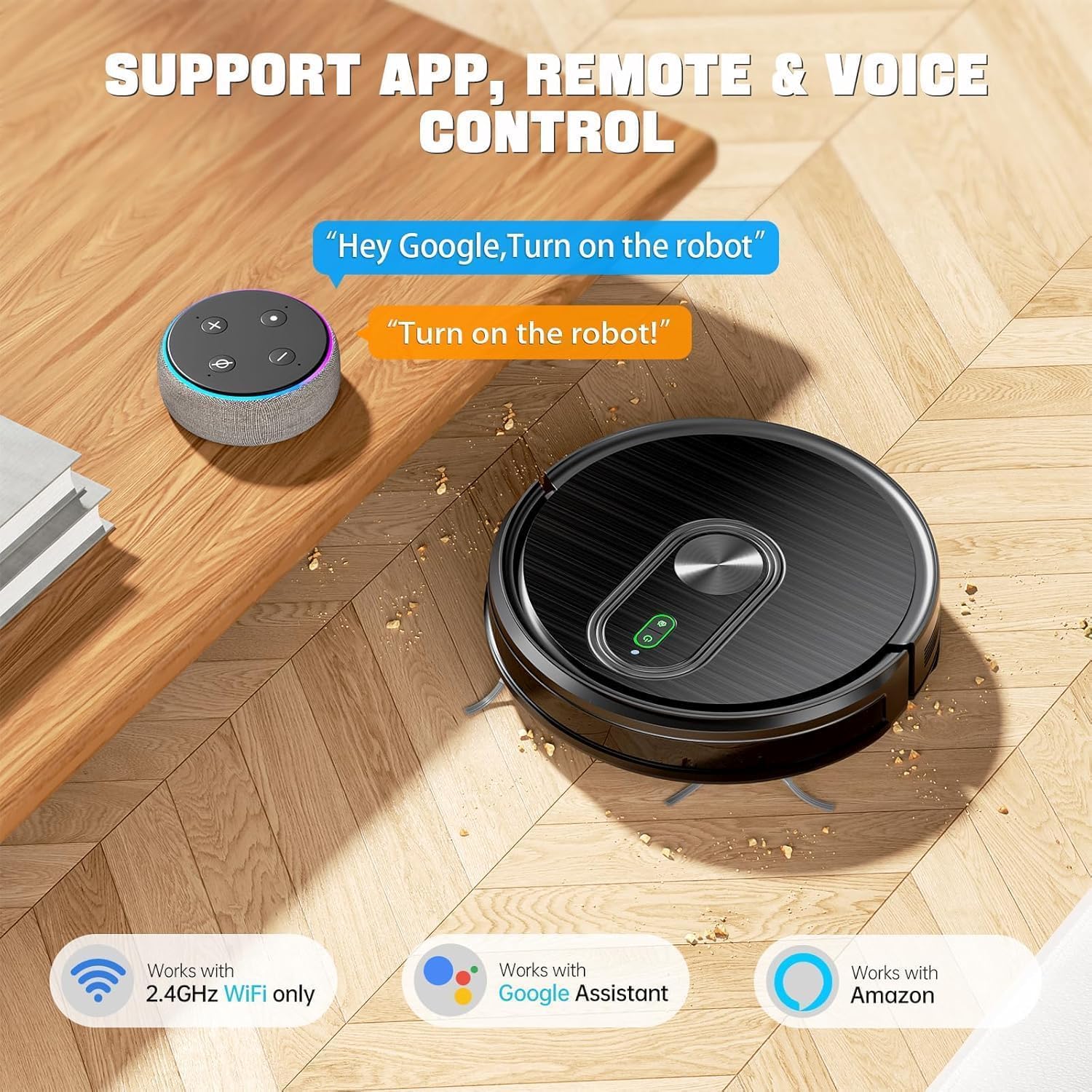
This image displays the XIEBro T8S Robot Vacuum Cleaner alongside various control methods: a smartphone running the Tuya Smart App, a remote control, and voice assistants like Google Assistant and Amazon Alexa.
5. Operating Instructions
5.1 Power On/Off
Press and hold the power button on the robot or the remote control to turn the robot on or off. A short press will start/pause cleaning.
5.2 Cleaning Modes
- Auto Cleaning: The robot automatically cleans in a systematic pattern.
- Spot Cleaning: Focuses on a specific dirty area.
- Edge Cleaning: Cleans along walls and furniture edges.
- Zig-zag Cleaning: Cleans in a back-and-forth pattern for thorough coverage.
5.3 Suction Power Adjustment
Adjust suction power (3 levels: 1200Pa, 2100Pa, 3200Pa) via the app or remote control to suit different floor types and cleaning needs. The robot features a carpet booster function for increased suction on carpets.
5.4 Water Flow Adjustment
Control the water output (2 speeds) for mopping via the app or remote control. This ensures uniform penetration suitable for all hard floors.
5.5 Automatic Recharging
When the battery level is below 15% or a cleaning cycle is complete, the robot will automatically return to its charging dock.
5.6 Obstacle Avoidance & Anti-Drop
Equipped with advanced 3D precise obstacle avoidance and infrared sensors, the robot intelligently identifies and avoids obstacles, white walls, and stairs. It can climb up to 15° and easily cross door thresholds or low-pile carpets.

This image visually represents the XIEBro T8S Robot Vacuum's advanced anti-drop and anti-collision technology, showing how it uses infrared sensors to detect and avoid obstacles and edges.
5.7 Voice Control
The robot vacuum is compatible with Google Assistant and Amazon Alexa. After connecting to the Tuya Smart App, you can control the robot using voice commands.
6. Maintenance
Regular maintenance ensures optimal performance and extends the lifespan of your XIEBro T8S.
6.1 Emptying Dustbin
Empty the 300ml dustbin after each cleaning cycle or when full. Press the release button to detach the dustbin, open it, and discard collected debris.
6.2 Cleaning Filters
The dust box is equipped with a 3-layer filter system. The high-performance filter is washable, while the filter cotton is not. Clean the washable filter with water and allow it to air dry completely before reinstallation. Replace non-washable filters periodically.
6.3 Cleaning Side Brushes and Roller Brush
Regularly check and clean the side brushes and the main roller brush for tangled hair or debris. Use the provided cleaning brush to remove any obstructions.
6.4 Cleaning Mop Pad
Remove the mop pad after each mopping session and wash it. Allow it to air dry completely before reattaching.
6.5 Water Tank Care
Empty any remaining water from the tank after mopping. To prevent corrosion, avoid using any cleaning agents or detergents in the water tank; use only clean water.
7. Troubleshooting
If you encounter issues with your XIEBro T8S, refer to the troubleshooting section in the included user manual for detailed solutions. Common issues may include:
- Robot not powering on or charging.
- Robot getting stuck frequently.
- Poor cleaning performance.
- App connection issues (ensure 2.4GHz Wi-Fi).
- Unusual noises during operation.
For persistent problems, please contact customer service.
This video showcases the XIEBro T8S Robot Vacuum and Mop's ability to clean a very messy balcony floor, demonstrating its suction power and effectiveness on hard surfaces. It highlights the robot's capability to pick up various debris, including pet hair, leaves, and branches, and its ability to navigate tight spaces. The video also shows the collected debris in the dustbin after cleaning.
8. Specifications
| Feature | Detail |
|---|---|
| Brand | XIEBro |
| Model Name | T8S Robot Vacuum and Mop Combo |
| Special Feature | Automatic Shut-Off |
| Color | Black |
| Product Dimensions | 16.9"L x 13.97"W x 4.64"H |
| Filter Type | Three-layer high-efficiency filtration (washable) + filter cotton (not washable) |
| Battery Life | 120 minutes (Quiet Mode) |
| Voltage | 220 Volts |
| Dustbin Capacity | 300 Milliliters |
| Water Tank Capacity | 260 Milliliters |
| Power Source | Battery Powered |
| Control Method | App, Remote, Touch, Voice |
| Compatible Devices | Google Home, Smartphones |
| Form Factor | Robotic |
| Item Weight | 7.68 pounds |
| Manufacturer | XIEBro |
| Surface Recommendation | Hard Floor, Low Pile Carpet, Wood Floor, Tile Floor |

This image highlights the XIEBro T8S Robot Vacuum's ultra-slim 2.9-inch design, showcasing its ability to easily navigate and clean under furniture like sofas and beds, reaching areas that are typically hard to access.
9. Warranty & Support
The XIEBro T8S Robot Vacuum and Mop Combo comes with a 12-month warranty. For professional customer service and support, please refer to the contact information provided in your user manual.