
1. Product Overview
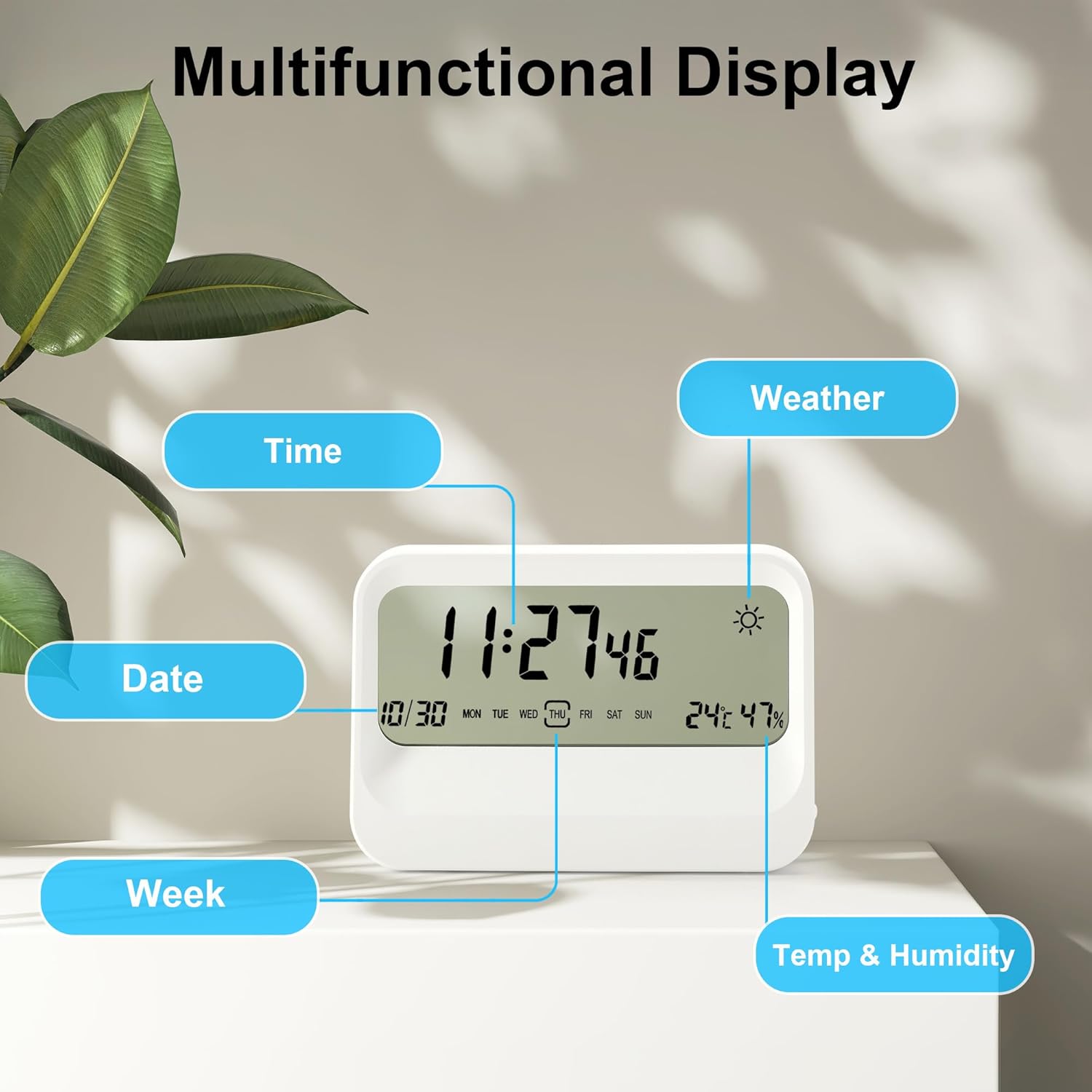
The Lafocuse Transparent LCD Digital Alarm Clock is a versatile device designed to provide essential information at a glance. It features a unique transparent LCD display that shows time, date, day of the week, indoor temperature, humidity, and a weather symbol. This battery-powered clock is suitable for various indoor environments such as bedrooms, offices, and living rooms.

2. Package Contents
- 1 x Lafocuse Transparent LCD Digital Alarm Clock (Model ZH0176)
- 1 x User Manual
Note: 2 AAA batteries are required for operation and are not included in the package.
3. Product Features
- Transparent LCD Display: Shows time, date, day, temperature, humidity, and weather symbol simultaneously.
- Battery Powered: Operates on 2 AAA batteries for cordless convenience.
- Temperature & Humidity Monitoring: Built-in thermometer and hygrometer update readings every 60 seconds.
- Weather Symbol Display: Indicates weather conditions (sunny, cloudy, overcast, rainy) based on current temperature and humidity. Note: This is not a weather forecast.
- Alarm with Snooze: Features a 5-minute snooze function.
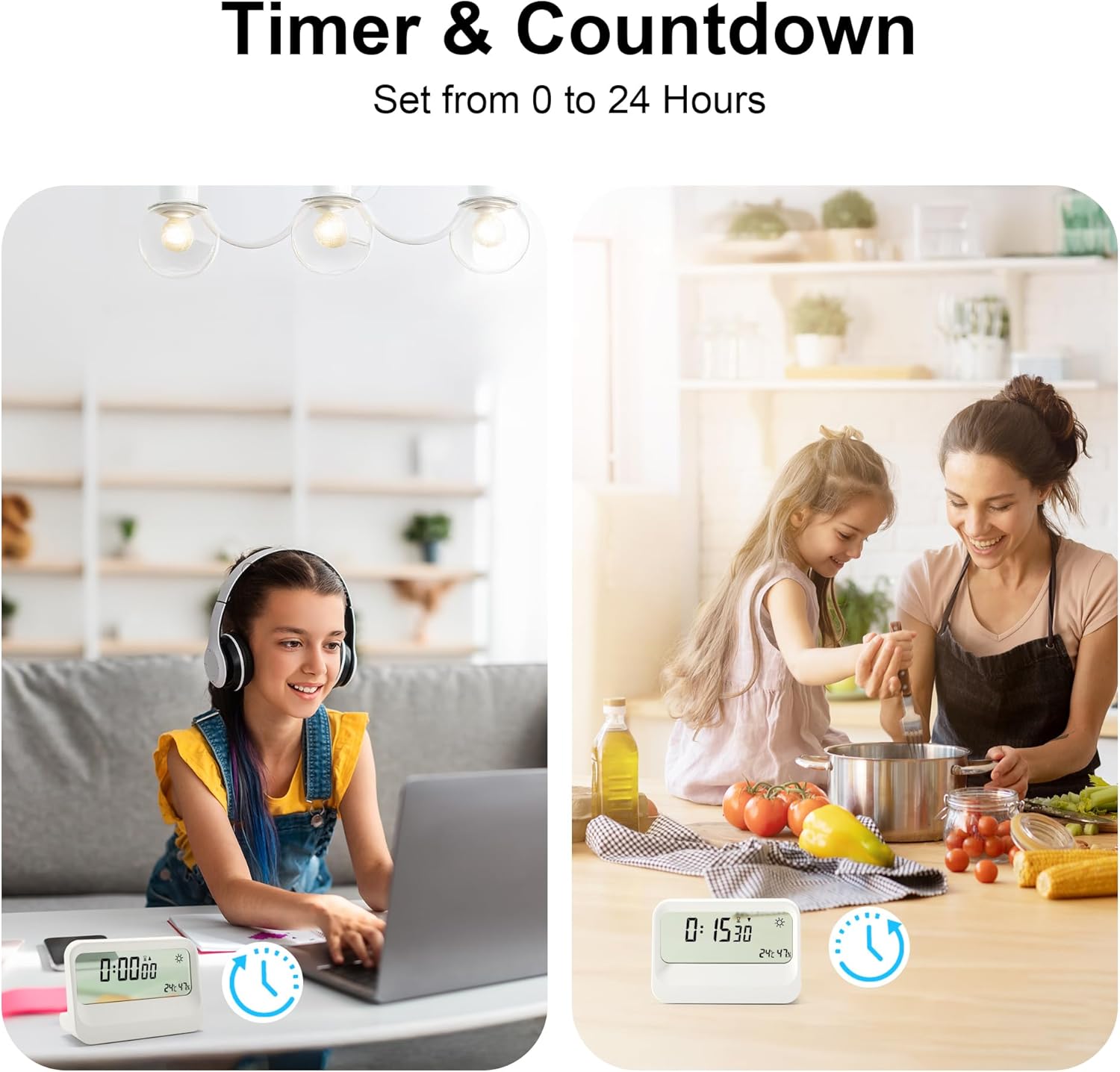
- Timer & Countdown: Integrated stopwatch and countdown timer (0 to 24 hours).
- Selectable Time Format: Choose between 12-hour or 24-hour display.
- Switchable Temperature Units: Display temperature in Celsius (°C) or Fahrenheit (°F).
4. Controls and Display
Familiarize yourself with the buttons and display layout for optimal use.

- 1. SET Button: Used to enter time/date setting mode.
- 2. ALARM Button: Used to enter alarm setting mode.
- 3. °C/°F Button: Toggles between Celsius and Fahrenheit temperature display.
- 4. Setting Knob (Snooze Button): Press to activate snooze; rotate to adjust values during setting.
- 5. Battery Compartment: Holds 2 AAA batteries.
5. Initial Setup
- Insert Batteries: Open the battery compartment on the back of the clock. Insert 2 new AAA batteries, ensuring correct polarity (+/-).
- Power On: The clock will automatically power on and display default settings.
- Adjust Viewing Angle: Due to the transparent LCD, the display's readability can vary with the viewing angle. Position the clock for optimal visibility.
6. Setting Time and Date
- Press the SET button once to enter time setting mode. The hour digits will flash.
- Rotate the Setting Knob (snooze button) to adjust the hour.
- Press SET again to confirm the hour and move to minute setting. The minute digits will flash.
- Rotate the Setting Knob to adjust the minutes.
- Continue pressing SET and rotating the Setting Knob to set the Year, Month, and Day in sequence.
- After setting the Day, press SET one last time to exit setting mode.
- To switch between 12-hour and 24-hour format, press the °C/°F button while in normal time display mode.

7. Setting the Alarm
- Press the ALARM button once to enter alarm setting mode. The alarm hour digits will flash.
- Rotate the Setting Knob to adjust the alarm hour.
- Press ALARM again to confirm the hour and move to alarm minute setting. The alarm minute digits will flash.
- Rotate the Setting Knob to adjust the alarm minutes.
- Press ALARM one last time to exit alarm setting mode. The alarm icon will appear on the display, indicating the alarm is active.
- To deactivate the alarm, press the ALARM button again in normal time display mode until the alarm icon disappears.
8. Using Snooze Function
When the alarm sounds:
- Press the Setting Knob (right button) to activate the snooze function. The alarm will pause for 5 minutes and then sound again.
- To stop the alarm completely, press any other button on the back of the clock.

9. Temperature and Humidity Display
The clock continuously monitors and displays the indoor temperature and humidity. Readings are updated approximately every 60 seconds.
- To switch the temperature unit between Celsius (°C) and Fahrenheit (°F), press the °C/°F button in normal time display mode.
10. Weather Display
The clock displays one of four weather symbols (sunny, partly cloudy, overcast, rainy) based on the current temperature and humidity readings. This feature provides an indication of current indoor conditions, not an external weather forecast.

11. Timer and Countdown Function
The clock includes both a stopwatch and a countdown timer, useful for various activities.
- Activating Timer/Countdown: Press the Setting Knob (snooze button) repeatedly in normal time display mode to cycle through Time, Timer, and Countdown modes.
- Setting Countdown: In Countdown mode, use the SET and ALARM buttons to set the desired hours and minutes, then press the Setting Knob to start.
- Using Stopwatch: In Timer mode, press the Setting Knob to start/pause the stopwatch.
12. Maintenance
- Cleaning: Wipe the clock with a soft, dry cloth. Do not use abrasive cleaners or solvents.
- Battery Replacement: Replace batteries when the display dims or functions become erratic. Always use new AAA batteries and dispose of old batteries responsibly.
- Placement: Avoid placing the clock in direct sunlight, near heat sources, or in areas with extreme temperature fluctuations or high humidity, as this may affect sensor accuracy and display longevity.
13. Troubleshooting
| Problem | Possible Cause | Solution |
|---|---|---|
| Display is dim or blank. | Low or dead batteries. | Replace with 2 new AAA batteries. |
| Time/Date is incorrect. | Not set correctly or batteries were removed. | Follow instructions in Section 6 to reset time and date. |
| Alarm does not sound. | Alarm is not activated or set incorrectly. | Ensure alarm is set and the alarm icon is visible on the display (Section 7). |
| Difficulty reading the display. | Viewing angle or background interference. | Adjust the clock's position or viewing angle. Ensure a plain, light-colored background for best visibility. |
| Weather symbol seems inaccurate. | Weather symbol reflects indoor conditions, not external forecast. | This is normal operation. The symbol is based on internal temperature and humidity. |
14. Specifications
- Model: ZH0176
- Brand: Lafocuse
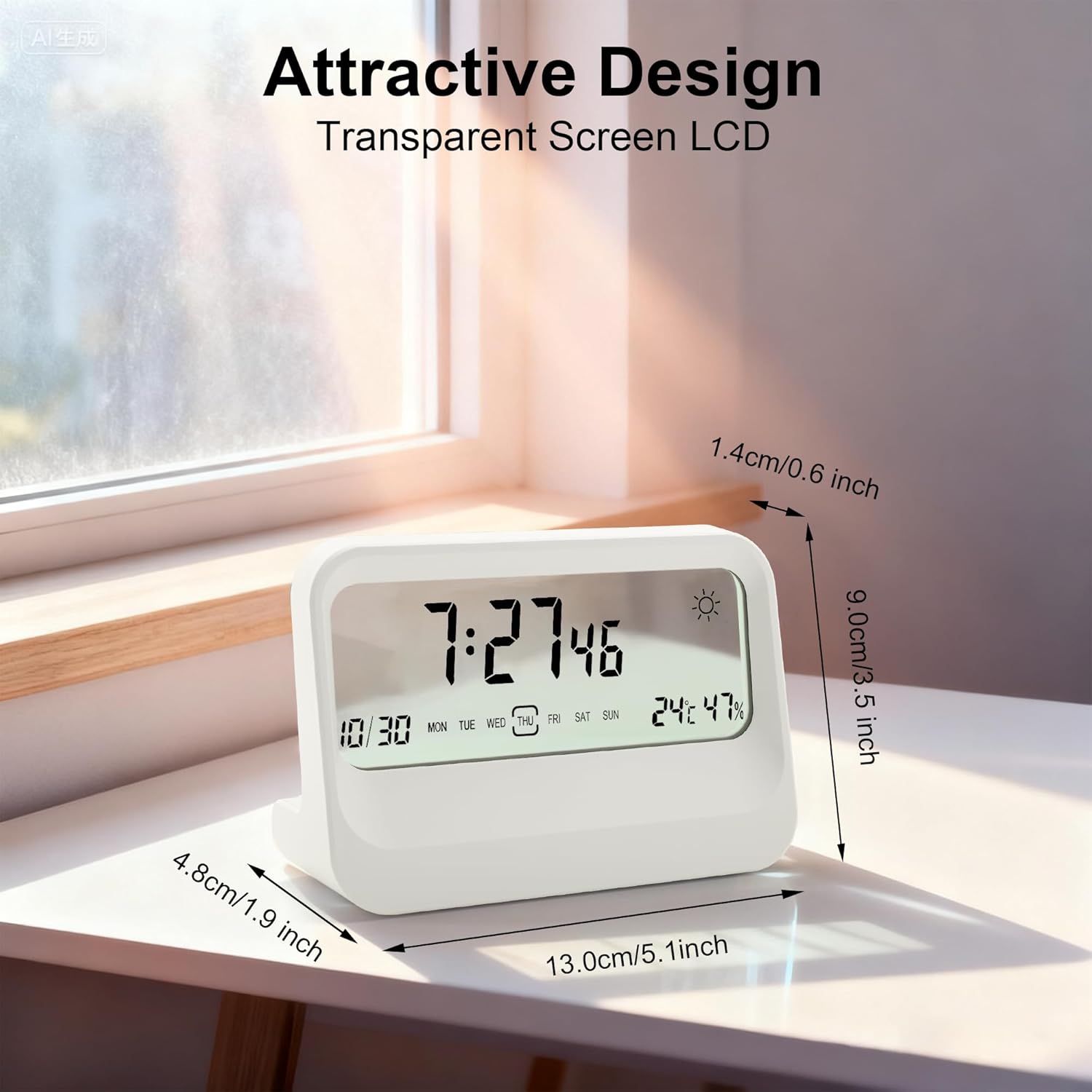
- Display Type: Digital LCD (Transparent)
- Color: White
- Material: Plastic
- Product Dimensions: 13 cm (Length) x 9.5 cm (Height) x 4.8 cm (Depth)
- Power Source: 2 x AAA Batteries (not included)
- Special Features: Alarm, Snooze, Temperature (°C/°F), Humidity, Date, Day of Week, Weather Symbol, Timer, Countdown
- Mounting Type: Tabletop
- Indoor/Outdoor Use: Indoor
- Country of Origin: China
15. Warranty and Support
For warranty information or technical support, please refer to the documentation provided with your purchase or contact Lafocuse customer service through their official website or the retailer where the product was purchased.