
Afloia TEFNUT
Afloia TEFNUT 2-in-1 Air Purifier and Humidifier Combo User Manual
Model: TEFNUT | Brand: Afloia
1. Introduction
Thank you for choosing the Afloia TEFNUT 2-in-1 Air Purifier and Humidifier Combo. This device is designed to improve your indoor air quality by combining efficient air purification with cool mist evaporative humidification. It is suitable for large spaces up to 3000 sq ft, effectively reducing airborne particles while maintaining optimal humidity levels.
Please read this manual thoroughly before operation to ensure proper use, maintenance, and safety.
2. Important Safety Instructions
- Always place the unit on a firm, flat, and level surface.
- Do not block air inlets or outlets.
- Keep the unit away from heat sources and direct sunlight.
- Do not use the unit in wet or damp environments.
- Unplug the unit before cleaning, refilling, or performing any maintenance.
- Use only clean tap water or distilled water. Do not add essential oils directly into the water tank.
- Keep out of reach of children and pets.
- Do not attempt to repair or disassemble the unit yourself. Contact customer support for assistance.
3. Product Overview
Key Features:
- 2-in-1 Functionality: Combines air purification (300m³/h CADR) and cool mist humidification (1000ml/h output).
- Large Coverage: Cleans and humidifies rooms up to 3000 sq ft.
- Mist-Free Humidification: Evaporative technology prevents wet floors and white dust.
- Smart Dual Sensing & Auto Mode: Monitors air quality and humidity, automatically adjusting fan speed.
- Quiet Operation: Sleep mode operates below 25dB.
- Easy Top-Fill Design: 5L water tank for convenient refills.
- Timer Function: 2/4/8/16/24-hour timer settings.
Components:
The Afloia TEFNUT unit includes the main body, a dual-layer filter system (air purification filter and humidifier filter), and a 5L water tank.
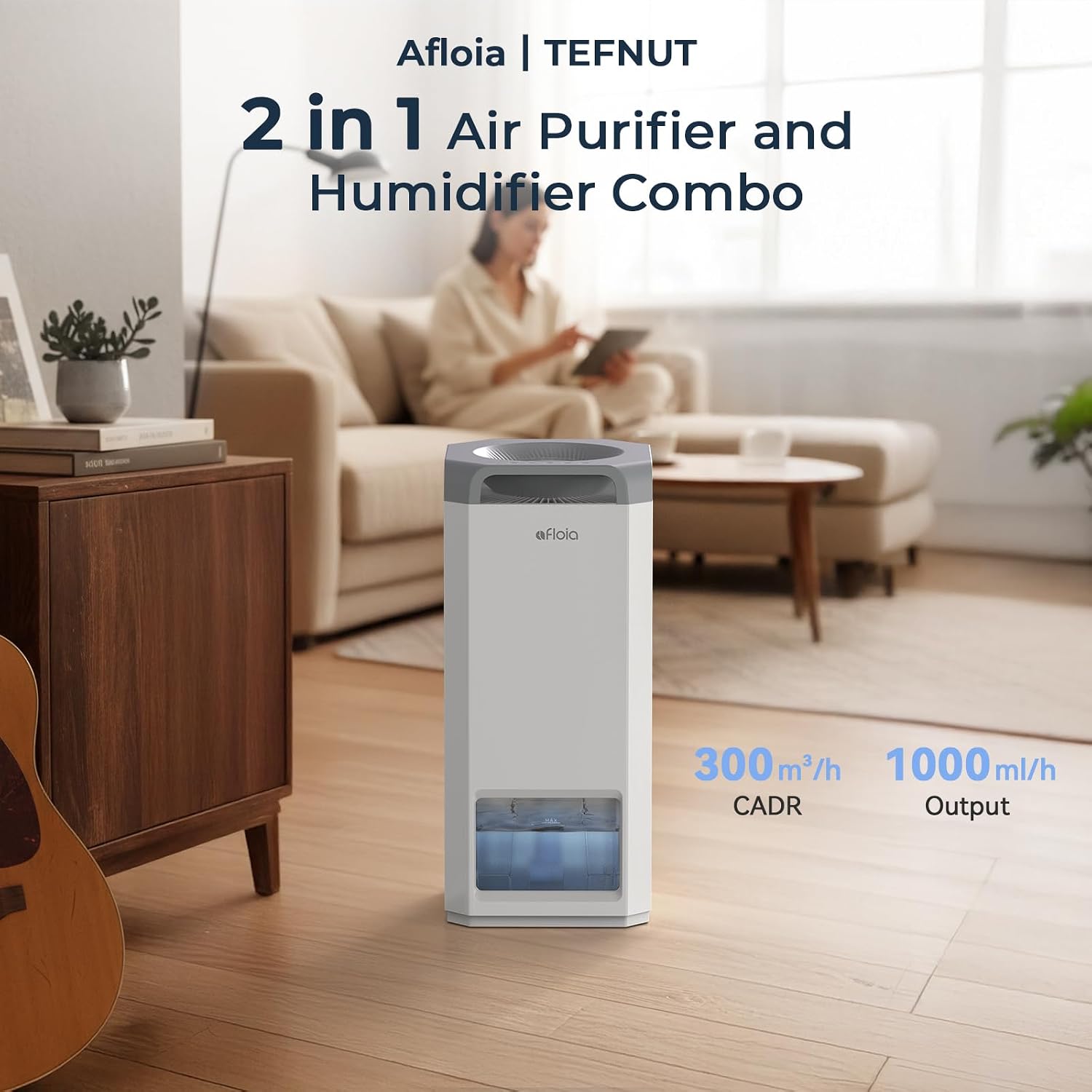
Figure 1: Afloia TEFNUT 2-in-1 Air Purifier and Humidifier Combo. This image shows the overall design of the unit, highlighting its sleek, modern appearance.
4. Setup
Unpacking:
- Carefully remove the unit from its packaging.
- Remove all plastic wrapping from the unit and its filters.
- Open the rear cover of the unit to access the filter compartment.
- Remove the air purification filter and humidifier filter from their protective plastic bags.
- Reinsert the filters into their respective positions. Ensure the humidifier filter is placed correctly in the water tank area.
- Close the rear cover securely.

Figure 2: Unpacking and filter installation. This image illustrates the process of removing the filters from their packaging and installing them into the unit.
Filling the Water Tank:
The unit offers two convenient ways to fill the 5L water tank:
- Top-Fill: Pour water directly into the top opening of the unit.
- Rear-Fill: Open the rear cover, remove the water tank, fill it at a sink, and then reinsert it.
Ensure the water level does not exceed the "MAX" line indicated on the tank.

Figure 3: Top-fill water tank. This image demonstrates the ease of refilling the water tank by pouring water directly into the top of the unit.
Video 1: Afloia Humidifier and Air Purifier in One. This video demonstrates the unpacking, filter installation, and water refilling process for the Afloia TEFNUT unit. It highlights the top-fill feature and the dual filtration system.
5. Operating Instructions
Control Panel:
The intuitive control panel is located on the top of the unit. It displays real-time air quality, humidity, and water level status. Touch-sensitive buttons allow for easy mode selection and adjustments.

Figure 4: Control panel display. This image shows the top control panel with its digital display and touch buttons for various functions.
Modes and Settings:
- Power On/Off: Press the power button to turn the unit on or off.
- Fan Speed: Adjust the fan speed to your preference. Higher speeds provide faster purification and humidification.
- Auto Mode: The unit intelligently adjusts fan speed based on real-time air quality and humidity levels detected by its dual sensors.
- Constant Humidity Mode: Set your desired humidity level (e.g., 40-60% RH is ideal). The unit will work to maintain this level.
- Sleep Mode: Reduces fan speed to the lowest setting and dims the display lights for quiet operation, ideal for bedrooms.
- Timer: Set the unit to operate for 2, 4, 8, 16, or 24 hours before automatically shutting off.
- Display Light: Turn off the display lights for an undisturbed sleep environment.
Video 2: Afloia Mist-Free Humidifier & Air Purifier Combo. This video demonstrates the various control panel functions, including power, fan speed, auto mode, and sleep mode, showcasing the unit's quiet operation.
6. Maintenance
Filter Replacement:
The unit features a dual-layer filter system. The air purification filter and humidifier filter should be checked regularly and replaced as needed, typically every 6-12 months depending on usage and air quality. Refer to the indicator on the control panel for filter replacement reminders.
- Unplug the unit from the power outlet.
- Open the rear cover.
- Remove the old filters.
- Insert new filters, ensuring they are correctly seated.
- Close the rear cover.
- Reset the filter life indicator on the control panel (refer to specific instructions in the full manual).

Figure 5: Filter replacement process. This image shows the internal filter components, including the air purification filter and the humidifier filter, during replacement.
Water Tank Cleaning:
Due to varying water quality, regular cleaning of the water tank is crucial to prevent mineral buildup and maintain optimal performance. Clean the water tank at least once a month.
- Unplug the unit.
- Remove the water tank.
- Empty any remaining water.
- Fill the tank with a mixture of water and a small amount of white vinegar or a mild descaling solution.
- Let it soak for 30 minutes, then scrub with a soft brush.
- Rinse thoroughly with clean water until all residue is removed.
- Dry the tank before reinserting it into the unit.
7. Troubleshooting
| Problem | Possible Cause | Solution |
|---|---|---|
| Unit does not turn on | Not plugged in; Power outage; Rear cover not closed properly. | Check power connection; Restore power; Ensure rear cover is securely latched. |
| No mist/humidification | Water tank empty; Humidifier filter clogged; Unit in purification-only mode. | Refill water tank; Clean/replace humidifier filter; Select humidification mode. |
| Unusual noise | Unit not on a level surface; Obstruction in fan; Filter not installed correctly. | Place on a level surface; Check for and remove obstructions; Reinstall filters. |
| Poor air quality/humidity | Filters need replacement; Room size exceeds capacity; Unit not running long enough. | Replace filters; Ensure unit is suitable for room size; Run unit for extended periods. |
For further assistance, please contact Afloia customer support.
8. Specifications
- Brand: Afloia
- Model Name: TEFNUT
- Product Dimensions: 10.04"D x 10.04"W x 23.54"H
- Item Weight: 15.43 Pounds
- Color: Brown (Note: Product variant is Brown, but images show white/grey unit)
- Floor Area Coverage: Up to 3000 Square Feet
- CADR (Purification): 300m³/h
- Humidification Output: 1000ml/h
- Water Tank Capacity: 5 Liters
- Operation Mode: Automatic, Manual
- Special Features: Aroma Diffuser, Auto Shut Off, Cold mist evaporation, Humidistat, Night Light, Portable, Quiet, Remote Control, Smart Dual Sensing & Auto Mode, Timer, Water Level Window
9. Warranty and Support
For warranty information, product registration, or technical support, please visit the official Afloia website or contact their customer service team. Keep your purchase receipt as proof of purchase.
Afloia Store: Visit the Afloia Store
Related documentsTEFNUT


Ask a question about this manual
Ask about setup, troubleshooting, compatibility, parts, safety, or missing instructions. Manuals+ will review the question and use this page’s manual context to help answer it.