1. Introduction and Overview
The Baseus Picogo 10000mAh MagSafe Portable Charger is a compact and powerful solution for keeping your devices charged on the go. Featuring an ultra-slim design, 27W wired fast charging, and magnetic wireless charging capabilities, it offers versatile power delivery for various devices. Its advanced cooling system ensures safe and efficient operation.

Image 1.1: The Baseus Picogo Power Bank magnetically attached to the back of a smartphone, showcasing its compact size and seamless integration.
2. Product Features
- Ultra-Slim and Portable Design: Measuring just 4.0 x 2.6 x 0.5 inches and weighing 6.0 oz, this power bank is designed for maximum portability. It features polished alloy edges and a nano-coated silicone surface for a premium feel and resistance to fingerprints and scratches.
- 27W Wired Fast Charging: The USB-C port supports 27W fast charging, capable of charging an iPhone 17 to 55% in approximately 30 minutes.
- MagSafe Wireless Charging: Equipped with 11N strong magnetism for secure attachment and wireless charging of compatible devices.
- Triple-Loop Cooling System: Incorporates an NTC temperature control chip, advanced graphene material, and heat shields for efficient heat dissipation, keeping the charger below 104°F.
- Automotive-Grade Battery Cells: Ensures reliability and preserves battery health.
- 2-Way Fast Charging: Supports both fast input to recharge the power bank and fast output to charge devices.

Image 2.1: A close-up view of the power bank emphasizing its 0.5-inch thickness and polished edges, ideal for the iPhone 12-17 series.

Image 2.2: The power bank demonstrating its capability to charge two devices concurrently: one via its USB-C port (Max. 27W) and another wirelessly (Max. 7.5W).
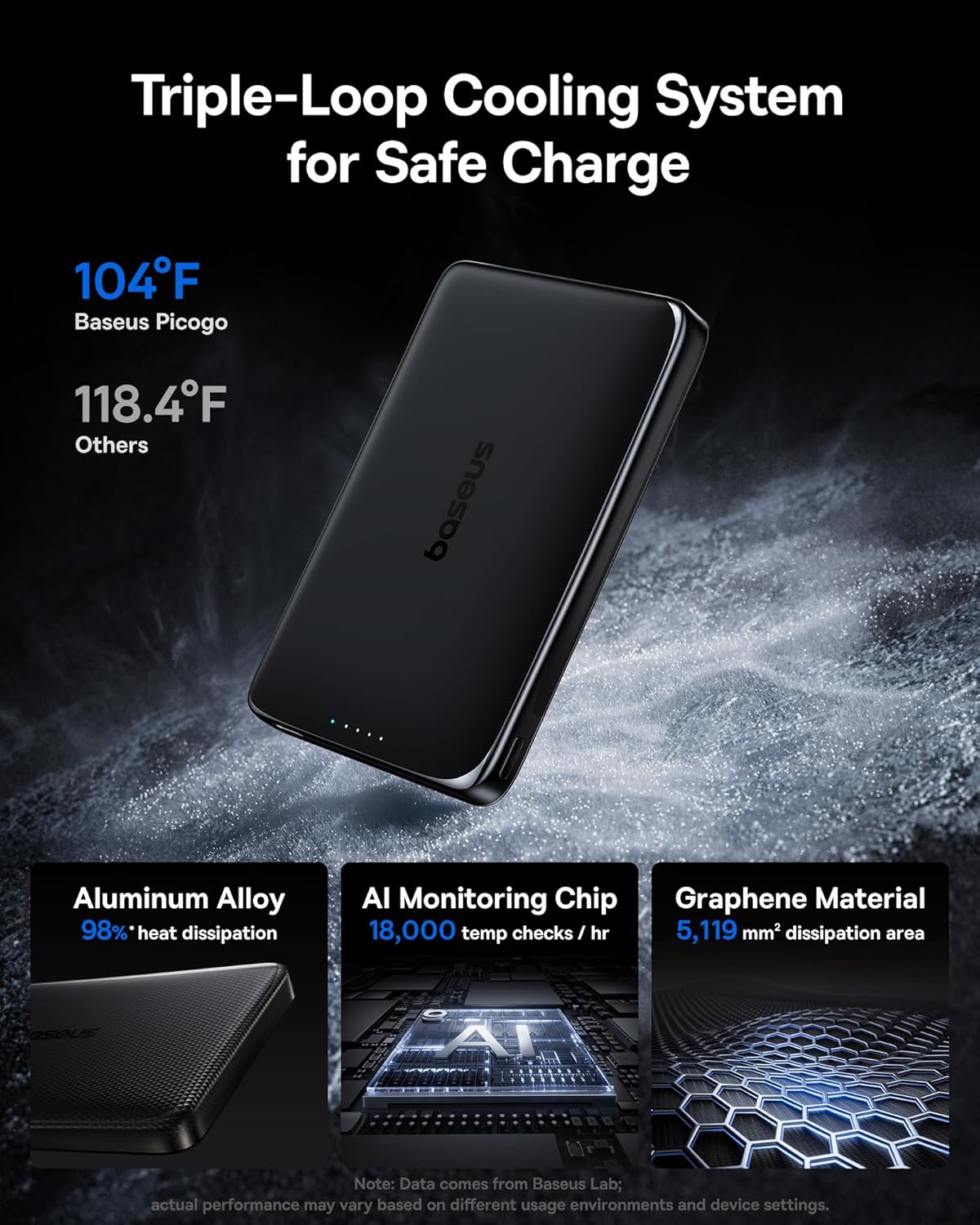
Image 2.3: An internal view highlighting the aluminum alloy for 98% heat dissipation, an AI monitoring chip for 18,000 temperature checks/hr, and graphene material for 5,119 mm² dissipation area, all contributing to the Triple-Loop Cooling System.
3. Package Contents
Your Baseus Picogo 10000mAh MagSafe Portable Charger package includes:
- 1x Baseus Picogo 27W 10000mAh Magnetic Power Bank
- 1x USB-C to USB-C Charging Cable
- 1x User Manual (this document)
4. Setup
- Initial Charge: Before first use, fully charge your Baseus Picogo Power Bank using the provided USB-C cable and a compatible power adapter. The LED indicators will show the charging progress.
- Power On/Off: Press the power button once to turn on the power bank and check the battery level. The power bank will automatically turn off after a period of inactivity.
5. Operating Instructions
5.1 Wired Charging
- Connect one end of the USB-C cable (provided or your own) to the USB-C output port on the power bank.
- Connect the other end of the USB-C cable to your device's charging port.
- The power bank will automatically begin charging your device.
5.2 Wireless Charging (MagSafe)
- Ensure your device is MagSafe compatible (e.g., iPhone 12 series and newer) or has a MagSafe-compatible case.
- Align the back of your device with the magnetic charging area on the power bank. The magnets will snap into place, securing the connection.
- Wireless charging will begin automatically.
5.3 Charging Multiple Devices
The Baseus Picogo Power Bank supports simultaneous charging of multiple devices:
- You can charge one device wirelessly via MagSafe.
- Simultaneously, you can charge another device via the USB-C output port using a cable.
5.4 Recharging the Power Bank
- Connect one end of the USB-C cable to the USB-C input port on the power bank.
- Connect the other end of the USB-C cable to a compatible power adapter (e.g., 20W or higher for fast recharging).
- The LED indicators will flash to show the charging status. Once all LEDs are solid, the power bank is fully charged.

Image 5.1: The power bank being recharged via its USB-C port, indicating it can be fully recharged in approximately 2.5 hours with a 20W input.
6. LED Indicators
The LED lights on the power bank indicate its battery level and charging status:
- Solid Blue LEDs: Indicate remaining battery capacity.
- Flashing Blue LEDs: Indicate the power bank is being recharged.
- Red LED (Wireless Charging): Indicates active wireless charging.

Image 6.1: Visual representation of LED indicator meanings and an explanation for potential slow charging at 80% due to iOS thermal management.
7. Safety Information
To ensure safe operation and prolong the lifespan of your power bank, please observe the following:
- Do not expose the power bank to extreme temperatures (hot or cold), direct sunlight, or liquids.
- Avoid dropping, puncturing, or disassembling the device.
- Keep out of reach of children.
- Use only certified charging cables and adapters.
- If the power bank becomes excessively hot during use or charging, discontinue use immediately.
- The integrated NTC temperature control chip and graphene material actively manage heat to prevent overheating. Slight warmth during operation is normal due to energy conversion.
8. Troubleshooting
- Device not charging: Ensure the power bank is charged. Check cable connections. For wireless charging, ensure proper alignment and device compatibility.
- Slow charging: Verify that your cable and adapter support fast charging. For wireless charging, ensure no obstructions between the power bank and your device. Note that iOS devices may slow charging at 80% due to thermal management; moving your device to a cooler area may help.
- Power bank not recharging: Ensure the USB-C cable is correctly connected to a working power source. Try a different cable or adapter.
9. Specifications
| Model Number | PPKPC-1027G |
| Battery Capacity | 10000mAh (3.6V/36Wh) |
| Magnetic Force | 11N |
| Material | Silicone, Aluminium alloy |
| Color | Polished Cosmic Black |
| USB-C Input | 5V=3A; 9V=2.22A |
| USB-C Output | 5V=2.4A; 9V=3A; 12V=1.5A |
| Wireless Charging Power | 5W / 7.5W / 15W |
| Total Output | 5V=2.4A |
| Dimensions | 4.0 x 2.6 x 0.5 inch |
| Weight | 6 oz / 0.37 LB |
10. Warranty and Support
Baseus offers a 24-month warranty for the Picogo 10000mAh Magnetic Power Bank. In addition, you receive lifelong 24/7 professional support. For any technical or product inquiries, or to arrange free returns or replacements, please contact Baseus customer service. Your satisfaction is guaranteed.

Image 10.1: The power bank packaging highlighting the 2-year replacement promise and a detailed specifications table.
11. Official Product Video
Video 11.1: An official seller video titled "What You Need To Know About This Phone Charger" providing a detailed overview and demonstration of the Baseus Picogo Power Bank's features and usage.


