
1. Introduction
This manual provides essential information for setting up, operating, maintaining, and troubleshooting your Blackview Link8 12.7-inch Android Tablet. Please read this manual thoroughly before using your device to ensure proper function and longevity.
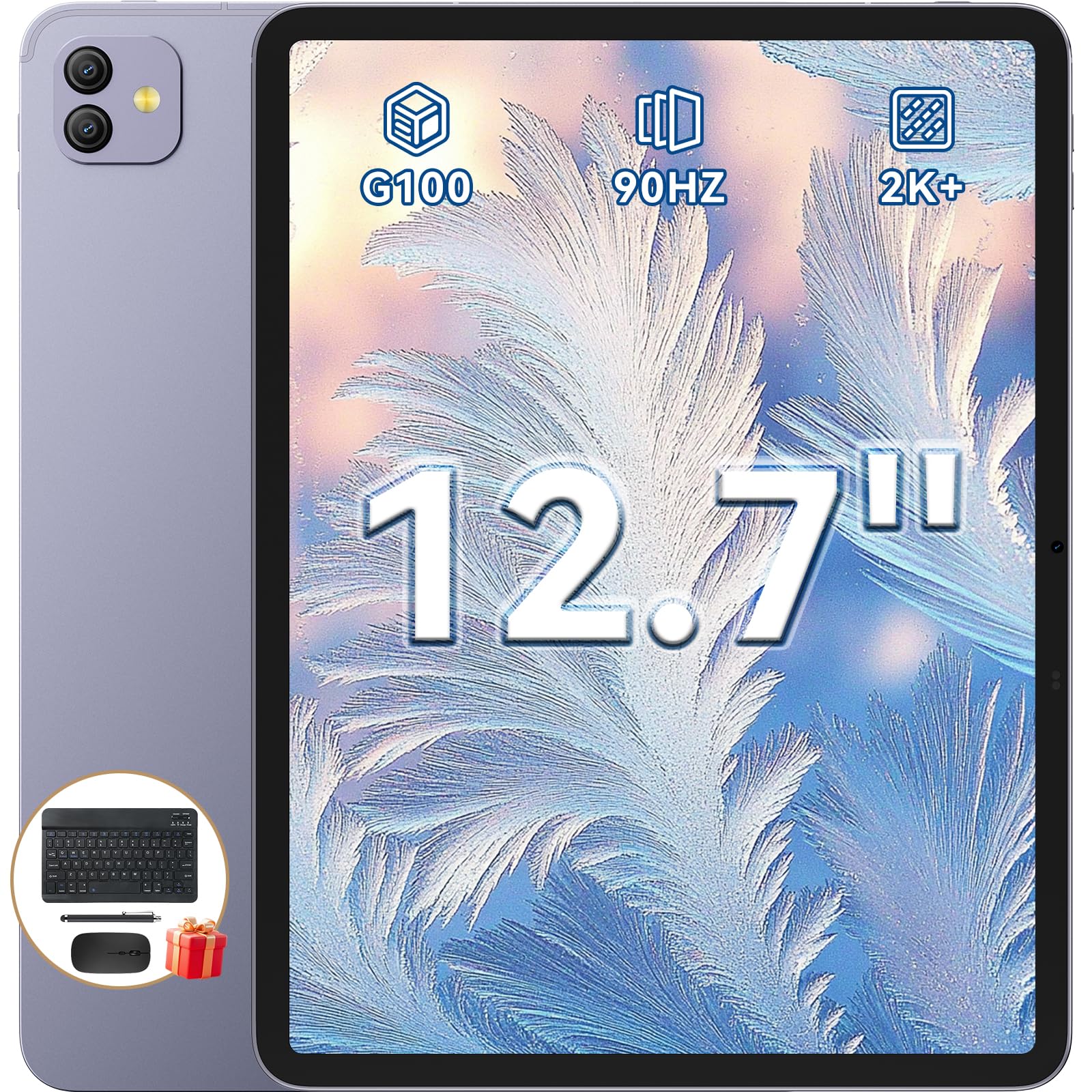
Figure 1: Blackview Link8 12.7-inch Android Tablet.
2. What's in the Box
Verify that all items are present in the packaging:
- Blackview Link8 Tablet
- Bluetooth Keyboard
- Wireless Mouse
- Screen Protector
- Stylus
- Tablet Case
- Charger & Type-C Cable
- Wired Earbuds

Figure 2: Included accessories with the Blackview Link8 tablet.
3. Setup
3.1 Initial Power On
- Press and hold the Power button (located on the side of the tablet) until the Blackview logo appears.
- Follow the on-screen prompts to select your language, connect to a Wi-Fi network, and set up your Google account.
3.2 Connecting Accessories
The Blackview Link8 supports various accessories for enhanced productivity.
3.2.1 Bluetooth Keyboard and Mouse
- Ensure the keyboard and mouse are charged and powered on.
- On your tablet, navigate to Settings > Connected devices > Bluetooth.
- Enable Bluetooth and select the keyboard or mouse from the list of available devices to pair.
3.2.2 Stylus
The included stylus can be used for precise input and navigation. No pairing is typically required for passive styluses.

Figure 3: Tablet in PC Mode with connected keyboard and mouse.
4. Operating Instructions
4.1 Display and Navigation
The 12.7-inch 2K IPS display offers a 2176x1600 resolution and a 90Hz refresh rate for smooth visuals.

Figure 4: Ultra-Clear Display features of the Blackview Link8.
4.2 DokeOS_P 4.2 (Android 15)
Your tablet runs on DokeOS_P 4.2, based on Android 15, providing an optimized user experience with AI-enhanced features.
4.3 PC Mode 2.0 and Multitasking
Activate PC Mode 2.0 for a desktop-like interface, ideal for productivity tasks. Utilize the split-screen feature to run two applications simultaneously.

Figure 5: Multitasking with two applications displayed simultaneously.
4.4 Camera Usage
The tablet features a 13MP front camera and a 16MP rear camera. Open the Camera app to capture photos or record videos.

Figure 6: Dual Front and Rear Cameras for photography and video calls.
4.5 Audio
The tablet is equipped with quad-box smart-PA stereo speakers for an immersive sound experience.

Figure 7: Surround Sound Experience with Quad 1217 Speakers.
5. Maintenance
5.1 Cleaning
Use a soft, lint-free cloth to clean the screen and body of the tablet. Avoid abrasive materials or harsh chemicals.
5.2 Software Updates
Regularly check for system updates in Settings > System > System update to ensure optimal performance and security.
5.3 Battery Care
To prolong battery life, avoid extreme temperatures and fully discharging the battery frequently. The 8400mAh battery supports 18W fast charging.

Figure 8: Battery capacity and charging information.
6. Troubleshooting
6.1 Device Not Powering On
Ensure the tablet is sufficiently charged. Connect the charger and wait a few minutes before attempting to power on again.
6.2 Wi-Fi Connectivity Issues
Check if Wi-Fi is enabled in settings. Restart your router and the tablet. Ensure you are within range of the Wi-Fi signal.
6.3 App Performance
If an app is slow or unresponsive, try closing it and reopening. If the issue persists, clear the app's cache in Settings > Apps > [App Name] > Storage & cache.
6.4 Factory Reset
If severe software issues occur, you may perform a factory reset. Warning: This will erase all data on your tablet. Back up important data before proceeding. Navigate to Settings > System > Reset options > Erase all data (factory reset).
7. Specifications
| Feature | Detail |
|---|---|
| Brand | Blackview |
| Model Name | Link8 |
| Operating System | Android 15 (DokeOS_P 4.2) |
| Processor | MediaTek Helio G100 Octa-Core (2.2 GHz) |
| RAM Memory | 36 GB (12GB physical + 24GB expansion) |
| Storage Capacity | 256 GB |
| Screen Size | 12.7 Inches |
| Display Resolution | 2160 x 1600 Pixels (2K) |
| Display Refresh Rate | 90 Hz |
| Rear Camera | 16 MP |
| Front Camera | 13 MP |
| Battery Capacity | 8400 mAh |
| Connectivity | Wi-Fi (802.11ax, 802.11g), Bluetooth, 5G Cellular |
| Dimensions (L x W x Thickness) | 8"L x 11.11"W x 0.33"Th |
| Weight | 710 grams (Ultra-Light) |
| Special Features | Detachable Keyboard, Stereo Speakers, USB OTG, PC Mode 2.0 |
8. Warranty and Support
Blackview provides a 2-year manufacturer's warranty for this product. This warranty covers manufacturing defects and ensures high-quality performance. For warranty claims or technical support, please contact Blackview customer service.
Spare parts are available for a duration of 2 years within the EU.
9. Official Product Video
Video 1: An overview of the Blackview Link8 12.7-inch Helio G100 Tablet with Keyboard, demonstrating its key features and accessories. This video is provided by Hongxun electron, the seller.


