
1. Introduction
This manual provides essential information for the safe and efficient use of your Blackview Active 5 Rugged Tablet PC. Please read these instructions carefully before using the device and retain them for future reference. The Blackview Active 5 is designed for durability, featuring IP68/IP69K water and dust resistance, MIL-STD-810H compliance, and a robust design suitable for challenging environments.
2. Package Contents
Please check the package for the following items:
- Blackview Active 5 Rugged Tablet PC
- USB Cable
- Power Adapter
- SIM Ejector Tool
- Quick Start Guide / Safety Information
If any items are missing or damaged, please contact your retailer.
3. Device Overview
Familiarize yourself with the physical components of your Blackview Active 5 tablet.

Image 3.1: Front and rear view of the Blackview Active 5 Rugged Tablet PC, showcasing its robust design and camera module.
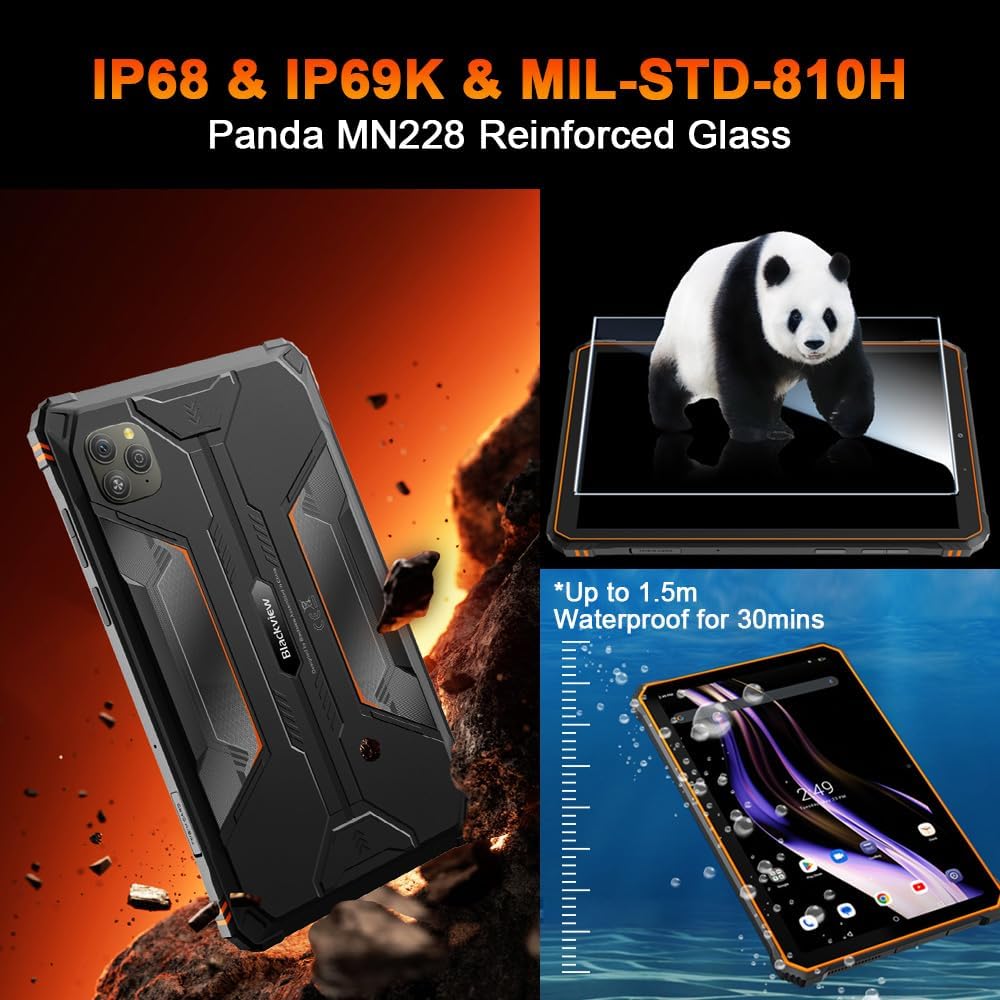
Image 3.2: Visual representation of the tablet's IP68/IP69K water and dust resistance, and MIL-STD-810H military standard compliance, including Panda MN228 Reinforced Glass.

Image 3.3: Details of the 8.68-inch Compact IPS Screen, highlighting its 800x1340 resolution, 90Hz Smart Refresh Rate, 360 nits brightness, and 85% screen-to-body ratio.

Image 3.4: Illustration of the tablet's Dual Smart-K BOX Speakers, indicating 8Ω / 2W output for enhanced audio.
4. Setup
4.1. Inserting SIM and SD Card
- Locate the SIM/SD card tray on the side of the tablet.
- Insert the SIM ejector tool into the small hole next to the tray to open it.
- Place your Nano-SIM card(s) and/or microSD card (up to 2TB) into the designated slots, ensuring correct orientation.
- Gently push the tray back into the tablet until it clicks into place.
4.2. Initial Power On
- Press and hold the Power button (usually on the side) until the Blackview logo appears.
- Follow the on-screen instructions to complete the initial setup, including language selection, Wi-Fi connection, and Google account setup.
5. Operating Instructions
5.1. Basic Navigation
The Blackview Active 5 runs on Android 15 with DokeOS P 4.2. Use touch gestures for navigation:
- Tap: Select an item or open an app.
- Swipe: Scroll through screens or lists.
- Pinch: Zoom in or out on images and web pages.
- Long Press: Access contextual menus or move icons.
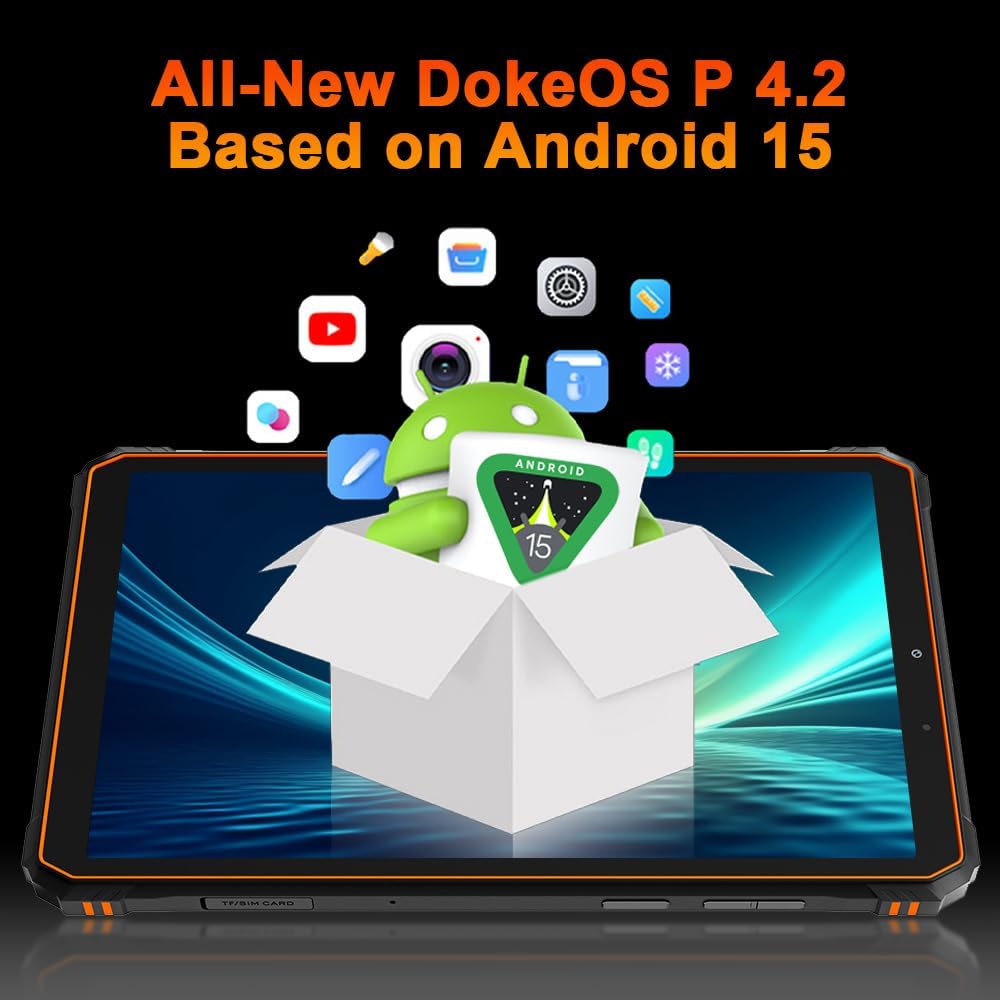
Image 5.1: The Blackview Active 5 tablet displaying the All-New DokeOS P 4.2 interface, built upon Android 15.
5.2. Performance and Storage
The tablet is powered by an Octa-core Unisoc T615 processor, ensuring smooth performance for multitasking and applications. It features 8GB of base RAM, expandable with an additional 16GB of virtual RAM for a total of 24GB. Internal storage is 128GB, which can be expanded up to 2TB using a microSD card.
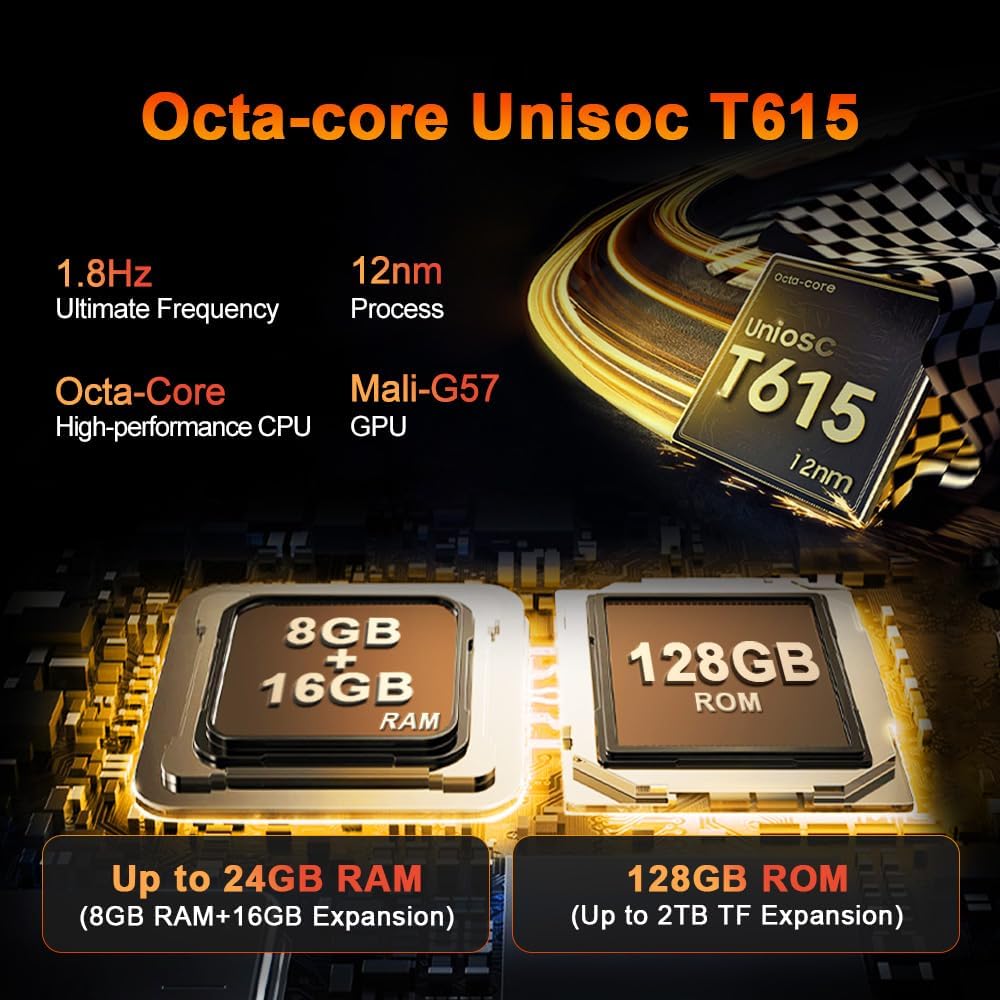
Image 5.2: Detailed view of the Octa-core Unisoc T615 processor (1.8Hz, 12nm process, Mali-G57 GPU) and memory configuration, showing 8GB+16GB RAM expansion and 128GB ROM with up to 2TB TF expansion.
5.3. Camera Functions
The Blackview Active 5 is equipped with a 16MP AI rear camera and a 13MP AI front camera. These cameras are designed to capture clear images and videos in various lighting conditions.
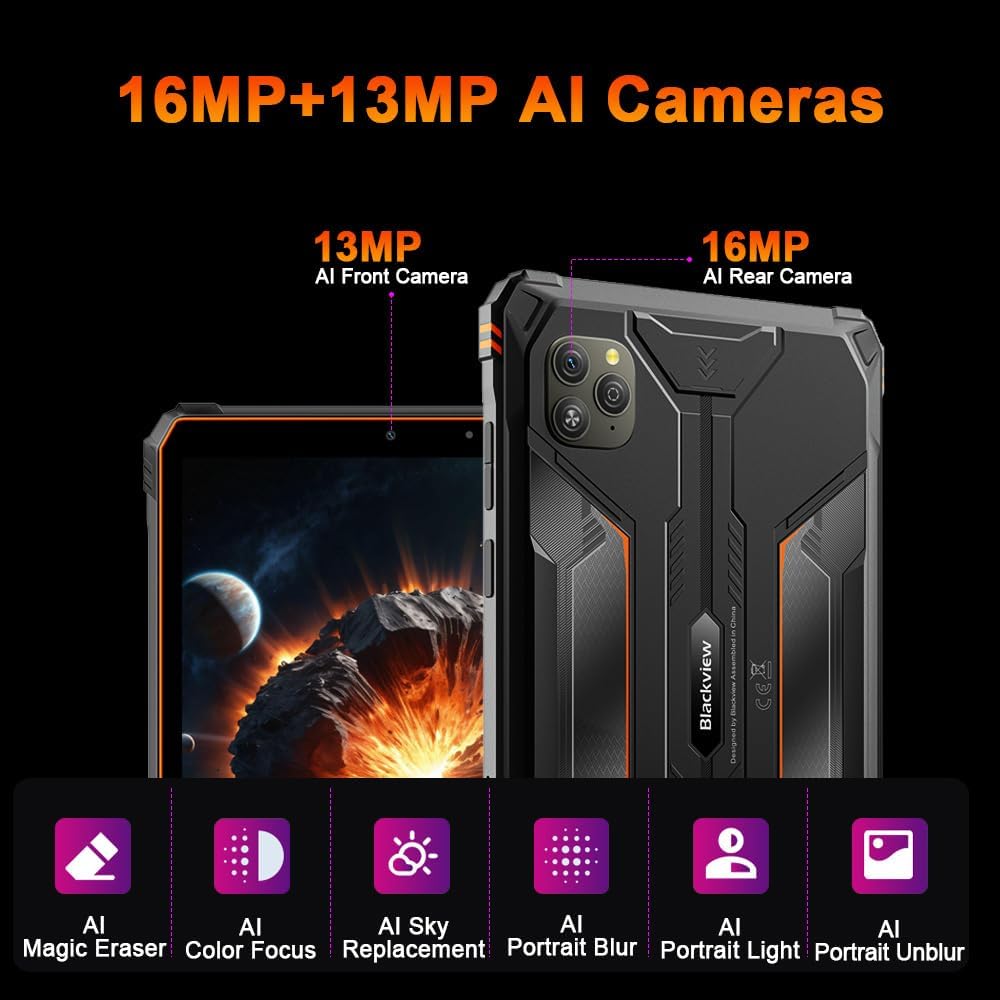
Image 5.3: Overview of the tablet's camera system, featuring a 13MP AI Front Camera and a 16MP AI Rear Camera, along with AI-powered features like Magic Eraser, Color Focus, Sky Replacement, Portrait Blur, Portrait Light, and Portrait Unblur.
5.4. Doke AI Features
The tablet integrates Blackview's Doke AI, offering various intelligent functionalities to enhance user experience.

Image 5.4: Representation of the Blackview Doke AI, showcasing integration with various applications and AI capabilities such as Deepseek DeepThinking(R1), ChatGPT-40 mini, and Gemini AI with FlashThinking Experimental.
6. Connectivity
The Blackview Active 5 supports a range of connectivity options:
- Dual 4G LTE: For cellular data and calls.
- 5G WiFi: Supports 802.11ax and 802.11g for fast wireless internet.
- Bluetooth: For connecting wireless accessories.
- NFC: For contactless payments and quick pairing.
- GPS: For navigation and location services.
- OTG (On-The-Go): Allows the tablet to act as a host for USB devices, such as flash drives or keyboards.
7. Battery Management
The tablet is equipped with a 6600mAh mega battery, providing extended usage times.

Image 7.1: Overview of the 6600mAh Mega Battery, indicating usage times such as 6 hours for gaming, 7 hours for video, 22 hours for calls, 9 hours for website browsing, 15 hours for music, and 360 hours standby.
7.1. Charging
Use the provided power adapter and USB cable to charge the tablet. Ensure the charging port is clean and dry before connecting the cable.
7.2. OTG Power Sharing
The Blackview Active 5 supports OTG functionality, allowing you to use it to charge other compatible devices. Connect the devices using an OTG cable (sold separately).
8. Rugged Features
The Blackview Active 5 is built to withstand harsh conditions:
- IP68 & IP69K: Certified for water and dust resistance, allowing submersion in water up to 1.5 meters for 30 minutes and protection against high-pressure, high-temperature water jets.
- MIL-STD-810H: Complies with military standards for drop protection, shock, and extreme temperatures.
- Panda Glass: The display is protected by Panda Glass, offering enhanced scratch and breakage resistance.
9. Specifications
| Feature | Specification |
|---|---|
| Model Name | Blackview Active 5 |
| Operating System | Android 15 (DokeOS P 4.2) |
| Display Size | 8.68 Inches |
| Display Resolution | 1340 x 800 Pixels |
| Processor | Unisoc T615 Octa-core |
| RAM | 24 GB (8GB + 16GB Virtual) |
| Internal Storage | 128 GB |
| Expandable Storage | Up to 2 TB (microSD) |
| Rear Camera | 16 MP AI |
| Front Camera | 13 MP AI |
| Battery Capacity | 6600 mAh |
| Connectivity | Dual 4G LTE, 5G Wi-Fi (802.11ax, 802.11g), Bluetooth, NFC, GPS, OTG |
| Ruggedness | IP68/IP69K, MIL-STD-810H |
| Special Features | Cellular Connectivity, Phone Call Functionality, Stereo Speakers, USB OTG Support, Expandable Storage |
| Dimensions | 31.5 x 26.7 x 6.7 cm (Package); 840 grams |
10. Maintenance
To ensure the longevity and optimal performance of your Blackview Active 5 tablet:
- Cleaning: Use a soft, damp cloth to clean the tablet. Avoid harsh chemicals or abrasive materials. Ensure all ports are closed before cleaning with water.
- Temperature: Avoid exposing the tablet to extreme temperatures (very hot or very cold) for prolonged periods.
- Storage: When not in use for an extended period, store the tablet in a cool, dry place with approximately 50% battery charge.
- Software Updates: Regularly check for and install software updates to benefit from performance improvements and security enhancements.
11. Troubleshooting
If you encounter issues with your tablet, try the following common solutions:
- Device Unresponsive: Press and hold the Power button for about 10-15 seconds to force a restart.
- Network Issues: Check if your SIM card is properly inserted. Toggle Airplane Mode on and off. Restart the tablet. For Wi-Fi, ensure you are within range and have the correct password.
- Battery Draining Quickly: Reduce screen brightness, close unused apps, disable unnecessary connectivity features (Bluetooth, GPS, Wi-Fi) when not in use.
- Apps Crashing: Clear the cache and data for the problematic app in Settings > Apps. If the issue persists, uninstall and reinstall the app.
- Slow Performance: Close background apps, clear cache, and ensure sufficient storage space. A factory reset can resolve persistent performance issues (back up your data first).
For more complex issues, refer to the Blackview support website or contact customer service.
12. Warranty and Support
The Blackview Active 5 Rugged Tablet PC comes with a 24-month warranty. Blackview provides a warranty and repair center in Europe. For any questions or support needs, please contact Blackview customer service. They aim to respond within 24 hours.
For further assistance, please visit the official Blackview website or contact their authorized service centers.


