
1. Introduction
Welcome to the CHiQ LF32FT 32-inch Full HD Google TV. This manual provides essential information for setting up, operating, and maintaining your new television. Please read it thoroughly to ensure optimal performance and safety.
The CHiQ LF32FT offers a Full HD display with HDR10 for enhanced contrast and vibrant colors. It features the Google TV OS, providing access to a wide range of applications and voice control via Google Assistant. Integrated Dolby Audio and dbx-tv technologies deliver a rich sound experience. Its metallic frameless design ensures a sleek aesthetic suitable for various living spaces.
2. Safety Information
Always follow these basic safety precautions when using your television:
- Do not expose the TV to rain or moisture to prevent fire or electric shock.
- Do not open the TV casing. Refer all servicing to qualified personnel.
- Ensure proper ventilation. Do not block ventilation openings.
- Place the TV on a stable, level surface to prevent it from falling.
- Keep the TV away from heat sources such as radiators, heat registers, stoves, or other apparatus that produce heat.
- Unplug the TV during lightning storms or when unused for long periods.
- Use only attachments/accessories specified by the manufacturer.
- Clean only with a dry cloth.
3. What's in the Box
Upon opening the package, ensure all the following items are present:
- CHiQ LF32FT 32-inch Full HD Google TV
- Power Cable
- Remote Control
- Batteries for Remote Control
- TV Stands (2 pieces)
- User Manual (this document)

Image: The CHiQ LF32FT television with its dimensions (718.4mm width, 420.7mm height, 69.2mm depth without stand) and a list of included accessories: power cable, remote control, batteries, stands, and user manual.
4. Setup
4.1 Attaching the TV Stands
- Carefully place the TV screen-down on a soft, flat surface to prevent damage.
- Align each stand with the corresponding screw holes on the bottom of the TV.
- Secure the stands using the provided screws.
Alternatively, the TV supports VESA 20x20 cm wall mounting. Ensure to use appropriate wall mount hardware (not included) and follow the wall mount manufacturer's instructions.

Image: The CHiQ LF32FT television placed on a wooden TV stand in a modern living room, showcasing its slim design and stable base.
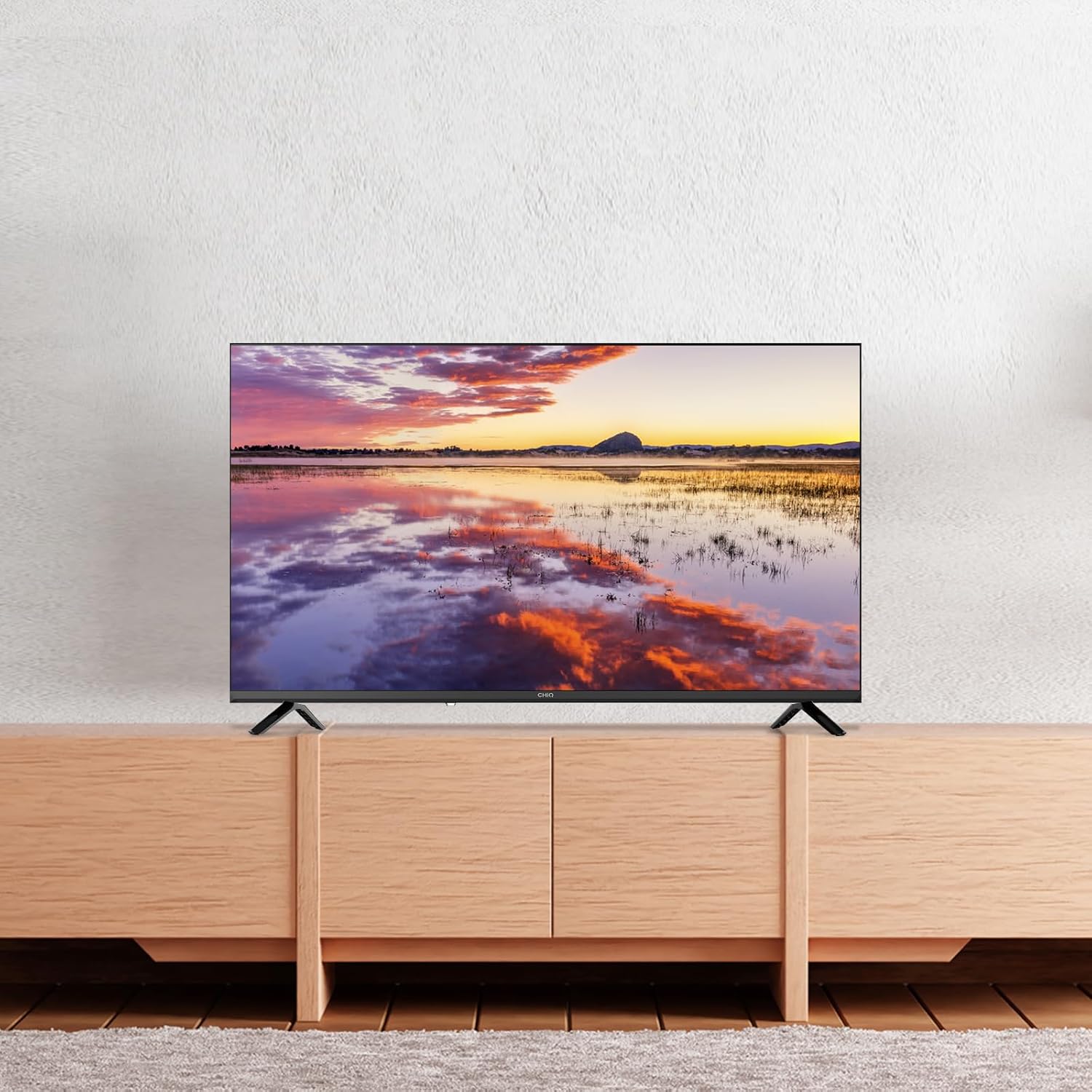
Image: The CHiQ LF32FT television mounted on a wall above a wooden console, demonstrating its suitability for wall installation.
4.2 Connecting Peripherals
Your CHiQ LF32FT TV offers multiple connectivity options:
- HDMI 1.4 x 3: For connecting devices like Blu-ray players, gaming consoles, or set-top boxes.
- USB 2.0 x 2: For connecting USB drives to play media or for software updates.
- AV IN x 1: For older devices using composite video and stereo audio.
- LAN x 1: For a wired internet connection.
- Headphone x 1: For connecting headphones.
- RF x 1: For connecting an antenna or cable TV.
- CI+ x 1: For Conditional Access Module (CAM) to decrypt pay-TV channels.
- Optical x 1: For digital audio output to soundbars or home theater systems.

Image: A detailed view of the rear panel of the CHiQ LF32FT TV, highlighting the available ports including HDMI, USB, AV In, LAN, Headphone, RF, CI+, and Optical connections.
4.3 Initial Power-On and Network Setup
- Connect the power cable to the TV and a power outlet.
- Press the power button on the remote control or TV.
- Follow the on-screen instructions to select your language, country, and connect to your Wi-Fi network (supports dual-band Wi-Fi).
- Sign in with your Google account to access Google TV features.
5. Operating Instructions
5.1 Google TV OS and Smart Features
Your CHiQ LF32FT runs on Google TV OS, offering a personalized experience with access to over 10,000 apps including Netflix, Disney+, YouTube, and Prime Video. The interface organizes content from all your streaming services in one place.

Image: The Google TV home screen displaying a variety of streaming application icons such as Netflix, Disney+, YouTube, and Prime Video, indicating a centralized content hub.
5.2 Voice Control with Google Assistant
Control your TV using your voice with Google Assistant. Simply press the Google Assistant button on your remote and speak your commands. You can search for movies, open apps, get weather updates, and more.

Image: A hand holding a smartphone, demonstrating voice control with Google Assistant to interact with the CHiQ TV, which displays various app icons.
5.3 Chromecast Built-in and Multi-device Connection
With Chromecast built-in, you can easily cast your favorite videos, photos, and apps from your smartphone or tablet directly to the TV. The TV also supports DLNA for media sharing across your home network.

Image: A family watching content on the CHiQ LF32FT TV, with a smartphone in the foreground showing content being cast to the larger screen, illustrating the multi-device connection feature.
5.4 Picture and Sound Settings
The TV features Full HD resolution, offering double the clarity of standard HD. HDR10 technology enhances contrast, providing deeper blacks and brighter whites for a more immersive viewing experience.

Image: A split screen comparison on the CHiQ LF32FT TV, showing the enhanced clarity and detail of Full HD (FHD) on the left versus standard HD on the right, with a mountain landscape as the subject.

Image: A split screen comparison on the CHiQ LF32FT TV, illustrating the visual improvement with HDR10 on the left, showing richer colors and deeper contrast in a vibrant aurora borealis scene, compared to a non-HDR image on the right.
For audio, Dolby Audio provides multi-channel cinema-quality sound. dbx-tv offers personalized audio modes (Cinema, News, Sport) for clear dialogues and dynamic bass.

Image: The CHiQ LF32FT TV displaying a violinist, with "Dolby Audio" branding, emphasizing the professional audio tuning capabilities.

Image: The CHiQ LF32FT TV displaying a scenic view, with "dbx-tv" branding and text indicating personalized audio modes like Cinema, News, Night, and Sport, suggesting customizable sound experiences.
5.5 Official Product Videos
Video: This video from CHiQ showcases the M9 32-inch LED TV, highlighting its features such as direct backlight technology, vibrant colors, and the sleek design. It also demonstrates the Google Play Store and Google Assistant integration.
Video: This CHiQ video highlights the Full HD 40-inch televisions from 2025, emphasizing features like frameless metallic design, HDR10, Dolby Audio, dbx-tv, Google Cast, Google Assistant, and Bluetooth connectivity. It visually demonstrates the enhanced picture and sound quality.
Video: This video from CHIQ - Home Entertainment introduces a 2022 Smart TV with Android 11. It highlights the full-screen design, Google Assistant integration, HDR10, and dbx-tv audio, showcasing a seamless user experience and vibrant display.
6. Maintenance
- Screen Cleaning: Gently wipe the screen with a soft, lint-free cloth. For stubborn marks, use a screen-specific cleaner applied to the cloth, not directly to the screen.
- Casing Cleaning: Use a soft, dry cloth to wipe the TV casing. Avoid using abrasive cleaners or solvents.
- Ventilation: Ensure the ventilation openings on the back of the TV are not blocked to prevent overheating.
- Power Cable: Regularly check the power cable for any damage. If damaged, replace it immediately with an approved cable.
7. Troubleshooting
| Problem | Possible Solution |
|---|---|
| No power | Check if the power cable is securely connected to the TV and the power outlet. Ensure the power outlet is working. |
| No picture, but sound is present | Check the input source. Ensure the connected device is powered on and its cables are properly connected. |
| No sound, but picture is present | Check the volume level and mute settings. Ensure external audio devices are properly connected and configured. |
| Remote control not working | Replace the batteries. Ensure there are no obstructions between the remote and the TV's IR sensor. |
| Wi-Fi connection issues | Restart your router and the TV. Ensure the TV is within range of your Wi-Fi network. Check network settings on the TV. |
8. Specifications
| Feature | Detail |
|---|---|
| Brand | CHiQ |
| Model Number | LF32FT |
| Screen Size | 32 Inches (81 cm) |
| Display Technology | LED |
| Resolution | 1080p (Full HD) |
| Refresh Rate | 60 Hz |
| Special Features | HDR10, Google TV OS, Dolby Audio, dbx-tv, Chromecast Built-in, DLNA, Metallic Frameless Design |
| Connectivity Technology | Bluetooth 5.0, HDMI, USB, Wi-Fi (Dual-band) |
| Aspect Ratio | 16:9 |
| Product Dimensions | 18 x 71.84 x 46.67 cm; 3.5 kg |
| Energy Efficiency Rating | E |

Image: The energy efficiency label for the CHiQ LF32FT TV, showing an 'E' rating and energy consumption of 26 kWh/1000h.

Image: A product information sheet detailing various technical parameters and specifications for the CHiQ LF32FT TV. For more details, refer to the EPREL database.
9. Warranty & Support
Your CHiQ LF32FT television comes with a standard manufacturer's warranty. For specific warranty terms and conditions, please refer to the warranty card included in your product packaging or visit the official CHiQ website.
For technical support, troubleshooting assistance, or service requests, please contact CHiQ customer support through their official channels. Keep your purchase receipt and product serial number handy when contacting support.


