
1. Introduction
This manual provides detailed instructions for the LIGE SML21-K Smartwatch. It covers setup, operation, maintenance, and troubleshooting to ensure you get the most out of your device. The LIGE SML21-K features a 1.43-inch HD AMOLED display, Bluetooth calling, comprehensive health monitoring, and over 100 sport modes, all powered by a long-lasting 750mAh battery.

Image 1.1: LIGE SML21-K Smartwatch with both metal and leather strap options.
2. Package Contents
Please check the box for the following items:
- 1 x LIGE SML21-K Smartwatch
- 1 x Steel Strap
- 1 x Leather Strap
- 1 x Strap Extension with Tools
- 1 x Magnetic Charging Cable
- 1 x User Manual
3. Setup
3.1 Charging the Smartwatch
Before first use, fully charge your smartwatch. Connect the magnetic charging cable to the charging points on the back of the watch and to a USB power source (e.g., computer, wall adapter). A full charge typically takes about 2.5 hours. The 750mAh battery provides 7-14 days of normal use and up to 30 days of standby time.

Image 3.1: The smartwatch features a 750mAh battery and includes two charging cables for convenience.
3.2 App Installation and Device Pairing
- Download the App: Scan the QR code in the manual or on the watch screen, or search for the "Da Fit" app in your smartphone's app store (compatible with Android 5.0+ and iOS 9.0+).
- Enable Bluetooth: Ensure Bluetooth is enabled on your smartphone.
- Pair the Device: Open the "Da Fit" app, navigate to the device section, and search for your LIGE SML21-K smartwatch. Select it to pair. Follow any on-screen prompts to complete the connection.
- Enable Permissions: Grant necessary permissions (e.g., notifications, location) to the app for full functionality.
4. Operating Instructions
4.1 Basic Navigation
- Touchscreen: Swipe left/right, up/down to navigate through menus and features. Tap to select.
- Side Button(s): Typically, one button serves as a power/back button, while others may provide quick access to specific functions or the app menu. Refer to the watch's on-screen guide for specific button functions.
4.2 Bluetooth Calls and Notifications
Once paired via Bluetooth, your smartwatch can handle calls and display notifications.
- Making/Receiving Calls: The watch has a built-in microphone and speaker. You can answer, make, or reject calls directly from your wrist. Access the dial pad or contact list on the watch to initiate calls.
- Message Notifications: Receive alerts for SMS, Facebook, WhatsApp, Instagram, and other app messages directly on your watch screen.

Image 4.1: The smartwatch supports Bluetooth calls, displays message notifications, and integrates a voice assistant.
4.3 Health Monitoring
The smartwatch provides 24/7 health tracking through advanced sensors.
- Heart Rate: Monitors your heart rate in real-time.
- Blood Oxygen (SpO2): Measures your blood oxygen saturation levels.
- Sleep Monitoring: Tracks different sleep stages (REM, light, deep sleep) and wake-up times to provide insights into your sleep quality.
- Calorie Tracking: Records calories burned throughout the day.
View health data directly on the watch or in detail via the "Da Fit" app.

Image 4.2: The smartwatch offers continuous health tracking, including heart rate, blood oxygen, and sleep analysis.
4.4 Sport Modes
The smartwatch supports over 100 sport modes for various indoor and outdoor activities. It records real-time data such as heart rate, steps, calories burned, distance, and activity duration.
- Examples: Running, hiking, cycling, football, golf, swimming, climbing, tennis, basketball, and more.

Image 4.3: The smartwatch tracks over 100 exercise modes, displaying metrics like calories, steps, heart rate, and distance.
4.5 Other Functions
The LIGE SML21-K offers a range of additional features to enhance daily convenience:
- Weather Forecasts: Get current weather information.
- Voice Assistant: Use voice commands for various tasks.
- Alarm Clock: Set alarms directly from your wrist.
- Stopwatch & Timer: For precise timekeeping.
- Music Control: Control music playback on your smartphone.
- Camera Control: Remotely trigger your smartphone's camera shutter.
- Sedentary Reminder: Alerts you to move after periods of inactivity.
- Hydration Reminder: Prompts you to drink water.
- Find My Phone: Helps locate your paired smartphone.
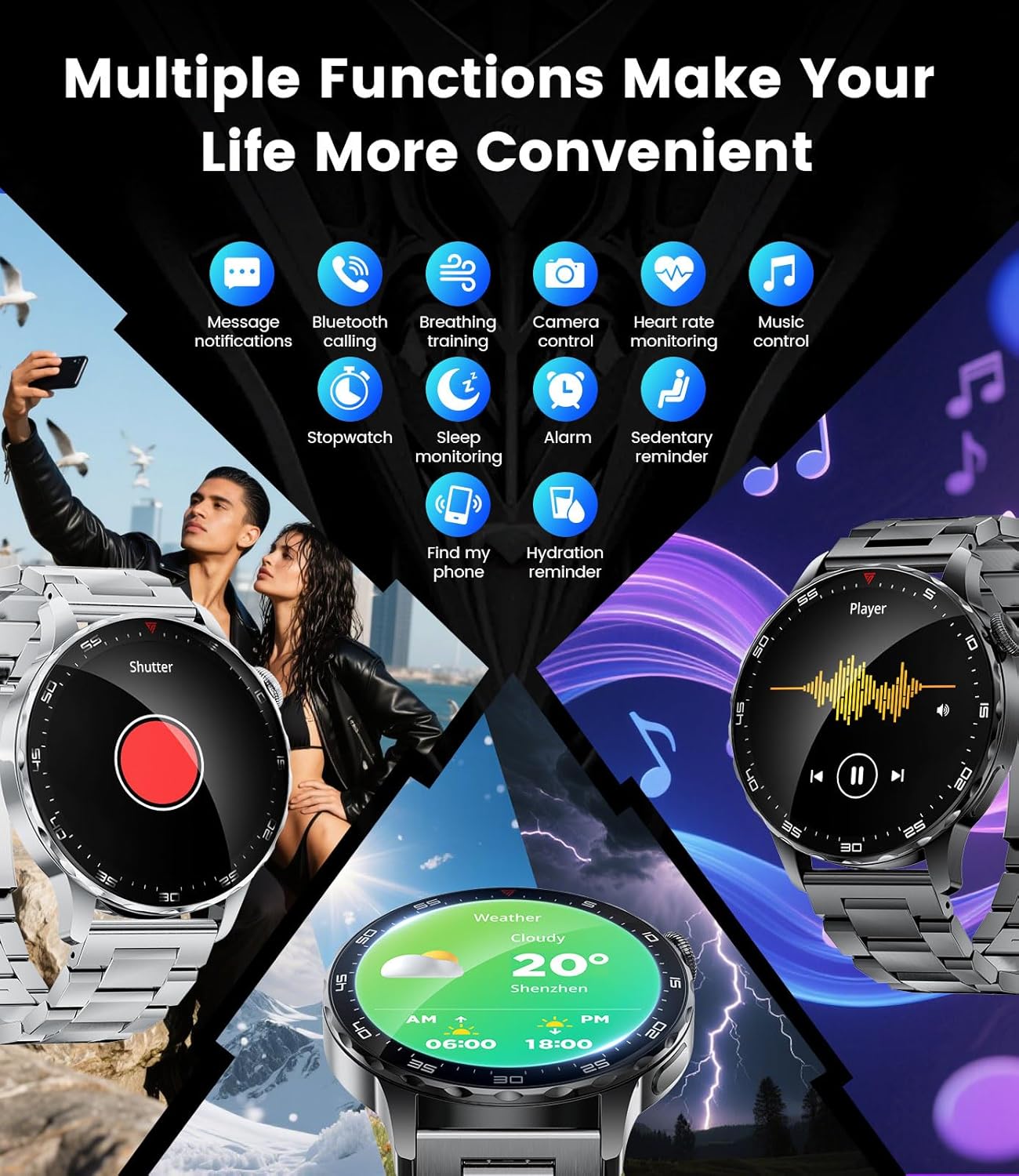
Image 4.4: The smartwatch provides multiple functions including camera control, music playback, and weather updates.
4.6 Customizing Watch Faces
Personalize your smartwatch with over 200 downloadable watch faces available through the "Da Fit" app. You can also use your own images to create custom watch faces that reflect your style.
5. Maintenance
5.1 Water Resistance Guidelines (IP68)
The LIGE SML21-K smartwatch is IP68 waterproof, meaning it is resistant to dust and can withstand immersion in water up to 1.5 meters for up to 30 minutes. This makes it suitable for:
- Daily sweating
- Rain exposure
- Hand washing
- Swimming (in shallow water)
Important Limitations:
- Not suitable for hot showers or saunas: Steam and hot water can compromise the seals.
- Avoid extreme temperatures: Do not expose the watch to very high or very low temperatures.
- Avoid diving or high-pressure water activities: The IP68 rating does not cover high-velocity water or deep immersion.

Image 5.1: The smartwatch is IP68 waterproof, suitable for swimming and daily water exposure, but not for hot showers or extreme temperatures.
5.2 Cleaning
Regularly clean your smartwatch and straps to prevent skin irritation and maintain performance. Use a soft, damp cloth to wipe the screen and casing. For the straps, follow specific cleaning instructions based on the material (steel or leather).
5.3 Battery Care
- Avoid fully discharging the battery frequently.
- Charge the watch using the provided magnetic charging cable.
- Store the watch in a cool, dry place when not in use for extended periods.
6. Troubleshooting
- Watch not turning on: Ensure the watch is fully charged. Connect it to the charger for at least 30 minutes.
- Cannot pair with smartphone:
- Ensure Bluetooth is enabled on your phone.
- Make sure the watch is within range of your phone.
- Restart both the watch and your phone.
- Check if the "Da Fit" app has all necessary permissions.
- Notifications not appearing:
- Verify notification permissions are granted in the "Da Fit" app and your phone's settings.
- Ensure the app is running in the background.
- Inaccurate health data: Ensure the watch is worn snugly on your wrist, not too tight or too loose. Clean the sensors regularly.
- Short battery life: Reduce screen brightness, disable unnecessary features, and ensure the watch is fully charged.
7. Specifications
| Feature | Specification |
|---|---|
| Brand | LIGE |
| Model Number | SML21-K |
| Operating System Compatibility | Android 5.0+ / iOS 9.0+ |
| Screen Size | 1.43 Inches |
| Display Type | HD AMOLED (460x460 resolution) |
| Connectivity | Bluetooth |
| Battery Capacity | 750 mAh Lithium-ion |
| Memory (Flash) | 256 MB |
| Water Resistance | IP68 |
| GPS | No GPS |
| Shape | Round |

Image 7.1: Detailed dimensions of the LIGE SML21-K Smartwatch and its straps.
8. Warranty and Support
For warranty information and customer support, please refer to the documentation included with your purchase or contact LIGE customer service directly. Specific warranty terms may vary by region and retailer.


