
1. Important Safety Information
Please read all safety instructions before using this product. Failure to follow these instructions may result in electric shock, fire, or injury.
- Do not expose the power bank to extreme temperatures (above 45°C or below 0°C) or direct sunlight.
- Do not disassemble, modify, or repair any part of the power bank.
- Keep the power bank away from water or other liquids.
- Do not drop, puncture, or apply excessive force to the power bank.
- Ensure proper ventilation during use and charging.
- This power bank is CCC Certified and includes 9 safety mechanisms: overcharge, overcurrent, short circuit, overvoltage, over-discharge, overheat, recovery, overpower, and flame-retardant casing protection.

Image: Advanced safety protection features of the VENTION Power Bank.
2. Product Overview
The VENTION 45W 20000mAh Power Bank is a portable charging solution designed for various electronic devices. It features a high-capacity battery, fast charging capabilities, and a compact design for travel convenience.
- 45W High-Speed Charging: Supports Power Delivery (PD) and PPS protocols for rapid charging of compatible devices.
- 20000mAh Capacity: Provides multiple charges for smartphones and tablets, and can partially charge laptops.
- Built-in USB-C Cable: Integrated USB-C cable for convenient charging without needing an extra cable. This cable also functions as a lanyard.
- LED Digital Display: Shows the remaining battery percentage.
- Multiple Output Ports: Includes an additional USB-C port (45W output) and a USB-A port (22.5W output) for charging up to three devices simultaneously.
- Compact and Portable Design: Smaller than many smartphones, making it easy to carry in pockets or bags.

Image: The VENTION 45W 20000mAh Power Bank.

Image: The compact size of the VENTION Power Bank compared to a smartphone.

Image: The built-in USB-C cable also serves as a convenient lanyard.
3. Package Contents
The package includes the following items:
- 1 x VENTION 45W 20000mAh Power Bank
- 1 x Drawstring Bag
- 1 x User Manual
4. Specifications
| Feature | Specification |
|---|---|
| Brand | VENTION |
| Model Name | FHGH0 |
| Model Number | FHG |
| Battery Capacity | 20000 Milliamp Hours (77Wh) |
| Battery Cell Type | Lithium Polymer |
| Battery Weight | 254 Grams |
| Input (Built-in USB-C Cable) | 5V=3A, 9V=3A, 12V=2.5A, 15V=2A, 20V=1.5A (30W Max) |
| Input (USB-C Port) | 5V=3A, 9V=3A, 12V=2.5A, 15V=2A, 20V=1.5A (30W Max) |
| Output (Built-in USB-C Cable) | 5V=3A, 9V=3A, 12V=3A, 15V=3A, 20V=2.25A (45W Max) |
| Output (USB-C Port) | 5V=3A, 9V=3A, 12V=3A, 15V=3A, 20V=2.25A (45W Max) |
| Output (USB-A Port) | 5V=3A, 9V=2.5A, 12V=1.87A (22.5W Max) |
| Total Output | 5V=3A |
| Dimensions (L x W x Thickness) | 6.1"L x 4.3"W x 1.4"Th (10.35 x 7.14 cm) |
| Special Feature | Slim, LED Digital Display, Built-in USB-C Cable |
| Color | Gray |
5. Setup
5.1 Initial Charging of the Power Bank
Before first use, fully charge the power bank to ensure optimal performance. The LED digital display will show the battery percentage. A full charge is indicated by 100% on the display.
- Connect the built-in USB-C cable or a separate USB-C cable to the power bank's input port.
- Connect the other end of the cable to a compatible USB wall charger (not included). For fastest charging, use a 30W or higher PD-compatible charger.
- The LED display will show the charging progress.
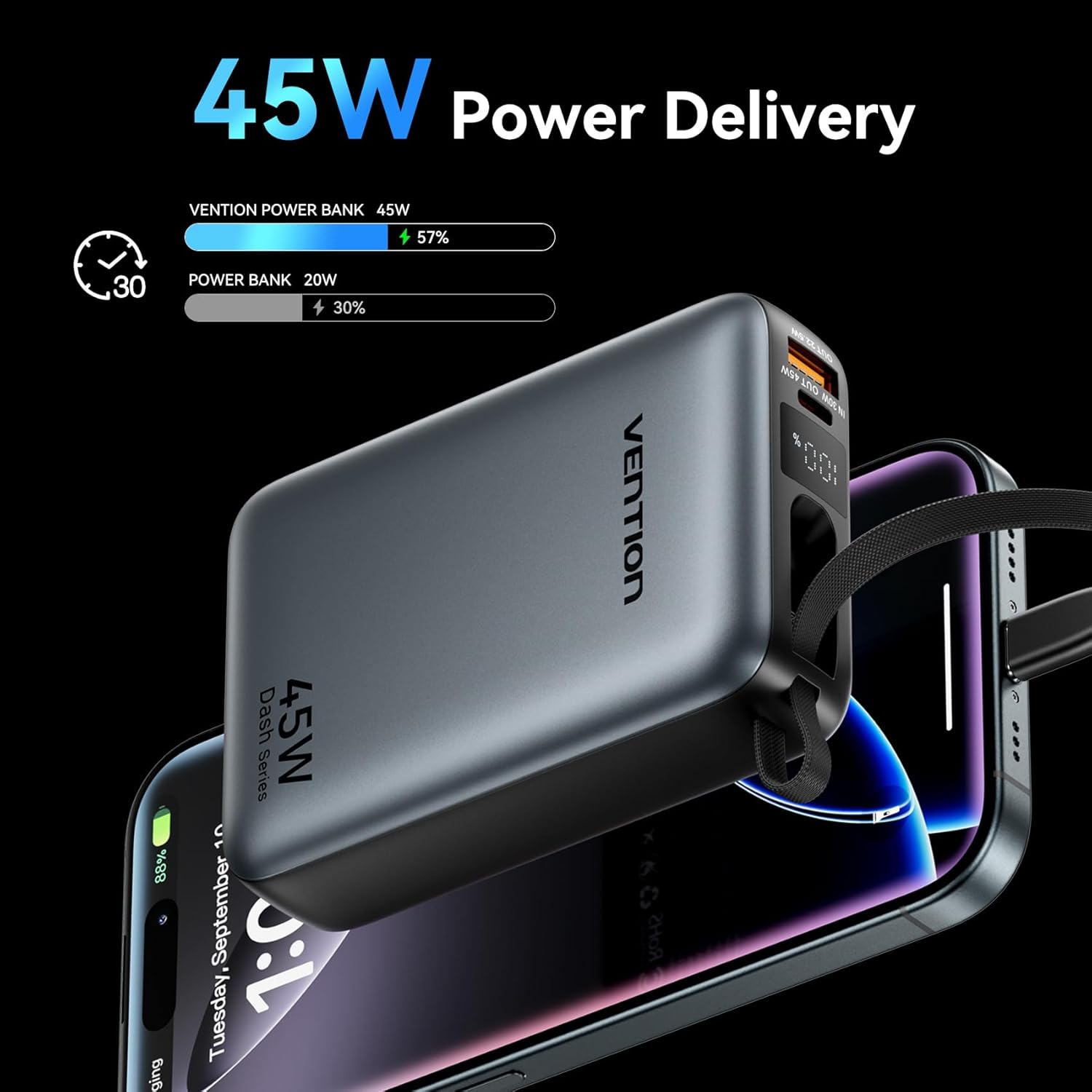
Image: The power bank's LED display showing charging status.
6. Operating Instructions
6.1 Charging Devices
The power bank can charge various devices using its built-in USB-C cable, dedicated USB-C port, or USB-A port.
- Using the Built-in USB-C Cable: Pull out the integrated USB-C cable from its storage slot and connect it directly to your device's USB-C charging port.
- Using the USB-C Port: Connect a compatible USB-C to USB-C cable (not included) to the power bank's USB-C output port and then to your device.
- Using the USB-A Port: Connect a compatible USB-A to your device's charging cable (not included) to the power bank's USB-A output port and then to your device.
The power bank will automatically begin charging your device. The LED display will show the remaining battery percentage.
6.2 Simultaneous Charging
The VENTION Power Bank supports charging up to three devices concurrently using its built-in USB-C cable, USB-C port, and USB-A port. Note that the total output will be shared among the devices, and charging speed may vary depending on the number of devices and their power requirements.

Image: Charging three devices simultaneously with the power bank.

Image: The built-in USB-C cable ready for use.
7. Maintenance and Care
Proper maintenance ensures the longevity and performance of your power bank.
- Cleaning: Wipe the power bank with a soft, dry cloth. Do not use harsh chemicals or abrasive materials.
- Storage: Store the power bank in a cool, dry place away from direct sunlight and extreme temperatures.
- Battery Health: To maintain optimal battery health, fully charge the power bank at least once every 3-6 months, even if not in use. Avoid completely discharging the battery frequently.
- Temperature Control: The power bank features smart temperature control to prevent overheating during operation and charging.

Image: Smart temperature control system for safe operation.
8. Troubleshooting
If you encounter issues with your VENTION Power Bank, refer to the following common problems and solutions:
- Power bank not charging:
- Ensure the charging cable is securely connected to both the power bank and the wall charger.
- Verify that the wall charger is functioning correctly and provides sufficient power (e.g., 30W PD charger).
- Try a different charging cable or wall adapter.
- Device not charging from power bank:
- Check if the power bank has sufficient charge.
- Ensure the cable connecting the power bank to your device is securely connected and compatible.
- Try a different port on the power bank or a different charging cable.
- Some devices may require specific charging protocols; ensure your device is compatible with the power bank's output.
- Slow charging:
- Ensure your device supports fast charging protocols (PD/PPS) and that you are using a compatible cable.
- Charging speed may decrease as the power bank's battery level increases to protect the device.
- Charging multiple devices simultaneously can reduce the charging speed for each individual device.
9. Warranty and Support
VENTION products are designed and manufactured to the highest quality standards. For warranty service or support, please contact VENTION directly.
- Website: www.ventiontech.com
- Email: vention@ventiontech.com


